1. Introduction
The SWIPOWER 3600W Hybrid Solar Inverter is an all-in-one solution designed for efficient power conversion and management. It integrates a 3600W pure sine wave inverter, a 120A MPPT solar charge controller, and a battery charger into a single unit. This device is suitable for various applications including home backup, RVs, off-grid systems, and emergency power needs, providing stable 110V/120V AC power from a 24V DC source.
Key Features:
- All-in-One Design: Combines inverter, solar charger, and battery charger.
- Pure Sine Wave Output: Delivers clean and stable AC power suitable for sensitive electronics.
- High-Efficiency MPPT Controller: Built-in 120A MPPT charge controller with up to 98% efficiency for optimal solar charging.
- Multiple Charging Modes: Offers Only Solar, Mains First, Solar First, and Mains & Solar hybrid charging options.
- Flexible Output Modes: Includes Solar First, Mains First, and SBU Priority for uninterrupted power supply.
- Wide Battery Compatibility: Supports 24V Lead-Acid (Seal, AGM, Gel, Flooded) and Lithium batteries.
- LCD & LED Display: Dynamic display of system data and operating status with configurable settings.
- Remote Monitoring: Supports WIFI remote monitoring via iOS and Android apps.
- Comprehensive Protection: Features overload, short circuit, and over-discharge protection.
2. Important Safety Instructions
Please read and understand all instructions before installing or operating the inverter. Failure to follow these instructions may result in electric shock, fire, serious injury, or death.
- Installation must be performed by qualified personnel.
- Ensure all wiring is correctly sized and properly insulated.
- Always disconnect all power sources (solar, battery, AC utility) before performing any maintenance or wiring.
- Do not operate the inverter if it is damaged or appears to be malfunctioning.
- Keep the inverter away from flammable materials, moisture, and direct sunlight.
- Ensure adequate ventilation around the inverter to prevent overheating.
- This inverter is designed for indoor use only.
- Do not attempt to disassemble or repair the inverter yourself. Contact qualified service personnel.
3. Product Overview
The SWIPOWER 3600W Hybrid Solar Inverter features a robust design with clear indicators and accessible connection points. Below are visual representations of the unit and its main components.
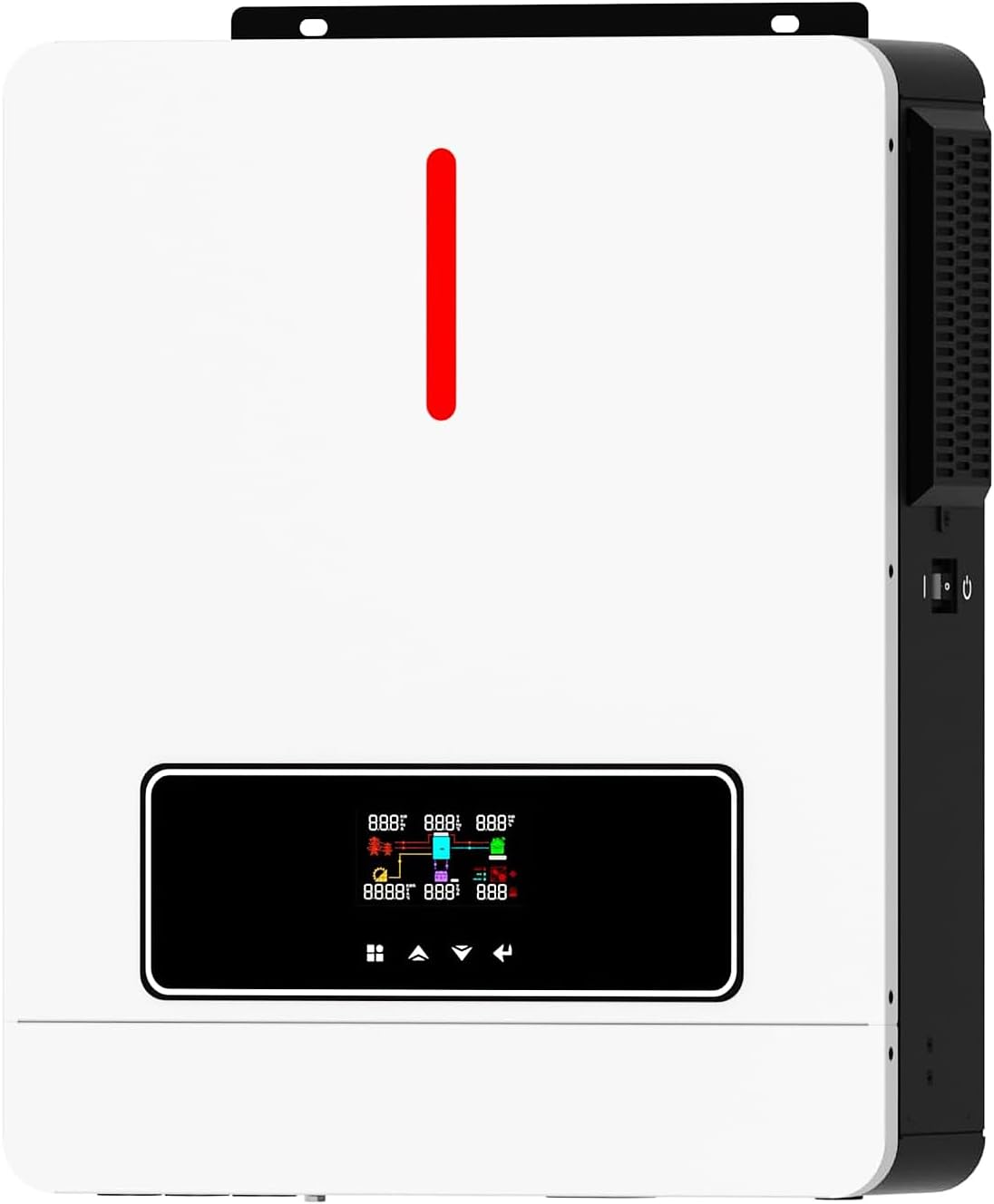
Figure 3.1: Front view of the SWIPOWER 3600W Hybrid Solar Inverter, showing the LCD display and control buttons.
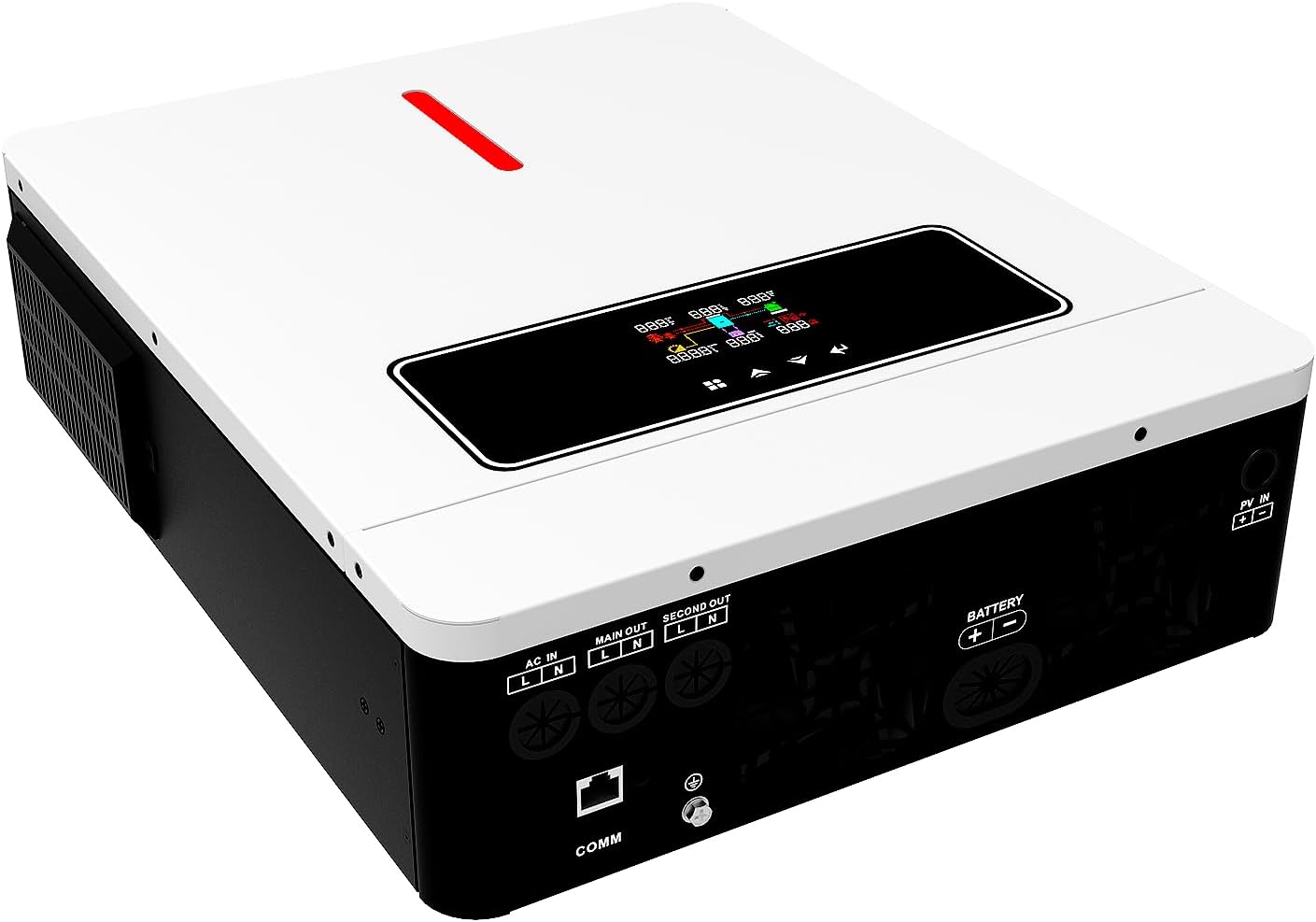
Figure 3.2: Angled view of the inverter, highlighting the various input and output terminals on the rear panel.

Figure 3.3: Detailed view of the inverter's dimensions, LCD display, RGB light effects, and control buttons for user interaction.
3.1. LCD Display and Indicators
The LCD display provides real-time information about the system's status, including input/output voltage, battery charge level, and load percentage. Three LED indicators (AC/INV, CHG, FAULT) provide quick visual status updates.
- AC/INV Indicator: Indicates AC input supply or inverter operation.
- CHG Indicator: Shows charging status (flashing for charging, bright for fully charged).
- FAULT Indicator: Lights up when an abnormal condition or fault occurs.
Control buttons (SET, UP, DOWN, ENT) allow navigation through menus and configuration of various parameters.
4. Setup and Installation
Proper installation is crucial for the safe and efficient operation of your SWIPOWER Hybrid Solar Inverter. Follow these steps carefully.
4.1. Mounting the Inverter
Mount the inverter on a vertical surface, ensuring sufficient clearance around the unit for proper heat dissipation. The inverter should be installed in a dry, well-ventilated area, away from direct sunlight and heat sources.
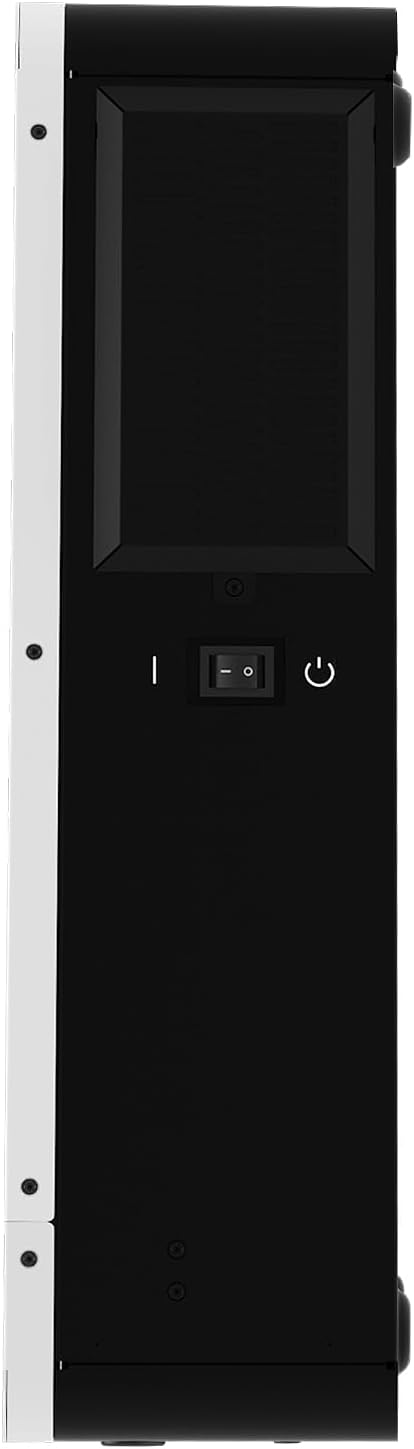
Figure 4.1: Side view of the inverter, illustrating the mounting brackets and ventilation.
4.2. Wiring Connections
All wiring connections must be secure and use appropriate cable gauges as specified in the technical specifications. Always ensure all power sources are disconnected before making any connections.

Figure 4.2: Comprehensive wiring diagram for the SWIPOWER Hybrid Solar Inverter, detailing connections for various power sources and loads.
4.2.1. Battery Connection
Connect the battery cables to the inverter's battery terminals. Ensure correct polarity (positive to positive, negative to negative). It is critical to connect the battery first before any other power sources.
Video 4.1: This video, while showing a Y&H branded inverter, demonstrates the general process of connecting battery cables to a hybrid inverter. The steps are applicable to the SWIPOWER inverter due to similar design.
4.2.2. AC Input Connection
Connect the AC utility power input to the designated AC input terminals on the inverter. This connection allows the inverter to draw power from the grid or a generator when solar or battery power is insufficient.
4.2.3. AC Output Connection
Connect your household or office loads to the AC output terminals. This is where the inverter supplies power to your appliances.
4.2.4. PV Input Connection
Connect your solar panels (photovoltaic modules) to the PV input terminals. Ensure the total PV input power and voltage range are within the inverter's specifications.
Video 4.2: This video, while showing a Y&H branded inverter, demonstrates the general process of connecting AC input, AC output, and PV input cables to a hybrid inverter. The steps are applicable to the SWIPOWER inverter due to similar design.
4.3. Initial Power-Up Sequence
- Ensure all connections are secure and correct.
- Turn on the battery circuit breaker first.
- Turn on the inverter's main switch.
- Turn on the AC input circuit breaker (if connected to utility/generator).
- Turn on the PV input circuit breaker (if connected to solar panels).
- Finally, turn on the AC output circuit breaker to supply power to your loads.
5. Operating Instructions
The SWIPOWER Hybrid Solar Inverter offers various operating modes and configurable settings to optimize your power system.
5.1. Navigating the LCD Display
Use the SET, UP, DOWN, and ENT buttons to navigate through the LCD menu and adjust settings. The display provides real-time data and allows customization of charging and output priorities.
5.2. Charging Modes
The inverter supports four charging modes:
- Only Solar: Prioritizes solar power for battery charging.
- Mains First: Prioritizes utility power for battery charging.
- Solar First: Prioritizes solar power for charging, then utility if solar is insufficient.
- Mains & Solar Hybrid: Uses both mains and solar power for charging.
5.3. Output Modes (Load Supply Priority)
Three output modes are available to meet different application requirements:
- Solar First: Prioritizes solar power to supply loads.
- Mains First: Prioritizes utility power to supply loads.
- SBU Priority (Solar-Battery-Utility): Prioritizes solar, then battery, then utility for load supply.
Video 5.1: This video, while showing a Y&H branded inverter, demonstrates how to configure the PV Maximize Power Generation Setup (SBU Priority) and BMS lithium battery communication settings. The interface and settings are similar to the SWIPOWER inverter.
5.4. Battery Type Configuration
The inverter is compatible with various battery types. Ensure the correct battery type is selected in the settings for optimal charging and discharge management.

Figure 5.1: Inverter compatibility with various battery types, including user-customizable settings.
6. Maintenance
Regular maintenance ensures the longevity and optimal performance of your inverter.
- Cleaning: Periodically clean the exterior of the inverter with a dry cloth. Ensure ventilation openings are free from dust and debris.
- Connections: Regularly check all electrical connections for tightness and signs of corrosion.
- Battery Inspection: Inspect battery terminals for corrosion and ensure proper ventilation if using lead-acid batteries.
- Environmental Check: Ensure the installation environment remains within specified temperature and humidity ranges.
7. Troubleshooting
If you encounter issues with your inverter, refer to the following common troubleshooting steps. For persistent problems, contact customer support.
| Problem | Possible Cause | Solution |
|---|---|---|
| Inverter not turning on | No battery connection or low battery voltage. | Check battery connections and ensure battery is charged. |
| No AC output | Overload, short circuit, or inverter fault. | Reduce load, check for short circuits, or reset inverter. |
| Charging not working | Solar panels not connected, insufficient sunlight, or AC input not present. | Check PV connections, ensure adequate sunlight, or verify AC input. |
| Fault indicator on | Internal fault or protection triggered. | Refer to the specific fault code on the LCD (if available) and consult the full manual or customer support. |
8. Technical Specifications
Below are the detailed technical specifications for the SWIPOWER 3600W Hybrid Solar Inverter (Model: 3600W/24V).

Figure 8.1: Detailed specifications covering various operational modes and general characteristics.
General Specifications:
- Model Name: 3600W/24V
- Wattage: 3600 watts
- Power Source: Solar and Battery Powered
- Brand: SWIPOWER
- Manufacturer: CNSWIPOWER
- Product Dimensions: 16.65 x 13.13 x 4.33 inches
- Item Weight: 22 pounds
- Nominal Input Frequency: 60Hz
- Max. PV Input Power: 4200W
- PV Voltage Range: 60-450Vdc
- Max. PV Input VOC: 450V DC
- Charge Current: 120A
- Nominal Output Voltage: 120Vac
- Operating Temperature: -10°C to 50°C
- Humidity: 5% to 95% (non-condensing)
- Communication Port: RS232/RS485/WIFI/GPRS (optional)
9. Warranty and Support
For warranty information, technical support, or service inquiries, please refer to the contact details provided with your product packaging or visit the official SWIPOWER website. Keep your purchase receipt as proof of purchase for warranty claims.