
Introduction
Thank you for choosing the ZEALOT S127 Bluetooth Speaker. This manual provides essential information for setting up, operating, and maintaining your speaker to ensure optimal performance and longevity. Please read this manual thoroughly before use.
What's in the Box
Verify that all items are present in the package:
- Wireless Speaker x1
- Removable Shoulder Strap x1
- User Manual x1
- AUX Cable x1
- Type-C Cable x1
- Portable Velvet Bag x1

Product Overview
Familiarize yourself with the speaker's controls and connection ports.
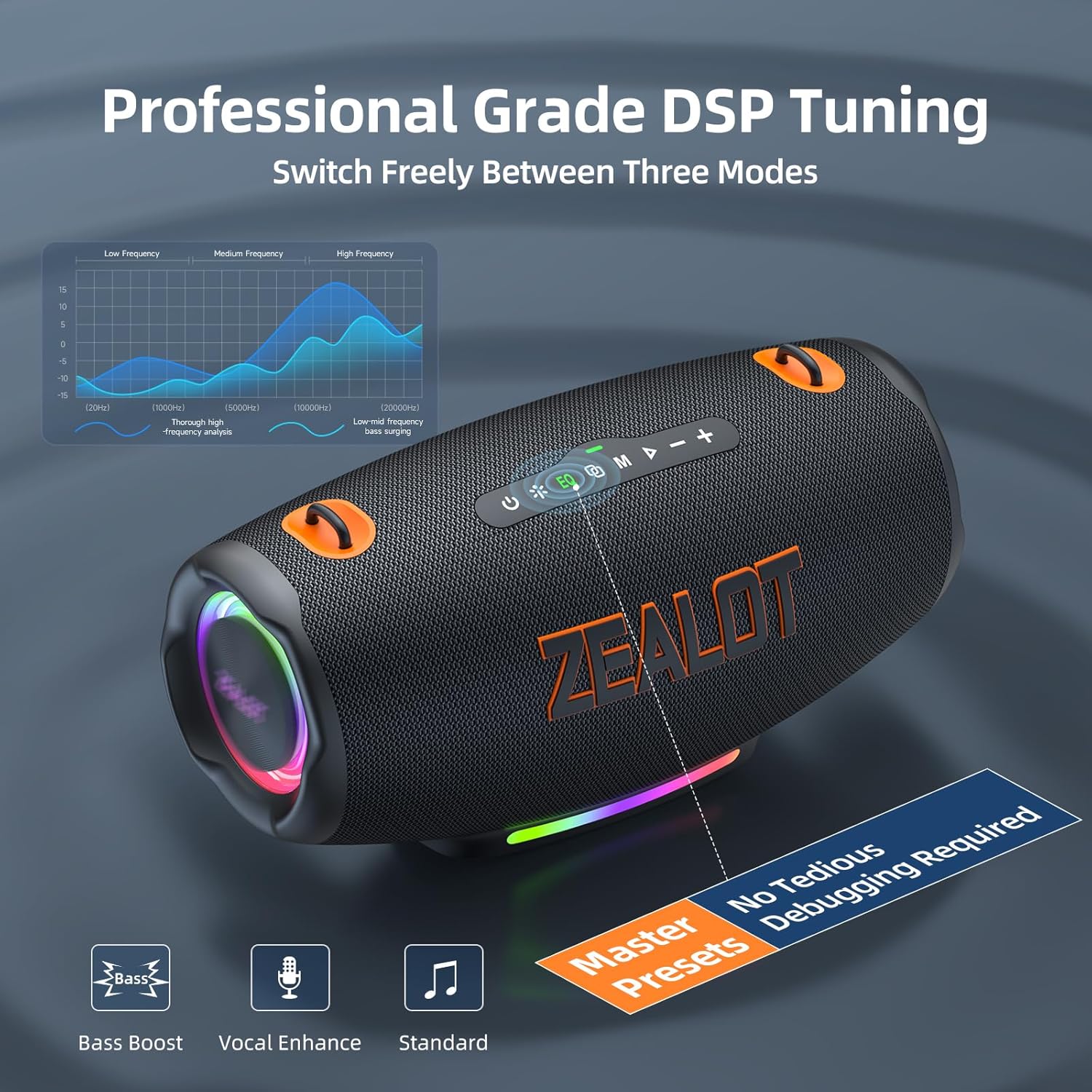
Top Panel Controls
Rear Connection Ports
This video provides a quick overview of the ZEALOT S127 Portable Bluetooth Speaker, highlighting its design and key features.
Setup and Connection
Charging the Speaker
Before first use, fully charge the speaker using the provided Type-C cable and a compatible power adapter. The power indicator lights will show charging status.

Bluetooth Pairing
- Power on the speaker. The Bluetooth indicator will flash, indicating it's in pairing mode.
- On your device (smartphone, tablet, etc.), enable Bluetooth and search for 'ZEALOT S127'.
- Select 'ZEALOT S127' to connect. A voice prompt will confirm successful pairing.
Multi-Mode Switching
The speaker supports multiple input modes:
- Bluetooth: Wireless connection to your device.
- TF Card: Insert a TF card with music files into the designated slot.
- USB: Connect a USB drive with music files.
- AUX: Use the provided AUX cable to connect to devices with a 3.5mm audio output.
Press the 'M' (Mode) button on the top panel to switch between input modes.

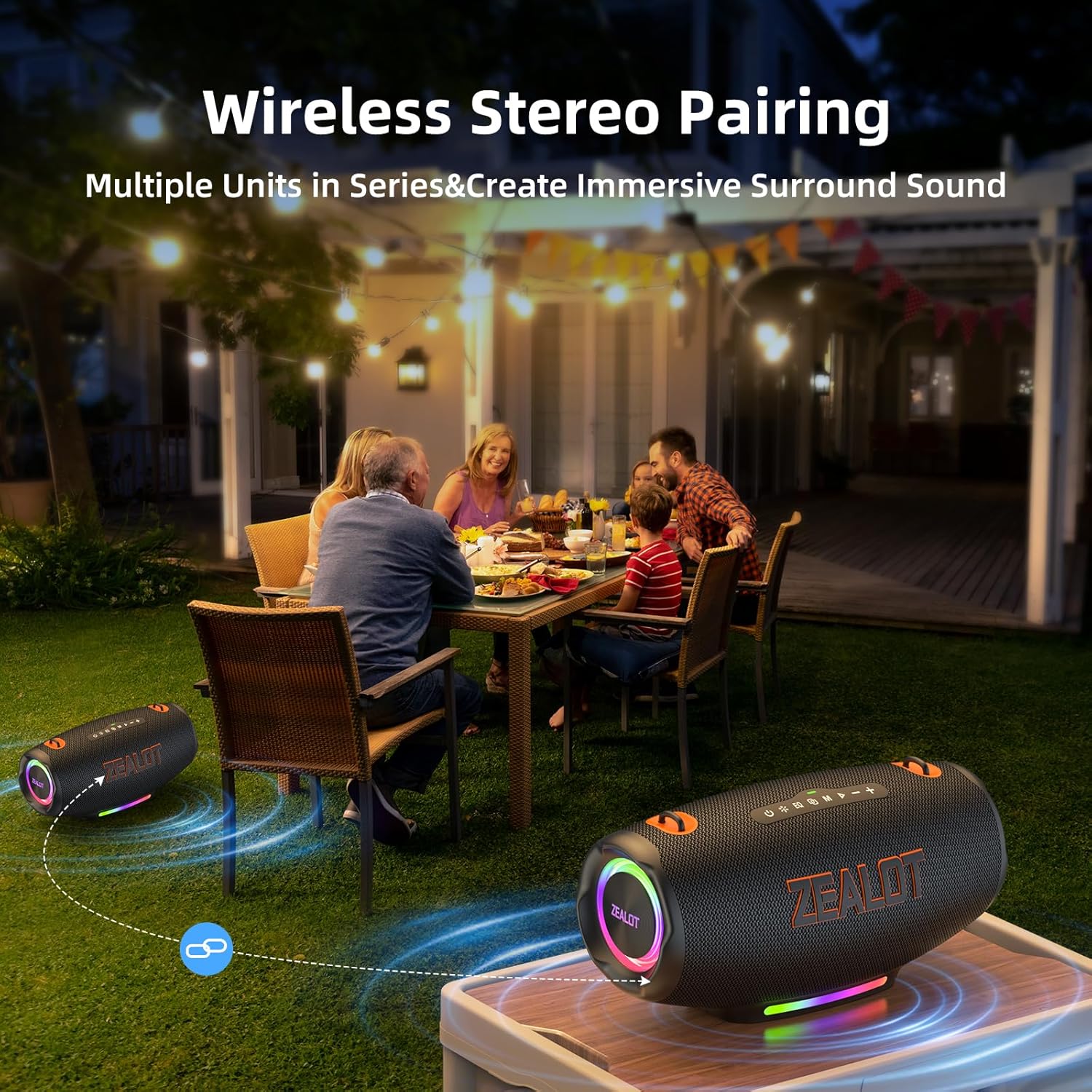
Party Connect (TWS Pairing)
To achieve 360-degree surround sound, you can wirelessly connect two ZEALOT S127 speakers:
- Ensure both speakers are powered on and not connected to any Bluetooth device.
- On one speaker (the primary), press and hold the 'M' (Mode) button until you hear a pairing tone.
- The two speakers will automatically connect. Once connected, pair your device to the primary speaker via Bluetooth.

Operating Instructions
Power On/Off
- Power On: Press and hold the power button (⏻) for 2-3 seconds.
- Power Off: Press and hold the power button (⏻) for 2-3 seconds.
Volume Control
- Increase Volume: Short press the '+' button.
- Decrease Volume: Short press the '-' button.
EQ Modes
The speaker features three equalizer modes to optimize your audio experience:
- Ultra Bass: Enhances low frequencies for a powerful bass sound.
- Normal Bass: Balanced bass for everyday listening.
- Normal Voice: Optimizes vocal clarity for podcasts and audiobooks.
Press the 'EQ' button to cycle through these modes.

LED Lights Control
The speaker features dynamic LED lights. Short press the light button (※) to cycle through different light modes or turn them off. Long press to disable the LED light show completely.
Maintenance and Care
Waterproof Feature
The ZEALOT S127 is IPX6 waterproof, meaning it can withstand powerful water jets. It is suitable for outdoor use and can resist splashes and rain. However, it is not designed for submersion in water.

General Cleaning and Storage
- Clean the speaker with a soft, damp cloth. Do not use abrasive cleaners or solvents.
- Ensure the rubber flap covering the ports is securely closed when not in use to maintain water resistance.
- Store the speaker in a cool, dry place away from direct sunlight and extreme temperatures.
Troubleshooting
- No Power: Ensure the speaker is charged. Connect it to a power source using the Type-C cable.
- No Sound: Check the volume levels on both the speaker and your connected device. Ensure the correct input mode is selected.
- Bluetooth Pairing Issues: Make sure the speaker is in pairing mode (flashing indicator). Turn off and on Bluetooth on your device, then try pairing again. Ensure no other devices are connected to the speaker.
- Poor Sound Quality: Try switching EQ modes. Ensure the speaker is within Bluetooth range (up to 10 meters) and there are no obstructions.
- LED Lights Not Working: Short press the light button to cycle through modes. Long press to ensure they haven't been turned off completely.
Specifications
| Feature | Detail |
|---|---|
| Model Name | S127 Bluetooth Speaker |
| Speaker Type | Portable Speaker |
| Connectivity Technology | Bluetooth 5.3 |
| Speaker Maximum Output Power | 120 Watts |
| Frequency Response | 20 KHz |
| Signal-to-Noise Ratio | 90 dB |
| Woofer Diameter | 3.5 Inches |
| Tweeter Diameter | 1.5 Inches |
| Power Source | Battery Powered (1 x 12V battery included) |
| Battery Life | Up to 24 Hours (depending on usage) |
| Charging | Bidirectional Fast Charging |
| Waterproof Rating | IPX6 |
| Bluetooth Range | 10 Meters |
| Product Dimensions | 13.27"D x 6.77"W x 6.7"H |
| Item Weight | 9.17 pounds |
| Special Features | Bass Boost, Built-In Powerbank, Multi Room Audio, Portable, LED Lights, EQ |
Warranty and Support
The ZEALOT S127 Bluetooth Speaker comes with a limited warranty. For detailed warranty information, product support, or service inquiries, please refer to the official ZEALOT website or contact customer service through your retailer. Keep your purchase receipt for warranty claims.


