1. Introduction
This manual provides detailed instructions for the installation, operation, and maintenance of your BEENOCAM 4K Dual Lens Solar Security Camera, model QW6. This wireless outdoor camera features 4K 8MP resolution, dual-lens technology, solar power, 2.4G/5Ghz WiFi 6 connectivity, 355° pan/90° tilt, color night vision, PIR motion detection, and auto-tracking capabilities. Please read this manual thoroughly before use to ensure proper functionality and safety.
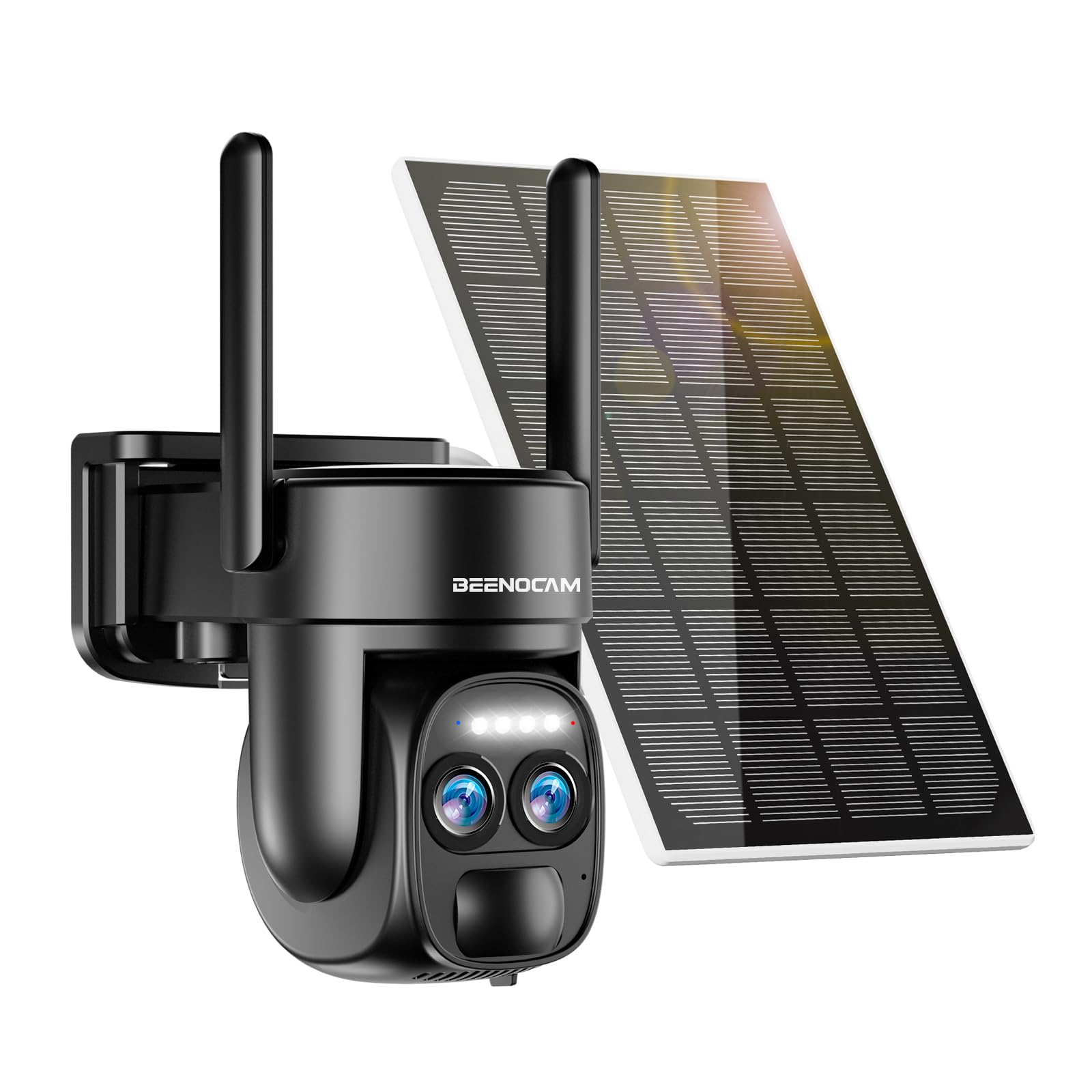
Figure 1: BEENOCAM 4K Dual Lens Solar Security Camera QW6
2. Product Features
- 4K 8MP Dual Lens System: Captures high-resolution video with an 8MP sensor. The dual-lens design supports 8x digital zoom for clear detail.
- Advanced Night Vision: Offers three night vision modes: infrared, full-color, and intelligent night vision, ensuring clear visibility in low-light conditions.
- PIR Human Detection & Auto Tracking: Equipped with sensitive Passive Infrared (PIR) sensors to accurately detect human motion, reducing false alarms. The camera automatically tracks detected movement.
- Solar Powered & Wireless: Integrated solar panel with a concave-convex design for efficient charging of the built-in high-capacity battery, providing continuous operation.
- 360° Pan/Tilt Coverage: Provides a 355° horizontal pan and 90° vertical tilt for comprehensive area monitoring.
- Customizable Detection Zones: Allows users to define up to 5 key focus zones to receive alerts only for areas of interest.
- Two-Way Audio: Features a built-in microphone and speaker for real-time communication via the mobile application.
- Local & Cloud Storage: Supports up to 256GB Micro SD card (not included) and secure cloud storage for event recordings.
- IP66 Weatherproof: Designed for outdoor use, resistant to rain, sun, and snow.

Figure 2: Dual Lens and 8X Digital Zoom for enhanced detail.

Figure 3: Full Color Night Vision capability.
3. Package Contents
The BEENOCAM QW6 package typically includes:
- BEENOCAM 4K Dual Lens Solar Security Camera (QW6)
- Integrated Solar Panel
- Mounting Bracket and Screws
- USB Charging Cable
- User Manual
Note: A Micro SD card for local storage is not included and must be purchased separately.
4. Setup Guide
4.1 Initial Charging
Before first use, fully charge the camera's built-in battery using the provided USB cable. Connect the cable to the camera's charging port and a standard 5V USB power adapter (not included). The charging indicator will show the battery status.
4.2 App Download and Account Registration
Download the official BEENOCAM application from your smartphone's app store (iOS App Store or Google Play Store). Follow the on-screen instructions to register a new account or log in if you already have one.
4.3 Camera Pairing
- Power on the camera.
- Open the BEENOCAM app and tap "Add Device" or the "+" icon.
- Select your camera model (QW6) from the list.
- Follow the app's instructions to connect the camera to your 2.4Ghz or 5Ghz Wi-Fi network. Ensure your phone is connected to the same Wi-Fi network during pairing.
- Scan the QR code displayed on your phone with the camera lens when prompted.
- Once connected, name your camera and complete the setup.
Note: For optimal performance, ensure the camera is within range of your Wi-Fi router.
4.4 Mounting the Camera
Choose a suitable outdoor location with good sunlight exposure for the solar panel and a clear view of the area you wish to monitor. Use the provided mounting bracket and screws to securely attach the camera to a wall or other stable surface. Adjust the solar panel's angle for maximum sun exposure.

Figure 4: Example of camera and solar panel mounting.
5. Operating Instructions
5.1 Live View and Pan/Tilt Control
Open the BEENOCAM app and select your camera to access the live view. Use the on-screen controls to pan (355° horizontal) and tilt (90° vertical) the camera lens to adjust the viewing angle. You can also use the 8x digital zoom feature to magnify details.

Figure 5: Pan, Tilt, and Zoom functionality.
5.2 Motion Detection and Alerts
The camera uses PIR human detection to identify motion. When motion is detected, the camera can:
- Send real-time push notifications to your smartphone.
- Activate customizable alarm sounds (e.g., siren, light alarm).
- Automatically track the detected movement.
Configure motion detection sensitivity and alarm settings within the app.

Figure 6: PIR Human Detection and Auto Tracking in action.
5.3 Night Vision Modes
Switch between the following night vision modes in the app settings:
- Infrared Night Vision: Provides clear black and white images in complete darkness.
- Color Night Vision: Utilizes built-in spotlights to provide full-color images at night.
- Intelligent Night Vision: Automatically switches between infrared and color night vision based on detected motion or ambient light.
5.4 Two-Way Audio
From the live view in the app, tap the microphone icon to speak through the camera's speaker. Tap the speaker icon to listen to audio from the camera's microphone. This allows for real-time communication with visitors or to deter intruders.

Figure 7: Two-way audio feature for communication.
5.5 Storage Options
The camera supports two storage methods for recorded events:
- Micro SD Card: Insert a Micro SD card (up to 256GB, not included) into the designated slot on the camera. Recordings will be stored locally.
- Cloud Storage: Subscribe to the optional cloud storage service via the app for secure, remote storage of your video recordings.
Access and review recorded footage through the playback feature in the BEENOCAM app.
6. Maintenance
- Solar Panel Cleaning: Regularly clean the surface of the solar panel with a soft, damp cloth to ensure maximum sunlight absorption and charging efficiency.
- Lens Cleaning: Gently wipe the camera lenses with a microfiber cloth to remove dust or smudges that may affect image quality.
- Firmware Updates: Check the BEENOCAM app periodically for available firmware updates. Keeping your camera's firmware updated ensures optimal performance and access to new features.
- Battery Health: While solar-powered, extreme weather conditions or prolonged periods without sunlight may require occasional manual charging via the USB port to maintain battery health.
7. Troubleshooting
| Problem | Possible Cause | Solution |
|---|---|---|
| Camera not powering on. | Low battery; power button not pressed. | Charge the camera fully. Press and hold the power button for a few seconds. |
| Unable to connect to Wi-Fi. | Incorrect Wi-Fi password; camera too far from router; 5Ghz network selected (if not supported). | Verify Wi-Fi password. Move camera closer to router. Ensure you are connecting to a 2.4Ghz or 5Ghz network as supported by the camera. |
| Frequent false alarms. | High motion sensitivity; objects like trees or pets triggering alerts. | Adjust motion detection sensitivity in the app. Define custom detection zones to exclude irrelevant areas. |
| Poor night vision quality. | Dirty lens; obstructions; incorrect night vision mode. | Clean the camera lens. Ensure no objects are blocking the view. Try switching between night vision modes. |
| Solar panel not charging. | Insufficient sunlight; dirty panel; incorrect angle. | Ensure the solar panel receives direct sunlight for several hours daily. Clean the panel. Adjust its angle for optimal exposure. |
For further assistance, please refer to the in-app help section or contact BEENOCAM customer support.
8. Specifications
| Feature | Detail |
|---|---|
| Model Name | QW6 |
| Video Capture Resolution | 4K (8MP) |
| Indoor/Outdoor Usage | Outdoor |
| Power Source | Battery Powered (Solar Recharged) |
| Connectivity Protocol | Wi-Fi (2.4G/5Ghz) |
| Controller Type | APP |
| Mounting Type | Wall Mount |
| Pan/Tilt Range | 355° Horizontal, 90° Vertical |
| Special Feature | PTZ Technology, PIR Motion Detection, Auto Tracking, Color Night Vision, Two-Way Audio |
| Storage | Micro SD (up to 256GB, not included), Cloud Storage (optional) |
| Waterproof Rating | IP66 |
| Product Dimensions | 1 x 0.99 x 2.7 inches |
| Item Weight | 1.87 pounds |
| Batteries | 3 Lithium Ion batteries (included) |
9. Warranty and Support
BEENOCAM products typically come with a standard manufacturer's warranty. Please refer to the product packaging or the official BEENOCAM website for specific warranty terms and conditions.
For technical support, troubleshooting assistance, or warranty claims, please contact BEENOCAM customer service through the contact information provided in the app or on their official website. Keep your purchase receipt and product model number (QW6) handy when contacting support.