
Introduction
Welcome to the user manual for your Mammotion YUKA Mini 700 Robot Lawn Mower. This guide provides essential information for setting up, operating, maintaining, and troubleshooting your robotic lawn mower. The YUKA Mini 700 is designed to simplify lawn care for areas up to 0.35 acres, utilizing advanced AI Vision and RTK positioning for precise, wire-free mowing.
Setup
1. Unboxing and Component Identification
Carefully unpack all components from the box. Ensure all items listed below are present:
- YUKA mini 700 Robot Lawn Mower (1 unit)
- Charging Station (1 unit)
- Blade Set (6 PCS)
- RTK Reference Station (1 unit)
- Quick Start Guide
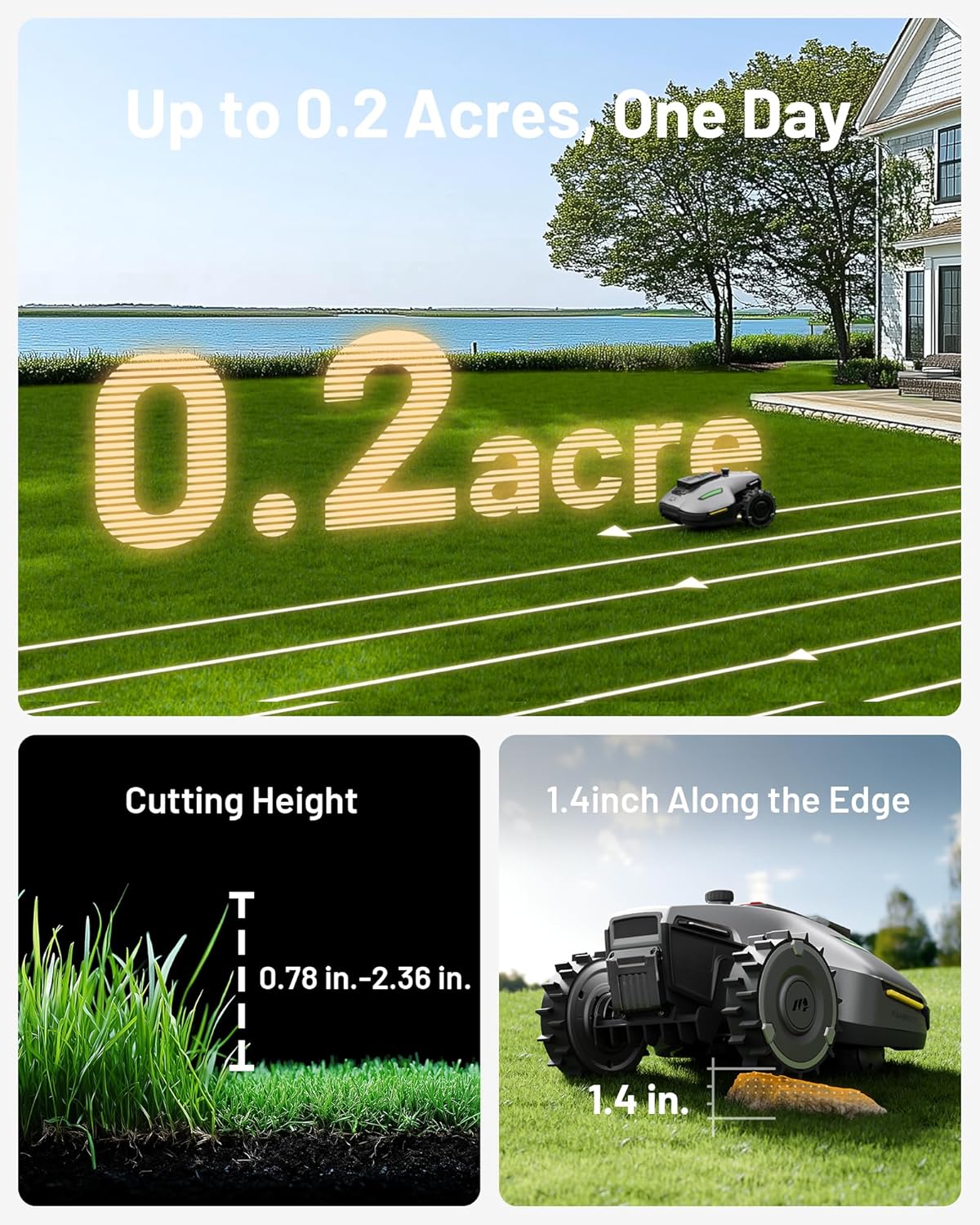
Image: All components included in the Mammotion YUKA Mini 700 package.
2. Charging Station and RTK Reference Station Placement
Place the Charging Station in an area with good Wi-Fi signal and access to a power outlet. The RTK Reference Station should be installed in an open area with a clear view of the sky for optimal satellite signal reception. Refer to the Quick Start Guide for detailed installation instructions for both stations.
3. Initial Mapping and App Configuration
Download the Mammotion app on your smartphone. The YUKA Mini 700 utilizes advanced AI Vision technology and RTK positioning to create a virtual map of your lawn in less than 10 minutes. Follow the in-app instructions to initiate auto-mapping. This eliminates the need for physical perimeter wires or manual driving for boundary setup.

Image: The YUKA Mini 700 automatically mapping a lawn using AI vision and RTK technology.
4. Video Tutorial: Unboxing and User Tutorial
Watch this official video for a visual guide on unboxing and initial setup of your YUKA Mini:
Video: Official Mammotion YUKA mini Unboxing and User Tutorial, demonstrating the setup process.
Operating Instructions
1. Mowing Zones and No-Go Zones
Manage up to 15 distinct mowing zones through the Mammotion app. You can define specific areas for mowing and create customizable no-go zones to prevent the mower from entering certain areas like flower beds or pools. The app also allows for seamless pathways between different zones.

Image: Visual representation of multi-zone management and no-go zones within the Mammotion app.
2. Adjustable Cutting Height and Slope Capability
The YUKA Mini 700 features adjustable cutting heights from 0.8 inches (20mm) to 2.4 inches (60mm), allowing you to achieve your desired lawn appearance. Its robust design enables it to handle slopes up to 50% (27°) and clear vertical obstacles up to 1.4 inches, making it suitable for various residential yard terrains.

Image: The YUKA Mini 700 demonstrating its capability to navigate a 50% slope.
3. Advanced Obstacle Avoidance
Equipped with UltraSense AI Vision, the mower can detect and avoid over 200 types of objects, from toys to garden tools. It differentiates between grass and non-grass surfaces, ensuring it stays within designated areas and avoids unwanted obstacles.

Image: The YUKA Mini 700 using AI vision for obstacle identification and avoidance.
4. Smart Features: Auto-Charging and Lawn Printing
The YUKA Mini 700 is self-charging; it automatically returns to its charging station when needed and resumes mowing once recharged. You can also explore the 'Creative Lawn Printing' feature in the app to create unique patterns and designs on your lawn.

Image: The YUKA Mini 700 automatically returning to its charging station.
Maintenance
1. Cleaning
The YUKA Mini 700 has an IPX6 waterproof rating, allowing for easy cleaning with a hose. Regularly clean the cutting deck and wheels to prevent grass buildup and ensure optimal performance.
2. Blade Replacement
For best cutting results, inspect and replace the blades periodically. A set of 6 replacement blades is included with your mower. Refer to the Quick Start Guide for detailed instructions on how to safely replace the blades.

Image: The underside of the YUKA Mini 700, showing the cutting blades.
3. Storage
Weighing just 23 pounds, the YUKA Mini 700 is lightweight and easy to move for storage during off-season or when not in use.
Troubleshooting
If you encounter issues with your YUKA Mini 700, consider the following common troubleshooting steps:
- Mower not starting: Ensure the mower is fully charged and the safety key is inserted correctly. Check the app for any error messages.
- Uneven cutting: Verify that the cutting height is set appropriately for your lawn. Inspect blades for damage or dullness and replace if necessary.
- Mower getting stuck or missing areas: Review your lawn map in the app. Ensure no-go zones are correctly defined and that the RTK station has a clear signal. Clear any new obstacles from the mowing path.
- Connectivity issues: Check your Wi-Fi connection and ensure the Mammotion app is up to date. Restart the mower and your smartphone if problems persist.
- Theft alerts: The mower features 24/7 GPS tracking and app notifications for security. If an alert is received, check the mower's location via the app. Ownership authentication prevents unauthorized use.
For more detailed troubleshooting, refer to the comprehensive user manual available through the Mammotion app or contact customer support.
Specifications
| Feature | Detail |
|---|---|
| Brand | Mammotion |
| Model Number | YUKAmini700-B |
| Power Source | Battery Powered |
| Material | Aluminum, Plastic |
| Color | Black |
| Cutting Width | 12.59 Inches |
| Operation Mode | Automatic |
| Product Dimensions | 25.51"D x 20.43"W x 12.99"H |
| Assembly Required | No |
| Maximum Adjustable Cutting Height | 60 Millimeters (2.4 inches) |
| Minimum Adjustable Cutting Height | 20 Millimeters (0.8 inches) |
| Manufacturer | Mammotion |
| Max Mowing Area | 0.35 Acre |
| Slope Capability | Up to 50% (27°) |
| Waterproof Rating | IPX6 |
| Weight | 23 Pounds |
Warranty and Support
1. Warranty Information
The Mammotion YUKA Mini 700 Robot Lawn Mower comes with a 3-year warranty. Please retain your proof of purchase for warranty claims.

Image: Mammotion 3-Year Warranty.
2. Customer Support
Mammotion offers 24/7 after-sales service to assist you with any questions or issues. You can access support through the Mammotion app or visit the official Mammotion website for contact information.


