1. Introduction
This manual provides detailed instructions for the TELESIN Master Grip Kit for iPhone 17 Pro. This kit enhances your mobile photography and videography experience by providing a comfortable grip, extended battery life, and versatile accessory options.
What's in the Box:
- TELESIN Master Grip ×1
- Graphene Case for iPhone 17 Pro ×1
- Wrist Strap ×1
- USB Charging Cable ×1
- UV Filters ×1
- C03 Magnetic Beauty Selfie Light ×1
2. Product Features
Graphene Cooling Case
The included phone case is specifically designed for the iPhone 17 Pro. It features a built-in 7600mm² graphene heat dissipation layer that effectively dissipates heat, improving efficiency by 25% compared to phones without this case. This ensures optimal phone performance during extended use.

Image: Detailed view of the graphene cooling case with its heat dissipation design.
Wireless Charging Powergrip
The Master Grip features a built-in 3200mAh battery with fast wireless charging capabilities, extending your shooting time. It can also power another device simultaneously via a cable.
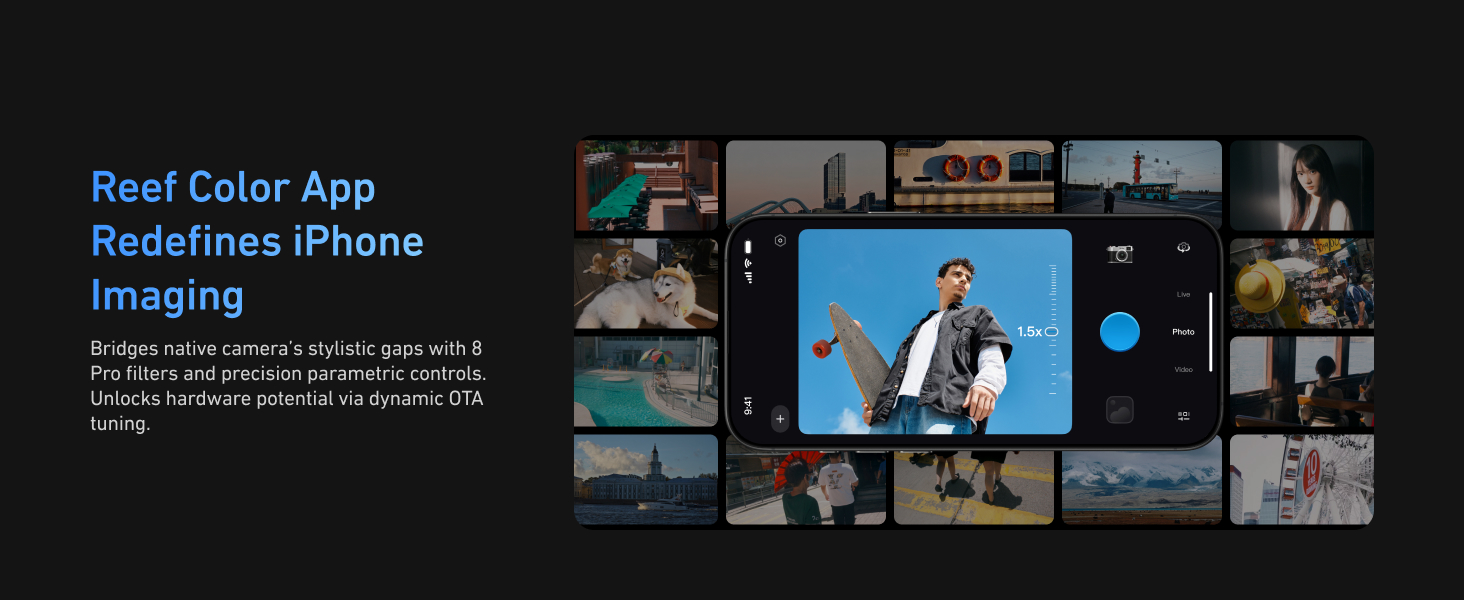
Image: The Master Grip magnetically attached to an iPhone, illustrating its wireless charging function.
DSLR-Style Ergonomic Design
The magnetic phone camera grip offers DSLR-like balance and stability. Its compact, ergonomic finger-hook design improves handling and fits easily in your pocket or bag.

Image: A person holding an iPhone with the Master Grip, demonstrating the ergonomic design.
Customizable Fn Keys & Tactile Dial
The Master Grip features a customizable Fn button and a mode-changing dial. Through the Reef Color App, you can bind the dial to control filter intensity, EV value, shutter speed, ISO, or white balance. The Fn button can be customized for various functions like switching dial modes, capturing, or pausing/resuming video.

Image: Close-up of the Master Grip's customizable Fn button and tactile dial.
Magnetic Filter Compatibility
The case includes CNC aluminum rails with a magnetic mount for filter expansion. The Creator Combo includes a UV filter, and other filters (Black Mist, Adapter Ring, CPL, VND) are sold separately.
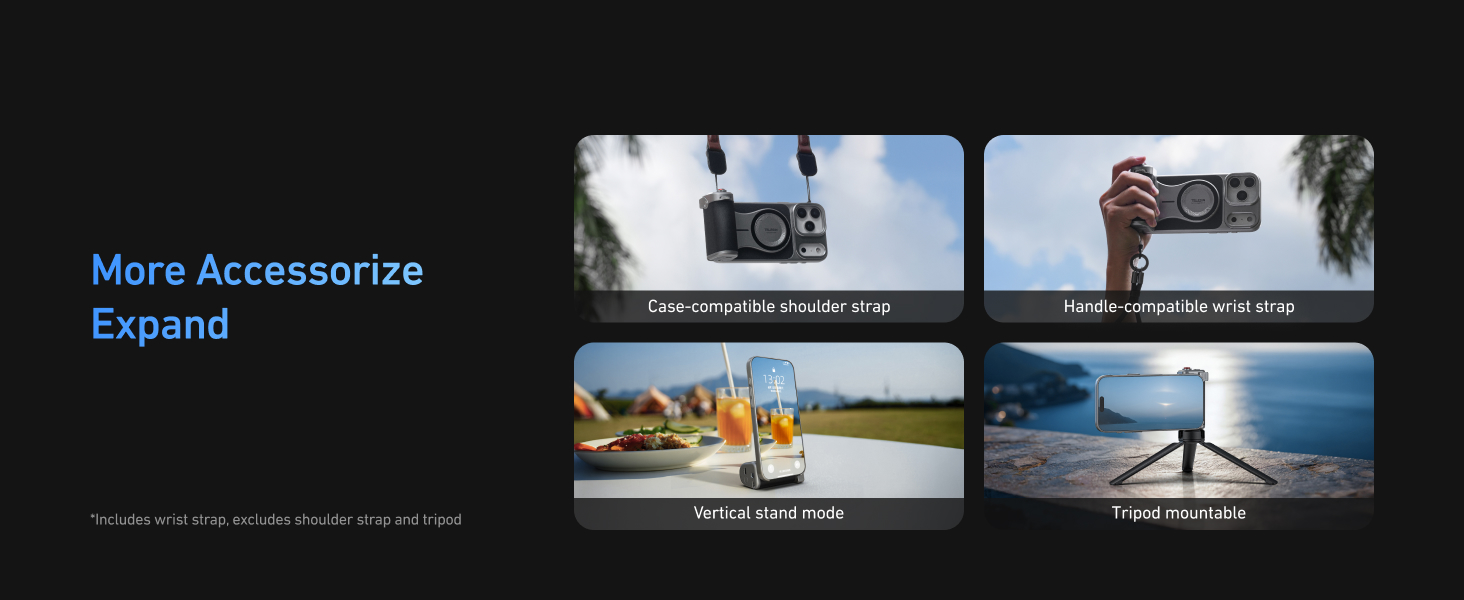
Image: An iPhone with the Master Grip case, showing the magnetic filter attachment area.
C03 Magnetic Beauty Selfie Light
The kit includes a 3-in-1 magnetic beauty selfie light that is MagSafe compatible. It provides fill light for photos, selfies, video shooting, vlogging, and makeup sessions.

Image: The C03 Magnetic Beauty Selfie Light attached to an iPhone.
3. Setup
Attaching the Graphene Case and Master Grip
- Carefully insert your iPhone 17 Pro into the provided Graphene Case. Ensure it fits securely.
- Align the TELESIN Master Grip with the magnetic area on the back of the Graphene Case. The strong magnets will snap the grip into place.
Bluetooth Pairing
- Press and hold the power button on the Master Grip for 2 seconds until the green light illuminates, indicating it's in pairing mode.
- On your iPhone, go to Settings > Bluetooth and search for 'TELESIN_IP'.
- Tap 'TELESIN_IP' to connect. Once connected, the green light on the grip will remain solid.
- For full functionality, go to iPhone Settings > Accessibility > Zoom and turn on Zoom. This allows the grip's zoom lever to function correctly.
Video: A demonstration of how to connect the Master Grip via Bluetooth and enable Zoom accessibility.
4. Operating Instructions
Master Grip Controls
- Shutter Button: Half-press to focus and lock exposure; full-press to capture a photo or start/stop video recording.
- Zoom Lever: Move the lever to zoom in or out within the camera app.
- Fn Button: Customizable via the Reef Color App. Default functions include switching dial modes, capturing, or pausing/resuming video.
- Screen Wake Button: Press and hold for 2 seconds to wake the phone and open the camera app. Press once to switch between front and rear cameras.
- Mode Dial: By default, this switches between camera modes. It can be customized via the Reef Color App to adjust filter intensity, EV value, shutter speed, ISO, or white balance.
Using the C03 Magnetic Beauty Selfie Light
- Attach the C03 Magnetic Beauty Selfie Light to the magnetic mount on the Master Grip or directly to your MagSafe-compatible iPhone.
- Press the power button on the selfie light to turn it on. Cycle through different brightness levels and color temperatures by pressing the button.
- Adjust the light's angle as needed for optimal illumination.
Video: A demonstration of the C03 Magnetic Beauty Selfie Light's features and usage.
5. Maintenance
Cleaning
- Wipe the Master Grip and Graphene Case with a soft, dry cloth to remove dust and fingerprints.
- Avoid using harsh chemicals or abrasive materials, as these may damage the finish.
Battery Care
- Charge the Master Grip regularly to maintain battery health.
- Avoid fully discharging the battery frequently.
Firmware Updates
The Master Grip supports continuous OTA (Over-The-Air) firmware updates via the Reef Color App. Regularly check the app for available updates to ensure optimal performance and access to new features.
6. Troubleshooting
Connectivity Issues
- If the Master Grip does not connect via Bluetooth, ensure it is powered on and in pairing mode (green light blinking).
- Check your iPhone's Bluetooth settings to confirm 'TELESIN_IP' is visible and attempt to reconnect.
- Restart both your iPhone and the Master Grip, then try pairing again.
Charging Problems
- If wireless charging is not working, ensure the Master Grip's battery is charged and the wireless charging function is activated (press the bottom button once).
- Verify that your iPhone is correctly aligned with the magnetic charging area on the grip.
App Functionality
- For full control over camera functions (like dial customization), ensure you are using the Reef Color App.
- If buttons are not responding, check the app settings for customization conflicts or update the grip's firmware.
Overheating
The Graphene Case is designed to reduce overheating. If your iPhone still experiences excessive heat during prolonged use, try reducing screen brightness or closing background applications.
7. Specifications
- Package Dimensions: 8.82 x 4.61 x 3.23 inches
- Item Weight: 7.1 ounces (200 Grams)
- ASIN: B0FPM9BB8J
- Batteries: 1 A battery required (included)
- Date First Available: September 3, 2025
- Manufacturer: TELESIN
- Compatible Devices: iPhone 17 Pro
8. Warranty and Support
TELESIN products are manufactured with high-quality standards. For any questions or concerns regarding your TELESIN Master Grip Kit, please contact customer support. Rest assured that the phone case has undergone rigorous testing to prevent scratches to your device.


