
1. Introduction
Thank you for choosing the BENFEI USB 3.0 Hub 7-Port. This ultra-slim portable USB splitter is designed to expand the connectivity of your computer by adding seven USB 3.0 data ports. It allows for simultaneous connection of multiple USB peripherals, enhancing your productivity and convenience. This manual provides detailed instructions for setup, operation, maintenance, and troubleshooting to ensure optimal performance of your device.
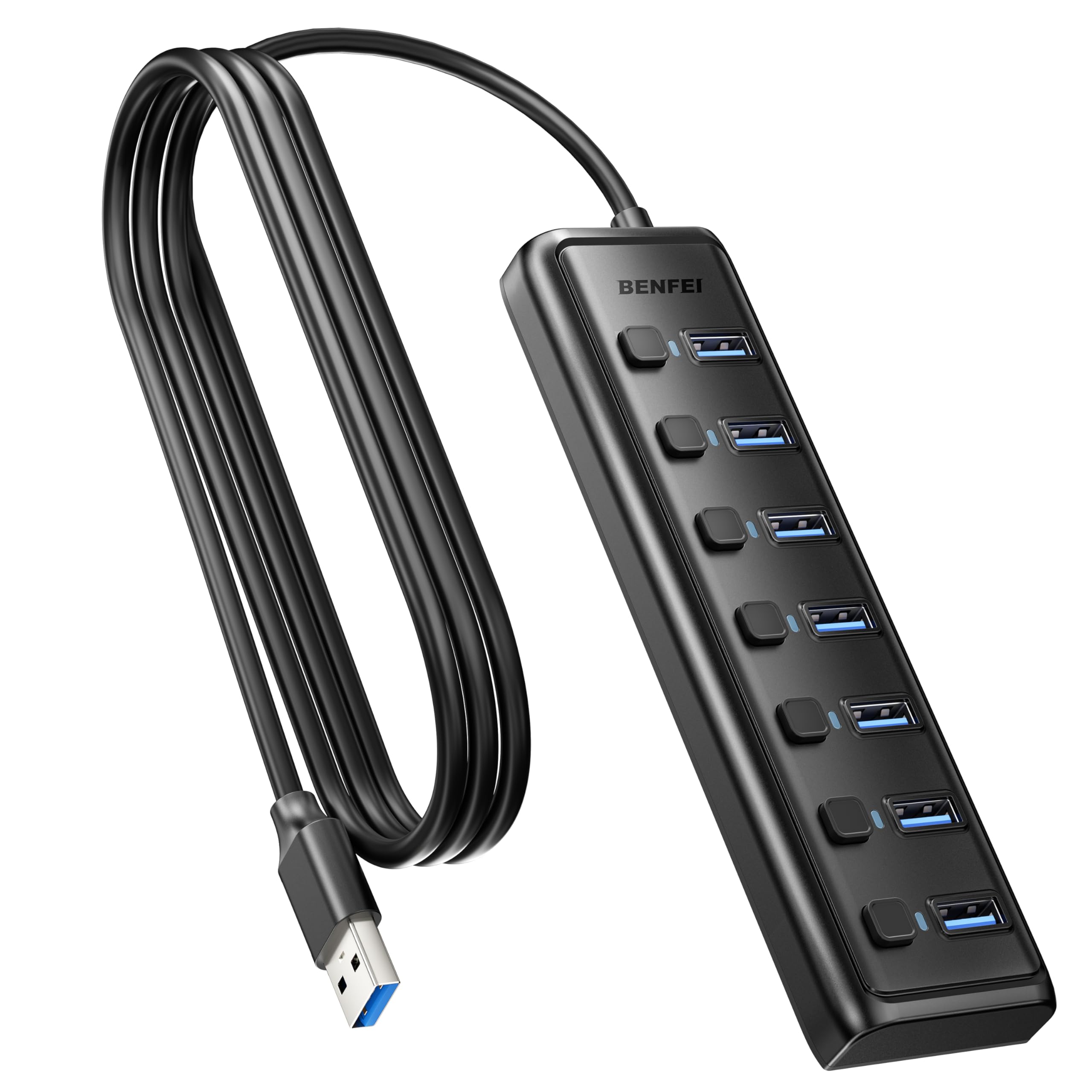
The BENFEI USB 3.0 Hub provides 7 additional USB 3.0 ports, enabling high-speed data transfer between your computer and multiple peripherals.
2. Product Overview
2.1 Key Features
- 7-Port USB 3.0 Expansion: Instantly adds 7 USB 3.0 ports to your laptop or PC, expanding connectivity for various peripherals.
- Super Speed 5Gbps Data Transfer: Supports data transfer speeds up to 5Gbps, which is 10 times faster than USB 2.0, ideal for large files and backups.
- Individual Port Control: Features convenient on/off switches with LED indicators for each of the 7 USB ports, allowing independent management of connected devices.
- Ultra-Durable Design: Precision-engineered for heat resistance and long-lasting durability.
- 3.3ft Extended Cable: Provides a 1-meter (3.3ft) integrated cable for flexible placement options.
- Wide Compatibility: Compatible with Windows 10/8/8.1/7/Vista/XP, Mac OS X, Linux, Chrome OS, and various devices including laptops, desktops, gaming consoles, flash drives, printers, mice, and keyboards.
2.2 Package Contents
- 1 x BENFEI 7-Port USB 3.0 Hub
- 1 x User Manual

The package includes one BENFEI 7-Port USB 3.0 Hub and a user manual to guide you through its features and operation.
3. Setup
- Connect to Host Device: Plug the USB-A connector of the BENFEI USB 3.0 Hub into an available USB 3.0 port on your computer (laptop, desktop, etc.). The hub is plug-and-play and does not require driver installation for most operating systems.
- Connect Peripherals: Insert your USB devices (e.g., flash drives, mouse, keyboard, printer, external hard drives) into the available USB 3.0 ports on the hub.
- Activate Ports: Each port has an individual on/off switch. Press the switch next to the desired port to activate it. A green LED indicator will light up when the port is active.
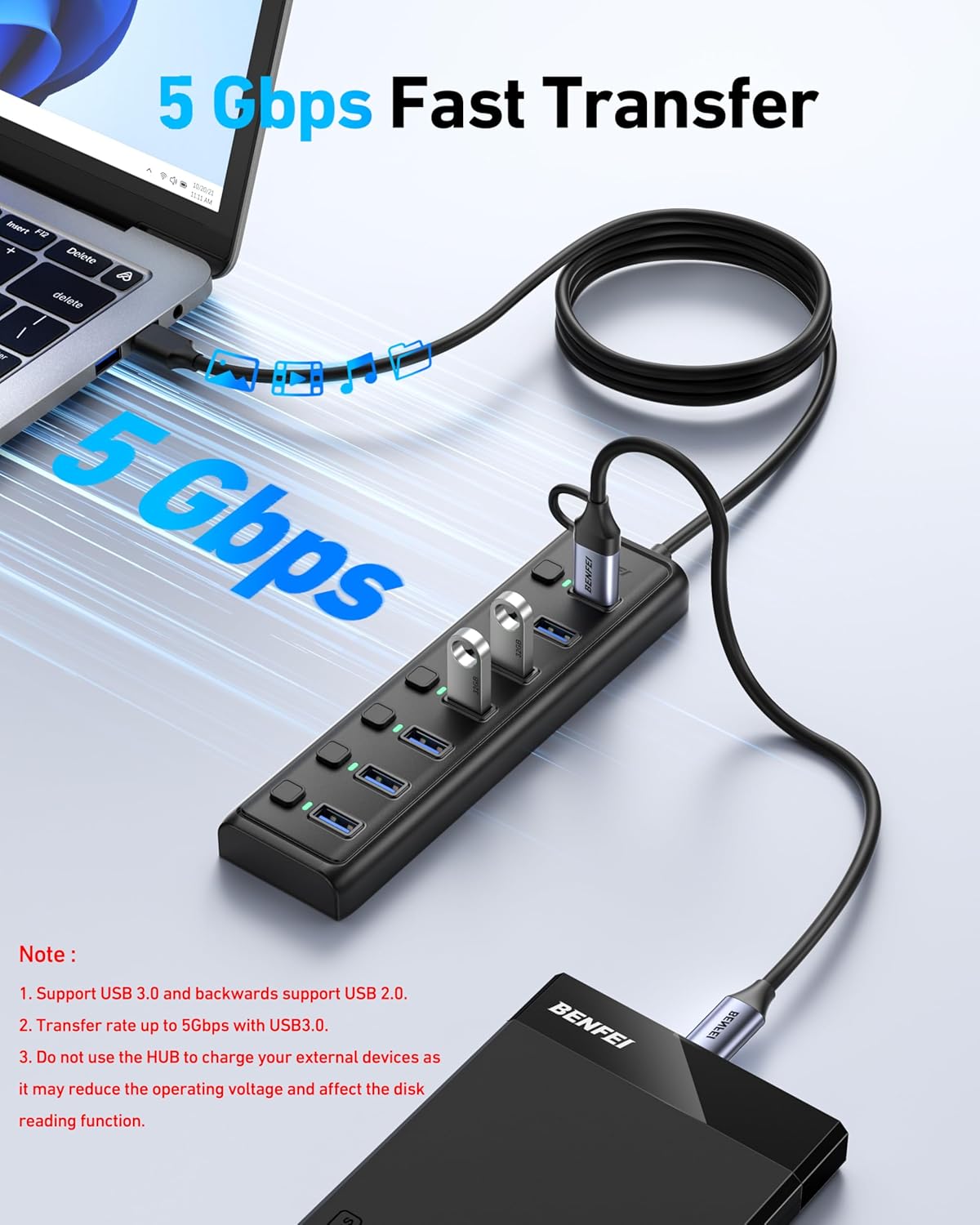
This image illustrates how the 7-Port USB 3.0 Hub expands a single USB-A port on your PC or laptop into seven external USB 3.0 data ports, supporting a wide range of peripherals.
4. Operating Instructions
4.1 Data Transfer
The BENFEI USB 3.0 Hub is designed for high-speed data transfer. Connect your USB 3.0 compatible devices to achieve speeds up to 5Gbps. For optimal performance, ensure both your host device's USB port and your peripheral devices support USB 3.0.
4.2 Individual Port Control
Each USB port on the hub can be independently turned on or off using its dedicated switch. This feature allows you to manage power to individual devices without needing to physically unplug them. The green LED next to each switch indicates the active status of the port.

Each port on the BENFEI USB 3.0 Hub features an individual on/off switch with an LED indicator, allowing you to manage power and connectivity for each connected device independently. A master switch is also available to turn all lights off.
4.3 Important Note on Charging
This hub is for data transfer only and cannot charge devices. Attempting to charge external devices through this hub may reduce the operating voltage and affect the disk reading function of connected storage devices. For charging, please use a dedicated charging port or adapter.
4.4 Compatibility
The hub is widely compatible with various operating systems and devices:
- Operating Systems: Windows 10/8/8.1/7/Vista/XP, Mac OS X, Linux, Chrome OS, iPad OS, Android.
- Host Devices: Laptops, Desktops, Xbox Series, PS5.
- Peripherals: Flash drives, mice, keyboards, printers, card readers, hard disk drives, cameras, USB fans, and other USB peripherals.
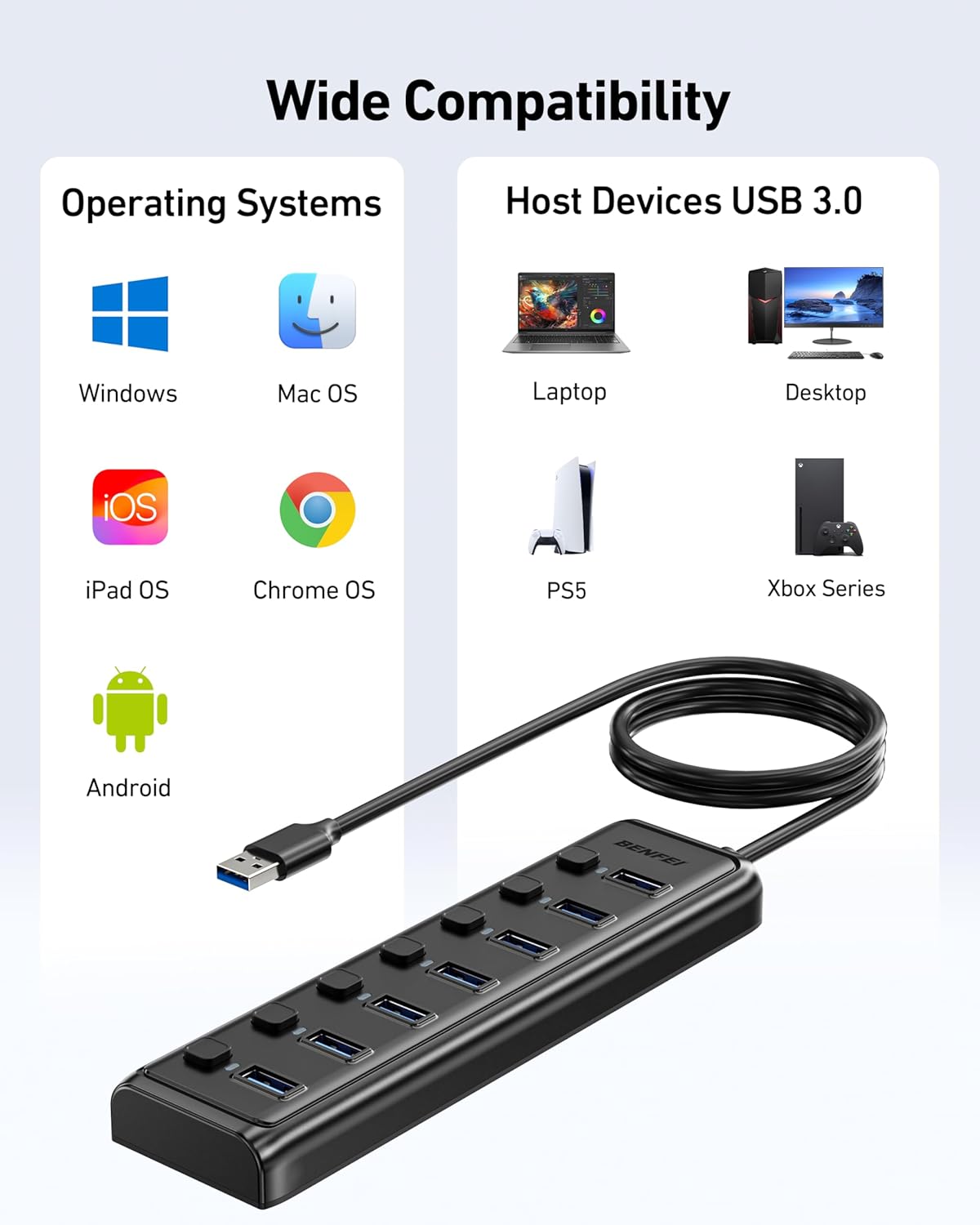
The BENFEI USB 3.0 Hub offers wide compatibility across multiple operating systems including Windows, Mac OS, iPad OS, Chrome OS, and Android, and works with host devices such as laptops, desktops, Xbox Series, and PS5.
This video demonstrates the BENFEI 7-Port USB 3.0 Hub, showcasing its ultra-slim design, portability, and the convenience of its 3.3ft integrated cable.
5. Maintenance
- Cleaning: Use a soft, dry cloth to clean the hub. Avoid using liquid cleaners or aerosols.
- Storage: Store the hub in a cool, dry place away from direct sunlight and extreme temperatures.
- Handling: Avoid dropping the device or subjecting it to strong impacts. Do not attempt to disassemble or modify the hub.
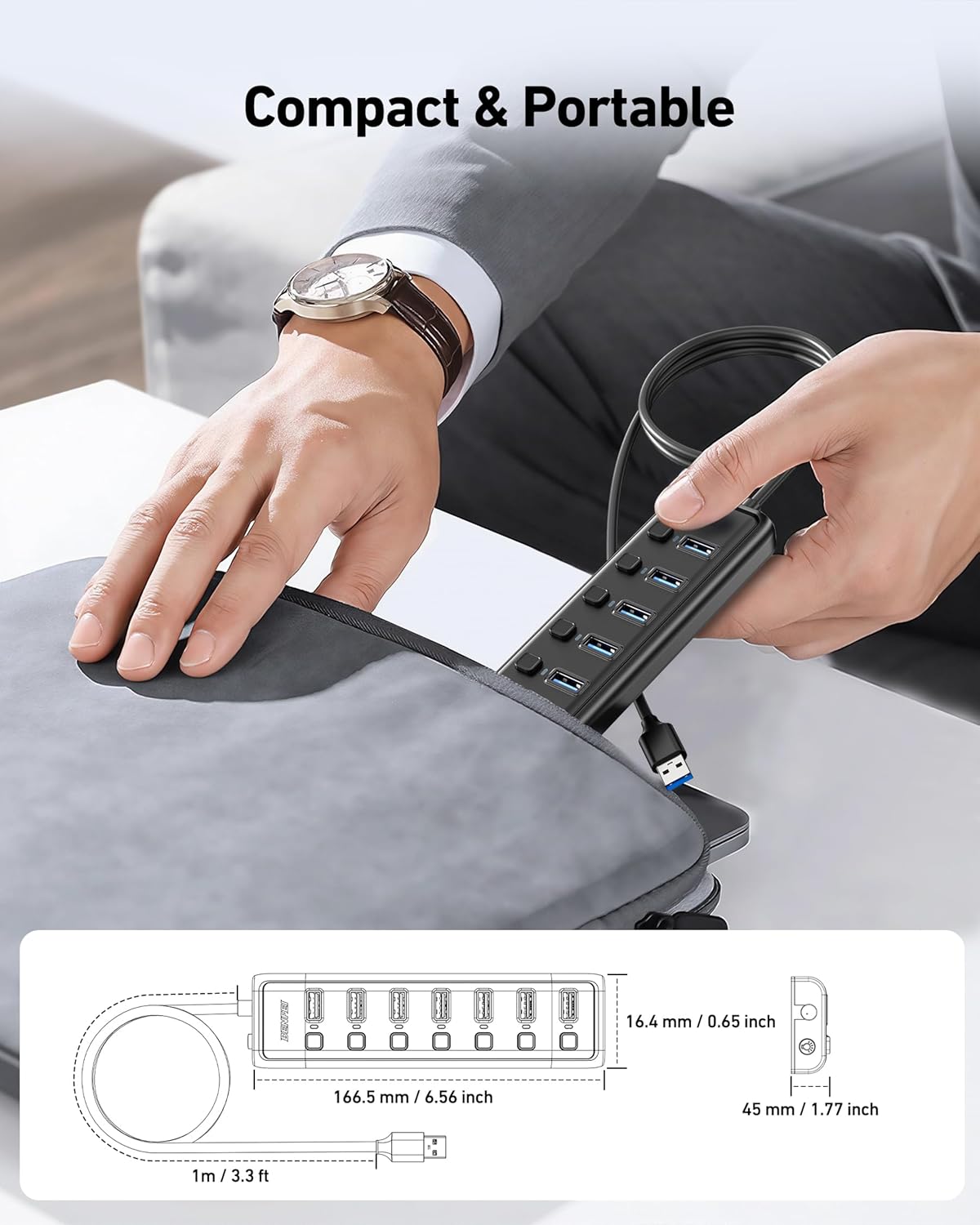
Designed to be compact and portable, the BENFEI USB 3.0 Hub measures 166.5 mm in length, 16.4 mm in height, and 45 mm in width, making it easy to carry in a bag or pocket.
6. Troubleshooting
- Device not recognized:
- Ensure the hub is securely connected to your computer's USB port.
- Verify that the individual port switch for the connected device is turned on (green LED should be lit).
- Try connecting the device to a different port on the hub or directly to your computer to rule out device issues.
- Restart your computer.
- Slow data transfer speed:
- Ensure both the hub and your connected device are utilizing USB 3.0. USB 2.0 devices will operate at USB 2.0 speeds.
- Avoid connecting too many high-bandwidth devices simultaneously, as this can affect overall performance.
- Ensure your computer's USB 3.0 drivers are up to date.
- LED indicators not lighting up:
- Check if the hub is properly connected to your computer.
- Press the individual port switch to turn on the port.
- There is a master switch to turn off all LED lights. Ensure this is not activated if you expect the LEDs to be on.
7. Specifications
| Brand | BENFEI |
| Model Number | 000425 |
| Color | Black |
| Hardware Interface | USB 3.0 |
| Total USB Ports | 7 |
| Data Transfer Rate | 5 Gbps |
| Cable Length | 1 meter (3.3 feet) |
| Enclosure Material | Plastic |
| Item Weight | 0.12 kg |
| Compatible Operating Systems | Windows 10/8/8.1/7/Vista/XP, Mac OS X, Linux, Chrome OS |
8. Warranty and Support
8.1 Warranty Information
The BENFEI USB 3.0 Hub 7-Port comes with an exclusive BENFEI Unconditional 18-month Warranty. This warranty ensures long-term satisfaction with your purchase and covers any manufacturing defects or malfunctions under normal use.
8.2 Customer Service
For any questions, technical support, or warranty claims, please contact BENFEI customer service. Our friendly and easy-to-reach customer service team is available to assist you timely with any problems you may encounter.
Please refer to the contact information provided on the product packaging or the official BENFEI website for the most up-to-date support details.