
EZVALO TL04
Contents
EZVALO Cordless Outdoor Waterproof Dimmable Table Lamp (Model TL04) Instruction Manual
Comprehensive guide for setup, operation, and maintenance of your EZVALO TL04 Cordless Lamp.
1. Setup and Assembly
Your EZVALO Cordless Lamp is designed for quick and easy assembly. Follow these simple steps to get started:
- Connect the Base Rod: Take the base rod (without the magnetic sphere) and screw it firmly into the lamp base. Ensure it is securely tightened.
- Attach the Upper Rod: Connect the upper rod (with the magnetic sphere) to the base rod by twisting them together until fully secured.
- Attach the Lamp Head: The lamp head features a strong magnetic connection. Simply place the lamp head onto the magnetic sphere at the top of the assembled rod. The magnetic connection allows for 360° rotation for flexible lighting angles.
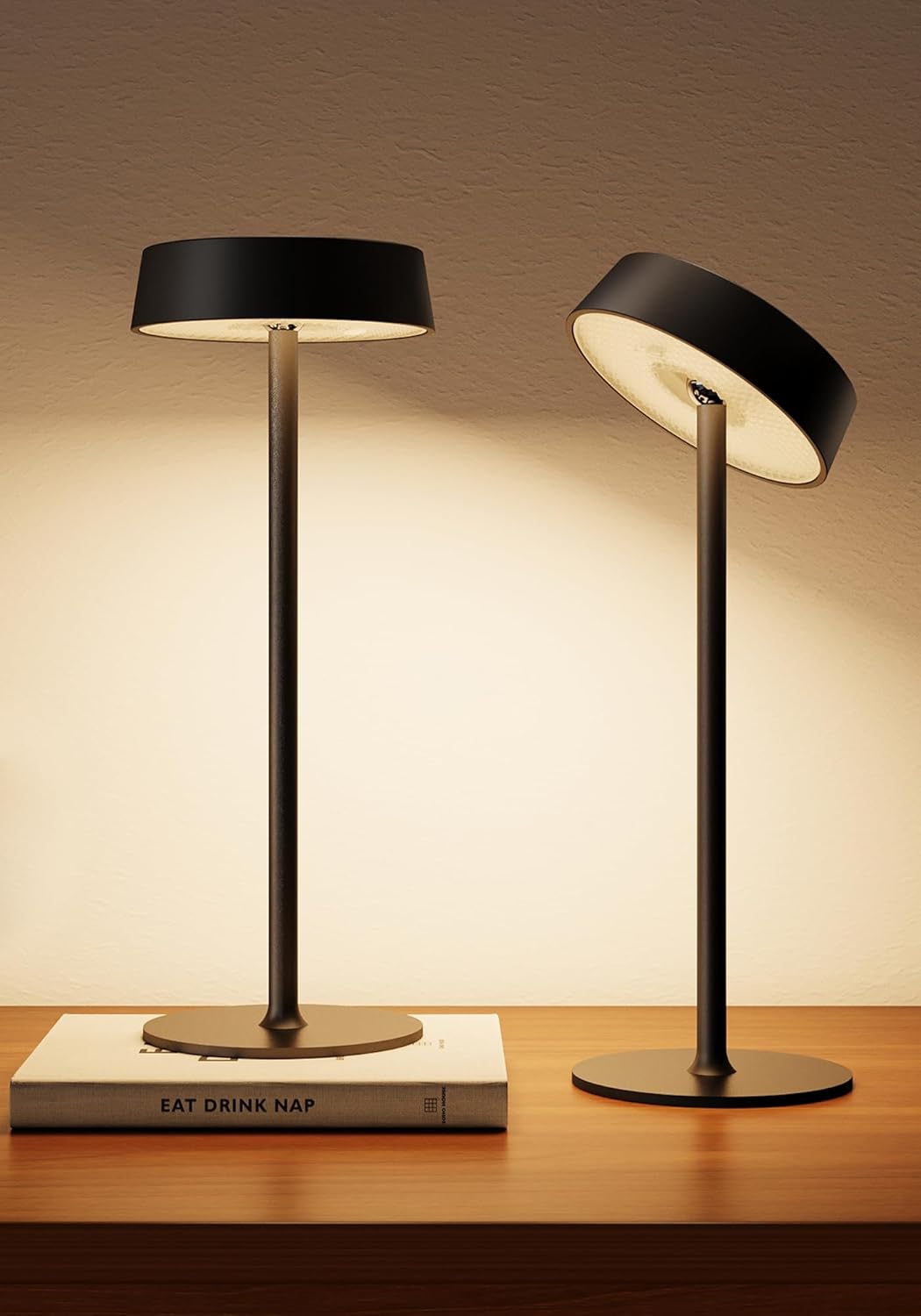
Image: Two EZVALO Cordless Lamps fully assembled, showcasing their sleek design and adjustable heads.

Image: Visual guide demonstrating the three simple steps for assembling the EZVALO Cordless Lamp: connecting the base rod, attaching the upper rod, and magnetically attaching the lamp head.
2. Operating Instructions
The EZVALO Cordless Lamp features intuitive touch controls located on the top of the lamp head. It also includes a memory function to recall your last settings.
- Power On/Off: Single tap the touch control area on the top of the lamp head to turn the lamp on or off.
- Adjust Brightness (Stepless Dimming): Press and hold the touch control area to smoothly adjust the brightness from 10% to 100%. Release when the desired brightness is reached.
- Change Color Temperature/RGB Colors: Double tap the touch control area to cycle through the available light modes:
- 3 Color Temperatures: 2700K (warm white), 4200K (neutral white), 6500K (cool white)
- 6 RGB Colors
- 2 Dynamic RGB Effects
- Memory Function: The lamp will automatically remember your last brightness and color setting when turned off and will resume these settings when turned back on.

Image: A visual representation of the touch control functions, detailing how to power on/off, adjust brightness, and change light colors.
3. Charging the Lamp
Your EZVALO Cordless Lamp is equipped with a 3600mAh rechargeable battery, providing up to 9 hours of usage per charge. To charge the lamp:
- Detach the Lamp Head: Gently pull the lamp head from the magnetic sphere on the stand.
- Locate the Charging Port: The USB-C charging port is discreetly located on the underside of the lamp head.
- Connect the Cable: Insert the provided USB-C charging cable into the port on the lamp head and connect the other end to a compatible USB power source (e.g., wall adapter, computer USB port).
- Charging Indicator: A red light indicates the lamp is charging. The light will turn green when fully charged. A full charge typically takes approximately 6 hours.

Image: The detachable lamp head is shown connected to a USB-C charging cable, illustrating the convenient charging process.
4. Key Features
- Cordless & Portable: Weighing only 1.05 lbs, its lightweight and battery-operated design allows for easy placement anywhere, indoors or outdoors, without the need for power outlets.
- Waterproof & Durable: With an IP44 waterproof rating and corrosion-resistant construction, the lamp is designed to withstand splashes, rain, and general outdoor use.
- Rotatable & Detachable Head: The magnetic lamp head rotates 360° for flexible lighting direction and detaches for convenient charging.
- Customizable Lighting: Offers 3 color temperatures (2700K, 4200K, 6500K), 10%-100% stepless dimming, 6 RGB colors, and 2 dynamic effects to suit any mood or occasion.
- Memory Function: Remembers your last selected brightness and color settings for quick and consistent use.

Image: The EZVALO Cordless Lamp illuminating an outdoor patio table, demonstrating its portability and suitability for various environments.

Image: A hand carrying the EZVALO Cordless Lamp, emphasizing its lightweight and portable design for easy relocation.

Image: The EZVALO Cordless Lamp positioned on an outdoor table during light rain, illustrating its IP44 waterproof capability.
5. Product Specifications
| Brand | EZVALO |
| Model Name | TL04 |
| Product Dimensions | 4.72"D x 4.72"W x 12.17"H |
| Item Weight | 0.94 Pounds (15 ounces) |
| Material | Acrylonitrile Butadiene Styrene, Metal |
| Light Source Type | LED |
| Light Color Options | 2700K (warm white), 4200K (neutral white), 6500K (cool white), RGB colors, 2 dynamic effects |
| Brightness | 10%-100% Stepless Dimmable, Max 100 Lumens |
| Power Source | Battery Powered (3600mAh) |
| Usage Time | Up to 9 hours per charge |
| Charging Time | Approx. 6 hours |
| Waterproof Rating | IP44 (Water Resistant) |
| Control Method | Touch Control |
| Included Components | 2x Rechargeable Table Lamps, 2x USB-C Charging Cables, User Manual |
6. Maintenance
To ensure the longevity and optimal performance of your EZVALO Cordless Lamp, follow these maintenance guidelines:
- Cleaning: Wipe the lamp with a soft, damp cloth. Avoid using abrasive cleaners or solvents that could damage the finish or electronic components.
- Water Exposure: While the lamp is IP44 water-resistant, it is not designed for submersion. Ensure the charging port cover is securely closed when using outdoors or in damp environments to maintain its water resistance.
- Storage: When not in use for extended periods, store the lamp in a cool, dry place. It is recommended to fully charge the battery before long-term storage and recharge it every 3-6 months to maintain battery health.
7. Troubleshooting
If you encounter any issues with your EZVALO Cordless Lamp, please refer to the following common solutions:
- Lamp Not Turning On:
- Ensure the battery is charged. Connect the lamp head to the USB-C charging cable and check if the charging indicator light turns red.
- Verify that the touch control area is being tapped correctly (single tap for on/off).
- Light Not Changing Colors/Dimming:
- For color changes, ensure you are double-tapping the touch control.
- For dimming, ensure you are pressing and holding the touch control.
- Short Battery Life:
- Ensure the lamp is fully charged before use (green indicator light).
- Battery life can vary based on brightness level and color mode. Higher brightness and dynamic RGB effects consume more power.
- Magnetic Head Not Holding Firmly:
- Ensure the lamp head is properly aligned with the magnetic sphere on the rod.
- Check for any debris on the magnetic surfaces that might interfere with the connection.
If these steps do not resolve the issue, please contact customer service for further assistance.
8. Warranty and Support
The EZVALO Cordless Lamp comes with a worry-free 2-year warranty. For any product-related inquiries, technical support, or warranty claims, please contact our friendly customer service team. Refer to the contact information provided in your product packaging or visit the official EZVALO website.
Ask a question about this manual
Ask about setup, troubleshooting, compatibility, parts, safety, or missing instructions. Manuals+ will review the question and use this page’s manual context to help answer it.