1. Introduction
The TELESIN Master Grip Kit is designed to enhance your mobile photography and videography experience with the iPhone 17 Pro Max. This kit includes a magnetic phone camera grip with a built-in power bank, a graphene cooling case, a C03 magnetic beauty selfie light, and a UV filter. It provides DSLR-like control and stability, along with extended battery life and improved thermal management for your device.
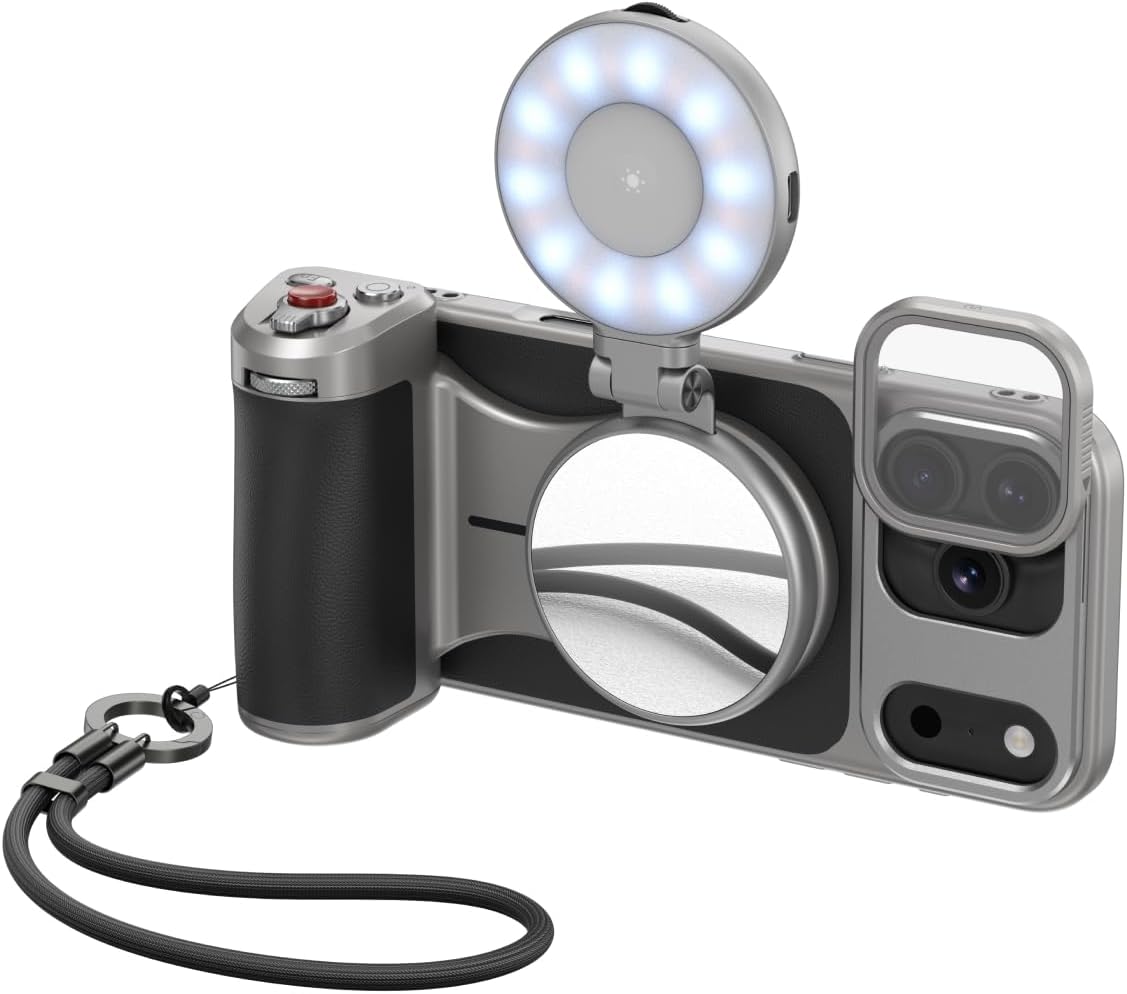
Image 1.1: The complete TELESIN Master Grip Kit attached to an iPhone 17 Pro Max.
2. What's in the Box
- TELESIN Master Grip ×1
- Graphene Case for iPhone 17 Pro Max ×1
- Wrist Strap ×1
- USB Charging Cable ×1
- UV Filters ×1
- C03 Magnetic Beauty Selfie Light ×1

Image 2.1: All components included in the TELESIN Master Grip Kit package.
3. Product Overview
3.1. Graphene Cooling Case
The included phone case is specifically designed for the iPhone 17 Pro Max. It features a built-in 7600mm² graphene heat dissipation layer to effectively manage your iPhone's temperature during extended use, improving cooling efficiency by up to 25% compared to phones without a heat dissipation case. The case also includes a magnetic rail system for attaching filters.
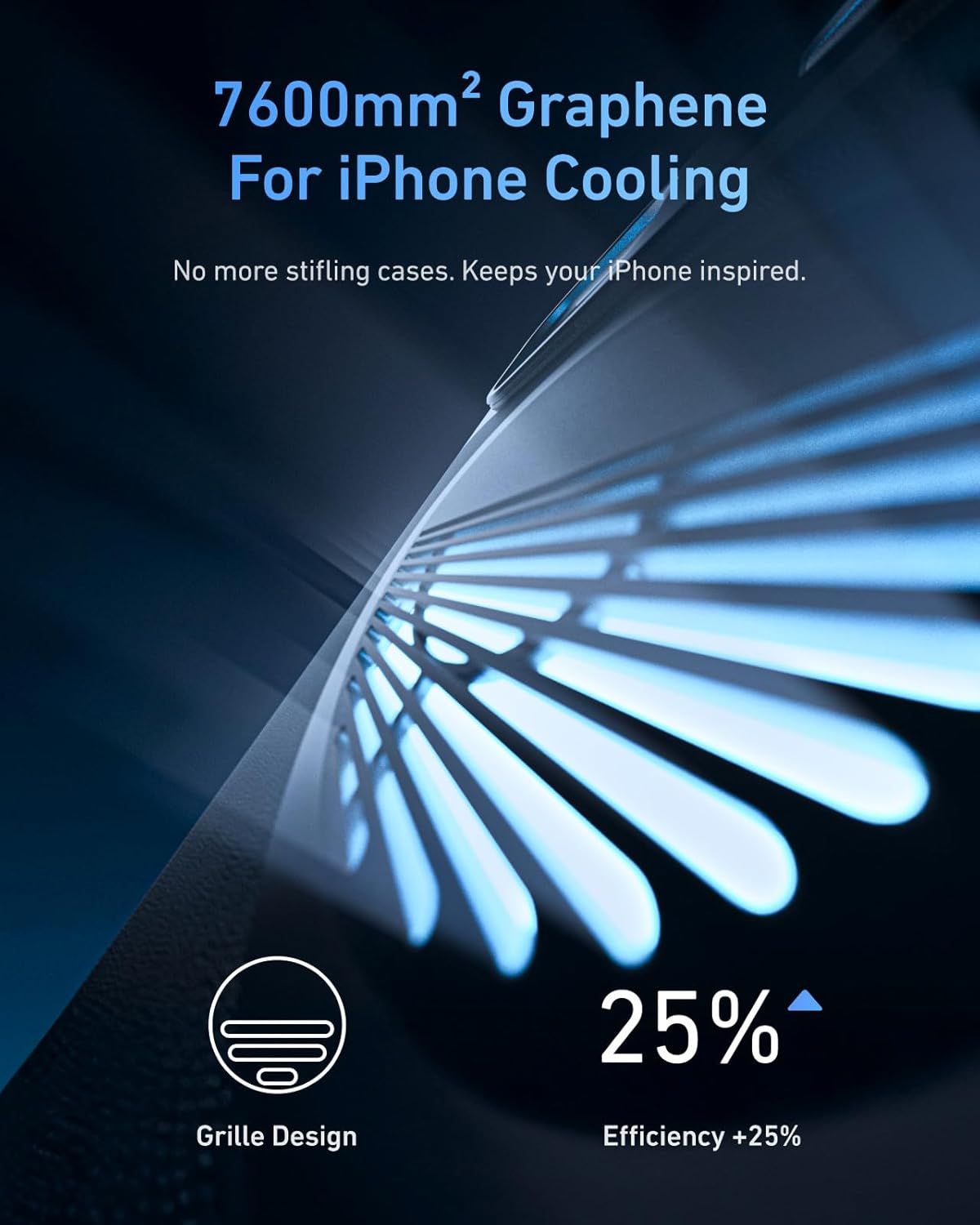
Image 3.1: Close-up of the graphene cooling layer and grille design on the case.
3.2. Master Grip
The Master Grip provides an ergonomic, DSLR-style feel for your iPhone. It attaches securely via a double strong magnetic mounting design, capable of bearing up to 3KG. The grip features a built-in 3200mAh battery for fast wireless charging of your iPhone, extending shooting time. It can also power another device simultaneously via a cable.

Image 3.2: The Master Grip magnetically attached to the iPhone 17 Pro Max.
Grip Controls:
- Two-Stage Mechanical Shutter Button: Half-press to focus and lock exposure; full-press to capture photo/video.
- Adaptive Zoom Dial: Optimized for telephoto lens. Achieves stable 0.1x precision adjustments in Photo Mode and 1-3x cinematic smooth zoom in Video Mode (via Reef Color App).
- Custom Fn Key: Customizable through the Reef Color App to switch dial functions (filter intensity, EV value, shutter speed, ISO, or white balance).
- Screen Off Wake Button: Press and hold for 2 seconds to wake the camera; single press to switch between front and rear cameras.
- Thumb Rest: Ergonomic design with anti-slip texture to prevent accidental touches and improve grip stability.

Image 3.3: Detailed view of the Master Grip's control buttons and dials.
Connectivity & Expansion:
- USB Charging Port: Type-C port for charging the grip's internal battery.
- 1/4” Tripod Screw Connector: Allows attachment to tripods, microphones, and other accessories.
- Wrist Strap Hole: For attaching the included wrist strap for added security.
3.3. C03 Magnetic Beauty Selfie Light
The C03 Magnetic Beauty Selfie Light is a 3-in-1 fill light compatible with MagSafe. It attaches magnetically to the Master Grip or directly to your iPhone. It features adjustable brightness and color temperature modes to enhance your photos, selfies, and videos.
3.4. UV Filter
The kit includes a UV filter that can be easily attached to the graphene case's magnetic rail system, offering protection and enhancing image quality.
4. Setup
4.1. Attaching the Graphene Cooling Case
- Carefully align your iPhone 17 Pro Max with the graphene cooling case.
- Gently press your iPhone into the case until it snaps securely into place. Ensure all buttons and ports are accessible.
4.2. Attaching the Master Grip
- Align the magnetic surface of the Master Grip with the MagSafe area on the back of the graphene cooling case (or directly on your iPhone if not using the case).
- The grip will snap into place magnetically. Ensure it is firmly attached before use.
4.3. Bluetooth Pairing
- Press and hold the Shutter Button on the Master Grip for 2 seconds to power it on. The indicator light will flash, indicating it's in pairing mode.
- On your iPhone, go to Settings > Bluetooth and turn Bluetooth on.
- Select 'TELESIN_IP' from the list of available devices to pair.
- For full functionality and customization, download the 'Reef Color App' from the App Store.
4.4. Attaching the UV Filter
- Locate the magnetic rail system around the camera module on the graphene case.
- Align the UV filter with the magnetic rails and gently slide it into place until it is secure.

Image 4.1: The magnetic filter system on the graphene case.
4.5. Attaching the C03 Magnetic Beauty Selfie Light
- Align the magnetic base of the C03 Selfie Light with the magnetic surface on the Master Grip (or directly to your iPhone's MagSafe area).
- The light will snap into place. You can adjust its angle as needed.
5. Operating Instructions
5.1. Powering On/Off the Master Grip
- Power On: Press and hold the Shutter Button for 2 seconds.
- Power Off: Press and hold the Shutter Button for 2 seconds.
5.2. Using the Shutter Button
- Half-Press: Focuses the camera and locks exposure.
- Full-Press: Captures a photo or starts/stops video recording.
5.3. Adjusting Zoom
Use the Zoom Lever on the Master Grip to adjust the camera's zoom level. This functionality is optimized for the iPhone 17's telephoto lens, providing precise control.
5.4. Switching Camera Modes (with Reef Color App)
Rotate the Mode Dial on the Master Grip to switch between different camera modes available in the Reef Color App. The app integrates various filters and professional parameter adjustments.
5.5. Customizing the Fn Button (with Reef Color App)
Through the Reef Color App, you can customize the Fn button to easily switch between dial functions. You can bind parameters such as filter intensity, EV value, shutter speed, ISO, or white balance to the dial for quick adjustments.
5.6. Wireless Charging Your iPhone
- Ensure the Master Grip is powered on and attached to your iPhone.
- Press the power button on the bottom of the grip once to start wireless charging.
- Double-press the power button to stop wireless charging.

Image 5.1: The Master Grip providing wireless charging to the iPhone.
5.7. Using as a Stand
The ergonomic design of the Master Grip allows it to function as a stable stand for your iPhone in both horizontal and vertical orientations, useful for hands-free viewing or recording.
5.8. Attaching to a Tripod
Utilize the 1/4” tripod screw connector on the bottom of the Master Grip to mount your iPhone onto any standard tripod or monopod for stable shots.
5.9. Using the C03 Magnetic Beauty Selfie Light
- Power On/Off: Press and hold the center button on the light for 2 seconds.
- Change Color Temperature: Tap the center button to cycle through different color temperature modes.
- Adjust Brightness: Use the dial on the side of the light to increase or decrease brightness.
- The light can be rotated 180 degrees and extended to direct illumination as needed. It also features a mirror for self-monitoring during recording.
6. Maintenance
- Keep the Master Grip Kit clean by wiping it with a soft, dry cloth.
- Avoid exposing the devices to extreme temperatures, moisture, or harsh chemicals.
- Store the kit in a cool, dry place when not in use.
7. Troubleshooting
- Device not connecting via Bluetooth: Ensure the Master Grip is powered on and in pairing mode. Check your iPhone's Bluetooth settings and try reconnecting. Restart both devices if necessary.
- Buttons not fully functional: For full control over all camera features, ensure you are using the TELESIN Reef Color App. Apple's native camera app may have limited compatibility with external controls.
- Wireless charging not working: Ensure the Master Grip is powered on and the charging function is activated by pressing the bottom button once. Check that your iPhone is correctly aligned with the magnetic charging area.
- Overheating during long shoots: The graphene cooling case is designed to mitigate this. Ensure your iPhone is properly seated in the case. If overheating persists, reduce usage time or close background apps.
8. Specifications
- Item Weight: 7.1 ounces (200 Grams)
- Master Grip Battery: 3200mAh Lithium Polymer (included)
- Compatible Devices: iPhone 17 Pro Max
- Graphene Cooling: 7600mm² layer, 25% improved efficiency
- Magnetic Hold: Double strong, supports up to 3KG
9. Official Product Videos
TELESIN Master Grip Kit Production process video
Video 9.1: This video showcases the manufacturing process of the TELESIN Master Grip Kit, highlighting the precision and quality control involved in its production.
TELESIN Master Grip Kit for iPhone 17 Pro/17 Pro Max
Video 9.2: A promotional video demonstrating the features and usage of the TELESIN Master Grip Kit for iPhone 17 Pro and Pro Max.
Master Grip Operat Guide
Video 9.3: This video provides a quick operational guide for the Master Grip, showing how to use its various functions and controls.
TELESIN Master Grip Kit, Magnetic iPhone Camera Grip
Video 9.4: A short video showcasing the magnetic attachment and overall design of the TELESIN Master Grip Kit.
TELESIN Magnetic Phone Camera Grip
Video 9.5: This video demonstrates the magnetic attachment and ergonomic handling of the TELESIN Magnetic Phone Camera Grip.
10. Warranty and Support
For warranty information and customer support, please refer to the official TELESIN website or contact their customer service directly. Keep your purchase receipt for any warranty claims.


