
Introduction
This manual provides detailed instructions for the setup, operation, and maintenance of your Braun BC27B Digital Alarm Clock. This clock features an extra-large LED display, adjustable night light, and a crescendo beep alarm. Please read this manual thoroughly to ensure proper use and to maximize the clock's functionality.
Package Contents
- 1 x Braun BC27B Digital Alarm Clock
- 1 x Power Adapter
- 1 x Instruction & Warranty Card
Setup
1. Power Connection
Connect the provided power adapter to the "power" port on the back of the alarm clock and plug it into a standard electrical outlet. The clock requires a continuous power supply for operation.
2. Backup Battery Installation
For backup power during outages, insert two AAA batteries (not included) into the battery compartment located on the back of the clock. These batteries maintain time and alarm settings in case of a power failure but do not power the display.

Image: Rear view of the Braun BC27B clock, highlighting the power input (DC 5.0V === 1.0A) and the battery compartment for AAA backup batteries. The 'alarm on/off' button, '+' and '-' buttons, and 'reset' button are also visible.
Operating Instructions
1. Setting the Time
- Locate the time setting switch on the back of the clock.
- Slide the switch to the 'time' position.
- Use the '+' and '-' buttons to adjust the hours and minutes.
- Slide the switch back to the 'lock' position to save the time.
2. 12/24 Hour Display Mode
The clock supports both 12-hour and 24-hour time formats. To switch between modes, locate the 12/24 hour switch on the back of the clock and toggle it to your preferred setting.

Image: Front display of the Braun BC27B clock showing the time 17:35, illustrating the clear LED digits and the 24-hour format capability.
3. Setting the Alarm
- Locate the alarm setting switch on the back of the clock.
- Slide the switch to the 'alarm' position.
- Use the '+' and '-' buttons to set your desired alarm time.
- Slide the switch back to the 'lock' position to save the alarm time.
- To activate or deactivate the alarm, press the 'alarm on/off' button located on the top rear of the clock. A bell icon on the display indicates the alarm is active.
4. Snooze Function
When the alarm sounds, touch the large touch surface on the top of the clock to activate the snooze function. The alarm will pause for 5 minutes and then sound again. This can be repeated multiple times. To turn off the alarm completely, press the 'alarm on/off' button.

Image: The Braun BC27B clock displaying 12:00 PM with the alarm bell icon illuminated, indicating the alarm is set. The top surface for snooze is also visible.
5. Adjustable Night Light
The clock features a subtly integrated night light with 5 brightness levels and 3 light temperatures. To adjust the night light, touch the large touch surface on the top of the clock. Repeated touches will cycle through brightness levels and temperatures. Hold the touch surface to turn the night light off.
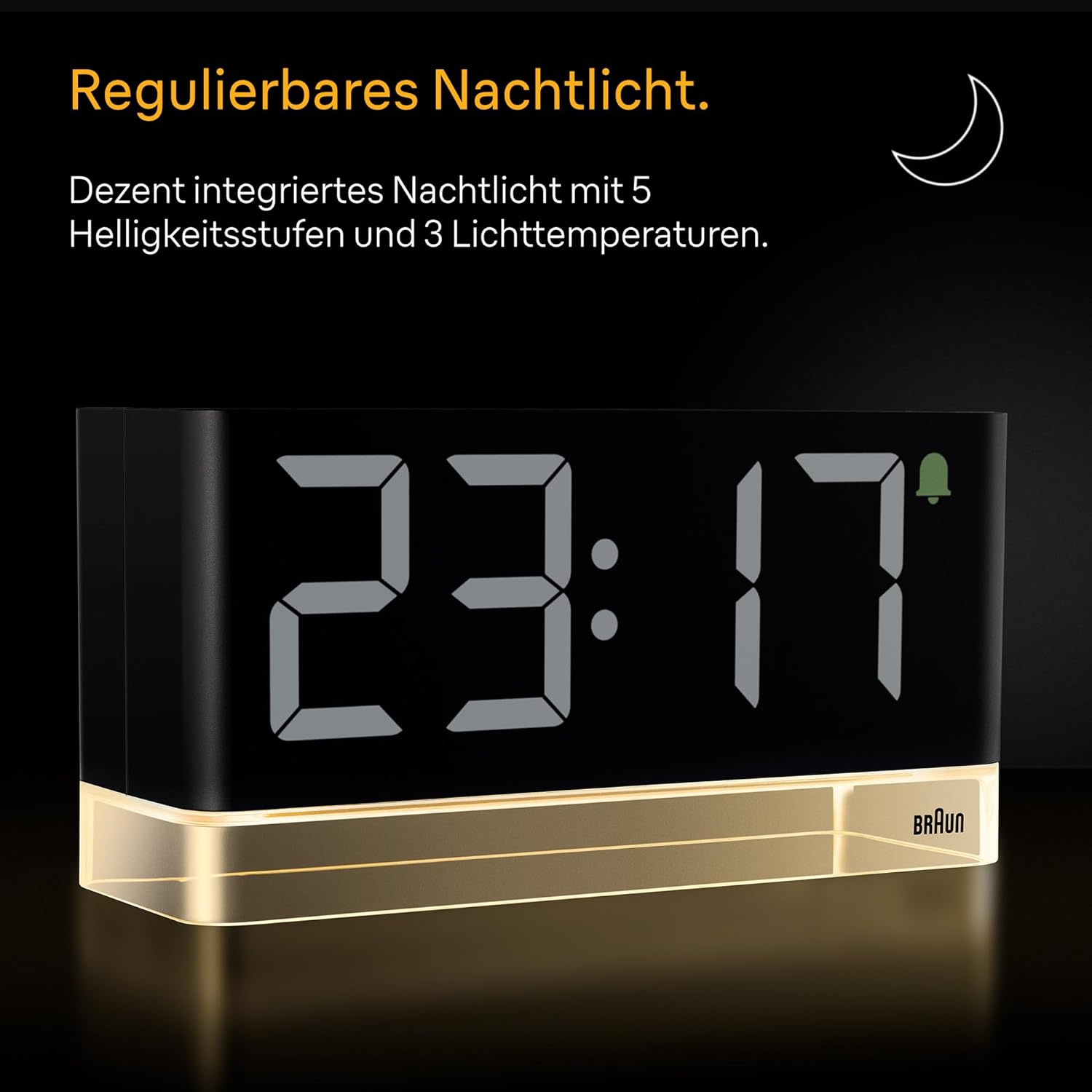
Image: The Braun BC27B clock displaying 23:17, with its base emitting a warm glow from the integrated night light, demonstrating its adjustable illumination feature.
6. Display Brightness
The extra-large LED display has four brightness levels and can automatically adjust to ambient light. To manually adjust or turn off the display, use the brightness control switch on the back of the clock. This switch allows you to cycle through brightness levels or select automatic adjustment.
Maintenance
- Clean the clock with a soft, dry cloth. Do not use abrasive cleaners or solvents.
- Avoid exposing the clock to extreme temperatures, direct sunlight, or high humidity.
- If the clock will not be used for an extended period, remove the backup batteries to prevent leakage.
Troubleshooting
- Display is blank: Ensure the power adapter is securely connected to both the clock and a working electrical outlet. If using backup batteries, remember they only maintain settings, not power the display.
- Alarm not sounding: Check that the alarm is activated (bell icon visible on display) and that the alarm volume is not set to minimum (if applicable, though this model has a crescendo beep). Verify the alarm time is set correctly.
- Time is incorrect after power outage: If backup batteries were not installed or are depleted, the time may need to be reset manually after a power interruption.
- Buttons unresponsive: Try performing a soft reset by unplugging the power adapter for a few seconds and then plugging it back in. If issues persist, locate the 'reset' button on the back of the clock and press it with a thin object (e.g., paperclip).
Specifications
| Brand | Braun |
| Model | BC27B |
| Colour | Black |
| Display Type | Digital LED |
| Power Source | Corded Electric (Adapter included) |
| Backup Batteries | 2 x AAA (not included) |
| Product Dimensions (W x H) | 6.3 cm x 9 cm |
| Item Weight | 520 Grams |
| Special Features | Extra Large LED Display, Automatic Brightness, Night Light with Multiple Settings, Crescendo Beep Alarm |
Warranty and Support
Your Braun BC27B Digital Alarm Clock comes with a manufacturer's warranty. Please refer to the included warranty card for specific terms and conditions. For technical support, product inquiries, or warranty claims, please contact Braun customer service or visit the official Braun website.
You can find more information and support at the Braun Household Store on Amazon.


