
1. Introduction
The SupeRun Walking Pad Treadmill is designed for home and office use, offering a convenient way to integrate physical activity into your daily routine. This portable and compact unit features a 2.5 HP motor, a 5-layer running belt for comfort, and an LED display to track your progress. It also includes Bluetooth connectivity for integration with the PitPat application, enhancing your exercise experience.
2. Safety Information
- Always consult with a healthcare professional before starting any new exercise program.
- Ensure the treadmill is placed on a flat, stable surface away from water and heat sources.
- Keep children and pets away from the treadmill during operation.
- Wear appropriate athletic footwear when using the treadmill.
- Do not operate the treadmill if it is damaged or malfunctioning.
- The maximum user weight capacity for this treadmill is 300 lbs. Do not exceed this limit.
- Always use the remote control to adjust speed and stop the treadmill.
- Unplug the treadmill from the power outlet when not in use or before cleaning/maintenance.
3. Package Contents
Verify that all items are present in the package:
- SupeRun Walking Pad Treadmill x1
- Remote Control x1
- Power Cord x1
- Lubricant x1
- L-Shaped Wrench x1
- User Manual x1

The treadmill arrives fully assembled and ready for immediate use.
4. Setup
- Unpacking: Carefully remove the treadmill from its packaging.
- Placement: Place the treadmill on a level, stable surface. Ensure there is adequate space around the unit for safe operation.
- Power Connection: Connect the power cord to the treadmill's power input and then plug it into a standard electrical outlet.
- Remote Control: Ensure the remote control has working batteries.
- Initial Activation (PitPat App Required): The treadmill requires activation via the PitPat app. Download the PitPat app from your device's app store. Follow the in-app instructions to connect and activate your treadmill. If you prefer not to use the app for initial setup, refer to the video below for an alternative method using only the remote control.
5. Operating Instructions
5.1 Powering On/Off
- To power on, press the power button on the remote control. The LED display will illuminate.
- To power off, press and hold the power button on the remote control until the display turns off.
5.2 Adjusting Speed
- Use the '+' button on the remote control to increase the speed.
- Use the '-' button on the remote control to decrease the speed.
- The speed range is 0.6 to 3.8 Miles per Hour (MPH).
5.3 Display Information
The integrated LED display shows the following metrics:
- Speed: Current walking/running speed.
- Time: Duration of your workout.
- Distance: Total distance covered.
- Calories: Estimated calories burned.

5.4 PitPat App Integration
The PitPat app unlocks the full potential of your treadmill, offering:
- Training programs and events.
- Social features to connect with other users.
- Entertainment options during your workout.
- Real-time performance tracking and AI-driven coaching.
6. Features
6.1 Incline Functionality
The SupeRun Walking Pad features a 6% adjustable incline, which can enhance calorie expenditure during your workout. This incline is fixed and manually set.
6.2 Powerful and Quiet Motor
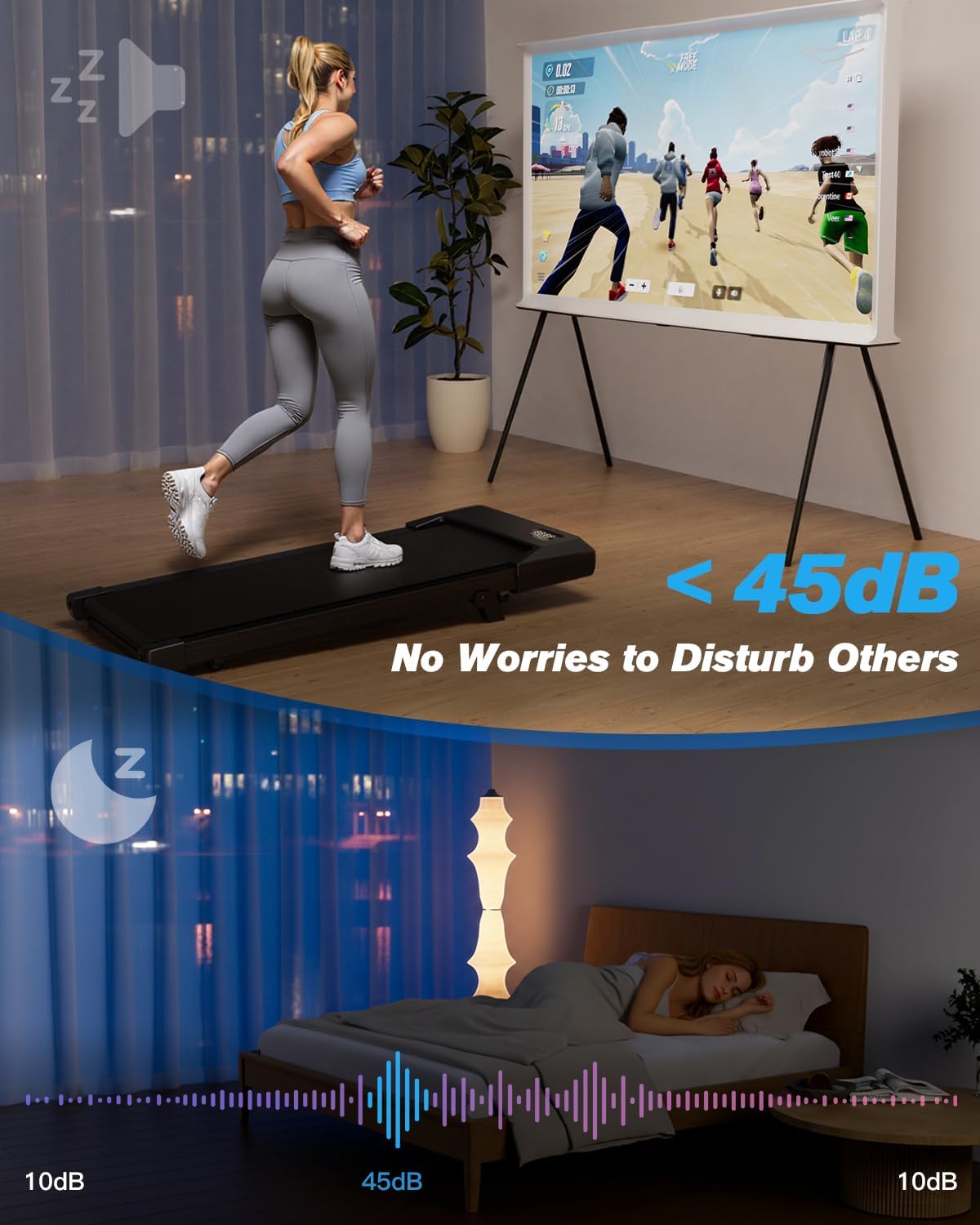
Equipped with a 2.5 horsepower motor, the treadmill supports users up to 300 lbs. It operates at less than 45dB, ensuring a quiet exercise experience suitable for home or office environments without disturbing others.

6.3 Non-Slip and Stable Running Belt
The treadmill features a 5-layer multifunctional running belt designed for comfort and safety. This belt provides effective shock absorption, reducing impact on joints and protecting your knees during use.

6.4 Compact and Portable Design
With a thickness of only 4.13 inches and a weight of 45 lbs, the treadmill is easy to move and store. It includes built-in wheels for effortless relocation, allowing it to be stored under a desk, bed, or sofa.

7. Maintenance
- Cleaning: Regularly wipe down the treadmill with a damp cloth. Avoid using abrasive cleaners.
- Lubrication: Apply the provided lubricant to the running belt as instructed in the quick start guide or app to ensure smooth operation and prolong belt life.
- Belt Adjustment: Periodically check the running belt for alignment. If the belt shifts to one side, use the L-shaped wrench to adjust it as needed.
8. Troubleshooting
8.1 Belt Offset Issue
If the treadmill belt offsets and cannot be corrected with standard adjustment, you may need to install guide hooks. Refer to the video below for detailed instructions.
8.2 General Issues
For any other operational issues or error codes, please refer to the comprehensive troubleshooting section in the included printed user manual or contact customer support.
9. Specifications
| Feature | Specification |
|---|---|
| Brand | Superun |
| Model Name | 06-Black |
| Motor Horsepower | 2.5 HP |
| Maximum Weight Capacity | 300 Pounds |
| Product Dimensions (LxWxH) | 42.44"D x 20.24"W x 4.13"H |
| Item Weight | 40 Pounds |
| Material | Alloy Steel |
| Speed Range | 0.6 - 3.8 MPH |
| Incline | 6% Adjustable |
| Noise Level | <45dB |
| Display Type | LED (Speed, Time, Distance, Calories) |
| Connectivity | Bluetooth (PitPat App) |
| Included Components | Remote Control |
10. Warranty and Support
For warranty information, please refer to the documentation included with your product or contact SupeRun customer service. If you encounter any issues or have questions regarding your SupeRun Walking Pad Treadmill, please reach out to our customer support team for assistance. Contact details can be found in your product packaging or on the official SupeRun website.
