
Introduction
Thank you for choosing the TNICER G1EX Bluetooth 5.2 Motorcycle Intercom System. This device is designed to enhance your riding experience by providing clear communication, music playback, and navigation assistance. Please read this manual thoroughly before use to ensure proper operation and to maximize the product's potential.
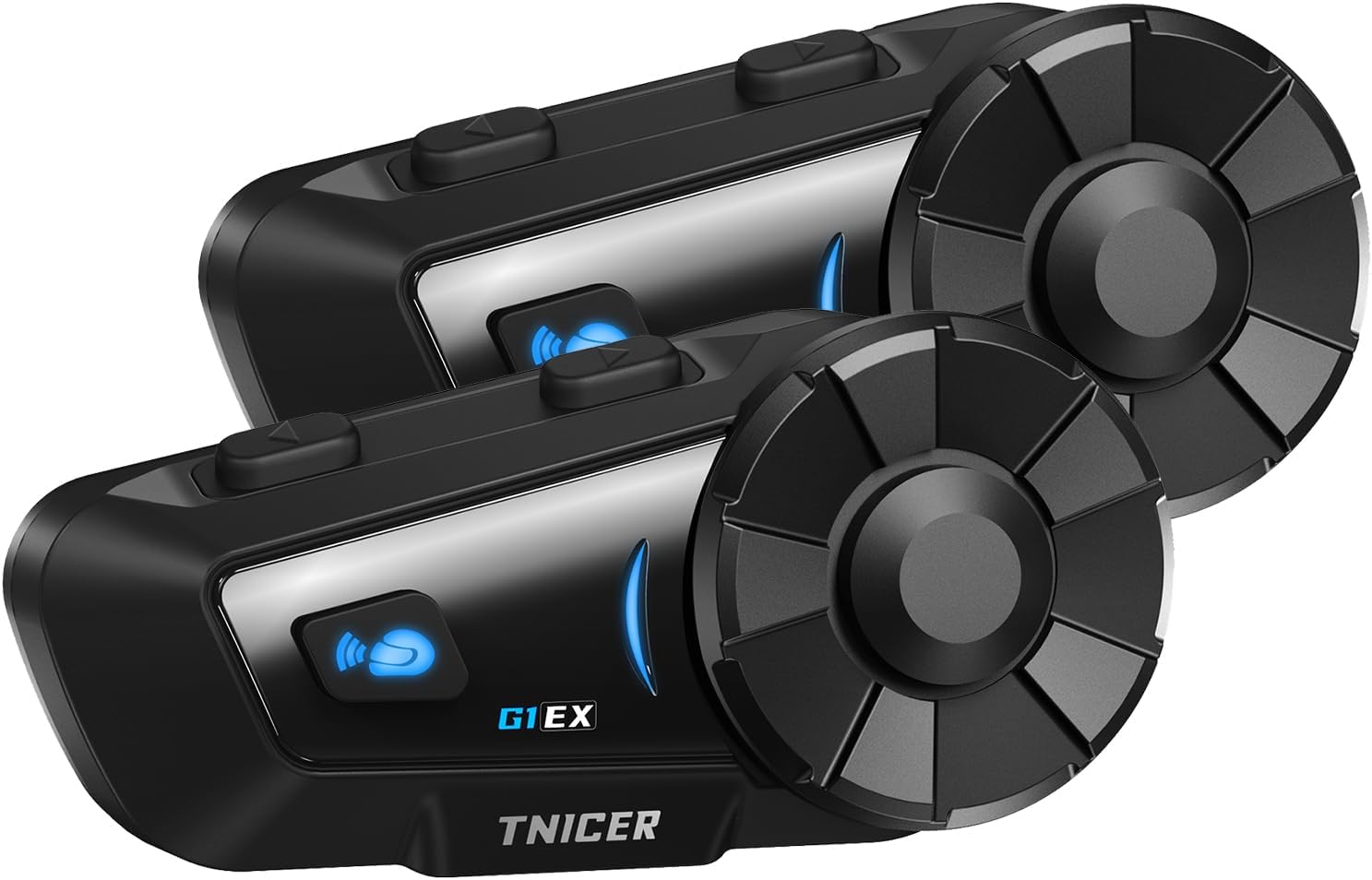
Image: Two TNICER G1EX intercom units, showcasing their sleek design and control buttons.
Package Contents
Verify that all items are present in your package:
- G1EX Main Unit (x2)
- 3.5mm Universal Jack (x2)
- Speaker & Arm Microphone (x2 sets)
- Base Plate (x2)
- Speaker Velcro (x2 sets)
- Speaker Spacer (x2 sets)
- Metal Clip (x2)
- Microphone Velcro (x2 sets)
- 3M Double-sided Tape (x2 sets)
- USB Charging Cable (x2)
- User Manual (Japanese)

Image: A visual representation of all components included in the TNICER G1EX package.
Product Features
- Advanced Bluetooth 5.2: Ensures stable and fast data transmission for seamless communication.
- Multi-Rider Intercom: Supports simultaneous communication for up to 6 riders with a maximum range of 1000 meters.
- One-Touch Automatic Pairing: Simplifies connection with other G1EX units and compatible TNICER models (e.g., T2, T4X).
- Universal Compatibility: Connects with most third-party intercoms on the market.
- Automatic Reconnection: Automatically re-establishes communication if temporarily disconnected within range.
- Superior Noise Cancellation: Features CVC and DSP technologies to reduce wind and engine noise for clear audio.
- Music Sharing: Share your music with fellow riders.
- Voice Assistant Support: Compatible with smartphone voice assistants for hands-free control.
- Long Battery Life: 1000mAh battery provides up to 25 hours of music playback, 22 hours of talk time, and 300 hours of standby.
- IP65 Waterproof Rating: Designed to withstand dust, rain, and harsh weather conditions.
- FM Radio Function: Enjoy local FM broadcasts during your ride.
- 3.5mm Universal Earphone Interface: Allows for custom speaker replacement.

Image: An overview of the TNICER G1EX's main features, including its robust design and audio capabilities.
Setup
1. Installation
The G1EX unit can be mounted to your helmet using either the metal clip or the 3M double-sided adhesive tape. Choose the method that best suits your helmet and preference.
- Mounting the Intercom Unit:
- Using the Metal Clip: Slide the metal clip between the helmet shell and the inner padding. Secure the intercom unit to the clip.
- Using 3M Adhesive: Clean the desired mounting area on your helmet. Attach the base plate with the 3M adhesive tape, then secure the intercom unit to the base plate.
- Installing Speakers:
- Attach the speaker Velcro pads inside your helmet, aligning them with your ears.
- Place the speakers onto the Velcro pads. Use speaker spacers if needed for a better fit and sound quality.
- Connect the speaker cable to the 3.5mm universal jack on the intercom unit.
- Installing Microphone:
- Attach the microphone Velcro pad inside the helmet, positioning the microphone close to your mouth.
- Connect the microphone cable to the intercom unit.
2. Charging
Before first use, fully charge the G1EX unit. Use the provided USB charging cable and a 5V/1A power adapter. Avoid using fast chargers as this may damage the battery.
- Connect the USB charging cable to the charging port on the G1EX unit.
- Connect the other end of the cable to a 5V/1A USB power adapter.
- The indicator light will show charging status (refer to the device's LED indicators for specific colors/patterns).
- A full charge typically takes approximately 2 hours.

Image: The TNICER G1EX unit being charged, highlighting its battery capacity and usage times.
3. Initial Pairing
The G1EX features one-touch automatic pairing for convenience.
- Ensure both G1EX units (or compatible TNICER models) are powered off.
- Press and hold the power button on both units simultaneously until they enter pairing mode (indicator light will flash rapidly, typically blue and red).
- The units will automatically detect and pair with each other. A voice prompt or a change in the indicator light will confirm successful pairing.
- For pairing with a smartphone, refer to the "Operating Instructions - Phone Calls" section.

Image: Riders communicating via TNICER G1EX intercoms, demonstrating the multi-rider connection capability.
Operating Instructions
1. Power On/Off
- Power On: Press and hold the Power button for approximately 3 seconds until the indicator light turns on and you hear a voice prompt.
- Power Off: Press and hold the Power button for approximately 5 seconds until the indicator light turns off and you hear a voice prompt.
2. Intercom Communication
After successful pairing, you can initiate intercom communication.
- Start Intercom: Briefly press the Intercom button once.
- End Intercom: Briefly press the Intercom button once again.
- Automatic Reconnection: If communication is temporarily lost due to distance, the G1EX will automatically reconnect when units are back within range.
3. Music Playback
Connect your smartphone via Bluetooth to play music.
- Play/Pause: Briefly press the Multi-function button.
- Next Track: Rotate the jog dial forward.
- Previous Track: Rotate the jog dial backward.
- Volume Up: Rotate the jog dial forward and hold.
- Volume Down: Rotate the jog dial backward and hold.
- Music Sharing: While music is playing, press and hold the Music Sharing button to share audio with a paired intercom unit.
4. FM Radio
- Turn On/Off FM Radio: Press and hold the FM button for 2 seconds.
- Scan Channels: Briefly press the Multi-function button to automatically scan and save available FM stations.
- Change Station: Rotate the jog dial forward or backward to switch between saved stations.
5. Voice Assistant
Activate your smartphone's voice assistant (Siri, Google Assistant) for hands-free control.
- Activate Voice Assistant: Briefly press the Voice Assistant button.
6. Phone Calls
Pair your G1EX with your smartphone via Bluetooth.
- Pairing with Smartphone:
- Ensure the G1EX is powered on and not in intercom mode.
- Enter Bluetooth pairing mode on the G1EX (refer to the manual for specific button press, usually holding a button until indicator flashes blue/red).
- On your smartphone, go to Bluetooth settings and select "TNICER G1EX" from the list of available devices.
- A voice prompt will confirm successful connection.
- Answering Calls: Briefly press the Multi-function button.
- Ending Calls: Briefly press the Multi-function button.
- Rejecting Calls: Press and hold the Multi-function button for 2 seconds.
- Redial Last Number: Double-press the Multi-function button.

Image: The TNICER G1EX highlighting its diverse functionalities including music, radio, voice assistant, and call management.
Maintenance
- Cleaning: Wipe the unit with a soft, damp cloth. Do not use harsh chemicals or abrasive cleaners.
- Storage: Store the device in a cool, dry place when not in use. Avoid extreme temperatures.
- Battery Care: To prolong battery life, avoid fully discharging the battery frequently. Charge the unit regularly, even if not in active use.
- Water Exposure: While IP65 rated, avoid prolonged submersion in water. Ensure the charging port cover is securely closed.

Image: The TNICER G1EX unit undergoing a water splash test, illustrating its IP65 water resistance.
Troubleshooting
| Problem | Possible Cause | Solution |
|---|---|---|
| No power | Low battery; Unit not charged. | Charge the unit fully. Ensure the charging cable and adapter are working. |
| Cannot pair with other units/smartphone | Units are too far apart; Incorrect pairing mode; Interference. | Ensure units are close (within 1 meter) during pairing. Follow pairing instructions carefully. Restart both devices. |
| Intercom communication is unclear or has static | Out of range; Environmental interference; Microphone position. | Move closer to the other intercom unit. Avoid areas with strong electromagnetic interference. Adjust microphone position closer to your mouth. |
| Music/FM radio not playing | Not connected to smartphone; FM radio off; Low volume. | Ensure smartphone is connected via Bluetooth. Activate FM radio. Adjust volume. |
| Voice assistant not responding | Smartphone not connected; Voice assistant not enabled on phone. | Ensure smartphone is connected. Verify voice assistant is active on your phone. |

Image: The TNICER G1EX's noise cancellation system actively reducing ambient sounds for clearer communication.
Specifications
| Feature | Detail |
|---|---|
| Model Name | G1EX |
| Connectivity Technology | Wireless (Bluetooth 5.2) |
| Wireless Communication Technology | Bluetooth |
| Battery Capacity | 1000mAh |
| Talk Time | Up to 22 hours |
| Music Playback Time | Up to 25 hours |
| Standby Time | Up to 300 hours |
| Charging Time | Approx. 2 hours |
| Intercom Range | Up to 1000 meters (between 2 units) |
| Max Intercom Users | 6 riders |
| Waterproof Rating | IP65 |
| Weight | Approx. 0.3 kg (per unit) |
| Headphone Style | Earphone |
| Headphone Jack | Mini USB (for charging/data), 3.5mm (for speakers) |
Warranty and Support
For warranty information and technical support, please refer to the documentation included with your purchase or contact TNICER customer service through their official website or the retailer where you purchased the product. Keep your proof of purchase for warranty claims.
Manufacturer: TNICER
ASIN: B0FPLX8F43


