
Important Safety Instructions
Please read all instructions carefully before using this electric fireplace insert. Failure to follow these instructions may result in fire, electric shock, or injury.
- Read All Instructions: Before installing or operating this heater, read all instructions.
- Hot Surface Warning: This heater is hot when in use. To avoid burns, do not let bare skin touch hot surfaces. Keep combustible materials, such as furniture, pillows, bedding, papers, clothes, and curtains at least 3 feet (0.9 m) from the front of the heater and keep them away from the sides and rear.
- Extreme Caution: Extreme caution is necessary when any heater is used by or near children or invalids and whenever the heater is left operating and unattended.
- Unplug When Not in Use: Always unplug the heater when not in use.
- Avoid Damaged Cords: Do not operate any heater with a damaged cord or plug or after the heater malfunctions, has been dropped, or damaged in any manner. Discard heater or return to an authorized service facility for examination and/or repair.
- Outdoor Use Prohibited: Do not use outdoors.
- Proper Connection: Connect to properly grounded outlets only.
- Avoid Obstruction: Do not insert or allow foreign objects to enter any ventilation or exhaust opening as this may cause an electric shock or fire, or damage the heater.
- Overheating Prevention: To prevent a possible fire, do not block air intakes or exhaust in any manner. Do not use on soft surfaces, like a bed, where openings may become blocked.
- Electrical Safety: This appliance has hot and arcing or sparking parts inside. Do not use it in areas where gasoline, paint, or flammable vapors or liquids are used or stored.
- Child Lock Feature: Utilize the child lock function to prevent accidental operation by children.
- Overheat Protection: The unit is equipped with an automatic shut-off feature if it overheats. If this occurs, unplug the unit, allow it to cool, and check for any obstructions before restarting.
Keep these instructions for future reference.
Package Contents
Carefully remove all components from the packaging and inspect for any damage. If any parts are missing or damaged, do not attempt to assemble or operate the unit. Contact customer support.
- 1 x ORALNER 18-Inch Electric Fireplace Insert
- 1 x Remote Control
- 1 x User Manual (This Document)
Product Features
- Realistic Flame Effect: Enjoy a lifelike flame display with 7 color options and 5 brightness levels. The flame effect can be operated independently of the heating function.
- Dual Heat Settings: Provides efficient heating with 750W and 1500W settings, delivering up to 5,000 BTU heat output.
- Adjustable Timer: Built-in auto-off timer can be set from 30 minutes to 8 hours for convenience and energy saving.
- Remote Control: Full-function remote control allows for easy adjustment of settings from a distance.
- Safety Features: Equipped with overheat protection and a child lock function for safe operation.
- Quiet Operation: Designed for low-noise performance, ensuring it won't disrupt your activities.
- Modern Design: Sleek black finish and compact size suitable for various room decors and installations.
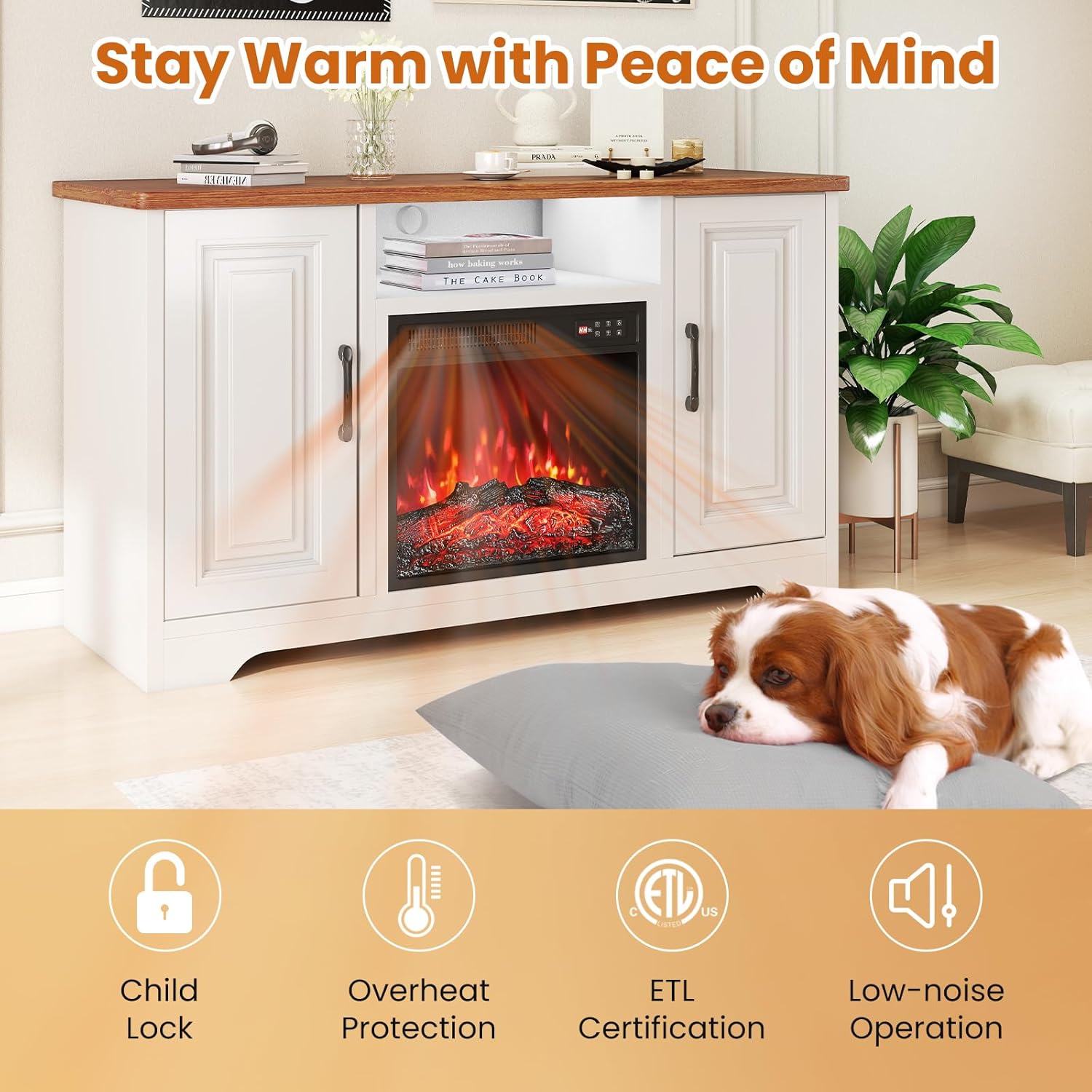
Figure 1: Overview of the ORALNER Electric Fireplace Insert highlighting safety features like Child Lock, Overheat Protection, ETL Certification, and Low-noise Operation.
Installation and Setup
This electric fireplace insert is designed for recessed installation into a cabinet, TV stand, or entertainment center. Ensure the chosen location meets the required dimensions and safety clearances.
- Choose Location: Select a stable, flat surface or a cabinet opening that can safely accommodate the fireplace insert. Ensure there is a grounded 120V outlet nearby.
- Verify Dimensions: Measure the opening where the fireplace will be installed. The overall dimensions of the fireplace insert are 19.1" (W) x 5.3" (D) x 17.9" (H). The flame area is 17.2" (L) x 14" (W). Ensure there is adequate space for ventilation around the unit.
- Clearance: Maintain a minimum of 3 feet (0.9 m) clearance from combustible materials (curtains, furniture, bedding) to the front of the fireplace.
- Insert Fireplace: Carefully slide the electric fireplace insert into the prepared opening. Ensure it sits securely and is level.
- Connect Power: Plug the power cord into a standard 120V, 60Hz grounded electrical outlet. Do not use extension cords or power strips.
- Initial Check: Before operating, ensure all packaging materials are removed and there are no obstructions to the air intake or exhaust vents.

Figure 2: Detailed product dimensions for the ORALNER Electric Fireplace Insert, showing front, top, and side views with measurements in inches.
Operating Instructions
The ORALNER Electric Fireplace Insert can be operated using the control panel on the unit or the included remote control.
Control Panel and Remote Control
Both the control panel and remote control feature similar buttons for ease of use.

Figure 3: The control panel and remote control for the ORALNER Electric Fireplace, illustrating button functions and the 10 ft effective control distance.
- Power Button (⏻): Turns the unit ON or OFF.
- Flame Color Button (⏽): Cycles through 7 different flame colors.
- Flame Brightness Button (🔆): Adjusts the flame brightness through 5 levels.
- Heater Button (♨️): Toggles between LOW heat (750W), HIGH heat (1500W), and OFF.
- Timer Button (⏱️): Sets the auto-off timer from 30 minutes to 8 hours. Press repeatedly to cycle through settings.
- Child Lock Button (🔒): Activates or deactivates the child lock. Hold for a few seconds to engage/disengage.
Adjusting Flame Effects
Customize the ambiance to your preference.

Figure 4: Visual representation of the 7 flame colors and 5 brightness levels available on the ORALNER Electric Fireplace Insert.
- Flame Color: Press the Flame Color button to cycle through the 7 available colors.
- Flame Brightness: Press the Flame Brightness button to adjust the intensity of the flames through 5 levels.
- Flame Only Mode: The flame effect can be used independently without activating the heating function, providing ambiance year-round.
Heat Settings
Control the heat output for optimal comfort.

Figure 5: Illustration of the electric fireplace operating in 'Flame Only' mode for ambiance and 'Flame and Heat' mode for warmth, suitable for year-round enjoyment.
- Press the Heater button once for LOW heat (750W).
- Press the Heater button a second time for HIGH heat (1500W).
- Press the Heater button a third time to turn the heating function OFF.
Timer Function
Set the timer for automatic shut-off.
- Press the Timer button repeatedly to cycle through the available timer settings (30 min, 1H, 2H, 3H, 4H, 5H, 6H, 7H, 8H).
- The display will show the selected time, and the unit will automatically turn off after the set duration.
Maintenance
Regular maintenance ensures optimal performance and longevity of your electric fireplace insert. Always unplug the unit from the power outlet before performing any cleaning or maintenance.
- Cleaning the Exterior: Use a soft, damp cloth to wipe the exterior surfaces. Do not use abrasive cleaners, sprays, or harsh chemicals, as these may damage the finish.
- Cleaning the Glass Panel: For the glass viewing panel, use a soft cloth and a standard glass cleaner. Spray the cleaner onto the cloth, not directly onto the glass, to prevent liquid from dripping into the unit.
- Ventilation Openings: Periodically check the air intake and exhaust vents for dust or debris. Use a vacuum cleaner with a brush attachment to gently clean these areas to ensure proper airflow.
- Storage: If storing the unit for an extended period, unplug it and store it in a dry, cool place, preferably in its original packaging.
- No User-Serviceable Parts: There are no user-serviceable parts inside the fireplace insert. Do not attempt to open or repair the unit yourself. Refer all servicing to qualified service personnel.
Troubleshooting
If you experience issues with your electric fireplace insert, refer to the following table for common problems and solutions.
| Problem | Possible Cause | Solution |
|---|---|---|
| Unit does not turn on. | 1. Power cord not securely plugged in. 2. No power from the outlet. 3. Main power switch is off. | 1. Ensure the power cord is firmly plugged into a grounded outlet. 2. Check the circuit breaker or try another outlet. 3. Ensure the main power switch (if present) is in the ON position. |
| No heat output. | 1. Heater function is off. 2. Overheat protection activated. 3. Air vents are blocked. | 1. Press the Heater button to select a heat setting (LOW or HIGH). 2. Unplug the unit, wait 10-15 minutes for it to cool, then plug back in. 3. Check for and remove any obstructions from the air intake and exhaust vents. |
| Flame effect not working. | 1. Flame effect is turned off. 2. LED components issue. | 1. Ensure the unit is powered on and press the Flame Color or Brightness button. 2. If the issue persists, contact customer support. |
| Remote control not working. | 1. Batteries are dead or incorrectly inserted. 2. Obstruction between remote and unit. 3. Remote control is too far from the unit. | 1. Replace batteries (2 x AAA) and ensure correct polarity. 2. Remove any objects blocking the signal path. 3. Operate the remote within 10 feet of the unit. |
| Unit makes unusual noises. | 1. Normal fan operation. 2. Debris in the fan. | 1. A low hum from the fan is normal during heating. 2. Unplug the unit and gently clean the vents. If noise persists, contact support. |
Specifications
| Feature | Detail |
|---|---|
| Model Number | HR-11281 |
| Power Supply | 120V AC, 60Hz |
| Power Consumption | 1400W |
| Heat Settings | 750W / 1500W |
| Heat Output | 5,000 BTU |
| Heating Coverage | Up to 300 sq ft |
| Overall Dimensions (W x D x H) | 19.1" x 5.3" x 17.9" |
| Flame Area Dimensions (L x W) | 17.2" x 14" |
| Net Weight | Approximately 16 lbs |
| Flame Colors | 7 options |
| Flame Brightness Levels | 5 levels |
| Timer Range | 30 minutes to 8 hours |
| Remote Control Batteries | 2 x AAA (not included) |
| Material | Metal, Tempered Glass |
Warranty
This ORALNER Electric Fireplace Insert comes with a Limited Warranty. The warranty covers defects in materials and workmanship under normal use and service. Specific terms and duration of the warranty may vary. Please retain your proof of purchase for warranty claims.
The warranty does not cover damage caused by misuse, abuse, accident, unauthorized repairs or modifications, or failure to follow the instructions in this manual.
Customer Support
If you have any questions about your ORALNER Electric Fireplace Insert, require technical assistance, or need to make a warranty claim, please contact the retailer or manufacturer directly. Refer to your purchase documentation for contact information.
Please have your model number (HR-11281) and proof of purchase ready when contacting customer support.