Introduction
Thank you for choosing the PINDOWS Digital Sports Watch, Model PDS-8021 (M8021N7 Series). This watch is designed for active individuals, featuring a clear transparent case and a bright LED backlight for excellent visibility in all lighting conditions. It combines functionality with a stylish design, offering essential features for daily use and sports activities.
Please read this manual carefully to understand the watch's functions and ensure proper use and maintenance.

Image: PINDOWS Digital Sports Watch in use, highlighting its design.
Product Features
- Clear Transparent Case: Unique design for a modern aesthetic.
- High-Brightness LED Backlight: Ensures clear readability day or night.
- 5 ATM Water Resistance: Suitable for splashes, rain, and shallow swimming. (Not for hot water showers, bathing, diving, or pressing buttons underwater.)
- Stopwatch Function: Precise timing for sports and activities.
- Alarm with Countdown Timer: Customizable alerts and timing.
- Calendar: Displays date and day.
- Dual Time: Track time in two different time zones.
- Hourly Chime: Optional hourly sound notification.
- 12/24 Hour Format: Select your preferred time display.
- Durable Construction: ABS case, mineral glass, and comfortable silicone band.
- Reliable Quartz Movement: Accurate timekeeping.
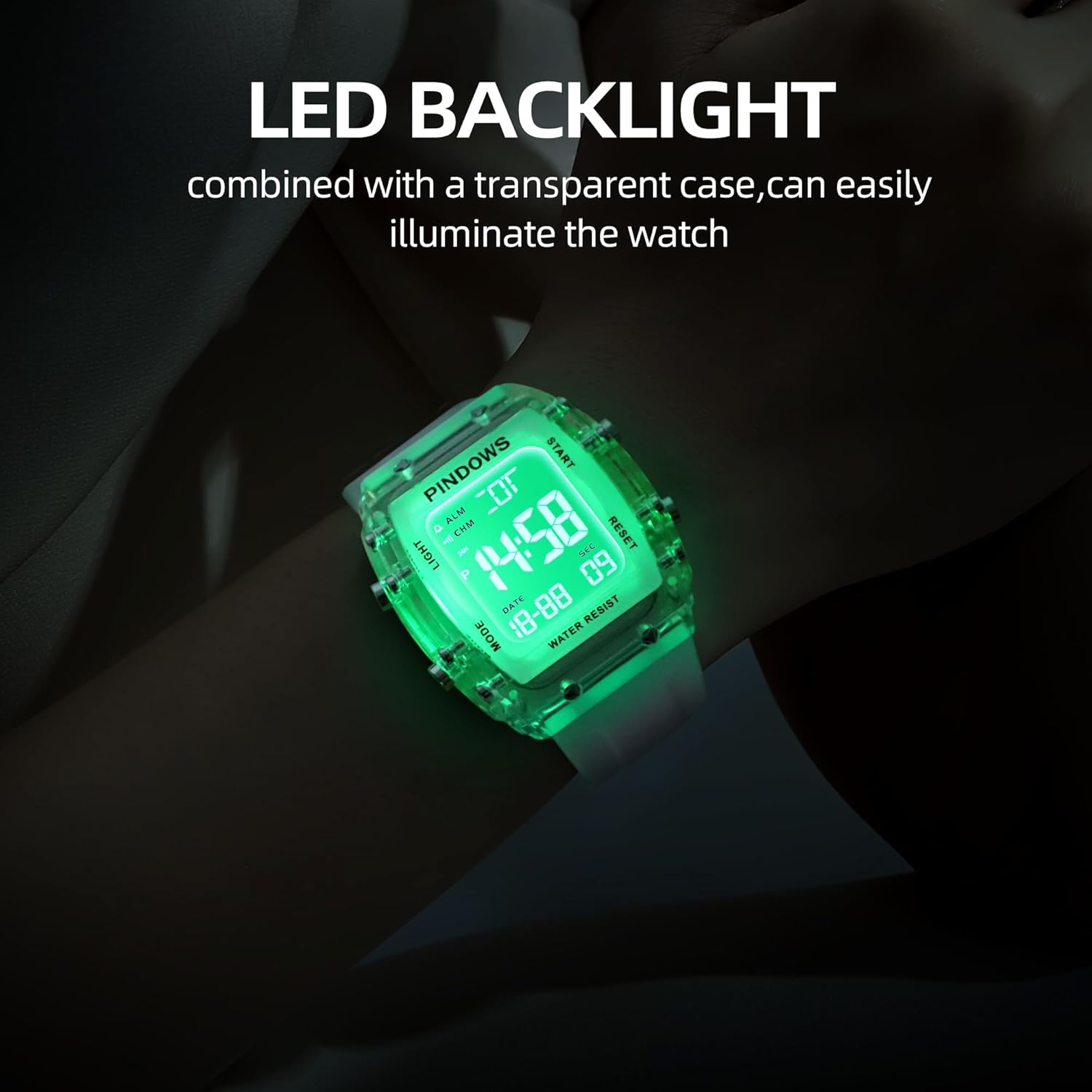
Image: The watch display with its bright LED backlight activated.
Button Functions Overview
Familiarize yourself with the watch buttons before proceeding with setup and operation.

Image: Diagram illustrating the 'Light', 'Mode', 'Start/Pause', and 'Adjustment' buttons.
- LIGHT Button (Top Left): Activates the LED backlight.
- MODE Button (Bottom Left): Cycles through different modes (Time, Stopwatch, Alarm, Dual Time).
- START/PAUSE Button (Top Right): Used to start/stop functions or increase values during setting.
- ADJUSTMENT Button (Bottom Right): Used to select items for adjustment or reset functions.
Setup: Initial Time and Date Setting
- In normal time display mode, press the MODE button repeatedly until you reach the Time Setting mode (usually indicated by flashing digits).
- Press the ADJUSTMENT button to select the digit you wish to set (e.g., seconds, hour, minute, year, month, day). The selected digit will flash.
- Use the START/PAUSE button to increase the value of the flashing digit. Hold the button to advance rapidly.
- Continue pressing the ADJUSTMENT button to move to the next setting item and use the START/PAUSE button to adjust.
- Once all settings are complete, press the MODE button to exit the setting mode and return to normal time display.
- To switch between 12-hour and 24-hour format, press the START/PAUSE button while the hour digits are flashing in time setting mode.
Operating Instructions
Using the LED Backlight
Press the LIGHT button (top left) to illuminate the display. The backlight will stay on for a few seconds.
Stopwatch Function
- From normal time display, press the MODE button until "ST" or "STOPWATCH" appears.
- Press the START/PAUSE button to start the stopwatch.
- Press the START/PAUSE button again to pause the stopwatch.
- While paused, press the ADJUSTMENT button to reset the stopwatch to zero.
- Press the MODE button to exit stopwatch mode.
Alarm Setting
- From normal time display, press the MODE button until "AL" or "ALARM" appears.
- Press the ADJUSTMENT button to select the hour digits. The hour digits will flash.
- Use the START/PAUSE button to set the desired alarm hour.
- Press the ADJUSTMENT button again to select the minute digits and use the START/PAUSE button to set the desired alarm minute.
- Press the MODE button to exit alarm setting mode.
- To turn the alarm ON/OFF, press the START/PAUSE button while in alarm mode (not setting). An alarm icon will appear/disappear.
Dual Time Function
- From normal time display, press the MODE button until "DT" or "DUAL TIME" appears.
- Press the ADJUSTMENT button to select the hour digits. The hour digits will flash.
- Use the START/PAUSE button to set the desired hour for the second time zone.
- Press the ADJUSTMENT button again to select the minute digits and use the START/PAUSE button to set the desired minute.
- Press the MODE button to exit dual time setting mode.
Hourly Chime
In normal time display mode, press and hold the ADJUSTMENT button, then press the MODE button to toggle the hourly chime ON/OFF. A chime icon will indicate if it's active.
Water Resistance Guidelines (5 ATM)
Your PINDOWS Digital Sports Watch is rated for 5 ATM (50 meters) water resistance. This means it is suitable for:
- Cold water rinse
- Swimming in shallow water
- Washing hands
- Exposure to rain and splashes
- Sweat
Important Precautions:
- DO NOT press any buttons while the watch is submerged in water.
- DO NOT use the watch in hot water showers, baths, or saunas, as steam and hot water can damage the seals.
- DO NOT use for diving or high-speed water sports.
- Avoid exposing the watch to strong water currents or direct high-pressure water.

Image: The watch demonstrating its 5 ATM water resistance.
Maintenance
- Cleaning: Wipe the watch regularly with a soft, dry cloth. For stubborn dirt, use a slightly damp cloth and then dry thoroughly.
- Avoid Chemicals: Do not expose the watch to solvents, detergents, perfumes, or cosmetics, as these can damage the case, band, or seals.
- Temperature Extremes: Avoid exposing the watch to extreme temperatures (hot or cold) or sudden temperature changes.
- Magnetic Fields: Keep the watch away from strong magnetic fields to prevent affecting time accuracy.
- Battery Replacement: When the display dims or functions become erratic, it may be time to replace the battery. It is recommended to have this done by a professional to ensure water resistance is maintained.
Troubleshooting
| Problem | Possible Cause | Solution |
|---|---|---|
| Display is blank or dim. | Low battery. | Replace the battery. |
| Time is inaccurate. | Incorrect setting or exposure to strong magnetic fields. | Reset the time. Keep away from magnets. |
| Buttons are unresponsive. | Watch may be in a locked mode or internal issue. | Try pressing all buttons to see if it unlocks. If not, contact support. |
| Water inside the watch. | Water resistance compromised (e.g., buttons pressed underwater, hot water exposure). | Stop using immediately and seek professional repair. |
If you encounter issues not listed here or if the suggested solutions do not resolve the problem, please contact customer support.
Specifications
| Feature | Detail |
|---|---|
| Model Number | PDS-8021 (M8021N7 Series) |
| Brand | PINDOWS |
| Movement | Japanese Quartz |
| Display Type | Digital |
| Case Material | ABS (Acrylonitrile Butadiene Styrene) |
| Case Diameter | 42 mm |
| Case Thickness | 13 mm |
| Band Material | Silicone |
| Band Width | 22 mm |
| Band Length | 220 mm (5.6 to 7.4 inches wearing size) |
| Clasp Type | Buckle |
| Dial Window Material | Mineral Glass |
| Water Resistance | 5 ATM (50 meters) |
| Special Features | LED Backlight, Stopwatch, Alarm, Dual Time, Hourly Chime, Calendar |
| Power Source | Battery Powered |
| Item Weight | 120 g (Package size: 9.6 x 9 x 6.9 cm) |

Image: Product parameters and dimensions diagram.
Warranty and Support
PINDOWS offers a 12-month warranty for this product, covering manufacturing defects from the date of purchase.
For any questions, concerns, or warranty claims, please contact our customer support. We are committed to providing the best product and service possible.
Please refer to your purchase documentation for specific contact details or visit the official PINDOWS store on Amazon.
Thank you for your understanding and cooperation.