
1. Introduction
This manual provides essential information for the safe and efficient use of your Dyness 12V 100Ah LiFePO4 Lithium Battery with Bluetooth. This battery is designed for various applications, including trolling motors, RVs, boats, and solar systems, offering high energy density, a compact design, and advanced monitoring capabilities. Please read this manual thoroughly before installation and operation.
2. Safety Information
WARNING: RISK OF FIRE, EXPLOSION, OR BURN.
- Do not short-circuit the battery terminals with any metal objects.
- Do not heat above 60°C (140°F) or throw battery into fire.
- Do not disassemble, crush, or modify the battery.
- Do not reverse the (+) and (-) terminals.
- Stop using the battery under abnormal conditions (e.g., odor, discoloration, heat).
- Installation distance should be no more than 4000m.
- Always use appropriate personal protective equipment during installation and maintenance.
- Ensure proper ventilation when charging or discharging.
3. Package Contents
Upon unpacking, please verify that all items listed below are present and undamaged:
- 1 x Dyness 12V 100Ah LiFePO4 Lithium Battery (Model AR1.2-MINI BT)
- 1 x User Manual
- 2 x M8 Terminals (bolts and nuts)
Video 1: Unboxing and overview of the Dyness 12V 100Ah LiFePO4 Lithium Battery, showing the battery, user manual, and M8 terminals.
4. Product Overview
The Dyness 12V 100Ah LiFePO4 Lithium Battery (Model AR1.2-MINI BT) is a high-performance, compact power solution. It features a built-in 100A Battery Management System (BMS) with low-temperature protection and Bluetooth 5.0 for real-time monitoring.
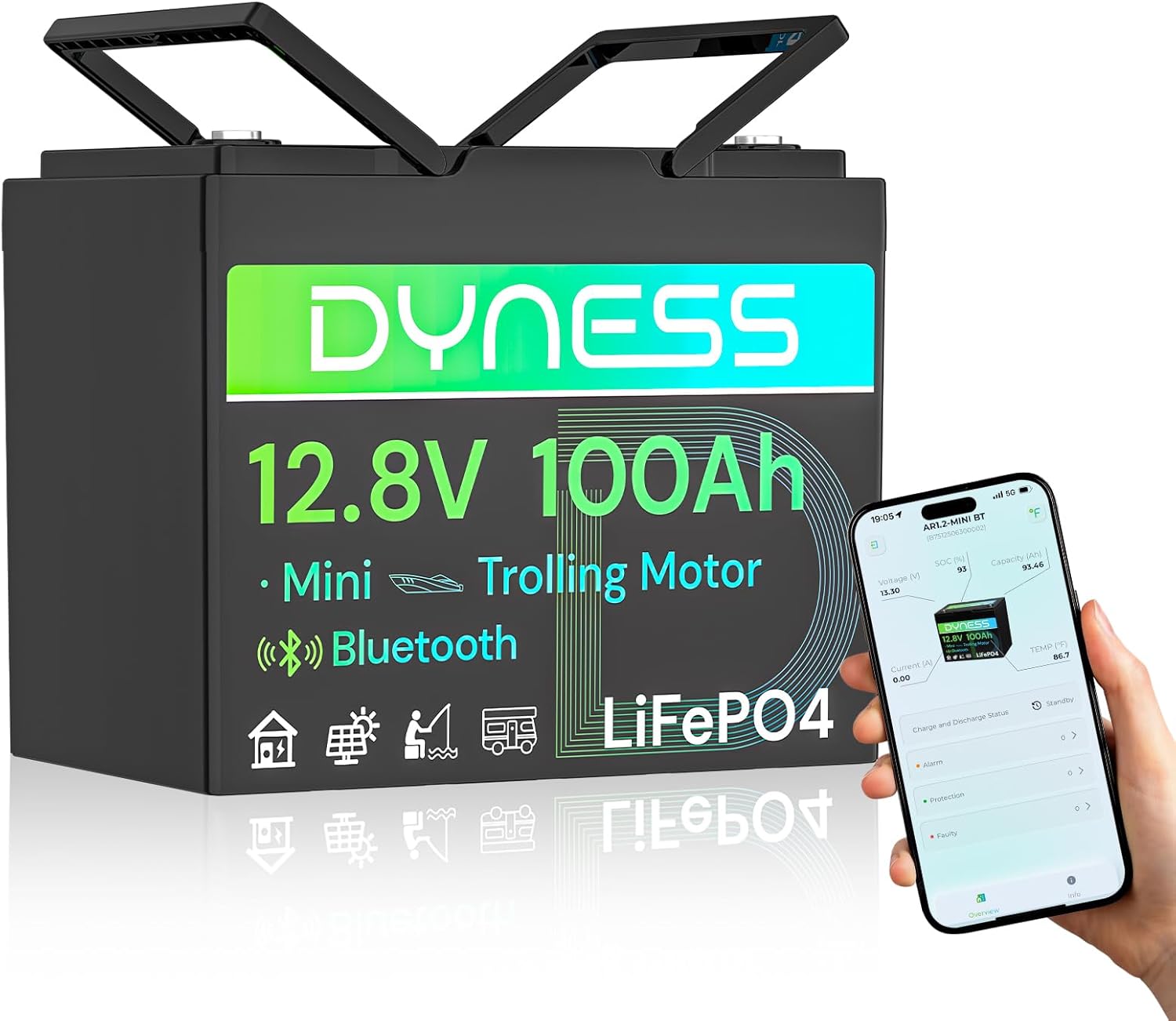
Image 1: The Dyness 12V 100Ah LiFePO4 Lithium Battery, showcasing its compact design and Bluetooth connectivity for app-based monitoring.

Image 2: Visual representation of the battery's compact size and lightweight nature, highlighting its dimensions and weight.

Image 3: Illustration of the battery's internal structure, emphasizing the use of premium LiFePO4 A+ grade cells for durability and performance.

Image 4: Detailed graphic explaining the comprehensive protection features of the integrated 100A BMS, ensuring battery safety and longevity.
5. Setup
5.1. Physical Installation
- Mounting: Place the battery in a secure, well-ventilated location, away from direct sunlight, heat sources, and flammable materials. Ensure the battery is stable and cannot move during operation.
- Connections: Connect the positive (+) terminal of the battery to the positive terminal of your load/charger and the negative (-) terminal to the negative terminal. Use the provided M8 terminals and ensure all connections are tight and secure to prevent arcing or overheating.
- Series/Parallel Configuration: The Dyness 12.8V 100Ah Bluetooth battery can be expanded up to 4 series and 4 parallel (4S4P) for a maximum of 16 batteries, forming a 51.2V 400Ah power system. Follow proper wiring diagrams for series and parallel connections to avoid damage.
5.2. Bluetooth App Setup
The Dyness battery features Bluetooth 5.0 for real-time monitoring via the "Dyness" app. Ensure you are within 10 meters of the battery for optimal connection.
- Download the App: Search for "Dyness" in your smartphone's app store (iOS or Android) and install it.
- Connect to Battery: Open the app. You may need to create an account or select "Local Connection" under the "Services" section. The app will scan for nearby Bluetooth devices.
- Select Device: Once your battery (e.g., AR1.2-MINI BT) appears, select it to connect. You can then view real-time data.
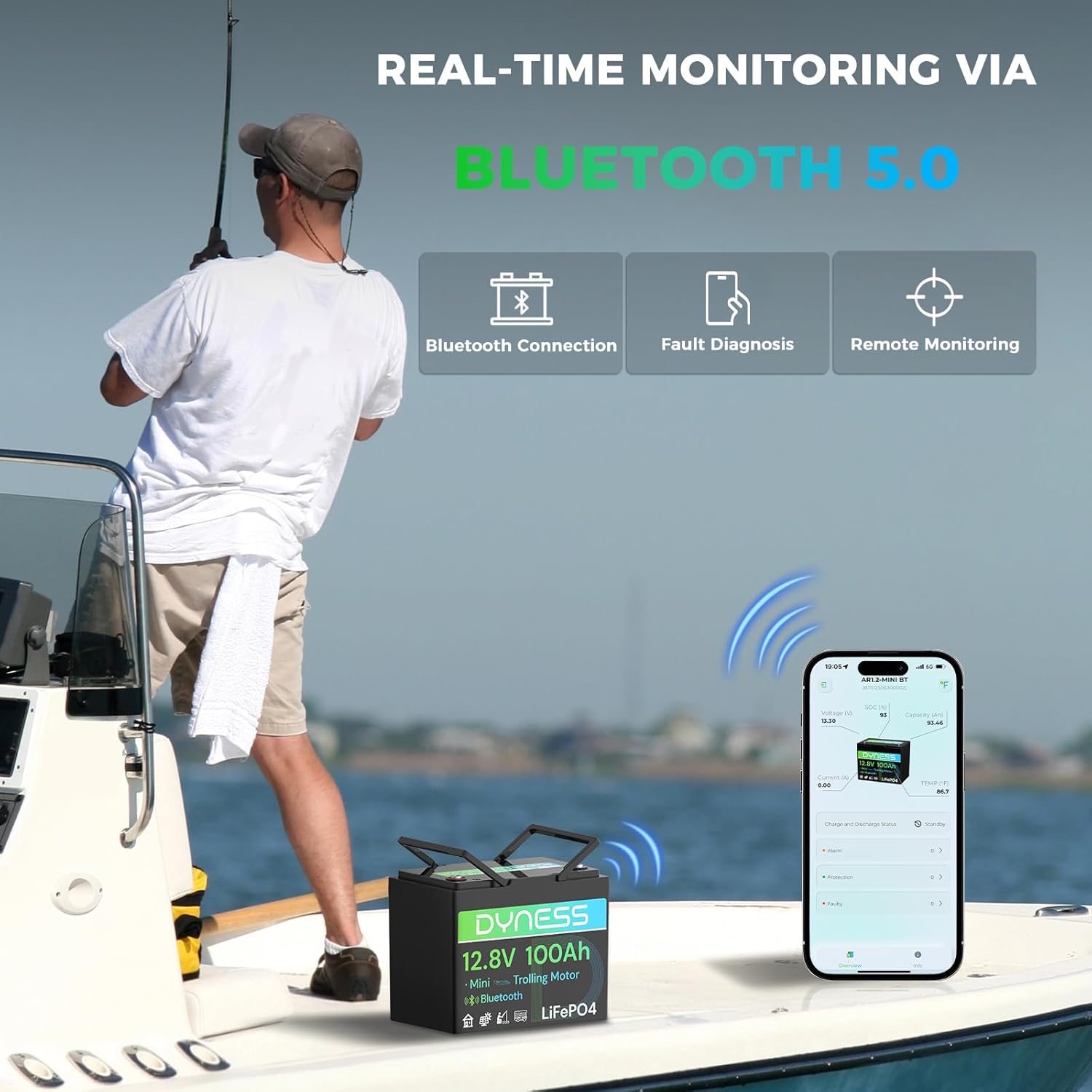
Image 5: Demonstrates real-time monitoring of the battery via the Dyness app on a smartphone, highlighting Bluetooth 5.0 connectivity.

Image 6: The Dyness app interface displaying various real-time battery parameters such as voltage, state of charge, current, and temperature.
6. Operating Instructions
6.1. Charging
For optimal battery health and safety, use a LiFePO4-specific charger. Recommended charging rate is 0.2C (20A for a 100Ah battery).
- Connect the LiFePO4 charger to the battery terminals.
- Monitor the charging process via the Dyness app.
- The built-in BMS will automatically manage over-charging protection.

Image 7: Recommended Dyness 12V 20A Lithium Battery Charger for optimal charging.

Image 8: Dyness 40A MPPT Solar Charge Controller for solar system integration.
6.2. Discharging
The battery is designed to handle high discharge currents, especially for applications like trolling motors.
- For currents exceeding 120A, the BMS will cut off after 60 seconds.
- For currents exceeding 200A, the BMS will cut off after 10 seconds.
- For currents exceeding 300A, the BMS will cut off after 5 seconds.
- For currents exceeding 500A, the BMS will cut off after 1 second.
6.3. Low-Temperature Protection
The battery features an intelligent low-temperature protection system:
- Charging automatically disconnects when the battery temperature drops below 0°C (32°F).
- Charging resumes when the temperature rises to 5°C (41°F).
- Power automatically cuts off at -20°C (-4°F) to prevent cell damage during extreme cold.

Image 9: Visual explanation of the low-temperature cut-off protection, showing how the battery adapts to cold conditions.
7. Maintenance
- Regular Inspection: Periodically check the battery terminals for corrosion or loose connections. Clean as necessary.
- Storage: If storing the battery for an extended period, ensure it is charged to approximately 50% State of Charge (SOC) and stored in a cool, dry place. Avoid extreme temperatures.
- Cleaning: Keep the battery surface clean and dry. Use a damp cloth to wipe off any dust or dirt. Do not use harsh chemicals.
- Avoid Deep Discharge: While LiFePO4 batteries tolerate deep discharge, it is generally recommended to avoid consistently discharging below 20% SOC to maximize lifespan.
8. Troubleshooting
8.1. Battery Not Charging
- Check Connections: Ensure all charging cables are securely connected to the battery and charger.
- Charger Compatibility: Verify that you are using a LiFePO4-specific charger. Lead-acid chargers may not fully charge or may damage the battery.
- Temperature: If the ambient temperature is below 0°C (32°F), the low-temperature protection may prevent charging. Move the battery to a warmer environment.
- BMS Protection: The BMS might have activated due to over-discharge, over-voltage, or over-current. Check the Dyness app for alarm status.
8.2. Bluetooth Connection Issues
- Proximity: Ensure your smartphone is within 10 meters of the battery.
- App Permissions: Check if the Dyness app has Bluetooth permissions enabled on your phone.
- Restart: Try restarting the Dyness app or your phone's Bluetooth.
- Battery Power: Ensure the battery is powered on.
8.3. Low Power Output
- State of Charge: Check the battery's SOC via the app. Recharge if necessary.
- Load Requirements: Ensure the load's power requirements do not exceed the battery's continuous discharge current or the BMS's cut-off thresholds.
- Temperature: Extreme cold can affect battery performance.
9. Specifications
| Feature | Specification |
|---|---|
| Brand | Dyness |
| Model | AR1.2-MINI BT |
| Nominal Voltage | 12.8 Volts |
| Nominal Capacity | 100Ah |
| Energy | 1280Wh |
| Battery Cell Composition | Lithium Iron Phosphate (LiFePO4) |
| Built-in BMS | 100A with Low-Temp Protection |
| Bluetooth Version | 5.0 |
| Product Dimensions | 10.19 x 6.61 x 8.22 inches |
| Item Weight | 20.9 pounds |
| Max. Expandability | 4S4P (up to 16 batteries) |
| Waterproof Rating | IP65 |
10. Warranty and Support
Dyness provides professional technical support and online customer service. If you encounter any product-related issues or have questions, please do not hesitate to contact the Dyness support team directly.
- Warranty: The product comes with a 5-year post-sales service commitment.
- Contact: For support, refer to the contact information provided on the product packaging or the official Dyness website.


