
1. Introduction
Thank you for choosing the PINDOWS PDS-8021 Digital Sport Watch. This manual provides detailed instructions for setting up, operating, and maintaining your watch. Please read this manual thoroughly to ensure proper use and to maximize the lifespan of your device.

Figure 1.1: PINDOWS PDS-8021 Digital Sport Watch (Black)
2. Product Overview
2.1 Key Features
- Transparent Case Design
- High-Brightness LED Backlight
- 5ATM Water Resistance
- Stopwatch Function
- Alarm with Countdown Timer
- Calendar (Date/Day)
- Dual Time Display
- Hourly Signal
- 12/24 Hour Format
- Durable Silicone Band
- Scratch-Resistant Mineral Glass
2.2 Watch Components

Figure 2.1: Functional Overview of Watch Buttons
- LIGHT Button: Activates the LED backlight.
- MODE Button: Cycles through different watch modes (Time, Stopwatch, Alarm, Dual Time, Countdown Timer).
- START/PAUSE Button: Used to start/stop functions like the stopwatch or to adjust settings.
- RESET/ADJUSTMENT Button: Used to reset functions or confirm settings during adjustment.
3. Initial Setup: Time and Date Setting
Follow these steps to set the current time and date on your PINDOWS PDS-8021 watch:
- From the Timekeeping Mode, press the MODE button repeatedly until the seconds begin to flash. This indicates you are in setting mode.
- Press the RESET/ADJUSTMENT button to cycle through the settings: Seconds → Hour → Minute → Year → Month → Day → 12/24H Format.
- Use the START/PAUSE button to increase the flashing value. Hold the button to rapidly advance the value.
- Once all settings are correct, press the MODE button to exit the setting mode and return to Timekeeping Mode.
4. Operating Instructions
4.1 Mode Navigation
Press the MODE button to cycle through the watch's functions in the following order:
Timekeeping → Stopwatch → Alarm → Dual Time → Countdown Timer
4.2 Stopwatch Function
- From Timekeeping Mode, press the MODE button once to enter Stopwatch Mode. The display will show '00:00:00'.
- Press the START/PAUSE button to start the stopwatch.
- Press the START/PAUSE button again to pause the stopwatch.
- While paused, press the RESET/ADJUSTMENT button to reset the stopwatch to '00:00:00'.
- Press the MODE button to return to Timekeeping Mode.
4.3 Alarm Setting
- From Timekeeping Mode, press the MODE button twice to enter Alarm Mode. The alarm time will be displayed.
- Press the RESET/ADJUSTMENT button to select the hour or minute to set. The selected value will flash.
- Use the START/PAUSE button to adjust the flashing value.
- Press the MODE button to exit Alarm Setting Mode.
- To turn the alarm ON/OFF, press the START/PAUSE button while in Alarm Mode (without flashing digits). An alarm icon will appear/disappear.
4.4 Dual Time Setting
- From Timekeeping Mode, press the MODE button three times to enter Dual Time Mode.
- Press the RESET/ADJUSTMENT button to select the hour or minute to set. The selected value will flash.
- Use the START/PAUSE button to adjust the flashing value.
- Press the MODE button to exit Dual Time Setting Mode.
4.5 Hourly Chime
To activate or deactivate the hourly chime:
- From Timekeeping Mode, press the MODE button twice to enter Alarm Mode.
- Press the RESET/ADJUSTMENT button once. The hourly chime indicator (often a small bell icon or 'CHM') will flash.
- Press the START/PAUSE button to toggle the hourly chime ON or OFF.
- Press the MODE button to return to Timekeeping Mode.
4.6 LED Backlight
Press the LIGHT button (typically on the upper left side) to illuminate the watch display. The backlight will remain active for a few seconds.
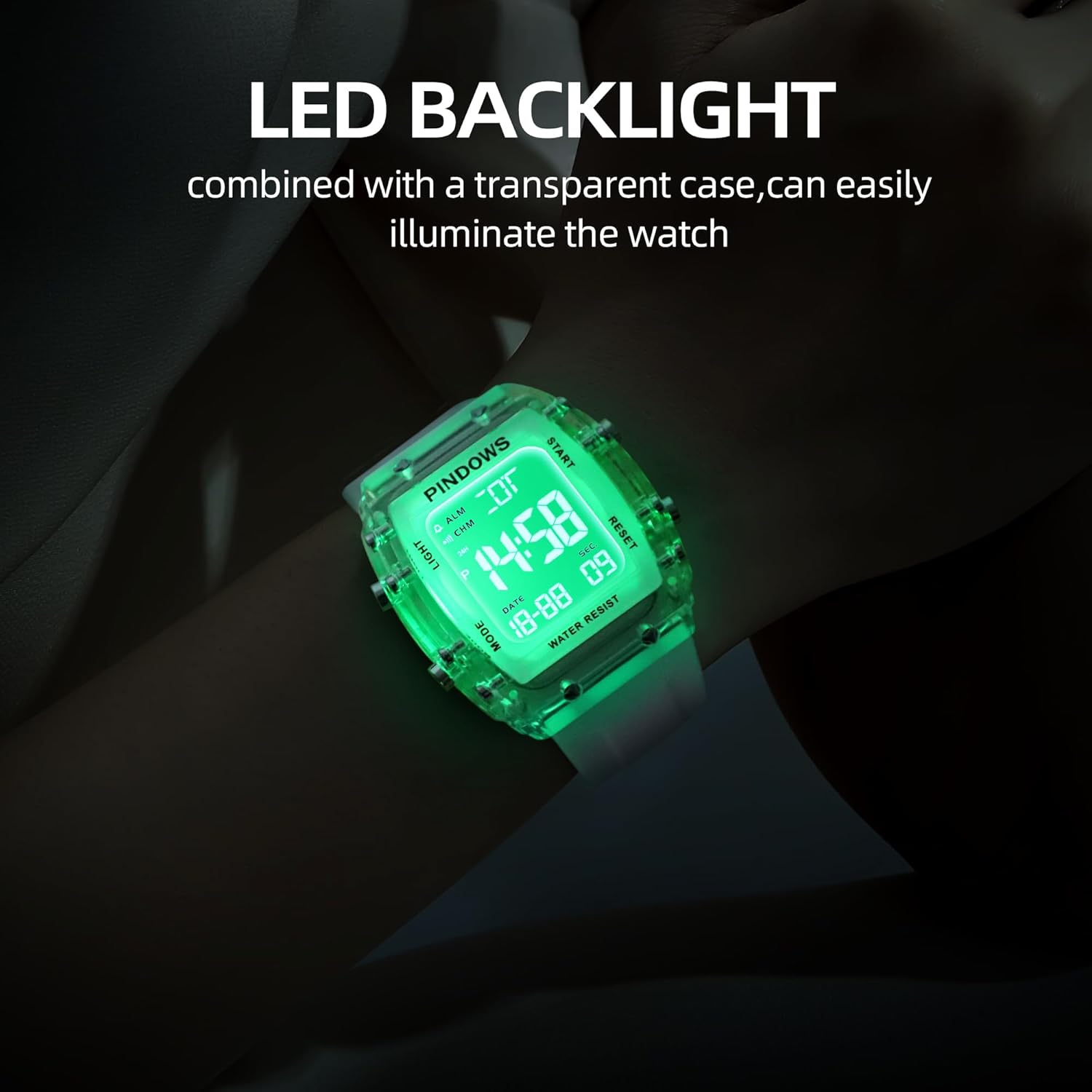
Figure 4.1: LED Backlight in use
5. Water Resistance Guidelines
Your PINDOWS PDS-8021 watch is rated for 5ATM (50 meters) water resistance. This means it is suitable for:
- Splashes
- Rain
- Showering (cold water)
- Swimming in shallow water
Caution:
- DO NOT press any buttons underwater.
- DO NOT expose the watch to hot water, steam, or extreme temperature changes (e.g., hot showers, saunas).
- Not suitable for diving or high-speed water sports.
Water resistance is not a permanent condition and may weaken over time with normal wear and tear. Avoid exposing the watch to chemicals, soaps, or detergents, as these can damage the seals.

Figure 5.1: Water Resistance Illustration
6. Maintenance and Care
- Cleaning: Wipe the watch regularly with a soft, dry cloth. For stubborn dirt, use a slightly damp cloth and then dry thoroughly. Avoid harsh chemicals or abrasive materials.
- Storage: Store your watch in a cool, dry place away from direct sunlight and extreme temperatures when not in use.
- Battery: The watch is powered by a long-lasting battery. When the display becomes dim or functions become erratic, it may be time for a battery replacement. This should be performed by a qualified watch technician to maintain water resistance.
- Impact: While durable, avoid strong impacts or dropping the watch, as this can damage internal components or the transparent case.
7. Troubleshooting
| Problem | Possible Cause | Solution |
|---|---|---|
| Display is blank or dim. | Low battery. | Replace the battery. |
| Time is incorrect. | Time not set correctly or accidental adjustment. | Refer to Section 3: Initial Setup to reset the time. |
| Buttons are unresponsive. | Moisture or debris under buttons; internal malfunction. | Ensure buttons are clean and dry. If issue persists, contact customer support. |
| Water inside the watch. | Water resistance compromised; buttons pressed underwater. | Immediately stop using the watch and seek professional repair to prevent further damage. |
8. Specifications
| Feature | Detail |
|---|---|
| Model Number | PDS-8021 |
| Case Material | ABS |
| Band Material | Skin-friendly silicone |
| Bottom Cover Material | Stainless Steel |
| Clasp Type | Buckle |
| Water Resistance | 5ATM (50 meters) |
| Case Diameter | 1.65 inches / 42 mm |
| Case Thickness | 0.51 inches / 13 mm |
| Band Width | 0.86 inches / 22 mm |
| Band Length | 5.6 inches - 7.4 inches (adjustable) |
| Weight | 50g |

Figure 8.1: Product Dimensions and Materials
9. Warranty and Support
PINDOWS provides a 12-month warranty service for this product from the date of purchase. This warranty covers manufacturing defects under normal use.
The warranty does not cover:
- Damage caused by improper use or negligence.
- Damage caused by unauthorized repair or modification.
- Normal wear and tear, including scratches on the case or band.
- Battery replacement.
For warranty claims or technical support, please contact PINDOWS customer service through the retailer where the product was purchased or visit the official PINDOWS website for contact information.