
1. Introduction
The HUAWEI Watch GT 6 Pro 46mm is an advanced smartwatch designed to enhance your daily life and fitness activities. Featuring a vibrant 1.47-inch AMOLED display, durable sapphire crystal, and aerospace-grade titanium alloy casing, this device offers comprehensive health monitoring, precise GPS tracking, and extended battery life. It is compatible with both iOS and Android devices, providing seamless integration with your smartphone.
2. What's in the Box
Upon unboxing your HUAWEI Watch GT 6 Pro, you should find the following items:
- HUAWEI Watch GT 6 Pro Smartwatch 46mm
- Wireless charging cradle
- Charging cable
- Quick Start Guide
- Warranty Card
Video Description: An unboxing video demonstrating the contents of the HUAWEI Watch GT 6 Pro package, including the watch, charging accessories, and documentation.
3. Product Overview
The HUAWEI Watch GT 6 Pro features a robust and elegant design. The watch case is crafted from aerospace-grade titanium alloy, providing both lightness and durability. The display is protected by a sapphire crystal, known for its scratch resistance and clarity. The watch is equipped with a fluoroelastomer strap for comfort and resilience.
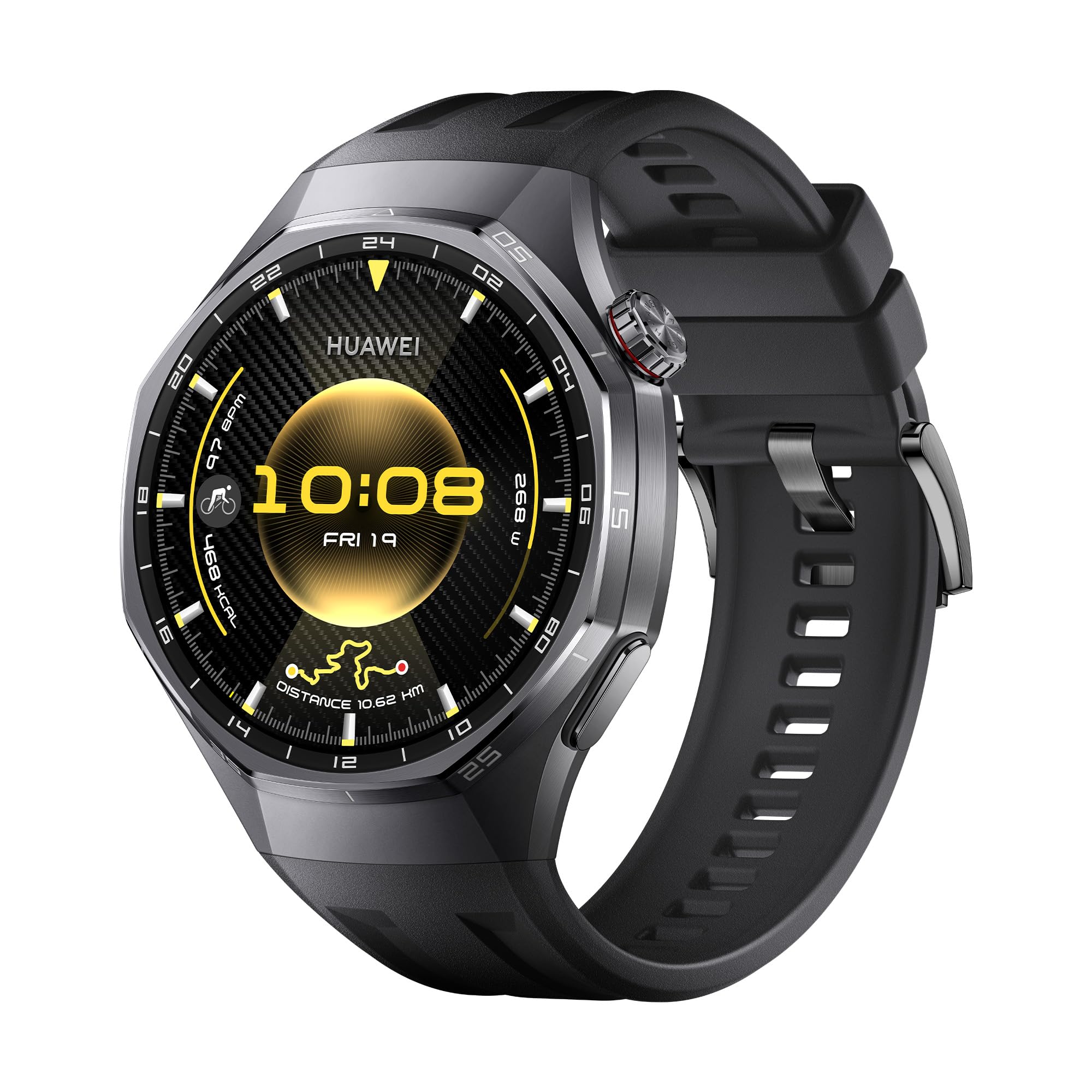
Image Description: Front view of the HUAWEI Watch GT 6 Pro Smartwatch with a black fluoroelastomer strap, showcasing its round AMOLED display.

Image Description: A close-up view highlighting the titanium alloy casing and sapphire crystal display of the HUAWEI Watch GT 6 Pro, emphasizing its premium materials.
4. Setup
4.1 Charging the Device
Before initial use, fully charge your HUAWEI Watch GT 6 Pro. Connect the charging cable to the wireless charging cradle and place your watch on the cradle. Ensure the watch is properly aligned for charging to begin. A full charge typically takes approximately 1.5 hours.
4.2 Installing the HUAWEI Health App
The HUAWEI Health app is essential for managing your smartwatch, tracking data, and accessing additional features. It is compatible with both iOS and Android devices.
- Download: Scan the QR code provided in the Quick Start Guide or search for "HUAWEI Health" in your device's app store (App Store for iOS, Google Play Store or HUAWEI AppGallery for Android). Alternatively, visit HUAWEI.com to download the application.
- Install: Follow the on-screen instructions to install the app on your smartphone.

Image Description: An image illustrating the HUAWEI Watch GT 6 Pro's compatibility with iOS and Android, featuring a smartphone screen displaying the HUAWEI Health app interface.
4.3 Pairing Your Smartwatch
To pair your HUAWEI Watch GT 6 Pro with your smartphone:
- Open the HUAWEI Health app on your smartphone.
- Navigate to Devices > Add > Smartwatch.
- Select your HUAWEI Watch GT 6 Pro from the list of available devices.
- Follow the on-screen prompts on both your phone and watch to complete the pairing process.
4.4 Updating Firmware
Regularly update your watch firmware to ensure optimal performance and access to the latest features:
- Open the HUAWEI Health app.
- Go to Personal > Check for updates.
- Follow the instructions to download and install any available updates.
5. Operating Instructions
5.1 Health Monitoring
The HUAWEI Watch GT 6 Pro offers advanced health tracking features:
- ECG Analysis: Press and hold the side electrode for 30 seconds to generate an ECG report directly on your watch. This feature provides insights into your heart rhythm.
- SpO2 Monitoring: Continuously monitor your blood oxygen saturation levels.
- Heart Rate Tracking: Accurate heart rate monitoring during workouts and throughout the day.
- Sleep Tracking: Detailed analysis of your sleep patterns, including sleep stages and quality.
- Stress Monitoring: Track your stress levels and receive guidance for relaxation.

Image Description: A visual representation of the ECG analysis feature on the HUAWEI Watch GT 6 Pro, showing a heart rate graph and instructions to press the side electrode.

Image Description: Displays the watch's capabilities for 24-hour fatigue monitoring (HRV) and blood oxygen (SpO2) level at a glance.
5.2 Sports Modes and GPS Tracking
The watch supports over 100 sports modes, including advanced tracking for cycling, trail running, and golf. The HUAWEI Sunflower Positioning System provides 20% increased positioning accuracy for outdoor activities.
- Cycling: Monitor critical indicators like heart rate, incline, speed, and distance. Virtual Cycling Power helps optimize your training.
- Fall Detection: The watch can detect falls during activities and automatically send an SOS call or request to selected contacts after your confirmation.
- Navigation: Utilize the integrated GPS for easy navigation, whether commuting or exploring new routes.

Image Description: An image showcasing the variety of sports modes available on the HUAWEI Watch GT 6 Pro, including trail running, golf, and skiing.

Image Description: A cyclist wearing the HUAWEI Watch GT 6 Pro, with an overlay showing real-time cycling metrics like heart rate, speed, and virtual power.
5.3 NFC Functionality
The HUAWEI Watch GT 6 Pro supports NFC, enabling convenient contactless payments and other NFC-based interactions where available.
6. Battery Life
The HUAWEI Watch GT 6 Pro is equipped with a high-capacity battery, offering impressive endurance:
- Up to 21 days with light usage.
- Up to 12 days with typical usage.
- Up to 7 days with Always-On Display (AOD) activated.
Battery life may vary based on usage patterns, settings, and environmental factors.

Image Description: An infographic illustrating the impressive battery life of the HUAWEI Watch GT 6 Pro, showing up to 21 days for light use, 12 days for typical use, and 7 days with AOD.
7. Specifications
| Feature | Specification |
|---|---|
| Model Name | Atum-B29F |
| Model Number | 55020FUC |
| Display Size | 1.47 Inches |
| Display Type | AMOLED |
| Display Resolution | 390 x 390 or higher |
| Max Screen Brightness | 1000 NIT Coating |
| Storage Capacity | 64 GB |
| Battery Capacity | 867 Milliamp Hours |
| Battery Type | Lithium Polymer |
| Average Battery Life | 21 days |
| Connectivity Technology | Bluetooth |
| Wireless Communication Standard | Bluetooth |
| Special Features | GPS, NFC, ECG, SpO2, Virtual Cycling Power, HUAWEI TruSense |
| GPS | Integrated GPS |
| Water Resistance Level | IP69, 5 Meters (5 ATM) |
| Case Material | Titanium Alloy & Black Ceramic |
| Strap Material | Fluoroelastomer |
| Compatible Devices | Smartphone, Tablet, PC (iOS and Android compatible) |
| Dimensions | 12 x 12 x 6 millimeters |
| Country of Origin | China |
8. Troubleshooting
If you encounter any issues with your HUAWEI Watch GT 6 Pro, consider the following steps:
- Restart the Device: A simple restart can often resolve minor software glitches.
- Check App Connection: Ensure your watch is properly connected to the HUAWEI Health app on your smartphone via Bluetooth.
- Update Firmware: Make sure your watch's firmware and the HUAWEI Health app are updated to the latest versions.
- Reset to Factory Settings: As a last resort, you can reset your watch to its factory settings. Be aware that this will erase all data on the watch.
- Consult the App: The HUAWEI Health app often provides specific troubleshooting tips for common issues.
For persistent problems, please refer to the official HUAWEI support website or contact customer service.
9. Warranty and Support
Your HUAWEI Watch GT 6 Pro comes with a 1-Year Manufacturer Warranty. Please retain your proof of purchase for warranty claims.
For detailed warranty information, technical support, or service inquiries, please visit the official HUAWEI support website or contact their customer service department. Additional protection plans may be available for purchase.


