
1. Important Safety Information
Please read this manual carefully before operating the dehumidifier and retain it for future reference. Failure to follow these instructions may result in electric shock, fire, or serious injury.
- Always place the dehumidifier on a stable, level surface.
- Do not block the air inlet or outlet. Maintain at least 10 cm (4 inches) clearance around the unit.
- Do not immerse the unit, power cord, or plug in water or other liquids.
- Ensure the power supply matches the voltage specified on the rating label.
- Unplug the dehumidifier before cleaning, maintenance, or when not in use.
- Do not operate the unit if the power cord or plug is damaged. Contact customer support.
- Keep out of reach of children and pets.
- This appliance is for indoor use only. Do not use outdoors.
- Do not use in areas with flammable or explosive gases.
2. Product Overview
The Homtronics 1700ml Portable Dehumidifier is designed to efficiently remove excess moisture from small spaces, improving air quality and preventing mold growth. It features quiet operation, a timer function, and colorful LED mood lights.
Package Contents:
- Homtronics 1700ml Dehumidifier Unit
- Power Adapter
- User Manual
Unit Components:
The dehumidifier consists of a main unit with a control panel and a removable transparent water tank at the bottom.

Figure 2.1: Homtronics 1700ml Portable Dehumidifier - Front View
This image displays the overall design of the Homtronics 1700ml Portable Dehumidifier, highlighting its compact size and the transparent water tank at the base, which allows for easy monitoring of the water level.
Control Panel:
- Power Button: Turns the unit On/Off.
- Timer Button: Sets the operating timer (8H, 12H, 24H).
- Light Button: Controls the LED mood lights.

Figure 2.2: Dehumidifier Application Areas
This image illustrates the versatility of the Homtronics 1700ml Portable Dehumidifier, showing it effectively used in various small environments such as bedrooms, bathrooms, RVs, living rooms, basements, closets, and study rooms.
3. Setup
- Unpack the Dehumidifier: Carefully remove the unit and all accessories from the packaging.
- Choose a Location: Place the dehumidifier on a firm, level surface in the desired room. Ensure there is at least 10 cm (4 inches) of clear space around the air inlet and outlet for optimal airflow. Avoid placing it directly against walls or furniture.
- Connect Power: Insert the power adapter into the DC input port on the back of the dehumidifier. Plug the other end of the power adapter into a suitable electrical outlet.
- Initial Check: Ensure the water tank is correctly seated in the unit.
4. Operating Instructions
Power On/Off:
- Press the Power Button once to turn the dehumidifier ON. The indicator light will illuminate.
- Press the Power Button again to turn the dehumidifier OFF.
Timer Function:
The dehumidifier features an energy-saving timer function, allowing you to set operating durations.
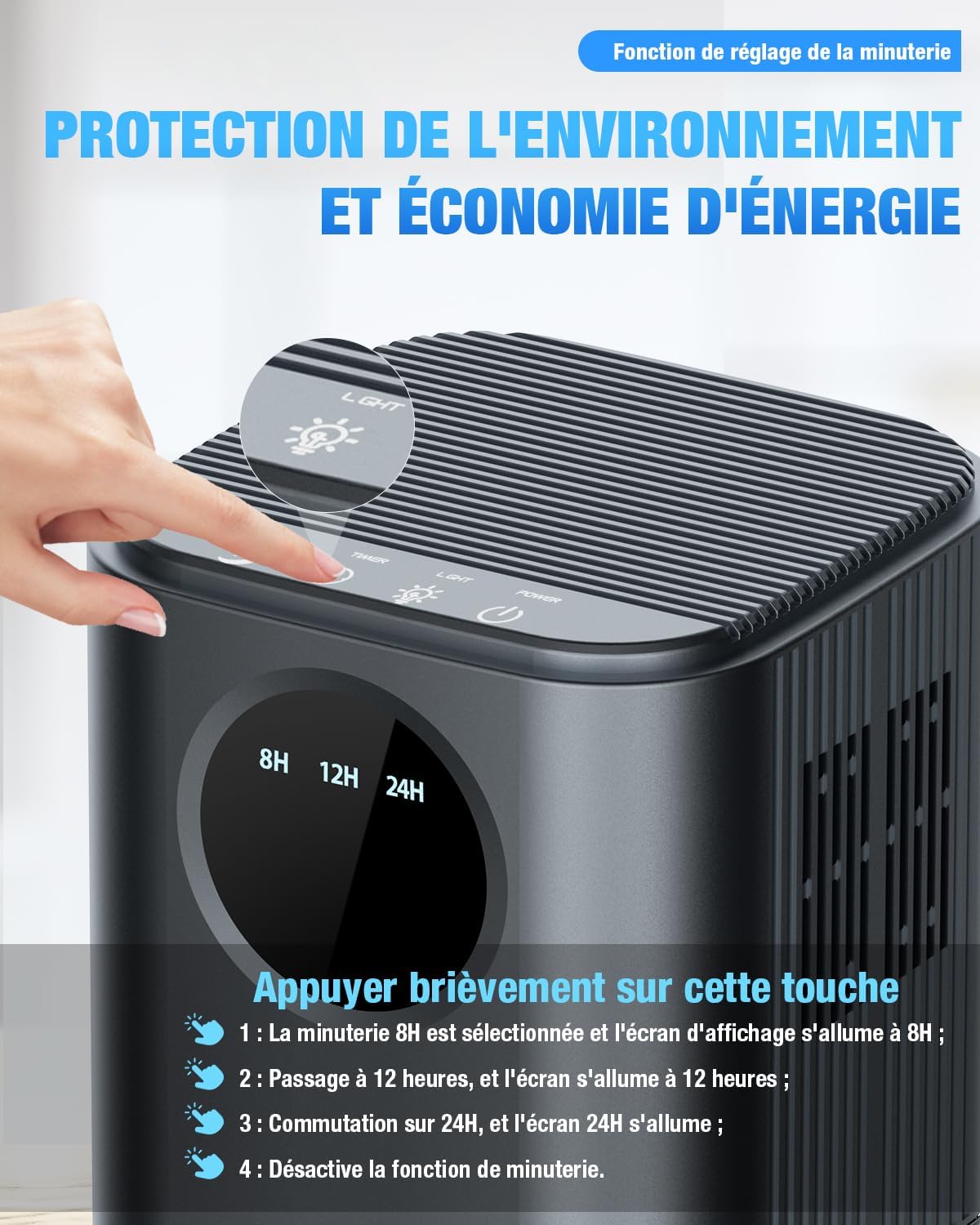
Figure 4.1: Timer Function Control
This image shows a close-up of the dehumidifier's control panel, specifically highlighting the timer button and the 8H, 12H, and 24H timer options. It indicates how to activate and cycle through the timer settings.
- Press the Timer Button repeatedly to cycle through the settings: 8 hours, 12 hours, 24 hours, or disable the timer.
- The selected timer duration will be displayed on the screen. The unit will automatically shut off after the set time.
LED Mood Lights:
Enhance your room's ambiance with 7 adjustable LED lights.
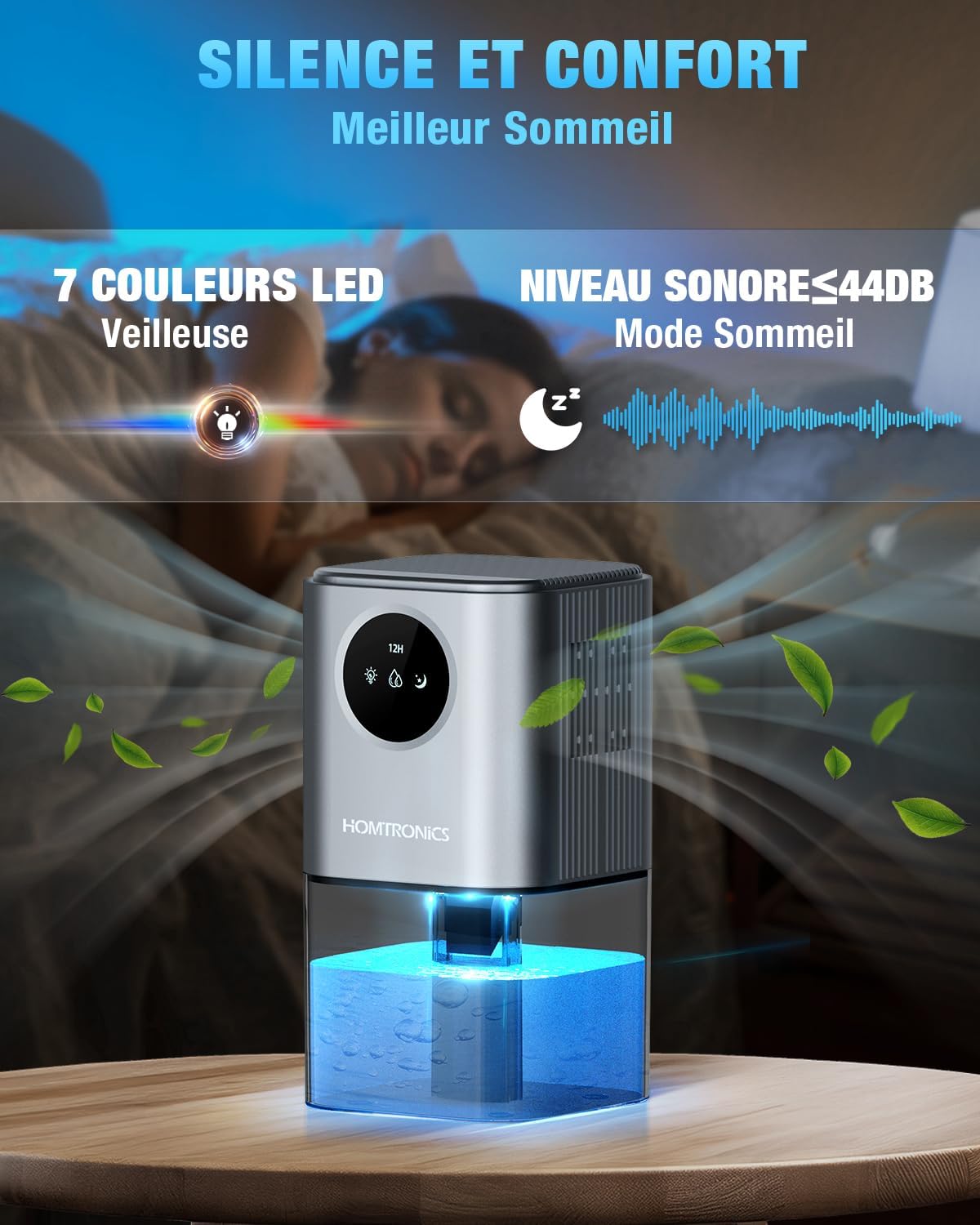
Figure 4.2: LED Lights and Quiet Mode
This image highlights the dehumidifier's quiet operation (indicated by a sound wave graphic and 'Niveau Sonore <44dB') and its 7-color LED night light feature, designed to create a relaxing atmosphere for better sleep.
- Press the Light Button to turn the LED lights ON.
- Press the Light Button again to cycle through the 7 colors or to turn the lights OFF.
Automatic Shut-off:
The dehumidifier is equipped with an automatic shut-off feature for safety and convenience.
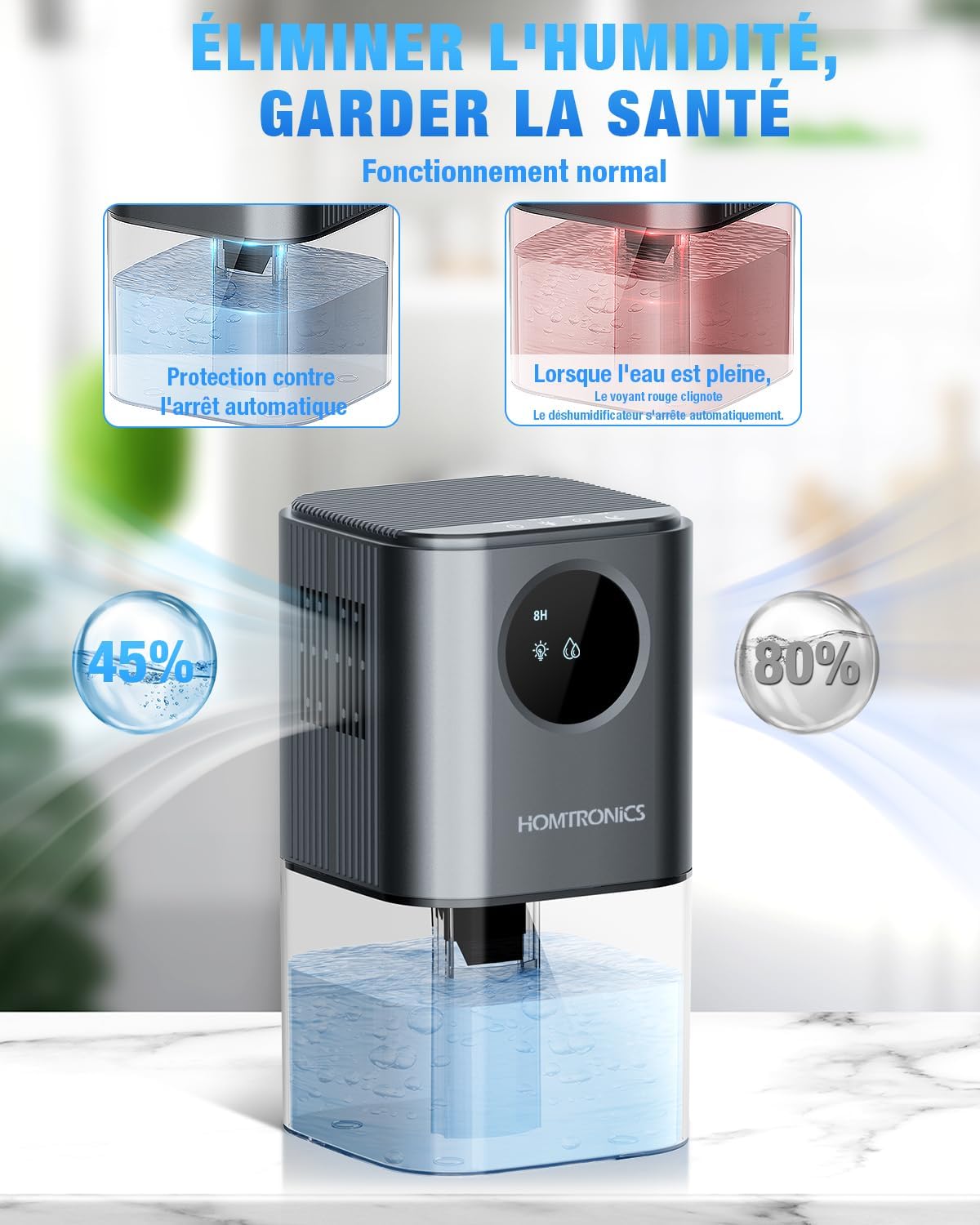
Figure 4.3: Automatic Shut-off Feature
This image visually compares the dehumidifier in normal operation (left, showing 45% humidity) with its state when the water tank is full (right, showing 80% humidity and a red blinking light). It demonstrates the automatic shut-off mechanism that activates when the tank is full to prevent overflow.
- When the 1.7-liter water tank is full, the dehumidifier will automatically shut off.
- A red indicator light will illuminate to signal that the tank needs to be emptied.
- The unit will also shut off if the water tank is incorrectly placed.
Quiet Operation:
- The dehumidifier operates at less than 44 dB during normal use.
- In ultra-quiet sleep mode, the noise level is below 35 dB, ensuring undisturbed rest.
5. Maintenance
Emptying the Water Tank:
- When the red indicator light illuminates, the water tank is full.
- Gently pull out the water tank from the bottom of the unit.
- Carefully pour out the collected water.
- Slide the empty water tank back into the dehumidifier until it clicks into place. Ensure it is properly seated to resume operation.
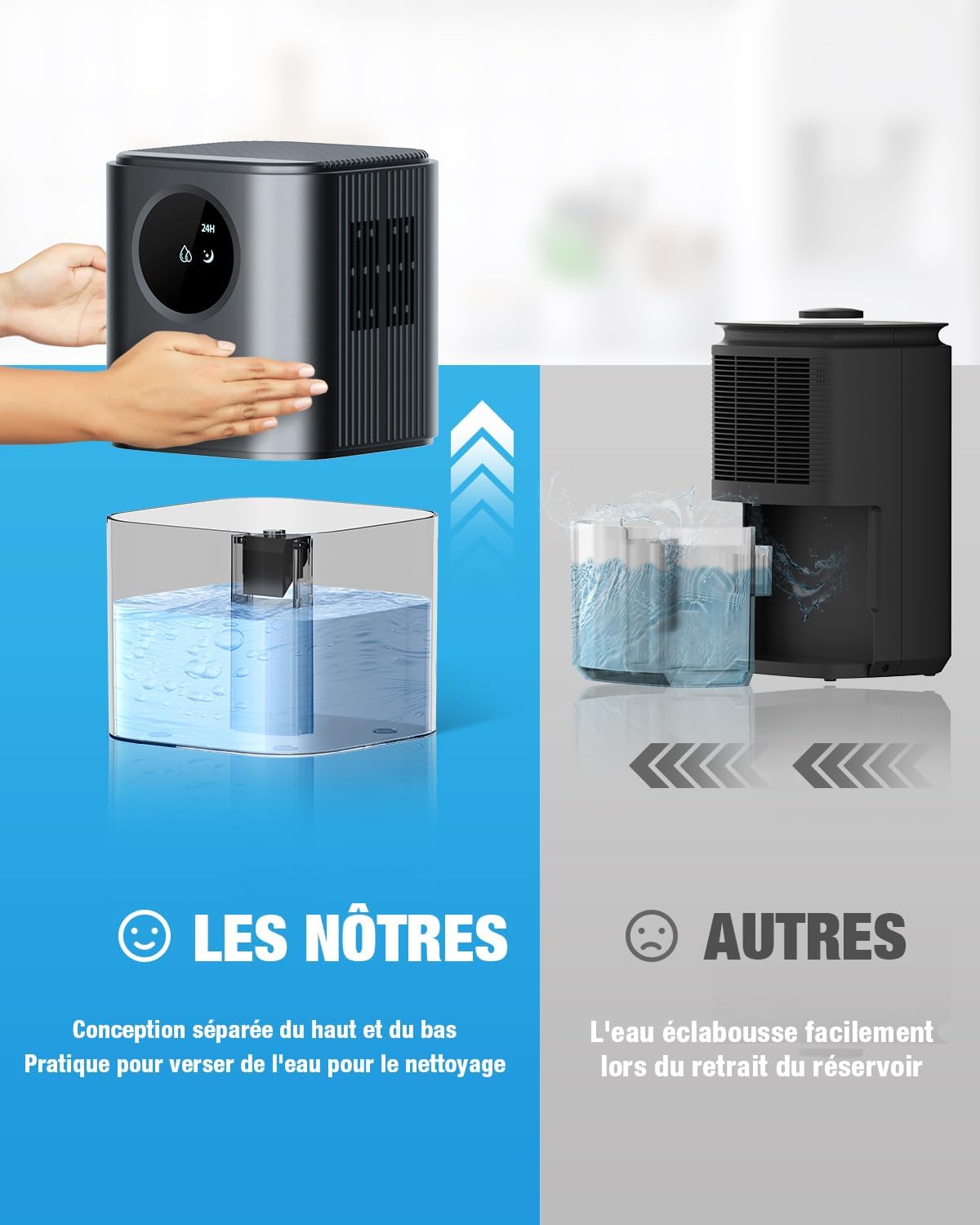
Figure 5.1: Water Tank Removal
This image compares the Homtronics dehumidifier's separated top and bottom design, which allows for easy and splash-free removal of the water tank for emptying and cleaning, versus other designs where water can easily splash out.
Cleaning the Water Tank:
- Regularly clean the water tank to prevent mold and bacteria growth.
- Use mild soap and warm water to clean the tank. Rinse thoroughly.
- Dry the tank completely before reinserting it into the unit.
Cleaning the Air Inlet/Outlet:
- Periodically wipe the air inlet and outlet grilles with a soft, damp cloth to remove dust.
- Do not use abrasive cleaners or solvents.
6. Troubleshooting
| Problem | Possible Cause | Solution |
|---|---|---|
| Dehumidifier does not turn on. | No power supply. | Ensure the power adapter is securely plugged into the unit and a working electrical outlet. |
| Water tank is full or incorrectly placed. | Empty the water tank and ensure it is correctly seated. | |
| No water collected or low dehumidification. | Room temperature or humidity is too low. | The unit works best in temperatures above 15°C (59°F) and relative humidity above 45%. |
| Air inlet/outlet blocked. | Ensure there is no obstruction around the air inlet and outlet. | |
| Red indicator light is on. | Water tank is full. | Empty the water tank. |
| Water tank is not properly installed. | Reinstall the water tank correctly. | |
| Unit is noisy. | Unit is not on a level surface. | Place the dehumidifier on a flat, stable surface. |
7. Specifications
- Brand: Homtronics
- Model: 1700ml Portable Dehumidifier
- Water Tank Capacity: 1.7 Liters (1700ml / 60 oz)
- Dehumidification Capacity: Up to 350 ml (12 oz) per day (at 86°F, 80% RH)
- Power Consumption: 22.5 W
- Noise Level: <35 dB (Sleep Mode), <44 dB (Normal Operation)
- Effective Area: 5 - 32 m² (54 - 344 sq. ft.)
- Product Dimensions: Approximately 14 x 14 x 26 cm (5.5 x 5.5 x 10.2 inches)
- Item Weight: 1 kg (2.2 lbs)
- Automatic Shut-off: Yes (when water tank is full or incorrectly placed)
- Timer Settings: 8H, 12H, 24H
- Special Features: 7-Color LED Mood Lights, Ultra-Quiet Operation
8. Warranty and Support
Homtronics products are manufactured to high-quality standards. For warranty information, technical support, or any questions regarding your dehumidifier, please refer to the warranty card included with your purchase or contact Homtronics customer service directly through the retailer where the product was purchased.
Please have your model number and purchase date available when contacting support.