
GNCC GK2
GNCC GK2 Wi-Fi Outdoor PTZ Camera User Manual
Model: GK2
Introduction
This manual provides comprehensive instructions for the installation, operation, maintenance, and troubleshooting of your GNCC GK2 Wi-Fi Outdoor PTZ Camera. Please read this manual carefully before using the product to ensure proper functionality and safety. Keep this manual for future reference.
Package Contents
Verify that all components are present in your package:
- GNCC GK2 Wi-Fi Outdoor PTZ Camera (2 units for this kit)
- Power Adapter with 3-meter cable
- Mounting Screws and Wall Plugs
- Instruction Manual (this document)
- (Micro SD card not included)
Product Overview
The GNCC GK2 is a 1080P Full HD outdoor security camera featuring Pan/Tilt functionality for 360° coverage. It is designed for reliable outdoor surveillance with IP65 weather resistance, intelligent motion tracking, two-way audio, and various night vision modes.

Image: Front view of the GNCC GK2 Wi-Fi Outdoor PTZ Camera, showing the lens, IR LEDs, and dual antennas.
Key Features:
- 1080P Full HD Resolution: Provides clear and detailed video footage.
- 360° Pan & Tilt: Offers 355° horizontal and 95° vertical rotation for comprehensive area coverage.
- IP65 Weatherproof: Designed to withstand outdoor conditions, including rain and snow.
- Intelligent Motion Tracking: Automatically follows detected movement.
- Spotlight Alarm: Activates a spotlight to deter intruders upon motion detection.
- Two-Way Audio: Allows for real-time communication through the camera.
- Night Vision: Supports both color and infrared night vision for clear monitoring in low-light conditions up to 10 meters.
- 2.4 GHz Wi-Fi Connectivity: Connects to your home Wi-Fi network for remote access.
- Multiple Storage Options: Supports local Micro SD card storage (up to 128GB) and optional cloud storage.
- App Control: Managed via the Osaio app for live view, playback, and settings adjustments.
- Voice Assistant Compatibility: Works with Amazon Alexa and Google Assistant.
Setup and Installation
1. Prepare for Installation
- Ensure your Wi-Fi network is 2.4 GHz. The camera does not support 5 GHz Wi-Fi.
- Choose a suitable outdoor location for mounting, ensuring a clear view and proximity to a power outlet.
- Test the Wi-Fi signal strength at the chosen location before permanent installation.
- If using local storage, insert a Micro SD card (up to 128GB, not included) into the camera's designated slot.
2. Download and Install the Osaio App
- Search for "Osaio" in your smartphone's app store (App Store for iOS or Google Play Store for Android).
- Download and install the Osaio app.
- Register for a new account or log in if you already have one.
3. Power On the Camera
- Connect the provided 3-meter power cable to the camera and then plug it into a power outlet.
- Wait for the camera's indicator light to flash, indicating it is ready for pairing.
4. Add Camera to Osaio App
- Open the Osaio app and tap the "+" icon to add a new device.
- Select your camera model from the list.
- Follow the on-screen instructions to connect the camera to your 2.4 GHz Wi-Fi network. This typically involves scanning a QR code displayed on your phone with the camera.
- Once connected, you can name your camera and begin live viewing.

Image: Screenshot showing the Osaio app interface for scanning a QR code to connect the camera to Wi-Fi.
5. Physical Installation
The camera is designed for wall mounting using the provided screws and wall plugs.
- Mark the drilling positions on the wall using the mounting bracket as a template.
- Drill holes and insert the wall plugs.
- Secure the mounting bracket to the wall with screws.
- Attach the camera to the mounting bracket.

Image: Diagram illustrating the screw-in installation method for the GNCC GK2 camera, showing the mounting bracket and power cable connection.
Operating Instructions
Live View and Playback
- Open the Osaio app and select your camera to view the live feed.
- Use the on-screen controls to pan and tilt the camera for a different viewing angle.
- Access recorded footage through the playback feature in the app.

Image: A smartphone screen displaying the Osaio app with a timeline for 24/7 recording and playback controls, showing a person in a yellow vest.
Motion Detection and Tracking
- Enable motion detection in the Osaio app settings.
- Adjust sensitivity levels to minimize false alarms.
- Activate intelligent tracking to have the camera follow detected movement within its field of view.
- Set up custom detection zones and schedules for specific areas and times.

Image: An illustration showing a pool area with icons for AI detection, motion detection, custom area monitoring, and scheduled monitoring, indicating customizable detection zones and times.
Two-Way Audio
- Use the microphone icon in the Osaio app to speak through the camera.
- The camera's built-in speaker will broadcast your voice.
- Listen to audio from the camera's surroundings through the app.

Image: An illustration depicting the two-way audio feature of the GNCC GK2 camera, showing a person at a door and another person on a phone communicating.
Night Vision Modes
- The camera supports both color night vision (with spotlight) and infrared night vision.
- Switch between modes in the Osaio app settings based on your preference and lighting conditions.
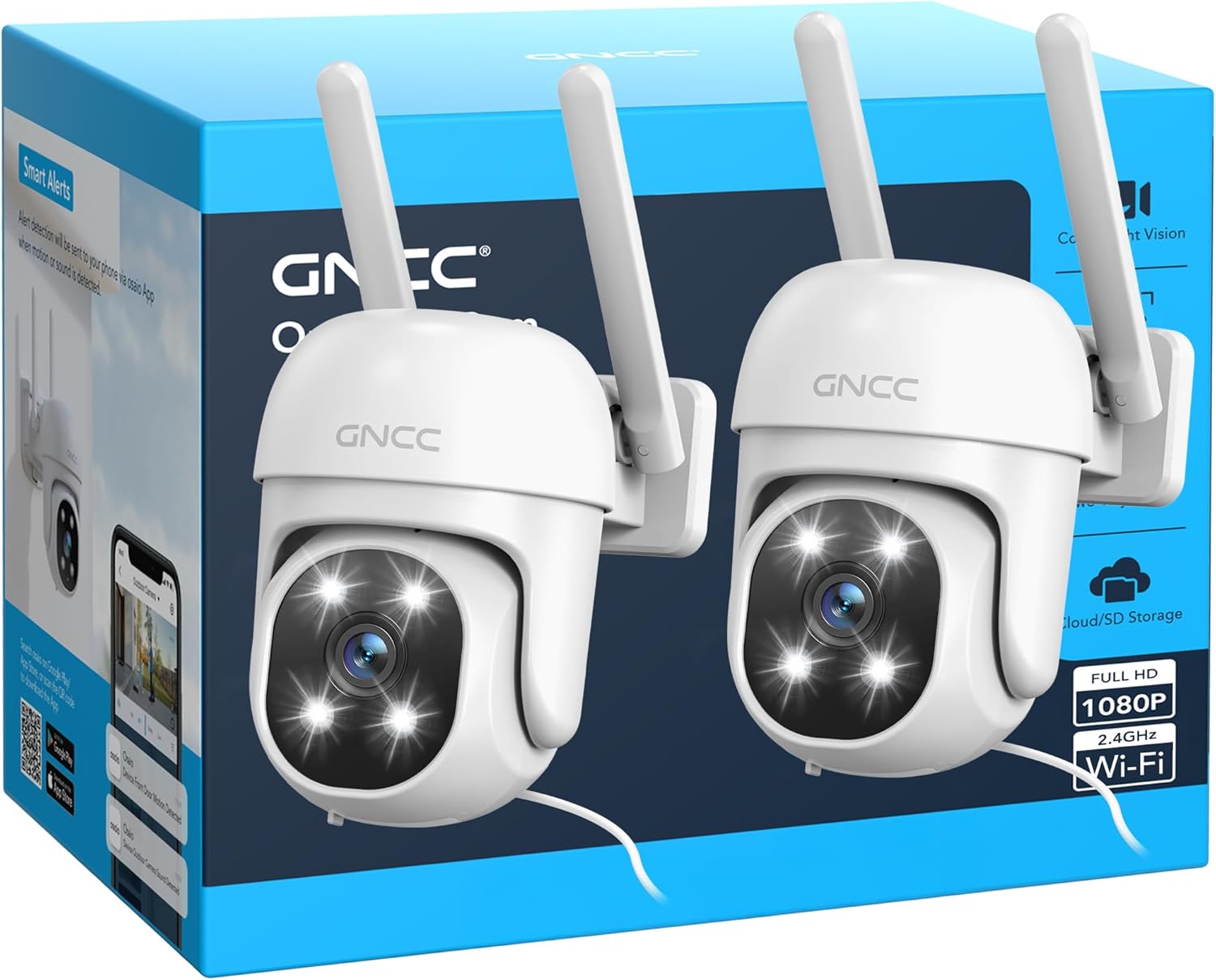
Image: A smartphone screen showing a comparison of color night vision (spotlight ON) and infrared night vision (spotlight OFF) from the GNCC GK2 camera, displaying a parked truck.
Storage Options
- Micro SD Card: Insert a Micro SD card (up to 128GB) for local continuous recording or event-triggered recording.
- Cloud Storage: Subscribe to the optional cloud storage service via the Osaio app for secure, off-site video storage.

Image: An illustration showing a smartphone screen with a house view, alongside a 128GB Micro SD card and a cloud icon, representing local and cloud storage options.
Maintenance
- Cleaning: Gently wipe the camera lens and body with a soft, damp cloth. Do not use harsh chemicals or abrasive cleaners.
- Firmware Updates: Regularly check the Osaio app for available firmware updates to ensure optimal performance and security.
- Power Supply: Ensure the power cable and adapter are free from damage.
- Micro SD Card: If using a Micro SD card, periodically check its status in the app and consider formatting it every few months to maintain performance.
- Network Connection: Verify your Wi-Fi signal strength periodically, especially after any network changes.
Troubleshooting
| Problem | Possible Solution |
|---|---|
| Camera fails to connect to Wi-Fi. |
|
| Poor video quality. |
|
| Motion detection not working or too many false alarms. |
|
| Two-way audio not functioning. |
|
| Camera is offline. |
|
Specifications
| Feature | Detail |
|---|---|
| Model Name | GK2 |
| Resolution | 1080P Full HD (2 MP) |
| Pan/Tilt Range | 355° Horizontal, 95° Vertical |
| Weather Resistance | IP65 |
| Connectivity | 2.4 GHz Wi-Fi (IEEE 802.11b/g/n) |
| Night Vision Range | Up to 10 meters (33 feet) |
| IR LEDs | 4 |
| Storage Options | Micro SD Card (up to 128GB), Cloud Storage (subscription) |
| Power Input | 5V DC, 5W |
| Cable Length | 3 meters |
| Dimensions | 11 x 8.5 x 11 cm |
| Materials | ABS, PC |
| Video Format | MP4 |
| Frame Rate | 15 fps |
| Optical Zoom | 4x |
| Control Method | Osaio App, Amazon Alexa, Google Assistant |
Warranty Information
GNCC products typically come with a limited warranty. For specific warranty terms and conditions, please refer to the warranty card included with your product or visit the official GNCC website. Keep your purchase receipt as proof of purchase for warranty claims.
Customer Support
If you encounter any issues or have questions regarding your GNCC GK2 camera, please contact GNCC customer support through the following channels:
- Osaio App: Access the "Help & Feedback" section within the Osaio app.
- Official Website: Visit the GNCC official website for FAQs, support articles, and contact information.
Please have your product model (GK2) and purchase information ready when contacting support.
Related documentsGK2


Ask a question about this manual
Ask about setup, troubleshooting, compatibility, parts, safety, or missing instructions. Manuals+ will review the question and use this page’s manual context to help answer it.