
1. Introduction
This manual provides essential information for the safe and efficient operation of your iSinbox AC311 Projector. Please read it thoroughly before using the device and keep it for future reference.
2. Safety Information
Always follow basic safety precautions when using this product to reduce the risk of fire, electric shock, and injury to persons.
- Do not block ventilation openings.
- Do not expose the projector to rain or moisture.
- Avoid looking directly into the projector lens when the lamp is on.
- Use only attachments/accessories specified by the manufacturer.
- Disconnect the power cord during lightning storms or when unused for long periods.
3. Package Contents
Verify that all items are present in the package:
- iSinbox AC311 Projector
- Remote Control
- HDMI Cable
- AV Cable
- Power Cable
- User Manual (this document)
4. Product Overview
Familiarize yourself with the projector's components and interfaces.

Image: Front view of the iSinbox AC311 Projector, showcasing its compact design and lens.
Interfaces:
- HDMI Port: Connect to HDMI-enabled devices like laptops, game consoles, or streaming sticks.
- USB Port: Connect USB storage devices for media playback.
- 3.5mm Audio Jack: Connect external speakers or headphones.
- Power Input: Connect the power cable.
5. Setup
- Placement: Place the projector on a stable, flat surface or mount it according to your preference (floor, ceiling, tripod, wall). Ensure adequate ventilation around the device. The projector supports short-throw projection, allowing a 100-inch screen from approximately 2.4 meters away.

Image: Diagram illustrating optimal projection distances for various screen sizes with the iSinbox AC311 Projector.
- Power Connection: Connect the power cable to the projector's power input and then to an electrical outlet.
- Initial Power On: Press the power button on the projector or the remote control to turn on the device.
- Focus and Keystone Correction: The iSinbox AC311 features automatic focus and 6D keystone correction. The projector will automatically adjust the image for clarity and correct distortion. Manual adjustments can also be made if needed.

Image: Visual representation of the automatic focus and 6D keystone correction capabilities of the iSinbox AC311 Projector.
- Network Connection: Connect the projector to your Wi-Fi network using the settings menu. The projector supports ultra-fast WiFi 6 for stable streaming.
6. Operating Instructions
6.1 Remote Control
The included remote control allows you to navigate the projector's interface and control playback.

Image: The iSinbox AC311 Projector remote control, showing dedicated buttons for popular streaming services like Netflix and YouTube.
6.2 Source Selection
Use the remote control to select your desired input source (HDMI, USB, or built-in streaming apps).
6.3 Streaming Applications
The iSinbox AC311 Projector comes with a Movin Smart operating system and is compatible with popular streaming services such as Netflix, Prime Video, YouTube, Disney, and Apple TV. Access these directly from the home screen.
6.4 Image Quality
The projector supports 4K resolution with HDR10+ and features AI Image Enhance technology, delivering vibrant and detailed visuals. It boasts 1200 ANSI lumens for bright images.
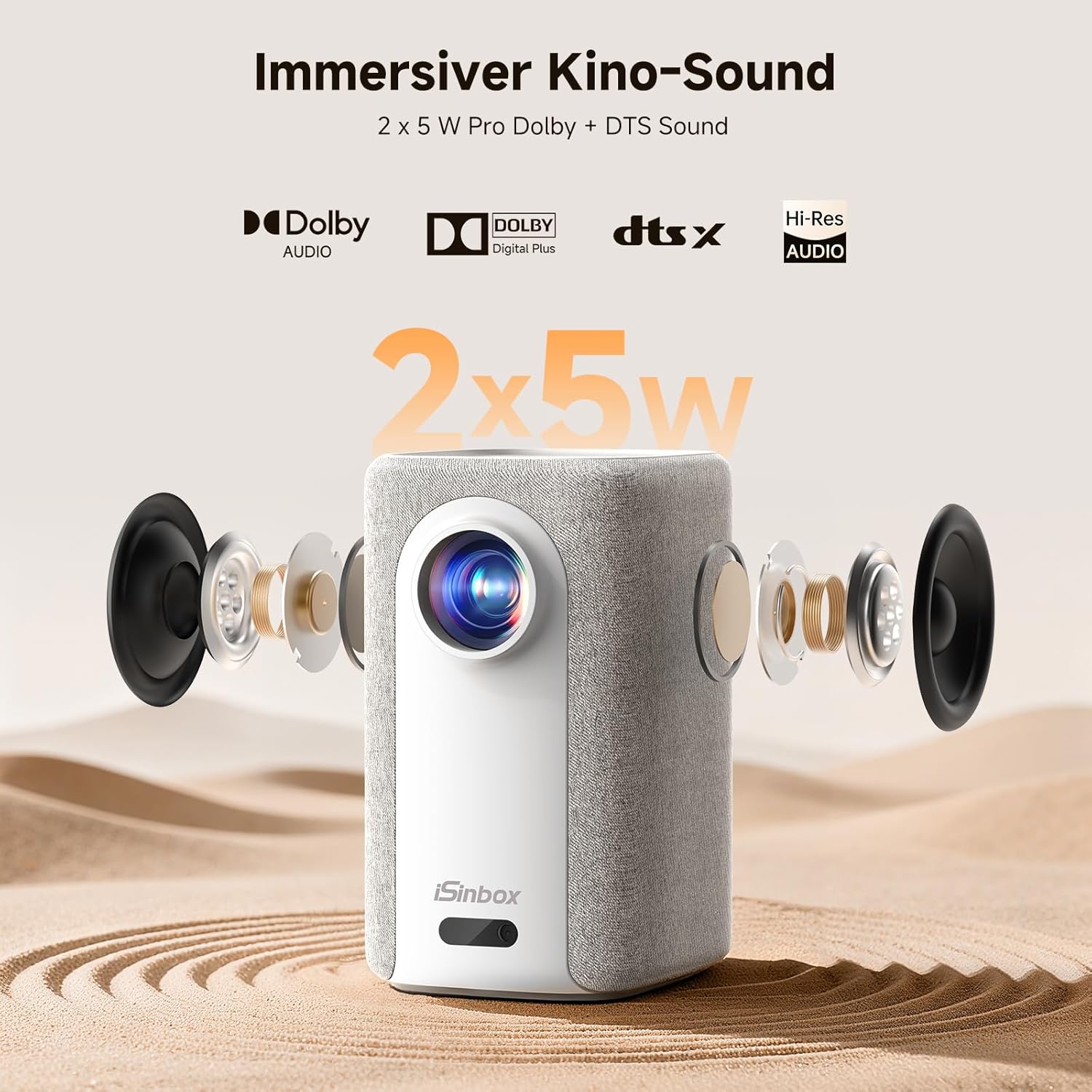
Image: A split-screen comparison demonstrating the superior image quality, vibrant colors, and detail of the iSinbox AC311 Projector (AC311) compared to other projectors.
6.5 Bluetooth Connectivity
The projector features bidirectional Bluetooth 5.4, allowing you to connect external speakers or headphones for enhanced audio, or use the projector as a Bluetooth speaker.

Image: Illustration of the iSinbox AC311 Projector's advanced WiFi 6 and Bluetooth 5.4 capabilities, highlighting smooth and low-latency connections.
6.6 Audio Output
The projector is equipped with 2 x 5W speakers and supports Dolby Audio and DTS Sound for an immersive audio experience.

Image: Exploded view of the iSinbox AC311 Projector, detailing its 2x5W speakers and support for Dolby Audio and DTS Sound.
6.7 360-Degree Projection
The projector's design, including a dual-mode stand and integrated handle, allows for flexible placement and 360-degree projection, enabling you to project onto ceilings or walls from various angles.
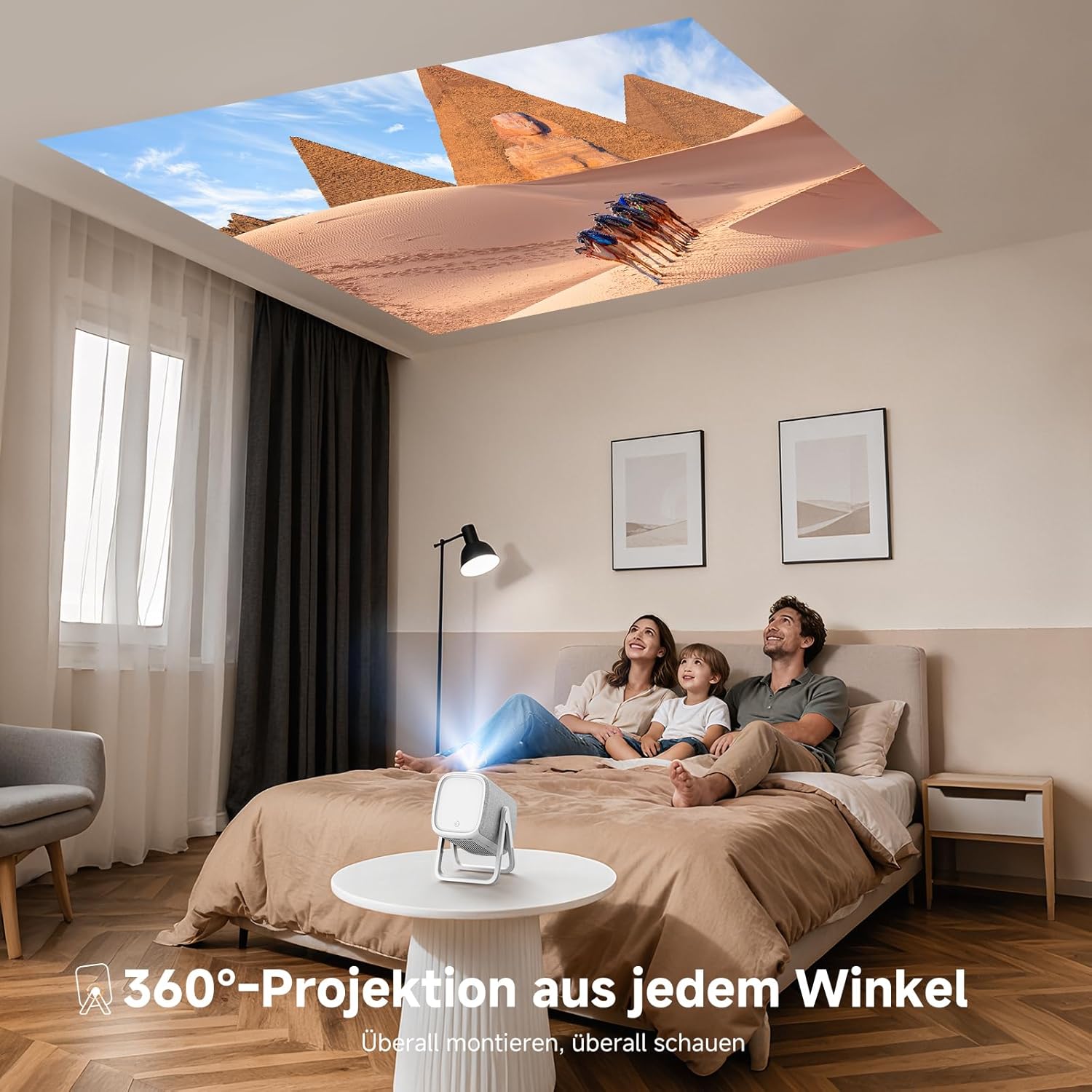
Image: The iSinbox AC311 Projector projecting an image onto a ceiling, illustrating its 360-degree projection feature and portable design.
7. Maintenance
- Cleaning the Lens: Use a soft, lint-free cloth specifically designed for optical lenses. Do not use abrasive cleaners or solvents.
- Cleaning the Casing: Wipe the projector's exterior with a soft, dry cloth. For stubborn marks, use a slightly damp cloth and then dry thoroughly.
- Ventilation: Ensure the ventilation openings are clear of dust and obstructions to prevent overheating.
- Storage: When not in use for extended periods, store the projector in a cool, dry place, away from direct sunlight and extreme temperatures.
8. Troubleshooting
| Problem | Possible Cause | Solution |
|---|---|---|
| No image displayed | Power cable disconnected; incorrect input source; device not powered on. | Check power connection; select correct input source; ensure connected device is on. |
| Blurred image | Out of focus; projector not perpendicular to screen. | Allow auto-focus to adjust or manually adjust focus; use keystone correction. |
| No sound | Volume too low; external audio device not connected properly; mute enabled. | Increase volume; check audio cable/Bluetooth connection; disable mute. |
| Remote control not working | Batteries depleted; obstruction between remote and projector. | Replace batteries; ensure clear line of sight to IR receiver. |
9. Specifications
| Feature | Detail |
|---|---|
| Model | AC311 |
| Brand | iSinbox |
| Display Technology | LCD |
| Native Resolution | 1920 x 1080 (Full HD) |
| Maximum Resolution | 3840 x 2160 (4K Support) |
| Aspect Ratio | 4:3 |
| Contrast Ratio | High |
| Power Consumption | 65 watts |
| Refresh Rate | 60 Hz |
| Connectivity | Bluetooth 5.4 (Bidirectional), WiFi 6, HDMI, USB, 3.5mm Audio Jack, IR |
| Compatible Devices | Speakers, Game Consoles, Laptops, Smartphones, Tablets |
| Special Features | Automatic Focus, 6D Keystone Correction, Dual-mode Stand, Movin Smart OS, Built-in Streaming Apps (Netflix, Prime Video, YouTube, Disney, Apple TV), Dolby Audio, DTS Sound, 360-degree Projection |
| Dimensions (L x W x H) | 27.6 x 20.5 x 16.3 cm |
| Weight | 1.92 kg |
| Mounting Options | Floor, Ceiling, Tripod, Table, Wall |
10. Warranty and Support
For warranty information and technical support, please refer to the official iSinbox website or contact their customer service directly. Details are typically provided on the product packaging or a separate warranty card.
The product was first available on Amazon.es from October 23, 2025.

