
1. Introduction
Thank you for choosing the FOUSAE MC57C Under Desk Elliptical Machine. This device is designed to provide a low-impact exercise solution for individuals seeking to maintain an active lifestyle while seated. It is particularly beneficial for seniors, office workers, and those undergoing leg rehabilitation. This manual provides essential information for safe and effective operation, setup, and maintenance of your elliptical machine.

Figure 1: FOUSAE MC57C Under Desk Elliptical Machine
2. Product Features
The FOUSAE MC57C Under Desk Elliptical Machine offers a range of features designed for a customizable and comfortable exercise experience:
- Adjustable Resistance & Speed: Features 6 adjustable resistance levels and 15 speed settings, offering 42 unique workout modes.
- Dual Workout Modes: Supports both forward and reverse motion to target various muscle groups.
- Ultra-Quiet Operation: Equipped with an 80W motor for smooth and nearly silent performance (below 15 dB).
- Comprehensive LED Display: A large, easy-to-read HD LED display tracks speed, distance, time, and calories in real-time.
- Remote Control: Includes an RF remote control for convenient mode, speed, and direction adjustments without bending.
- Low-Impact Exercise: Designed to reduce joint stress, making it suitable for rehabilitation and individuals with leg discomfort.
- Portable Design: Lightweight and compact with built-in handles for easy movement and storage.
- Pre-assembled: 100% pre-assembled for immediate use.

Figure 2: Key features of the FOUSAE MC57C
3. Package Contents
Ensure all items are present upon unboxing:
- Electric Under Desk Elliptical (x1)
- Foot Straps (Installed) (x2)
- Power Cord (78.75in) (x1)
- Remote Control (x1)
- User Manual (x1)
- Non-Slip Mat (x1)

Figure 3: All components included in the package
4. Setup
The FOUSAE MC57C is designed for immediate use with no assembly required. Follow these steps to begin your workout:
- Placement: Place the elliptical machine on a flat, stable surface. For hard floors, use the included non-slip mat to prevent movement.
- Power Connection: Connect the power cord to the machine's power input and then to a standard electrical outlet.
- Power On: Locate the power switch on the machine and turn it to the 'ON' position. The LED display will illuminate.
- Foot Straps: The foot straps are pre-installed. Adjust them to comfortably secure your feet on the pedals.
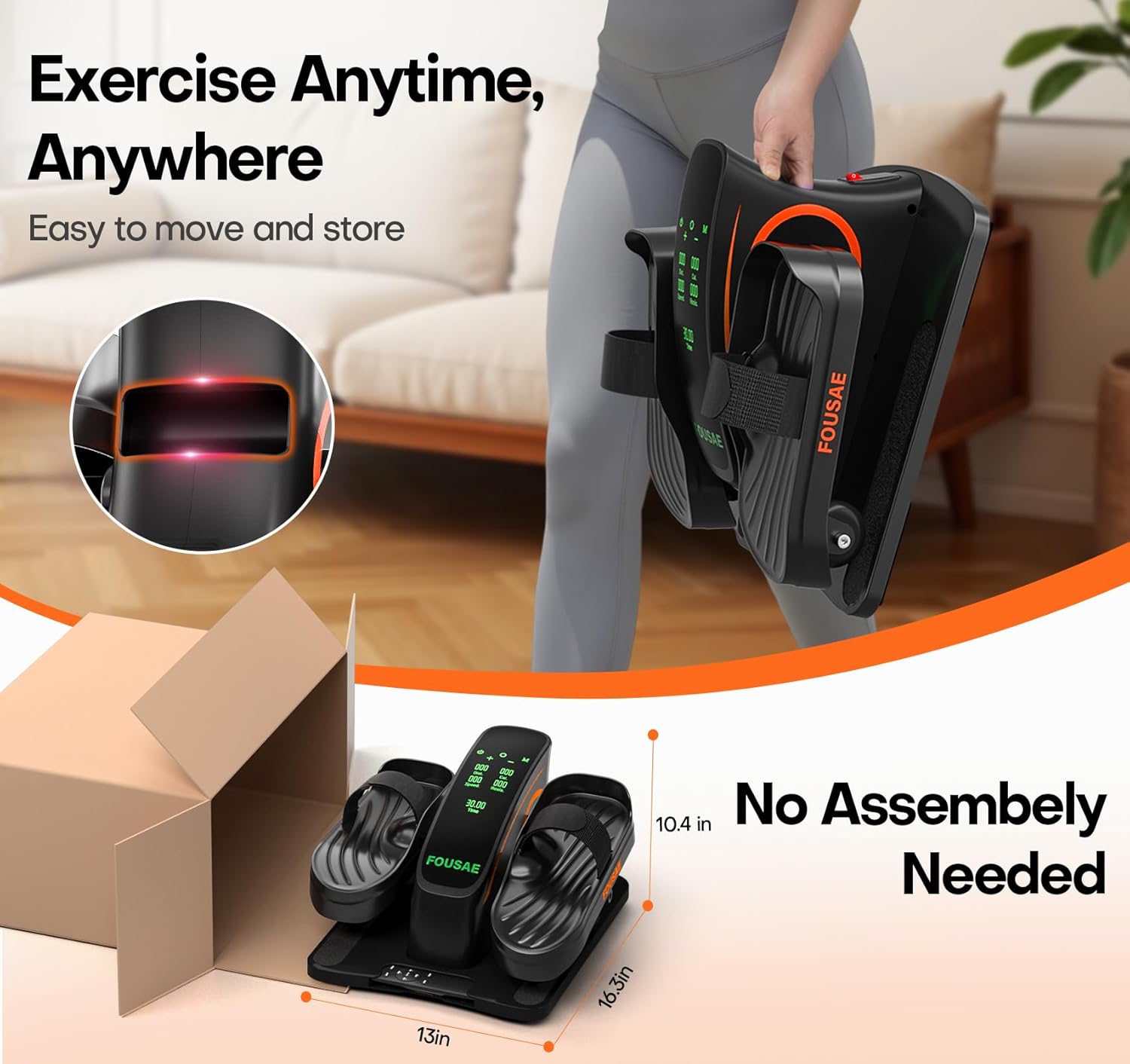
Figure 4: The elliptical machine is ready to use out of the box.
Setup Video
Video 1: Demonstrates the initial setup and usage of the FOUSAE elliptical machine.
5. Operating Instructions
Your elliptical machine can be operated using either the touch-sensitive buttons on the main unit or the included remote control.
5.1 Controls Overview

Figure 5: Overview of the LED touch display and control buttons.
- START/STOP: Initiates or pauses the exercise.
- DIRECTION: Switches the pedal movement between forward and reverse.
- MODE: Toggles between Speed Mode and Resistance Mode.
- +/-: Adjusts the speed level (1-15) or resistance level (1-6).
5.2 Remote Control
The remote control provides convenient access to all functions, allowing you to adjust settings without bending down.

Figure 6: Remote control for easy operation.
5.3 Exercise Modes
The machine offers various modes to suit your fitness needs:
- Speed Mode: Adjust the speed from level 1 to 15. Lower speeds (1-5) are ideal for warm-up or rehabilitation, while higher speeds (10-15) are for muscle strengthening and calorie burning.
- Resistance Mode: Choose from 6 resistance levels to activate muscles and increase workout intensity.
- Auto Mode: The machine features 12 auto modes with pre-set speed and resistance variations.

Figure 7: Breakdown of 15 adjustable speed levels.

Figure 8: Adjustable 15 Speed & 6 Resistance modes with forward and reverse directions.
5.4 Display Metrics
The LED display provides real-time feedback on your workout progress:
- SCAN: Cycles through all metrics.
- TIME: Duration of your workout.
- DISTANCE: Total distance covered.
- SPEED: Current speed level.
- COUNT: Number of rotations.
- CALORIES: Estimated calories burned.
Usage Video
Video 2: Demonstrates the FOUSAE Under Desk Elliptical Machine in various usage scenarios.
6. Maintenance
To ensure the longevity and optimal performance of your elliptical machine, follow these maintenance guidelines:
- Cleaning: Wipe the machine with a soft, damp cloth after each use. Avoid abrasive cleaners or solvents.
- Storage: Store the machine in a cool, dry place away from direct sunlight and extreme temperatures.
- Inspection: Periodically check all moving parts and connections for any signs of wear or looseness.
7. Troubleshooting
If you encounter any issues with your FOUSAE MC57C, refer to the following common troubleshooting tips:
- Machine Not Powering On: Ensure the power cord is securely plugged into both the machine and a working electrical outlet. Check that the power switch is in the 'ON' position.
- Remote Control Not Responding: Verify that the remote control batteries are correctly installed and have sufficient charge. Point the remote directly at the machine's sensor.
- Unusual Noise: Check for any obstructions around the pedals or moving parts. Ensure the machine is placed on a flat, stable surface.
For issues not covered here, please contact customer support.
8. Specifications
| Feature | Specification |
|---|---|
| Model Name | MC57C |
| Brand | FOUSAE |
| Color | Black Orange |
| Product Dimensions | 16.3"D x 13"W x 10.4"H |
| Material | Alloy Steel |
| Resistance Mechanism | Magnetic |
| Maximum Weight Recommendation | 350 Pounds |
| Item Weight | 6.5 Kilograms |
| Number of Resistance Levels | 6 |
| UPC | 795973393500 |
9. Warranty and Support
Your FOUSAE MC57C Under Desk Elliptical Machine comes with a 1-Year Manufacturer Warranty. For any questions, technical assistance, or warranty claims, please contact our customer support team.
- Customer Support: We provide 24/7 customer support to assist you.
- Contact Information: Refer to the contact details provided in your product packaging or on the official FOUSAE website.