1. Introduction
Thank you for choosing the Bontempi 24-Key Mini Electronic Keyboard. This manual provides essential information for the safe and proper use, setup, operation, and maintenance of your new musical instrument. Please read these instructions carefully before use and retain them for future reference.
2. Safety Information
- Warning: Not suitable for children under 3 years due to small parts.
- Always supervise children during play.
- Do not mix old and new batteries. Do not mix alkaline, standard (carbon-zinc), or rechargeable (nickel-cadmium) batteries.
- Insert batteries with correct polarity (+ and -).
- Remove exhausted batteries from the product.
- Remove batteries if the product is not to be used for an extended period.
- Do not dispose of batteries in fire.
- Keep the product away from water and moisture.
3. Package Contents
Ensure all items are present in the package:
- Bontempi 24-Key Mini Electronic Keyboard
- Battery cover (pre-installed or separate)

Image 1: Bontempi 24-Key Mini Electronic Keyboard in its retail packaging. The keyboard is red with black and white keys, and the packaging highlights its 24-key feature and various functions.
4. Setup
4.1 Battery Installation
- Locate the battery compartment on the underside of the keyboard.
- Using a screwdriver (not included), carefully open the battery compartment cover.
- Insert 4 x AA 1.5V alkaline batteries (not included) into the compartment, ensuring the correct polarity (+/-) as indicated inside.
- Replace the battery compartment cover and secure it with the screw.
4.2 Powering On
Locate the 'POWER ON' switch, usually on the front panel of the keyboard. Slide the switch to the 'ON' position to power on the device. Slide it to 'OFF' when not in use.
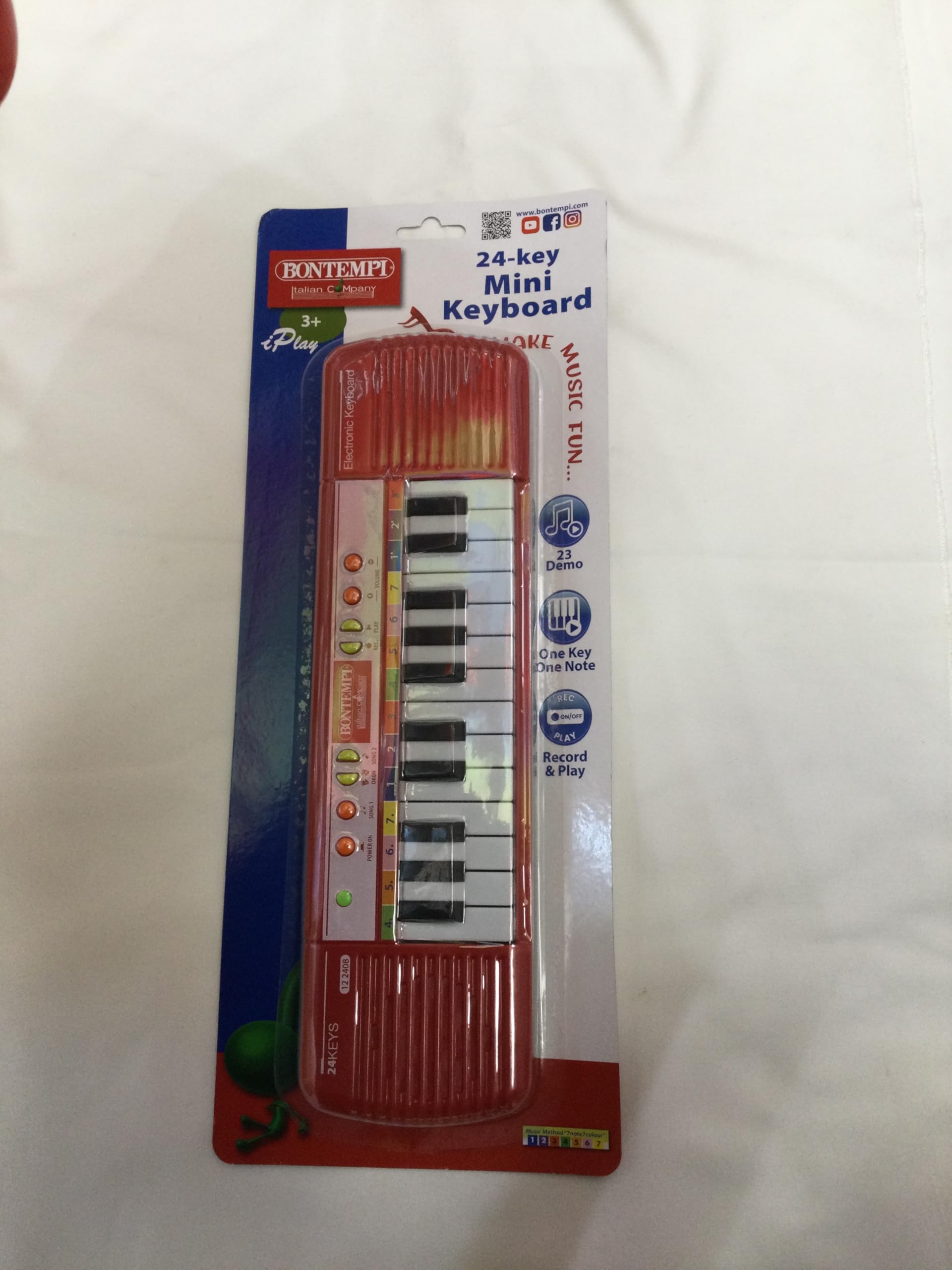
Image 2: Top view of the Bontempi 24-Key Mini Electronic Keyboard. Shows the 24 keys, speaker grilles on both sides, and control buttons including 'POWER ON', 'SONG 1', 'SONG 2', 'DEMO', 'ONE KEY ONE NOTE', 'RECORD & PLAY', and 'VOLUME +/-'.
5. Operating Instructions
5.1 Playing Notes
Press any of the 24 black and white keys to play individual musical notes.
5.2 Volume Adjustment
Use the 'VOLUME +' and 'VOLUME -' buttons to increase or decrease the sound output of the keyboard.
5.3 Demo Songs
Press the 'SONG 1', 'SONG 2', or 'DEMO' buttons to listen to pre-recorded melodies. Press the button again to stop the playback.
5.4 One Key One Note Function
Press the 'ONE KEY ONE NOTE' button to activate this mode. In this mode, pressing any key will play the next note of a pre-selected melody, allowing for simplified play-along.
5.5 Record and Playback
- Record: Press the 'RECORD' button. Play your desired melody on the keys. The keyboard will record your sequence of notes.
- Play: After recording, press the 'PLAY' button to listen to your recorded melody.
6. Maintenance
6.1 Cleaning
To clean the keyboard, wipe it with a soft, dry cloth. Do not use abrasive cleaners, solvents, or immerse the product in water. Avoid spraying liquids directly onto the keyboard.
6.2 Storage
Store the keyboard in a cool, dry place, away from direct sunlight and extreme temperatures. If the keyboard will not be used for an extended period, remove the batteries to prevent leakage.
7. Troubleshooting
- No sound or distorted sound:
- Check if the keyboard is powered on.
- Ensure the volume is not set to minimum.
- Replace the batteries with new ones, ensuring correct polarity.
- Keys not responding:
- Check battery power and replace if necessary.
- Ensure no debris is lodged under the keys.
8. Specifications
- Model Number: 12 2404
- Number of Keys: 24
- Dimensions (L x W x H): 36 x 10 x 2 cm (14.17 x 3.94 x 0.79 inches)
- Weight: 400 Grams (0.88 lbs)
- Power Source: 4 x AA 1.5V batteries (Alkaline recommended, not included)
- Material: Plastic
- Recommended Age: 3 years and up
- GTIN/UPC: 047663336374
9. Warranty and Support
This product is covered by the standard warranty provided by your retailer at the time of purchase. Please retain your proof of purchase for any warranty claims.
For technical support, spare parts, or further assistance, please contact your retailer or the manufacturer directly. Information regarding spare parts availability is currently not provided by the manufacturer.


