1. Introduction
This manual provides detailed instructions for the installation, operation, maintenance, and troubleshooting of your Lian Li SX Platinum 850W Compact ATX Power Supply (Model SX0850P.B). Designed for high-performance systems, this power supply offers reliable and efficient power delivery.
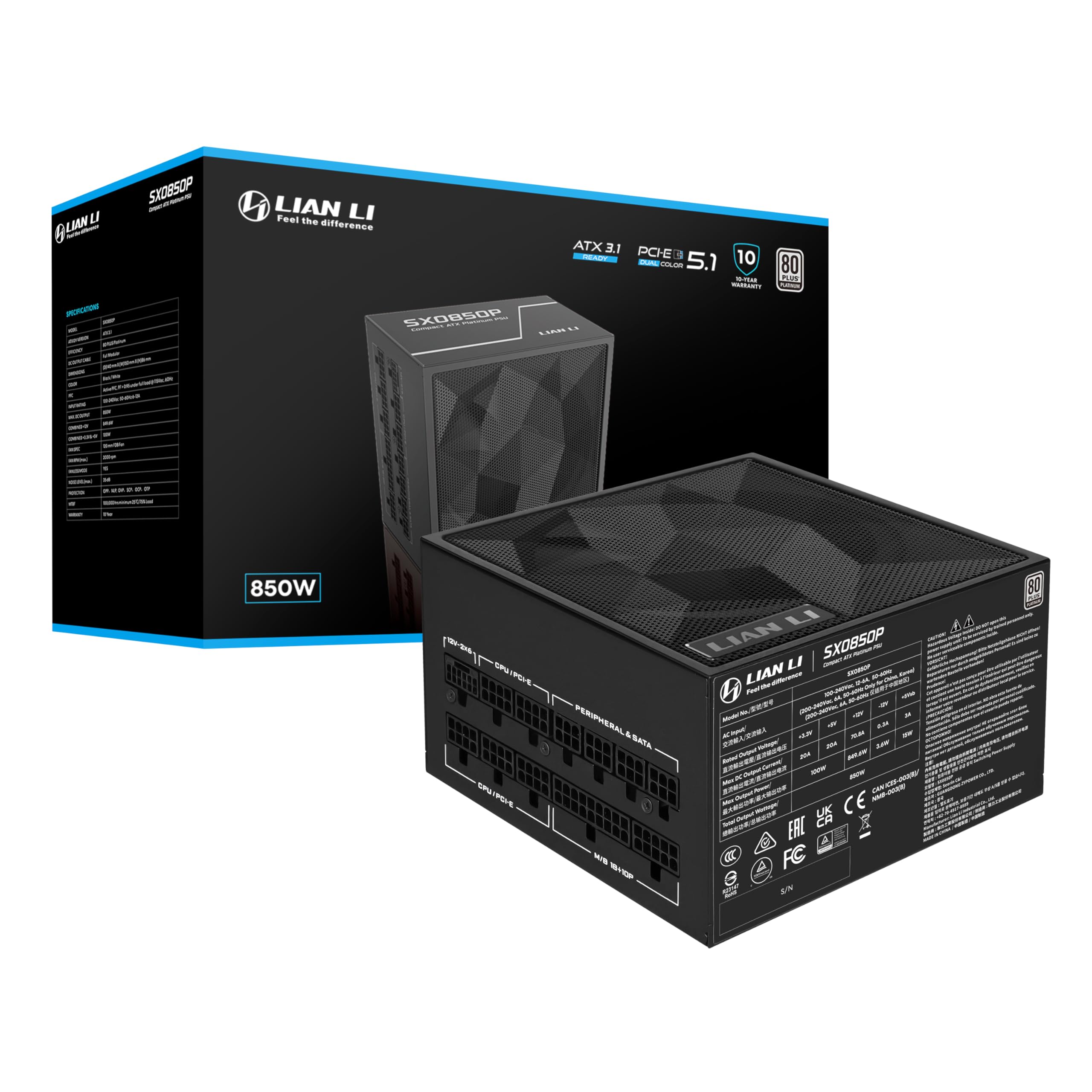
Figure 1: Lian Li SX Platinum 850W Power Supply, showcasing its compact design and modular connectors.
Key Features:
- Ample PCIe 6+2 Connectors: Provides sufficient connectors for multiple accessories, including LIAN LI Universal USB and fan hubs, ensuring versatile system configurations.
- Smart Cooling Technology: Features a fanless mode at ≤40% load for silent operation. The fan activates at higher loads to maintain optimal temperatures. This mode can be enabled or disabled via a switch.
- Flexible Braided Cables: Super flexible DC cables simplify cable management, reduce clutter, and improve airflow within the PC case.
- 80 Plus Platinum Certified: Achieves up to 92% efficiency at 50% load, contributing to cooler, quieter, and more energy-efficient operation with stable voltage regulation.
- 105°C-Rated Capacitors: Built with 100% Japanese 105°C-rated capacitors for exceptional durability and stable performance under high thermal stress.
- ATX 3.1 & PCIe 5.1 Compliant: Supports power excursions up to 200% of its rated output, delivering stable power for high-performance systems.
2. Setup and Installation
Follow these steps to properly install your Lian Li SX Platinum 850W Power Supply into your computer system.
2.1 Unboxing and Initial Inspection
Carefully remove the power supply and its accessories from the packaging. Inspect all components for any signs of damage. If any damage is found, contact customer support immediately.
Video 1: Official Lian Li SXP Platinum PSU unboxing video, demonstrating the packaging and initial contents.
2.2 Case Compatibility
The SX Platinum Series features a compact ATX form factor with dimensions of 150 x 86 x 140 mm (W x H x D), ensuring compatibility with a wide range of cases, including mATX, and providing ample space for cable management.

Figure 2: Diagram illustrating the compact dimensions of the Lian Li SX Platinum PSU within a PC case, highlighting its 140mm length for better compatibility.
2.3 Modular Cable Connection
The power supply is fully modular, allowing you to connect only the necessary cables for your system. This reduces clutter and improves airflow.

Figure 3: Close-up view of the modular cable connectors on the Lian Li SX Platinum PSU, showing labeled ports for CPU/PCI-E, Peripheral & SATA, and M/B.
2.4 Cable Configuration
Refer to the table below for the available cable types, quantities, and lengths for the 850W model. Ensure all connections are secure.

Figure 4: Table detailing the cable configuration for the Lian Li SX Platinum 850W PSU, including connector types, quantities, and lengths.
2.5 PCIe 5.1 Connector
The 12V-2x6 cable is equipped with a dual-color PCIe 5.1 connector featuring a copper-alloy terminal for safe and efficient power delivery. Ensure the blue section of the connector is fully inserted into your graphics card for proper operation.

Figure 5: Diagram illustrating the stable dual-color PCIe 5.1 connector, highlighting its nickel plating, copper thickness, and dual-color shell for secure connection.
3. Operating Instructions
3.1 Powering On/Off
Connect the power supply to a wall outlet using the provided AC power cord. Ensure the main power switch on the rear of the PSU is in the 'ON' position before powering on your computer.
3.2 Smart Stop/Start Fan Mode
The power supply features a smart stop/start fan mode. When the PSU load is at or below 40%, the fan will remain off for silent operation. Above 40% load, the fan will activate to maintain optimal cooling. This feature can be toggled using the dedicated switch on the rear of the unit.

Figure 6: Close-up of the rear panel of the Lian Li SX Platinum PSU, showing the main power switch and the 'OFF/ON' switch for the Smart Stop/Start fan mode.
Video 2: Official Lian Li SX Series PSU product video, showcasing various features including the fan operation and modular design.
4. Maintenance
Proper maintenance ensures the longevity and optimal performance of your power supply.
- Keep Clean: Regularly clean the exterior of the power supply and the fan intake/exhaust vents to prevent dust buildup. Use compressed air to gently remove dust from the fan and internal components.
- Ensure Airflow: Make sure there is adequate airflow around the power supply. Avoid blocking the vents or placing the PC in an enclosed space that restricts air circulation.
- Cable Management: Periodically check cable connections to ensure they are secure and not obstructing airflow. The flexible braided cables facilitate easy management.
5. Troubleshooting
If you encounter issues with your power supply, refer to the following common troubleshooting steps:
- No Power:
- Ensure the AC power cord is securely connected to both the power supply and the wall outlet.
- Verify that the main power switch on the rear of the PSU is in the 'ON' position.
- Check if the wall outlet is functioning correctly by plugging in another device.
- System Instability/Crashes:
- Ensure all modular cables are securely connected to both the power supply and the respective components (motherboard, CPU, GPU, etc.).
- Confirm that the blue section of the 12V-2x6 PCIe 5.1 connector is fully inserted into the graphics card.
- Check for proper ventilation within your PC case to prevent overheating.
- Fan Noise/Operation:
- If the fan is not spinning at low loads, verify the Smart Stop/Start switch is in the desired position. Fanless mode is active when the load is ≤40%.
- Clean any dust buildup from the fan and vents.
If issues persist after following these steps, please contact Lian Li customer support for further assistance.
6. Specifications
Detailed technical specifications for the Lian Li SX Platinum 850W Power Supply (Model SX0850P.B).
| Feature | Detail |
|---|---|
| Product Dimensions | 5.91 x 3.39 x 5.51 inches (150 x 86 x 140 mm) |
| Item Weight | 6.36 pounds |
| Manufacturer | LIAN LI |
| Item Model Number | SX0850P.B |
| Brand | Lian Li |
| Compatible Devices | Computer System, Graphics Card, Processor, Motherboard, Hard Drive, Optical Drive, RAM, Case, etc. |
| Connector Type | PCI Express |
| Output Wattage | 850 Watts |
| Form Factor | ATX |
| Cooling Method | Air |
| Fan Count | 1 |
Efficiency and Noise Curves
The following graphs illustrate the efficiency and fan speed/noise levels of the SX Platinum 850W power supply under various loads.

Figure 7: Efficiency curve for the Lian Li SX Platinum 850W PSU, showing performance at different system loads for both 230Vac and 115Vac input.

Figure 8: Fan speed and noise level curves for the Lian Li SX Platinum 850W PSU, demonstrating performance with the fan ON and OFF (Smart Stop/Start mode).
7. Warranty and Support
The Lian Li SX Platinum 850W Power Supply comes with a 10-year hardware protection, ensuring long-term stability and peace of mind. This warranty covers defects in materials and workmanship under normal use.

Figure 9: Image highlighting the 10-year hardware protection offered with the Lian Li SX Platinum Series.
RMA Support
For missing parts, cable color issues, or any other support inquiries, please reach out to Lian Li customer service for quick support or replacement. Refer to the official Lian Li website for contact information and detailed RMA procedures.


