
Introduction
This manual provides essential instructions for the safe operation, setup, and maintenance of your FINOTI XIL 017 4K Camera Drone. Please read it thoroughly before first use to ensure proper functionality and to maximize your flying experience. The FINOTI XIL 017 is a lightweight, foldable quadcopter designed for high-quality aerial photography and videography.
Important Safety Guidelines
- Always operate the drone in open areas, away from people, animals, and obstacles.
- Maintain a safe distance from airports, restricted airspace, and sensitive facilities.
- Do not fly in strong winds (while rated Level 5 wind resistance, caution is advised in extreme conditions) or adverse weather such as rain or snow.
- Ensure batteries are fully charged and properly installed before each flight.
- Follow all local regulations and laws regarding drone operation and registration.
- Keep propellers clear of obstructions and body parts during operation.
- Perform pre-flight checks before every flight.
Package Contents
Verify that all items are present in your package:
- FINOTI XIL 017 Drone
- Remote Controller with Integrated Screen
- Flight Battery (Single Battery variant)
- Spare Propellers
- USB Charging Cable
- User Manual
- Carrying Bag

Figure 1: The FINOTI XIL 017 drone, remote controller, and carrying bag, illustrating the complete package contents.
Setup
1. Unfolding the Drone
Gently unfold the drone arms one by one until they lock into their extended flight position. Ensure all arms are fully extended and secure before proceeding.

Figure 2: The FINOTI XIL 017 drone shown in its compact, folded state for portability and fully unfolded for flight preparation.
2. Battery Installation and Charging
Insert the fully charged flight battery into the drone's battery compartment until it clicks securely into place. Charge the flight battery and the remote controller using the provided USB cable. A full charge provides up to 35 minutes of flight time for the drone.
3. Propeller Installation
Attach the propellers according to the markings on the drone arms and the propellers themselves (e.g., A to A, B to B). Ensure each propeller is firmly secured to its motor shaft. Incorrect installation can affect flight stability.
4. Remote Controller Overview
The remote controller features an integrated 5.5-inch touch screen, allowing for direct viewing of live footage without the need for a separate smartphone. Familiarize yourself with the control layout.

Figure 3: The remote controller for the FINOTI XIL 017 drone, highlighting its integrated screen for real-time video feed and flight data.

Figure 4: A detailed diagram illustrating the various buttons, joysticks, and switches on the FINOTI XIL 017 remote controller, with labels for each function.
Operating the Drone
1. Pre-Flight Checks
- Ensure drone and remote controller batteries are fully charged.
- Check propellers for any damage and confirm they are securely attached.
- Verify the flight area is clear of obstacles, people, and animals.
- Power on the remote controller first, then the drone. Wait for GPS signal acquisition before attempting takeoff.
2. Takeoff and Landing
For automated ascent and descent, use the dedicated one-touch takeoff/landing button on the remote controller. For manual control, gently push the left joystick up to take off and pull it down to land.
3. Flight Controls
The remote controller joysticks provide intuitive control over the drone's movement:
- Left Joystick: Controls altitude (throttle up/down) and yaw (rotate left/right).
- Right Joystick: Controls forward/backward movement and left/right strafing.
4. Camera Operation
The FINOTI XIL 017 is equipped with a 4K camera and a 3-axis brushless gimbal for stable, clear footage.
- Adjustable Camera Angle: The camera angle can be adjusted by 90 degrees using the dedicated roller button on the remote controller.
- AI Night Scene: The camera features AI night scene enhancement for clearer and sharper images in low-light conditions.
- Recording/Photo: Use the record button on the remote controller to start/stop video recording or capture still photos.

Figure 5: A close-up view of the FINOTI XIL 017's 3-axis brushless gimbal, demonstrating its stabilization capabilities for smooth 4K video capture.
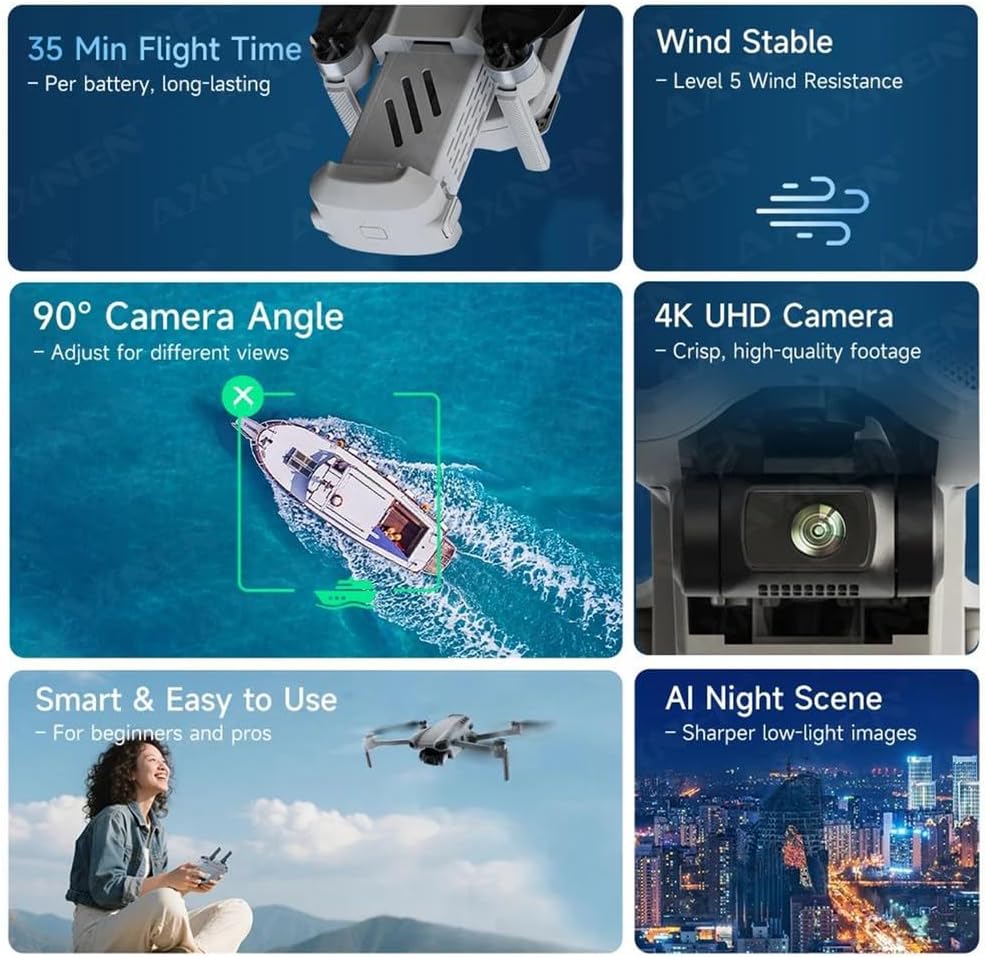
Figure 6: Visual representation of the FINOTI XIL 017's 90-degree adjustable camera, 4K UHD capability, AI night scene enhancement, and Level 5 wind resistance for stable flight.
5. Intelligent Flight Modes
The drone offers advanced flight modes for enhanced creativity and ease of use:
- 360° Smart Tracking: The drone automatically follows a designated subject from any angle, ideal for capturing dynamic action shots. Activate this mode via the remote controller.
- Smart Flight Path Planning: Draw a desired flight path on the remote controller's screen, and the drone will automatically follow it, enabling precise and repeatable cinematic shots.

Figure 7: Illustrations of the FINOTI XIL 017's 360-degree smart tracking feature and smart flight path planning capability, showing how the drone can follow subjects or pre-defined routes.
6. HD Image Transmission
The drone supports up to 10KM HD image transmission, providing a clear, real-time view of your flight directly on the remote controller's integrated screen. This ensures a reliable connection for capturing distant beauty.

Figure 8: Depiction of the FINOTI XIL 017's 10KM HD image transmission range, illustrating the drone flying over a landscape with the remote controller displaying the live video feed.
7. Positioning Systems
The drone utilizes advanced positioning systems including GPS, TOF (Time of Flight) Visual, and Optical Flow Positioning. These systems work together to achieve precise and stable hovering, ensuring reliable and smooth flights even in varying environments.
Maintenance
1. Cleaning
After each flight, gently wipe the drone body, camera lens, and gimbal with a soft, dry, lint-free cloth. Avoid using liquids, solvents, or abrasive materials that could damage components.
2. Propeller Care
Regularly inspect propellers for any signs of cracks, bends, chips, or other damage. Replace any damaged propellers immediately using genuine spare parts to maintain flight safety and performance.
3. Battery Storage
Store batteries in a cool, dry place, away from direct sunlight and extreme temperatures. For extended storage, it is recommended to discharge batteries to approximately 50-60% of their capacity. Do not store fully charged or fully depleted batteries for long periods.
4. General Storage
When not in use, fold the drone and store it in its dedicated carrying bag or a protective case to shield it from dust, moisture, and physical damage.
Troubleshooting
Drone Does Not Power On
- Ensure the flight battery is fully charged and correctly installed in the drone.
- Check the drone's power button for proper engagement.
No Image on Remote Controller Screen
- Ensure both the drone and remote controller are powered on and successfully linked.
- Check for any physical obstructions between the drone and controller that might interfere with the signal.
- Verify the drone is within the 10KM HD transmission range.
Unstable Flight
- Ensure all propellers are correctly installed and free from damage.
- Perform a compass and IMU calibration (refer to the quick start guide for specific calibration steps).
- Avoid flying in strong winds or turbulent air conditions.
GPS Signal Lost
- Move the drone to an open area away from tall buildings, dense foliage, or sources of electromagnetic interference.
- Wait for the drone to acquire a sufficient number of GPS satellites before attempting takeoff.
Specifications
| Feature | Detail |
|---|---|
| Model | XIL 017 |
| Brand | FINOTI |
| Weight | Under 249g |
| Camera | 4K UHD with 90° Adjustable Angle |
| Gimbal | 3-Axis Brushless |
| Flight Time | Up to 35 minutes per battery |
| Image Transmission | 10KM HD |
| Positioning | GPS, TOF Visual, Optical Flow |
| Wind Resistance | Level 5 |
| Remote Controller | Integrated 5.5" Touch Screen |
Warranty and Support
For detailed warranty information, technical support, or service inquiries, please refer to the official FINOTI website or contact your authorized retailer. Please retain your proof of purchase for any warranty claims.