
Product Overview
The FLEXISPOT 79"x32" Height Adjustable Commercial Office Standing Desk is designed to provide a versatile and ergonomic workspace. This desk features a motorized lift system for seamless height adjustments, an anti-collision system for safety, and integrated cable management solutions.
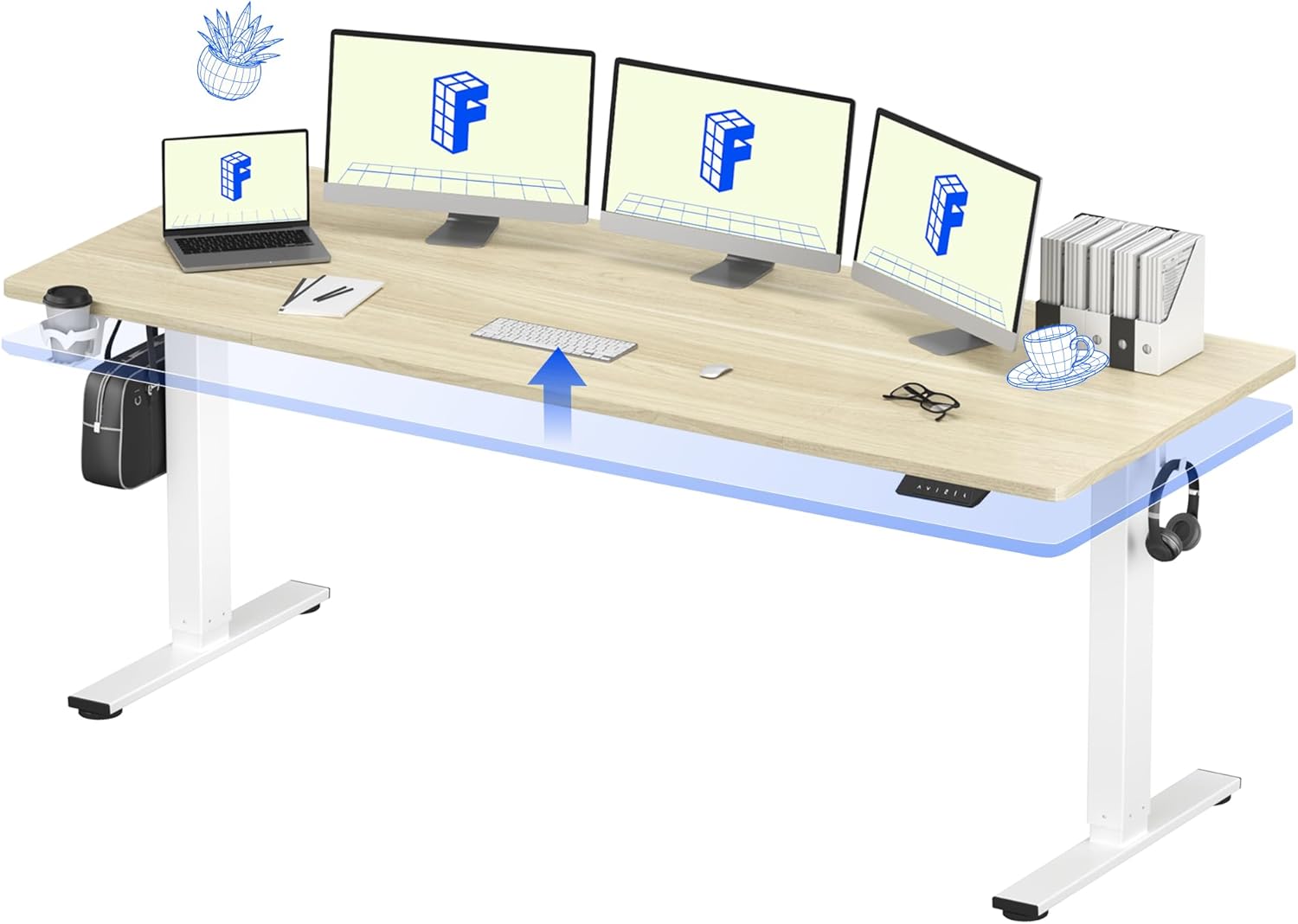
Image: The FLEXISPOT 79"x32" Height Adjustable Commercial Office Standing Desk in a typical office setting.
Quality Assurance
FLEXISPOT is committed to producing high-quality office furniture. The following video provides insight into the manufacturing process and quality control measures.
Video: An inside look at the Flexispot factory, showcasing the manufacturing process and commitment to product quality.
Setup Instructions
Unpacking and Preparation
Upon delivery, verify all packages have arrived. Due to the size and weight of the components, boxes may ship and arrive separately. It is recommended to have two people for assembly.

Image: Illustration showing that desk components may arrive in multiple packages.
Assembly Steps
- Carefully unpack all components and lay them out on a clean, soft surface to prevent scratches.
- Assemble the desk frame according to the included graphical instructions. Ensure all screws are tightened securely.
- Attach the desktop to the assembled frame. Note: Some users have reported that certain holes for securing the crossbeam may not be pre-drilled. Exercise caution and use appropriate tools if drilling is required to avoid damaging the tabletop.
- Connect all motor and control panel cables as indicated in the diagram. Ensure connections are firm.
- Plug the desk into a grounded power outlet.
Cable Management
The desk includes features for organizing cables to maintain a tidy workspace. Utilize the integrated cable management tray and cable ties to route and secure power and data cables.

Image: A visual comparison demonstrating effective cable management for a clean workspace.
Operating Instructions
Height Adjustment
The desk features a single-motor lift system that allows for smooth height adjustments from 28.94 inches to 46.46 inches. Use the control panel to raise or lower the desk to your desired ergonomic position.

Image: The desk demonstrating its flexible height adjustment range.
Control Panel Functions
The multifunctional control panel provides precise control over the desk's height and allows for saving preferred positions.

Image: The control panel with up/down arrows, digital display, and four programmable memory presets.
- Up/Down Arrows: Press and hold to continuously adjust the desk height. Release to stop.
- Digital Display: Shows the current desk height in inches.
- Memory Presets (1, 2, 3, 4): To save a height, adjust the desk to the desired position, then press the 'M' button (if present, or a similar 'Set' button) followed by the desired number button (1-4). To recall a saved height, simply press the corresponding number button.
Smart Anti-Collision System
The desk is equipped with an anti-collision system. If the desk encounters an obstruction while adjusting height, it will automatically reverse direction to prevent damage to the desk or objects.

Image: Visual representation of the anti-collision system and other integrated features like the cup holder and cable management accessories.
Maintenance
Cleaning
- Wipe the desktop surface with a soft, damp cloth. Avoid abrasive cleaners or harsh chemicals that may damage the finish.
- For the frame and legs, use a dry or slightly damp cloth to remove dust and dirt.
Regular Checks
- Periodically check all screws and bolts to ensure they remain tight. Retighten if necessary.
- Inspect all cables for any signs of wear or damage. Ensure they are securely connected.
Troubleshooting
Common Issues and Solutions
| Problem | Possible Cause | Solution |
|---|---|---|
| Desk does not move / Motor not working | Power cable disconnected, control panel cable loose, motor overload. | Check power connection to wall outlet and desk. Ensure all control panel and motor cables are securely plugged in. Unplug the desk for 10 minutes, then plug back in to reset. |
| Desk moves unevenly or stops abruptly | Overload, obstruction, uneven weight distribution. | Reduce weight on the desk (maximum load capacity is 154 lbs). Check for obstructions under or around the desk. Ensure weight is evenly distributed on the desktop. |
| Error code displayed | Specific system fault. | Refer to the full user manual for specific error code meanings. Often, a power cycle (unplug, wait 10 minutes, plug back in) can resolve temporary errors. |
Specifications
Key specifications for the FLEXISPOT 79"x32" Height Adjustable Commercial Office Standing Desk:

Image: Detailed dimensions of the desk, including minimum and maximum height, and maximum load capacity.
| Feature | Detail |
|---|---|
| Brand | FLEXISPOT |
| Model Number | PN1WG-4P79 |
| Product Dimensions (D x W x H) | 32" x 79" x 29" (minimum height) |
| Desktop Size | 79" x 32" |
| Height Adjustment Range | 28.94" to 46.46" |
| Maximum Weight Capacity | 154 lbs |
| Base Material | Alloy Steel |
| Top Material Type | Engineered Wood |
| Color | White Wood Grain |
| Special Features | Height Adjustable, Memory Controller, Anti-Collision System, Cable Management Tray, Cup Holder |
Warranty and Support
Warranty Information
This FLEXISPOT product comes with a Limited Warranty. Please refer to the warranty card included with your purchase or visit the official FLEXISPOT website for detailed terms and conditions.
Customer Support
For technical assistance, missing parts, or warranty claims, please contact FLEXISPOT customer support. Contact information can typically be found on the manufacturer's website or in the packaging materials.
Online resources and FAQs may also be available on the FLEXISPOT Brand Store.


