
1. Introduction
The BROAIMX Smart Bird Feeder with Camera (Model BFC001) provides an innovative way to observe and interact with birds in your backyard. Equipped with a 2K HD camera, AI-powered species identification, and solar charging, this device offers a comprehensive birdwatching experience directly to your smartphone.

Image 1.1: The BROAIMX Smart Bird Feeder with Camera, highlighting its solar panel and integrated camera.
2. Product Features
- AI Species Recognition: Utilizes intelligent recognition technology to identify over 11,000 bird species. Includes a 30-day free trial for AI features. The system can also identify squirrels and offers options to deter them using a flashlight, siren, or two-way microphone.
- 2K HD Camera and Full-Color Night Vision: Features a 140-degree ultra-wide-angle lens and a 2K HD camera. Provides full-color infrared night vision for clear observation in low-light conditions. Supports a stable 2.4GHz Wi-Fi connection (5GHz is not supported).
- Solar Panel & Battery Powered: Equipped with a 5000mAh battery and a 2W built-in solar panel for continuous power, reducing the need for frequent manual charging.
- Customizable Feeding Station: Features a wider perch for various add-ons, including two hummingbird honey boxes, one water box, and two fruit forks. The large 1.8L capacity ensures sufficient feed.
- Easy Refill Mechanism: Designed with a one-handed flip operation for convenient refilling of birdseed.
- Cloud Storage and Local Storage: Offers free cloud storage (3-day automatic circulation) and includes a 64G SD card for local storage.

Image 2.1: AI detection and deterrence features, including squirrel identification and notification.
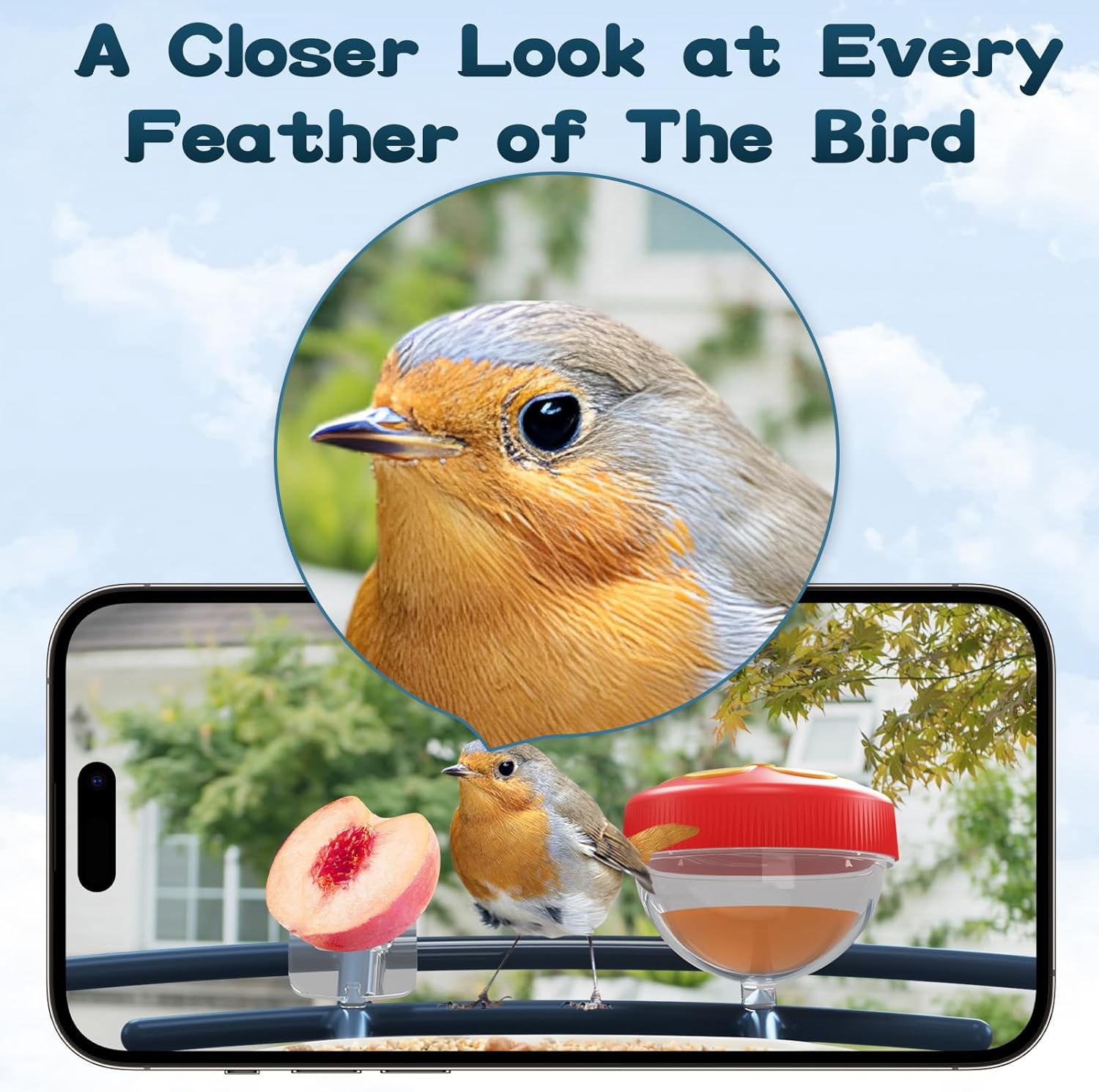
Image 2.2: Comparison of day 2K resolution and night full-color vision from the camera.

Image 2.3: Dual mode power supply with integrated and external solar panels charging the battery.
3. Package Contents
Verify that all components are present in the package:
- BROAIMX Smart Bird Feeder Unit with integrated camera
- Solar Panel (built-in)
- Mounting Bracket and Hardware (screws, anchors, straps)
- Hummingbird Honey Boxes (x2)
- Water Box (x1)
- Fruit Forks (x2)
- 64G TF Card (pre-installed or included separately)
- USB Charging Cable
- User Manual

Image 3.1: Overview of the bird feeder and its included accessories.
4. Setup
4.1 Physical Installation
The bird feeder can be mounted in various outdoor locations such as on a tree, pole, or wall. Use the provided mounting bracket and hardware suitable for your chosen surface. Ensure the solar panel has direct access to sunlight for optimal charging.

Image 4.1: Examples of how to mount the bird feeder in different outdoor settings.
4.2 App Connection
- Download the dedicated app from the Apple App Store or Google Play.
- Ensure your smartphone is connected to a 2.4GHz Wi-Fi network. The device does not support 5GHz Wi-Fi.
- Follow the in-app instructions to add your device. This typically involves powering on the feeder and scanning a QR code displayed on your phone with the feeder's camera.
Video 4.1: Setup guide for the BROAIMX Smart Bird Feeder, showing how to connect it to the mobile application.
4.3 Filling the Feeder
Open the top lid of the feeder using the one-handed flip mechanism. Pour birdseed into the main compartment. Attach the hummingbird honey boxes, water box, and fruit forks as desired to the designated slots on the perch.

Image 4.2: Demonstrating the simple process of refilling the bird feeder.
5. Operating Instructions
5.1 Live View and Recording
Once connected, open the app to access a live 2K HD video feed from the camera. You can manually record videos or capture photos of visiting birds. The camera automatically captures and records bird activity when motion is detected.

Image 5.1: App interface displaying live video and various control options.
5.2 Bird Identification and Notifications
The AI system identifies bird species in real-time. You will receive instant notifications on your smartphone when birds visit the feeder. Review identified species and captured footage within the app.

Image 5.2: Instant notifications alert you to bird visits.
5.3 Two-Way Audio and Deterrence
Use the built-in two-way microphone to listen to the sounds around the feeder or speak through the app. This feature can also be used to deter unwanted visitors like squirrels by activating a siren, flashlight, or speaking directly.
Video 5.1: Demonstration of the bird feeder's camera and two-way audio features.
6. Maintenance
6.1 Refilling and Cleaning
Regularly check and refill the birdseed using the easy one-handed flip top. Clean the feeder periodically to ensure hygiene for the birds. The camera module is designed for easy removal for maintenance.

Image 6.1: The camera module can be easily removed from the feeder.
6.2 Solar Panel Care
Ensure the solar panel remains clean and free of debris (leaves, snow, dirt) to maximize charging efficiency. Position the feeder in an area that receives ample direct sunlight.
7. Troubleshooting
- No Wi-Fi Connection: Verify that your router is broadcasting a 2.4GHz signal. The feeder does not support 5GHz Wi-Fi. Ensure the feeder is within range of your Wi-Fi network.
- Battery Not Charging: Check that the solar panel is clean and exposed to direct sunlight for several hours daily. If necessary, manually charge the battery using the provided USB cable.
- No Notifications: Confirm that app notifications are enabled in your smartphone's settings and within the bird feeder app's settings.
- Poor Video Quality: Ensure the camera lens is clean. Check your Wi-Fi signal strength; a weak signal can affect streaming quality.
8. Specifications
| Attribute | Detail |
|---|---|
| Brand | BROAIMX |
| Target Species | Birds |
| Material | Acrylic |
| Special Features | Built-In Camera, Easy-Refill Top, Foldable, Long Lasting, Rain Proof |
| Mounting Type | Tabletop Mount (also supports tree/wall mounting with included hardware) |
| Power Source | Solar Powered + Battery Powered (1 Lithium Ion battery included) |
| Capacity | 1.8 Liters |
| Color | AI-Navy Blue |
| Item Model Number | BFC001 |
| Package Dimensions | 10.08 x 8.78 x 6.93 inches |
| Item Weight | 4.71 pounds |
9. Warranty and Support
For any questions or assistance, BROAIMX offers 24/7 online customer support. Please refer to the product packaging or the official BROAIMX website for specific warranty details and contact information.


