
1. Introduction
Thank you for choosing the TOZO HT3 Hybrid Noise Cancelling Headphones. This manual provides detailed instructions for setting up, operating, and maintaining your headphones to ensure optimal performance and longevity. Please read this manual thoroughly before use.
What's in the Box
- TOZO HT3 Wireless Over-Ear Bluetooth Headphones
- 1 Meter Type-C Charging Cable
- AUX 3.5mm Analog Audio Cable
- User Manual
2. Product Overview
Familiarize yourself with the components and controls of your TOZO HT3 headphones.
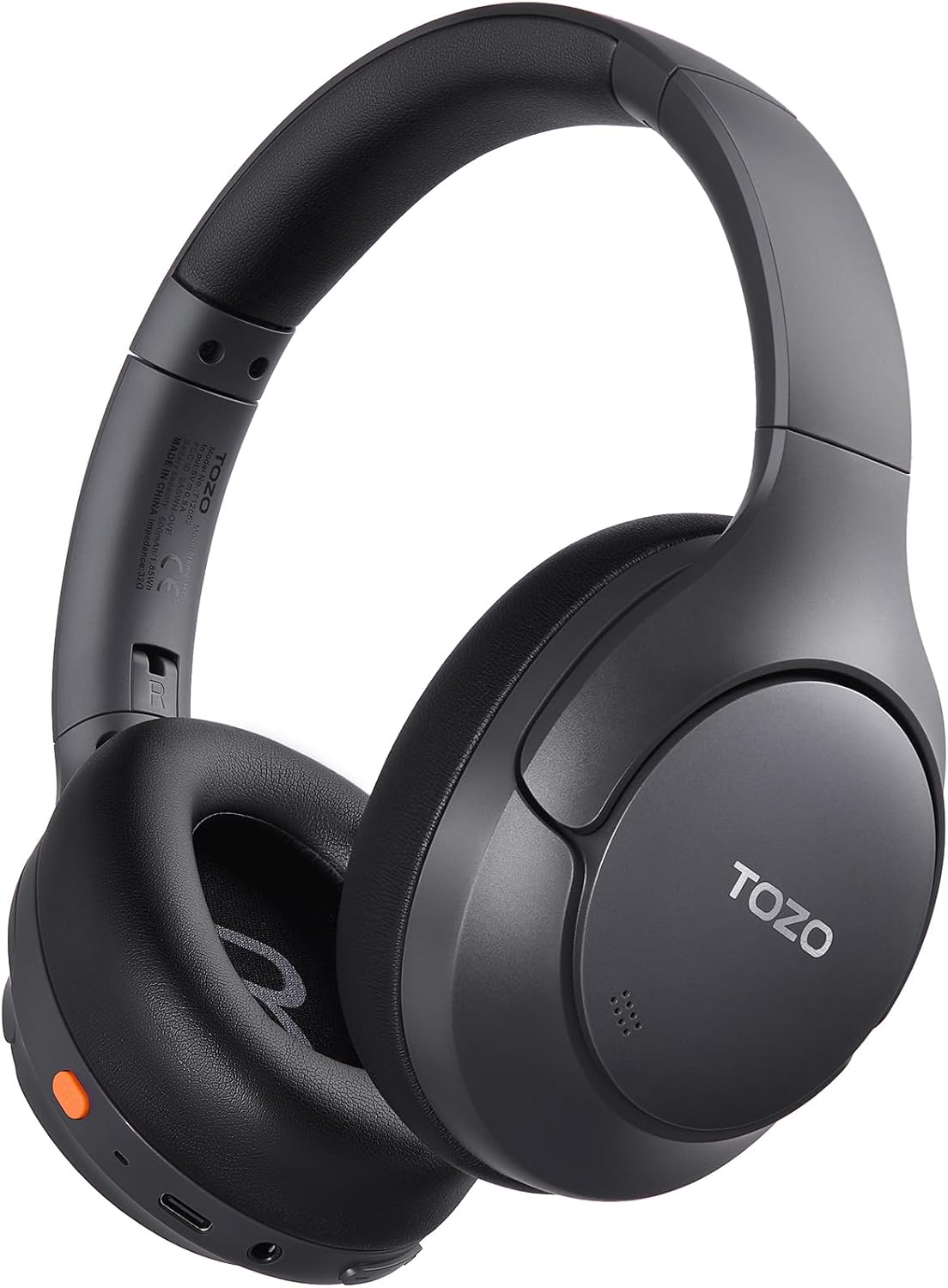
Image: Front view of the TOZO HT3 Hybrid Noise Cancelling Headphones in black, showcasing the over-ear design and branding.
Button Function Guide

Image: Diagram illustrating the button layout and their functions on the TOZO HT3 headphones. Includes controls for Chat AI, Play/Pause, Answer/Hang up, Reject, On/off, Activate voice assistant, Volume up/down, Next/Previous song.
- Power Button: Press and hold to power on/off. Double press to activate voice assistant.
- Multi-function Button: Single press for Play/Pause, Answer/Hang up calls. Double press for Chat AI. Press and hold to reject calls.
- Volume Up (+): Single press to increase volume.
- Volume Down (-): Single press to decrease volume.
- Next Song: Press and hold Volume Up.
- Previous Song: Press and hold Volume Down.
- ANC Button: Single press to cycle through Noise Cancellation modes (ANC, Transparency, Normal).
3. Setup
3.1 Charging the Headphones
Before first use, fully charge the headphones. A full charge takes approximately 2 hours.
- Connect the provided USB-C charging cable to the charging port on the headphones.
- Connect the other end of the cable to a USB power adapter (not included) or a computer's USB port.
- The indicator light will show charging status and turn off when fully charged.

Image: Close-up of the TOZO HT3 headphone's USB-C charging port with a cable connected, illustrating the charging process.
3.2 Power On/Off
- Power On: Press and hold the Power button for approximately 3 seconds until the indicator light flashes.
- Power Off: Press and hold the Power button for approximately 5 seconds until the indicator light turns off.
3.3 Bluetooth Pairing
- Ensure the headphones are powered off.
- Press and hold the Power button for 5-7 seconds until the indicator light flashes red and blue alternately, indicating pairing mode.
- On your device (smartphone, tablet, computer), enable Bluetooth.
- Search for "TOZO HT3" in the list of available Bluetooth devices and select it to connect.
- Once connected, the indicator light will turn solid blue or flash slowly.
3.4 Wired Connection (3.5mm AUX)
Use the provided 3.5mm audio cable for a wired connection, which is useful when battery is low or for devices without Bluetooth.
- Plug one end of the 3.5mm audio cable into the AUX port on the headphones.
- Plug the other end into the 3.5mm audio jack of your device.
- The headphones will automatically switch to wired mode.

Image: The TOZO HT3 headphones connected via a 3.5mm AUX cable, demonstrating the wired listening option.
4. Operating Instructions
4.1 Noise Cancellation Modes
The TOZO HT3 features adaptive noise cancellation. Press the dedicated ANC button to cycle through the following modes:
- Active Noise Cancellation (ANC): Reduces external ambient noise by up to -45dB, ideal for travel or noisy environments.
- Transparency Mode: Allows you to hear your surroundings clearly without removing the headphones, useful for conversations or announcements.
- Normal Mode: Standard audio playback without active noise cancellation or transparency.

Image: Side view of the TOZO HT3 headphone highlighting the -45dB noise cancelling capability with a visual representation of sound wave reduction.
4.2 Spatial Audio
Experience immersive 360° spatial audio that creates a wider soundstage, making audio feel like it's coming from all around you.

Image: The TOZO HT3 headphones on a light background with circular sound wave graphics, illustrating the spatial audio feature.
4.3 AI Chat and Voice Assistant
The headphones support AI Chat and voice assistant functions for convenient control and interaction.
- Activate Voice Assistant: Double press the Power button.
- AI Chat: Double press the Multi-function button. The integrated AI features include meeting minutes, instant translation, face-to-face translation, and AI chat.

Image: A visual representation of the TOZO HT3's AI Chat capabilities, showing icons for Meeting Minutes, Instant Translation, Face-to-Face Translation, and AI Chat.
4.4 Dual Device Connection
The TOZO HT3 headphones can connect to two Bluetooth devices simultaneously, allowing for seamless switching between audio sources.
- Pair the headphones with the first device as described in section 3.3.
- Disconnect the headphones from the first device's Bluetooth settings.
- Put the headphones back into pairing mode and connect to the second device.
- Reconnect the headphones to the first device from its Bluetooth settings. The headphones should now be connected to both devices.

Image: The TOZO HT3 headphones positioned between a smartphone and a tablet, illustrating simultaneous connection to two devices.
4.5 TOZO App Features
Download the TOZO App for enhanced control and customization options, including:
- 32 EQ Music Modes: Customize your audio experience with various equalizer presets.
- Noise Reduction Modes: Easily switch and manage ANC, Transparency, and Normal modes.
- Spatial Acoustics: Fine-tune the spatial audio settings.
- Customized Touch Controls: Personalize button functions.
- Firmware Updates: Keep your headphones updated with the latest features and improvements.
- Find Your Headphones: Locate misplaced headphones.
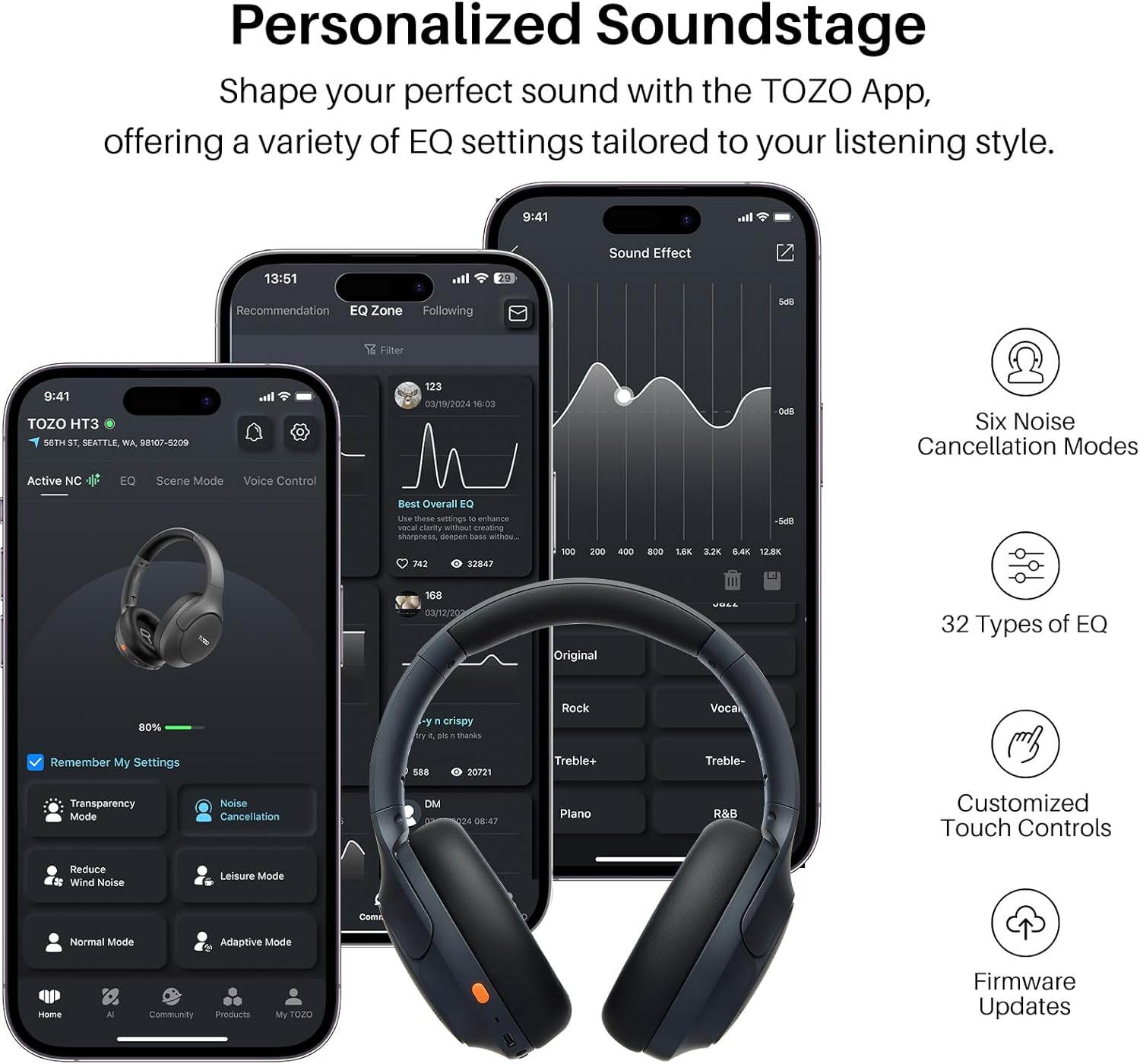
Image: Multiple smartphone screens displaying the TOZO App interface, showing options for EQ settings, noise cancellation modes, and other customizable features for the HT3 headphones.
5. Maintenance
5.1 Cleaning
- Use a soft, dry, lint-free cloth to clean the headphones.
- Do not use abrasive cleaners, solvents, or spray cleaners.
- The ear pads are removable and replaceable for hygiene and maintenance.
5.2 Storage
- Store the headphones in a cool, dry place away from extreme temperatures and direct sunlight.
- The headphones are foldable for compact storage and portability.
6. Troubleshooting
If you encounter issues with your TOZO HT3 headphones, refer to the following common problems and solutions:
| Problem | Possible Cause | Solution |
|---|---|---|
| Headphones do not power on. | Low battery. | Charge the headphones fully. |
| Cannot pair with device. | Headphones not in pairing mode; Bluetooth off on device; device too far. | Ensure headphones are in pairing mode (flashing red/blue). Turn on device Bluetooth. Move device closer (within 15 meters). Forget previous pairings and try again. |
| No sound or low volume. | Volume too low; incorrect audio source; loose cable (wired mode). | Increase headphone and device volume. Check if the correct audio output is selected on your device. Ensure 3.5mm cable is securely connected. |
| Noise cancellation not effective. | Incorrect ANC mode selected; improper fit. | Ensure ANC mode is active. Adjust headphones for a snug fit over your ears. |
| Intermittent connection. | Interference; device too far; low battery. | Move away from other wireless devices. Reduce distance to paired device. Charge headphones. |
7. Specifications
| Feature | Detail |
|---|---|
| Model Name | HT3 |
| Noise Control | Active Noise Cancellation (up to -45dB) |
| Connectivity Technology | Wireless (Bluetooth), Wired (3.5mm AUX), USB-C Audio Input |
| Wireless Communication Technology | Bluetooth 6.0 |
| Bluetooth Range | 15 Meters |
| Audio Driver Type | Dynamic Driver |
| Audio Driver Size | 40 Millimeters |
| Frequency Response | 20 Hz - 20,000 Hz |
| Sensitivity | 102 dB |
| Impedance | 32 Ohm |
| Battery Life | Up to 90 Hours |
| Charging Time | Approximately 2 Hours |
| Charging Port | USB-C |
| Item Weight | 254 Grams (9 ounces) |
| Product Dimensions | 6.26 x 3.23 x 7.56 inches |
| Water Resistance Level | Not Water Resistant |
| Special Features | AI Chat, Left-Right Ear Balance Correction, Noise Cancellation, Spatial Audio, USB Audio + Charging, Dual Connection |
8. Safety Information
- Avoid listening at high volume levels for extended periods to prevent hearing damage.
- Do not use the headphones in situations where inability to hear ambient sounds could be dangerous (e.g., driving, cycling, walking in traffic).
- Keep the headphones away from water and moisture. This product is not water resistant.
- Do not attempt to disassemble or modify the headphones. This may void the warranty and cause damage.
- Keep out of reach of children.
9. Warranty and Support
TOZO products typically come with a standard manufacturer's warranty. For specific warranty details, please refer to the warranty card included with your product or visit the official TOZO website.
Customer Support
If you have any questions, require technical assistance, or need to report an issue, please contact TOZO customer support through their official website or the contact information provided in your product packaging.
For additional resources and product information, visit the TOZO Store on Amazon.


