
PINDOWS PDS-G652
PINDOWS Women's Minimalist Quartz Watch PDS-G652 Instruction Manual
Model: PDS-G652
1. Introduction
Thank you for purchasing the PINDOWS Women's Minimalist Quartz Watch, Model PDS-G652. This manual provides essential information for the proper setup, operation, and maintenance of your watch. Please read it carefully to ensure optimal performance and longevity of your timepiece.
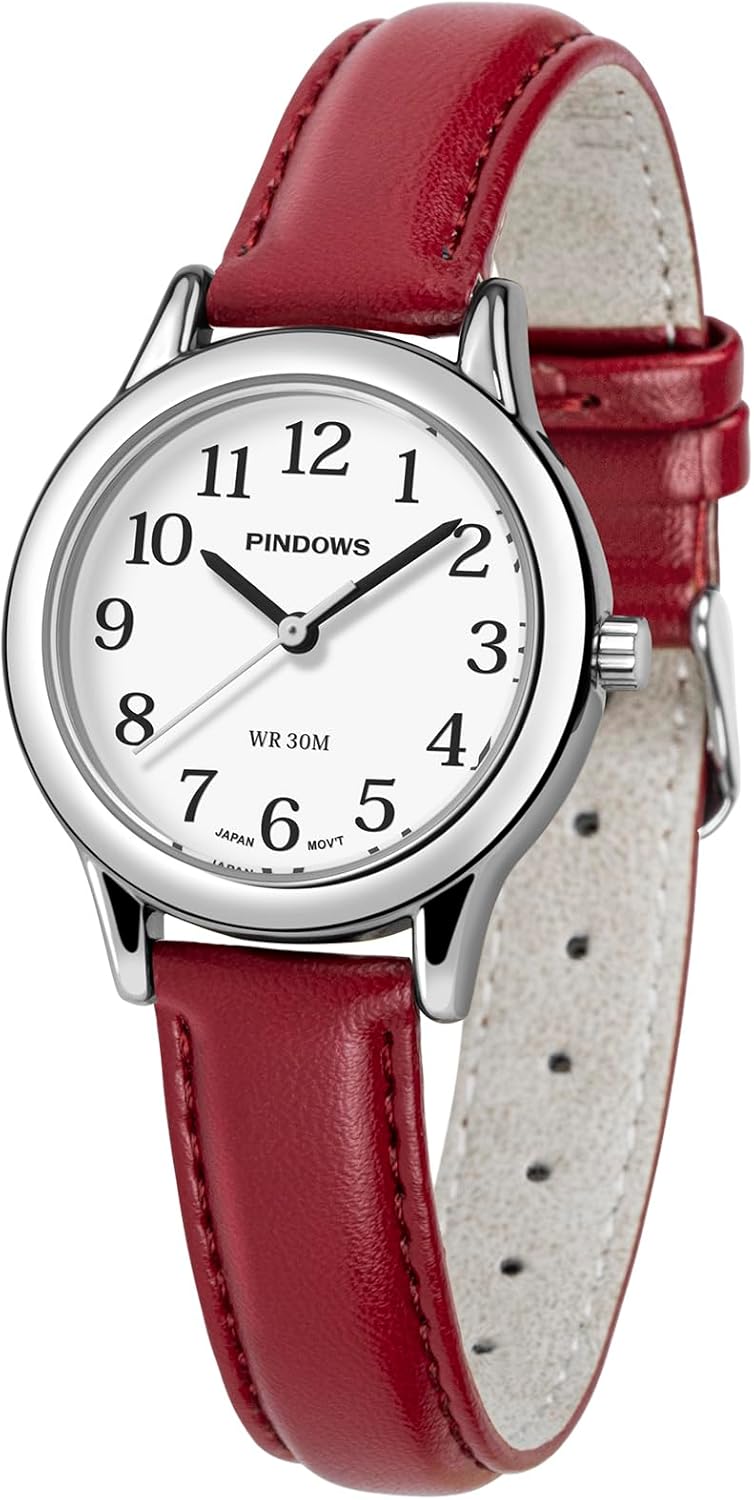
Image 1.1: Front view of the PINDOWS PDS-G652 watch with a red leather strap and silver-tone case.
2. Watch Components
Familiarize yourself with the main parts of your PINDOWS watch:
- Case: The main body of the watch, housing the movement and dial.
- Dial: The face of the watch, displaying the time with numbers and hands.
- Hands: Hour, minute, and second hands indicating the time.
- Crown: A small knob on the side of the case used for setting the time.
- Strap: The red leather band that secures the watch to your wrist.
- Buckle: The clasp mechanism on the strap.
- Case Back: The rear cover of the watch case.

Image 2.1: Rear view of the watch, highlighting the stainless steel case back. This component offers excellent corrosion resistance and a high level of sealing for durability.
3. Initial Setup
3.1 Setting the Time
- Pull the Crown: Gently pull the crown (the small knob on the right side of the watch case) outwards to the time-setting position.
- Adjust the Time: Rotate the crown clockwise or counter-clockwise to move the hour and minute hands to the correct time.
- Push the Crown Back: Once the time is set, push the crown back into its original position against the watch case. This will start the watch movement.

Image 3.1: Illustration demonstrating how to pull the crown to set the time.
3.2 Activating the Luminous Dial
The watch features a luminous dial for visibility in low-light conditions. To activate the luminescence, expose the watch dial to a bright light source (such as sunlight or strong indoor lighting) for at least 30 minutes. This allows the luminous material to absorb sufficient light energy.

Image 3.2: The watch dial glowing in the dark, demonstrating the luminous feature for clear visibility.
4. Operating Instructions
4.1 Wearing the Watch
The soft leather strap is designed for comfort and can be easily adjusted to fit your wrist. Ensure the watch is snug but not too tight, allowing for comfortable wear throughout the day.

Image 4.1: The PINDOWS watch comfortably worn on a wrist, showcasing its minimalist design.
4.2 Water Resistance
Your PINDOWS watch is water-resistant up to 30 meters (3 ATM). This means it is suitable for daily use, such as hand washing, splashes, or brief exposure to rain. However, it is not suitable for swimming, diving, or showering with hot water, as this can compromise the water seals.

Image 4.2: The watch is shown near water, indicating its 30-meter water resistance suitable for daily splashes but not immersion.
5. Care and Maintenance
- Cleaning: Wipe the watch case and strap regularly with a soft, dry cloth to remove dust and dirt. For the leather strap, avoid excessive moisture.
- Avoid Chemicals: Do not expose the watch to harsh chemicals, solvents, or detergents, as these can damage the case, strap, or internal components.
- Temperature Extremes: Avoid exposing the watch to extreme temperatures (hot or cold) or sudden temperature changes, which can affect the movement and water resistance.
- Magnetic Fields: Keep the watch away from strong magnetic fields, as they can interfere with the quartz movement's accuracy.
- Battery Replacement: The watch uses a standard watch battery. When the watch stops or runs inaccurately, it may be time for a battery replacement. We recommend having this done by a professional watch technician.
6. Troubleshooting
| Problem | Possible Cause | Solution |
|---|---|---|
| Watch stops or runs slowly | Low battery; exposure to strong magnetic fields. | Replace battery; move away from magnetic sources. |
| Condensation under crystal | Exposure to extreme temperature changes; water ingress. | Consult a professional watch technician immediately. |
| Time cannot be set | Crown not fully pulled out; damaged crown/stem. | Ensure crown is in time-setting position; if issue persists, seek professional repair. |
7. Specifications
- Model Number: PDS-G652
- Movement: Japanese Quartz
- Case Material: Alloy (Silver-tone)
- Case Diameter: 32 mm (1.26 inches)
- Case Thickness: 8 mm (0.32 inches)
- Mirror Material: Mineral Glass
- Strap Material: Leather (Red)
- Strap/Lug Width: 14 mm
- Adjustable Strap Length: Suitable for wrist circumference from 6.0 inches (153+2mm) to 8.3 inches (210+2mm)
- Water Resistance: 30 meters (3 ATM)
- Weight: Approximately 27.5 grams (0.970 ounces)
- Country of Origin: China

Image 7.1: Detailed diagram showing the watch's dimensions, including case diameter, thickness, and adjustable strap range.
8. Warranty and Support
8.1 Customer Service
PINDOWS is committed to providing a satisfying shopping experience. If you encounter any issues with your watch or are not completely satisfied, please do not hesitate to contact our customer support team. We are dedicated to providing professional assistance.
For support, please refer to the contact information provided with your purchase or visit the official PINDOWS store on Amazon:
8.2 Warranty Information
Specific warranty details are typically included with your product packaging. Please retain your proof of purchase for any warranty claims. The warranty generally covers manufacturing defects under normal use. Damage resulting from improper handling, accidents, or unauthorized repairs is not covered.
Ask a question about this manual
Ask about setup, troubleshooting, compatibility, parts, safety, or missing instructions. Manuals+ will review the question and use this page’s manual context to help answer it.