
Important Safety Instructions
Please read and understand all safety instructions before using this product. Failure to follow these instructions may result in electric shock, fire, or serious injury.
- Keep Children Away: This product is not a toy. Keep out of reach of children.
- Risk of Electric Shock: To reduce the risk of electric shock, do not plug this power strip into another relocatable power tap or an extension cord.
- Dry Location Use Only: Use this device only in dry indoor locations. Do not expose to water or moisture.
- Proper Grounding: Ensure the wall outlet is properly grounded before plugging in the surge protector.
- Avoid Overloading: Do not exceed the maximum power rating of 1250W/10A. Overloading can cause overheating and fire.
- Do Not Disassemble: Do not attempt to open, modify, or repair the device. This will void the warranty and may cause safety hazards.
- Inspect Regularly: Periodically inspect the power strip and cord for any damage. Discontinue use if any damage is found.
Product Overview
The ORICO Surge Protector Power Strip (Model OG-6A2U2C-US) is designed to provide versatile power distribution and surge protection for your electronic devices. It features a compact design with multiple outlets and USB charging ports, making it ideal for various environments such as dorms, offices, and homes.
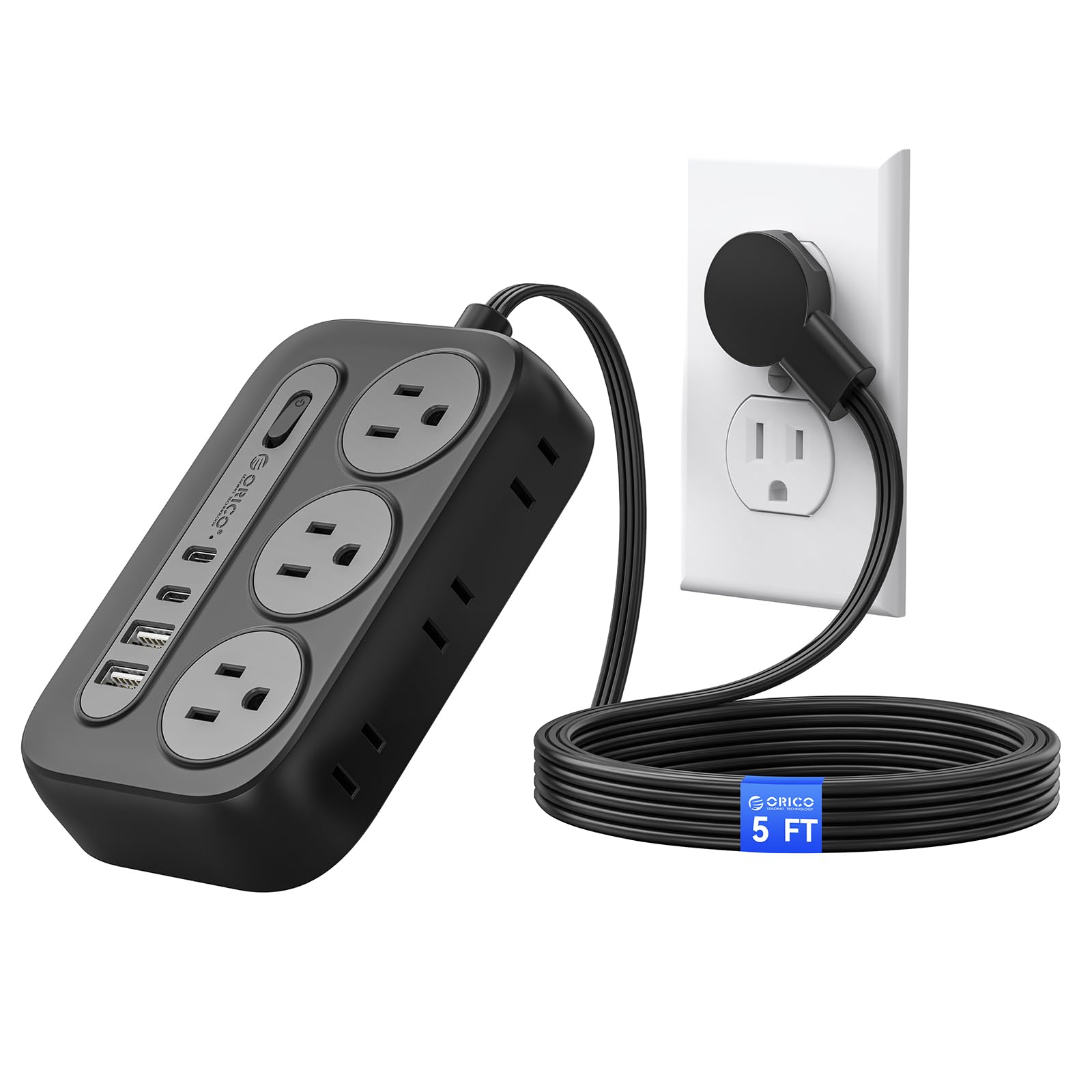
Figure 1: ORICO Surge Protector Power Strip (Black, 5ft)
Key Features:
- 10-in-1 Power Solution: Equipped with 6 AC outlets (3 grounded, 3 ungrounded), 2 USB-A ports, and 2 USB-C ports to power and charge up to 10 devices simultaneously.
- Advanced Surge Protection: Certified by FCC and UL Test Report, offering comprehensive protection against short circuits, overheating, over-current, and over-voltage. Constructed with fire-resistant PC shell for enhanced safety.
- Space-Saving Flat Plug: Features an ultra-thin (0.35 inches) 45° angled flat plug that fits easily behind furniture and prevents blocking adjacent wall outlets.
- Wall-Mountable Design: Includes 2 keyhole slots for easy wall mounting on workbenches, walls, or under counters, along with 4 rubber feet for secure placement on flat surfaces.
- 5 ft Extension Cord: Provides ample reach for flexible placement.

Figure 2: Layout of AC Outlets and USB Ports

Figure 3: USB Intelligent Charging Capability
Setup and Installation
Using the Flat Plug:
The ultra-thin, 45-degree angled flat plug is designed to maximize space and allow furniture to sit closer to the wall. Simply plug the power strip into a standard wall outlet. The angled design ensures it does not obstruct the second wall outlet.

Figure 4: Flat Plug Design for Space Saving

Figure 5: Flat Plug vs. Standard Plug Comparison
Wall Mounting:
The power strip can be securely mounted to a wall or other surfaces using the integrated keyhole slots on the back. Adhesive pads are also provided for alternative mounting without screws.
- Using Screws:
- Identify the desired mounting location.
- Use the provided wall mount screw position maker (template) to mark the screw locations on the wall.
- Drill pilot holes and insert the screws, leaving a small portion of the screw head exposed.
- Align the keyhole slots on the back of the power strip with the screw heads and slide the power strip down to secure it.
- Using Adhesive Pads:
- Clean the mounting surface thoroughly to ensure it is free of dust and grease.
- Peel off the backing from the adhesive pads and apply them to the designated areas on the back of the power strip.
- Press the power strip firmly onto the desired surface for several seconds to ensure a strong bond.

Figure 6: Wall Mount Keyhole Slots and Rubber Feet
Video Demonstrations:
Video 1: Official ORICO demonstration of the Flat Plug Power Strip with 4 USB Ports (2 USB-C), showcasing its features and compact design. (Source: ORICO SmartChip Direct Store)
Video 2: User review demonstrating the ORICO Surge Protector Power Strip, including unboxing, features, and the wall mounting template. (Source: Distractor_Beam)
Video 3: User review highlighting the wall-mountable feature and overall performance of the ORICO Power Strip. (Source: Michael Noble)
Operating Instructions
Powering On/Off:
The power strip features an integrated On/Off switch. Press the switch to turn the power strip on or off. An indicator light will illuminate when the power is on.
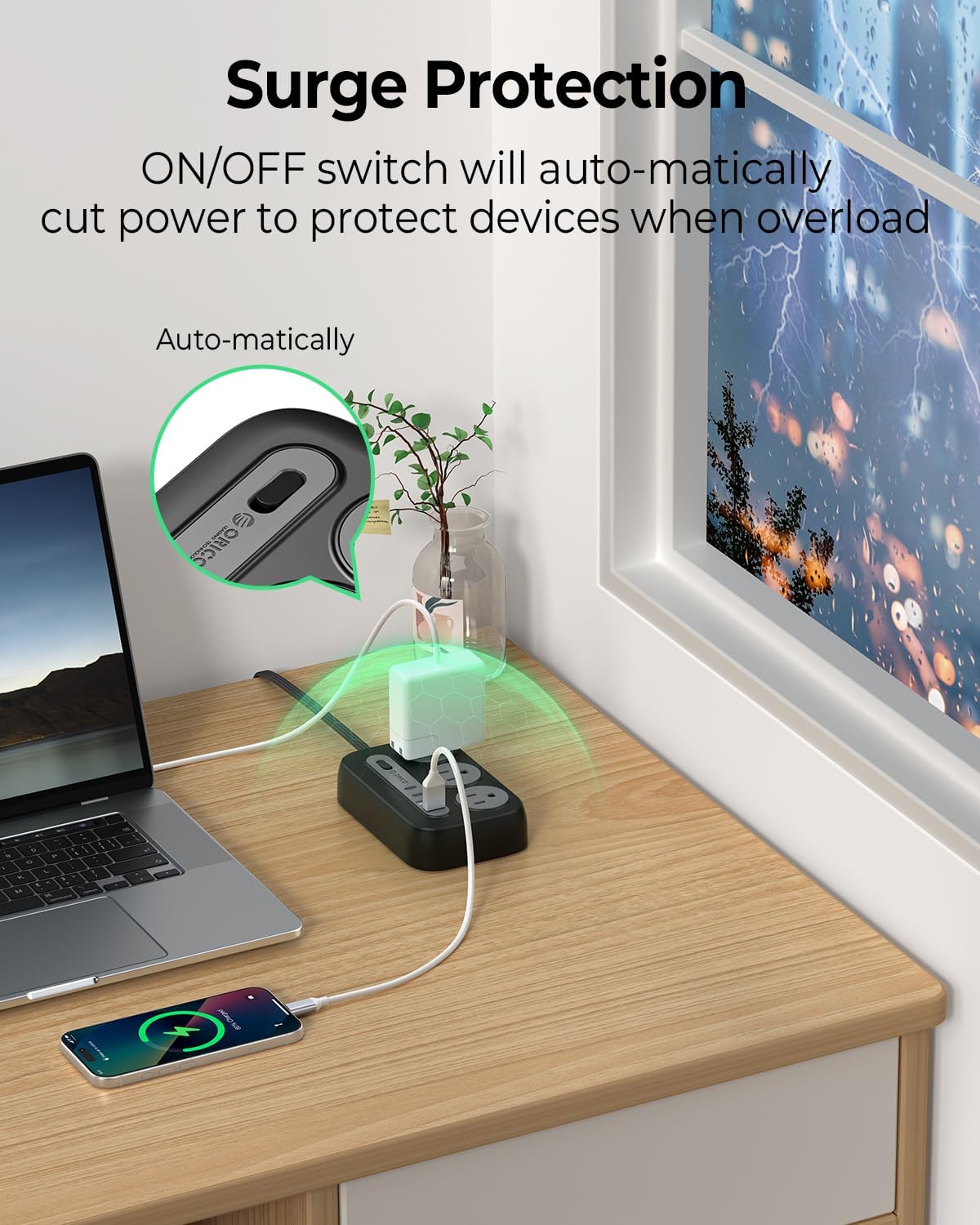
Figure 7: On/Off Switch and Overload Protection
Using AC Outlets:
Plug your devices into any of the 6 AC outlets. The outlets are widely spaced (1.7 inches apart) to accommodate larger power adapters without blocking adjacent ports.
Using USB Charging Ports:
Connect your USB-powered devices to the 2 USB-A ports or 2 USB-C ports. The USB ports provide intelligent charging with a total output of 5V=3.1A (15.5W).
Maintenance
- Keep the power strip clean and free from dust and debris. Use a dry cloth for cleaning.
- Ensure the power strip is not exposed to liquids or excessive humidity.
- Avoid placing heavy objects on the power cord or the power strip itself.
- Do not attempt to open or modify the power strip. Refer to qualified personnel for any repairs.
Troubleshooting
- No Power to Devices:
- Check if the power strip's On/Off switch is in the 'On' position and its indicator light is illuminated.
- Ensure the power strip's flat plug is securely inserted into a functioning wall outlet.
- Verify that the wall outlet itself has power by testing it with another device.
- Overload Protection Activated:
- If the power strip automatically shuts off, it may be due to an overload. Disconnect some devices to reduce the total power draw.
- Press the On/Off switch to reset the power strip after reducing the load.
- Slow USB Charging:
- Ensure your device and charging cable support fast charging if you expect higher speeds.
- The total USB output is shared. If multiple devices are connected, charging speeds may be reduced.
Specifications
| Feature | Specification |
|---|---|
| Model | OG-6A2U2C-US |
| Power Outlets | 6 AC Outlets (3-prong, 2-prong) |
| USB Charger Module | 2 USB-A Ports, 2 USB-C Ports |
| Power Rating | 1250W / 125V / 10A |
| Voltage Compatibility | 100-240V~, 50/60Hz |
| Output Per USB-A Port | 5V=2.4A |
| Total USB Output | 5V=3.1A (15.5W) |
| Special Features | Lightweight, Mountable, On/Off Switch, Surge Protection, USB Slots |
| Enclosure Material | Fire-resistant PC Shell |
| Cord Length | 5 ft |
| Certifications | FCC, UL Test Report |
Warranty and Support
This ORICO Surge Protector Power Strip comes with a 12-month warranty from the date of purchase. This warranty covers manufacturing defects and workmanship under normal use.
For warranty claims, technical support, or any product-related inquiries, please contact ORICO customer service through the retailer where the product was purchased or visit the official ORICO website for support contact information.
Please retain your proof of purchase for warranty validation.
