1. Introduction
This manual provides comprehensive instructions for the safe and effective operation of your Mastfuyi FY12 Thermal Imager. Please read this manual thoroughly before using the device and retain it for future reference.
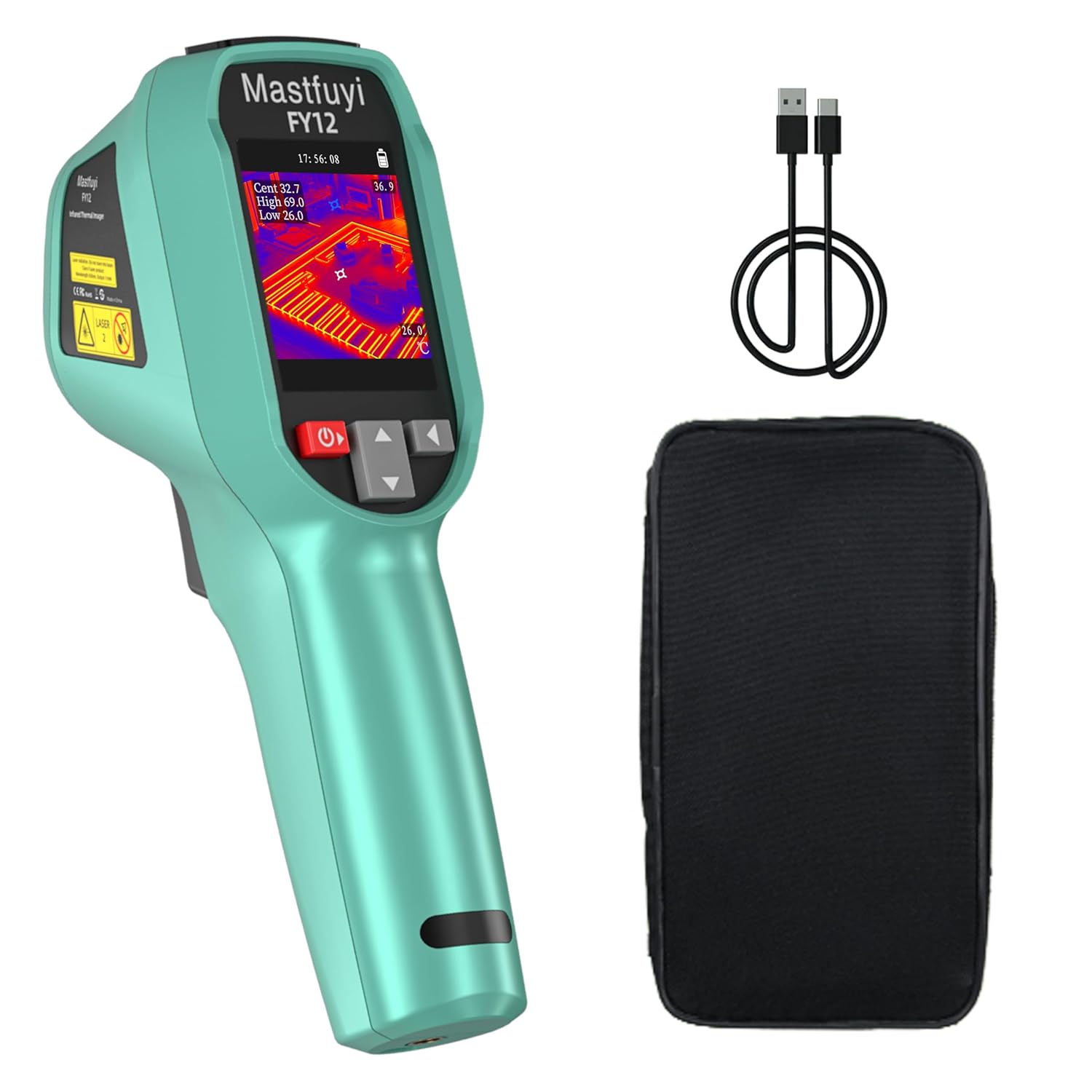
Figure 1: Mastfuyi FY12 Thermal Imager, including the device, USB charging cable, and protective carrying case.
2. Setup
2.1 Charging the Battery
The FY12 Thermal Imager features a built-in 2500mAh lithium battery. Before initial use, ensure the device is fully charged.
- Connect the provided USB Type-C cable to the charging port on the device.
- Connect the other end of the USB cable to a compatible USB power adapter (not included) or a computer USB port.
- The charging indicator will show the charging status. A full charge typically takes approximately 3 hours.
- A fully charged battery provides over 7 hours of continuous operation.
2.2 Memory Card
The device includes a built-in 4GB memory card for storing thermal images.
- The 4GB memory card can store approximately 30,000 image files in BMP format.
- To access stored images, connect the thermal imager to a computer using the USB Type-C cable. The device will appear as a removable storage device, allowing you to transfer and analyze pictures.
3. Operating Instructions
3.1 Power On/Off
- To power on the device, press and hold the power button until the screen illuminates.
- To power off, press and hold the power button again until the device shuts down.
3.2 Image Capture and Positioning
The FY12 allows for quick image capture and precise positioning using its integrated laser.
- Short Press: A short press of the capture button will take a picture and save it to the internal memory.
- Long Press: A long press of the capture button activates the laser infrared for precise positioning of the measurement target.

Figure 2: Using the laser for precise positioning and measurement.
3.3 Temperature Measurement and Display
The thermal imager is capable of detecting temperatures at 57,600 points simultaneously, providing instant visual thermography for rapid fault detection.
3.3.1 Color Palettes
The device offers 15 distinct color display modes to visualize temperature differences, enhancing clarity for various applications.
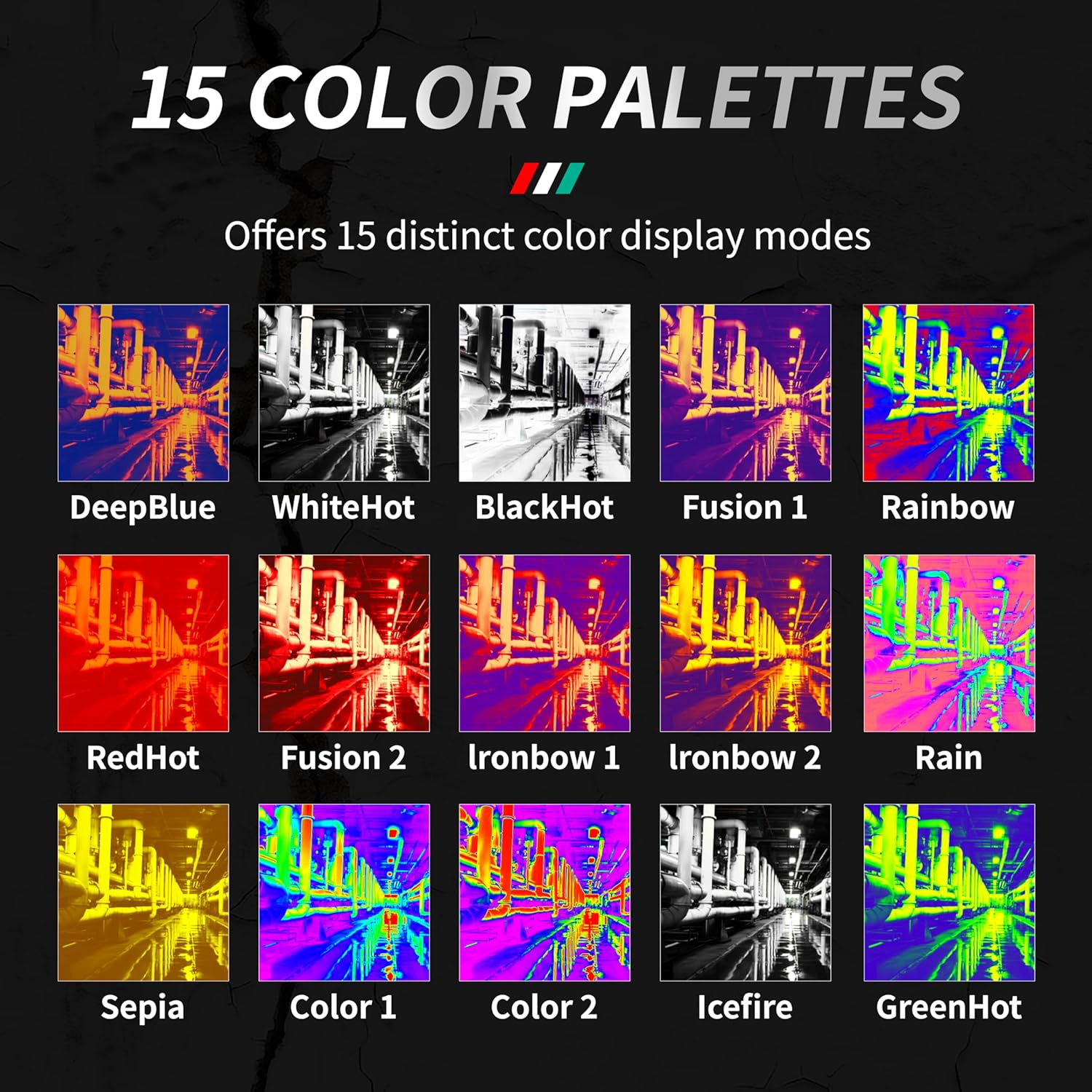
Figure 3: Overview of the 15 available color palettes for thermal imaging.
3.3.2 Automatic Temperature Tracking
The FY12 automatically tracks and displays the highest, lowest, and center point temperatures on the screen in real-time.
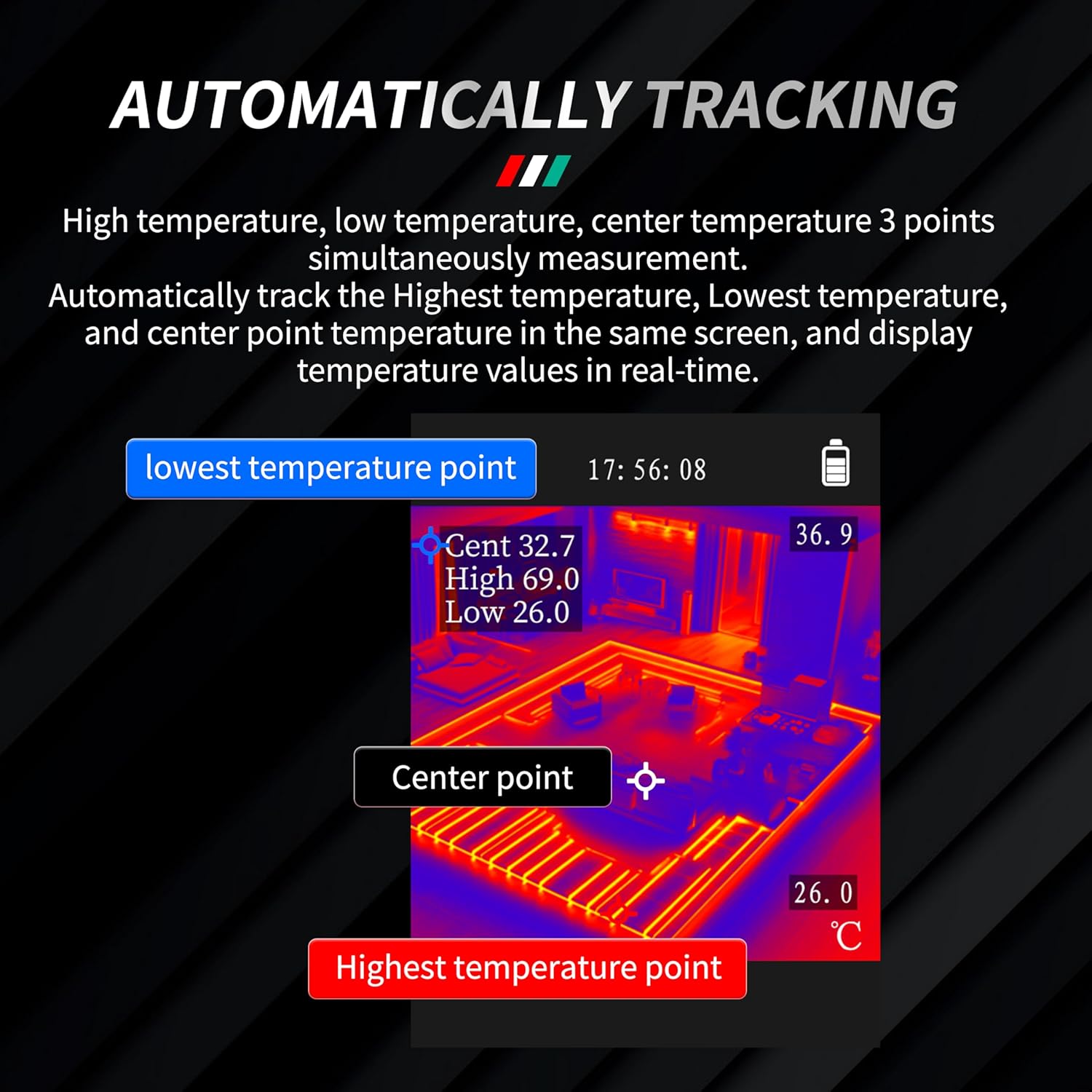
Figure 4: Automatic tracking of high, low, and center temperatures on the display.
3.3.3 Temperature Alarm
You can set high and low alarm values in the menu. If the measured temperature exceeds these set values, the corresponding temperature reading on the screen will turn red, indicating a critical condition.

Figure 5: Temperature alarm feature, highlighting critical temperature readings in red.
3.4 Adjustable Emissivity and Measuring Distance
For accurate temperature readings, the emissivity and measuring distance can be adjusted.
- Emissivity: The emissivity can be adjusted from 0.1 to 1.0 to match the surface properties of the object being measured. Refer to standard emissivity tables for common materials.
- Measuring Distance: The optimal measuring range can be adapted between 0.3 meters and 3 meters, depending on the application and desired accuracy.

Figure 6: Illustration of adjustable emissivity and measuring distance settings.
4. Maintenance
4.1 Cleaning
- Use a soft, dry cloth to clean the exterior of the device.
- For the lens, use a specialized lens cleaning cloth and solution to avoid scratches.
- Do not use abrasive cleaners or solvents.
4.2 Storage
- Store the thermal imager in its protective carrying case when not in use.
- Keep the device in a cool, dry place, away from direct sunlight and extreme temperatures.
4.3 Durability
The Mastfuyi FY12 features an IP54 rating, making it waterproof and dustproof. Its high-quality double-injection-molded body is designed to withstand falls from up to 1.5 meters in height.
5. Troubleshooting
If you encounter issues with your Mastfuyi FY12 Thermal Imager, please refer to the following common solutions:
- Device not powering on: Ensure the battery is fully charged. Connect the device to a power source and attempt to power on again.
- Unclear image: Check if the lens is clean. Adjust the focus if available (this model has fixed focus, so ensure proper distance). Verify emissivity settings for the target material.
- Inaccurate temperature readings: Confirm the correct emissivity setting for the surface being measured. Ensure the measuring distance is within the recommended range (0.3m to 3m).
- Cannot save images: Check if the internal 4GB memory is full. Connect to a computer to transfer or delete old images.
- Device unresponsive: Try performing a soft reset by holding the power button for an extended period (e.g., 10-15 seconds) until the device restarts or shuts down.
If problems persist, please contact Mastfuyi customer support for further assistance.
6. Specifications
| Feature | Specification |
|---|---|
| Model | FY12 |
| IR Resolution | 96 x 96 (9,216 pixels), enhanced to 240 x 240 (57,600 pixels) with SuperIR technology |
| Frame Rate | 25 Hz |
| Temperature Measuring Range | -20°C to 550°C (-4°F to 1022°F) |
| Field of View (FOV) | 50° x 50° |
| Display | 2.4-inch TFT LCD with LED backlighting |
| Color Palettes | 15 modes |
| Emissivity | Adjustable (0.1 to 1.0) |
| Measuring Distance | 0.3 meters to 3 meters |
| Battery | Built-in 2500mAh Lithium, USB Type-C rechargeable |
| Battery Life | 7+ hours continuous use |
| Storage | Built-in 4GB memory card (approx. 30,000 BMP images) |
| Ingress Protection (IP) Rating | IP54 (Waterproof and Dustproof) |
| Drop Resistance | 1.5 meters |
| Dimensions | 8.86 x 3.98 x 2.99 inches |
| Weight | 1.06 Pounds |

Figure 7: The 50°x50° wide-angle lens provides a broad view, ideal for inspecting infrastructure.
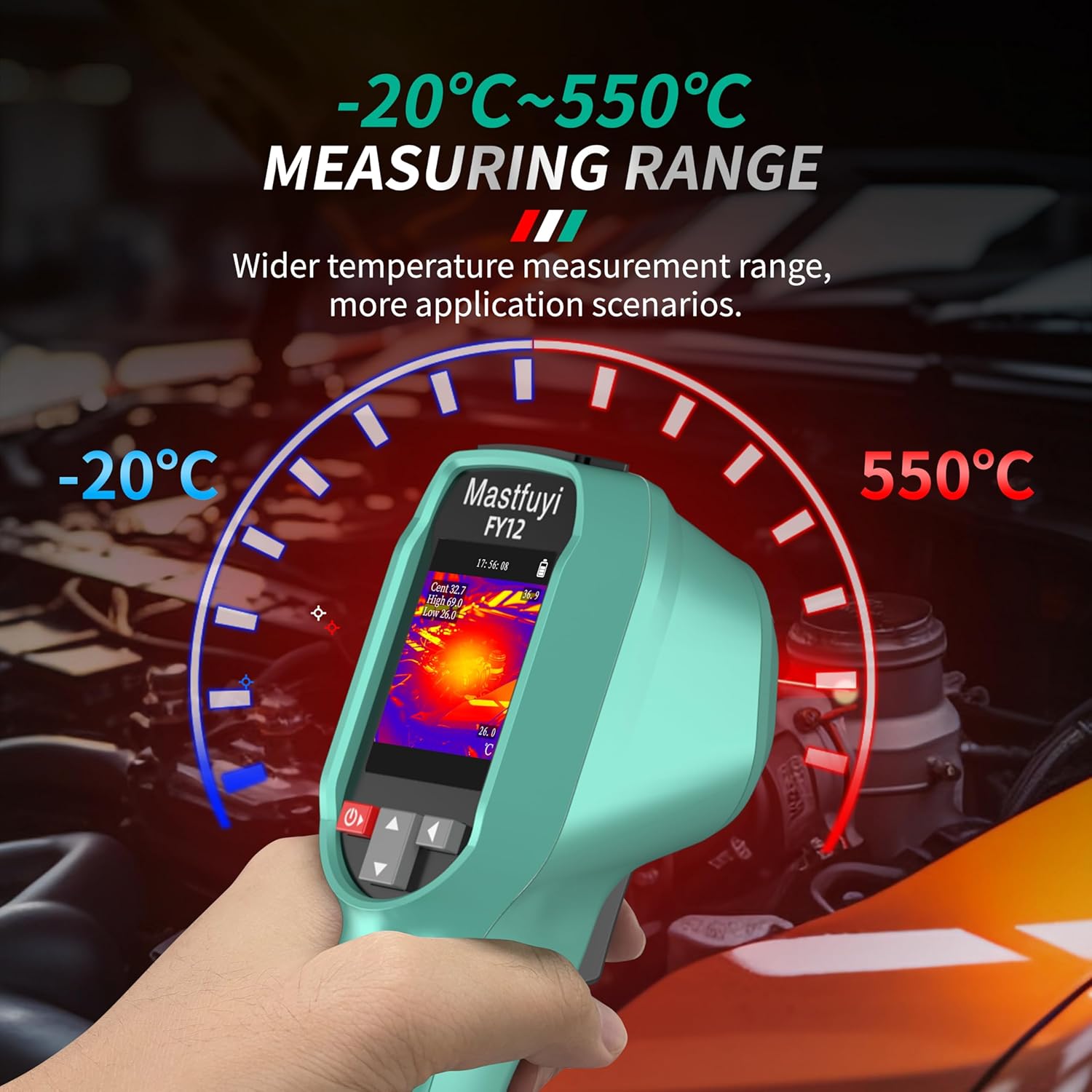
Figure 8: The wide temperature measurement range of -20°C to 550°C supports diverse applications.
7. Warranty and Support
For warranty information or technical support, please refer to the warranty card included with your product or visit the official Mastfuyi website. You may also contact Mastfuyi customer service directly for assistance with product operation, troubleshooting, or repair services.
Manufacturer: Mastfuyi
Date First Available: March 17, 2025


