1. Introduction
This manual provides instructions for the Fanvace P8 5-inch Android 13 MP3 Player. Please read this manual thoroughly before using the device to ensure proper operation and to maximize its features.
2. Package Contents
Verify that all items are present in the package:
- 1 x Fanvace P8 MP3 Player
- 1 x USB C Cable
- 1 x Wired Earphones
- 1 x Screen Protector
- 1 x Protective Case
- 1 x User Manual (this document)

Figure 2.1: Included accessories with the Fanvace P8 MP3 Player.
3. Device Overview
The Fanvace P8 is a 5-inch MP3 player running on Android 13 OS, featuring Bluetooth 5.0 and Wi-Fi connectivity. It includes a built-in speaker, FM radio, and supports a wide range of audio and video formats.

Figure 3.1: Front view of the Fanvace P8 MP3 Player.

Figure 3.2: Key features of the Fanvace P8 MP3 Player.
4. Setup
4.1 Initial Charging
Before first use, fully charge the device. Connect the provided USB-C cable to the player and a 5V-1A or 5V-2A charger. Avoid using fast chargers. A full charge typically takes 3-4 hours.
4.2 Power On/Off
- To Power On: Press and hold the power button (located on the side) until the screen illuminates.
- To Power Off: Press and hold the power button, then select 'Power Off' from the on-screen options.
4.3 Wi-Fi Connection
To connect to a Wi-Fi network:
- Go to Settings > Network & internet > Wi-Fi.
- Toggle Wi-Fi On.
- Select your desired network from the list and enter the password if prompted.
4.4 Bluetooth Pairing
To pair with Bluetooth devices (e.g., headphones, speakers):
- Go to Settings > Connected devices > Bluetooth.
- Toggle Bluetooth On.
- Ensure your Bluetooth device is in pairing mode.
- Select your device from the 'Available devices' list to pair.

Figure 4.1: Connectivity options for the Fanvace P8 MP3 Player.
5. Operating Instructions
5.1 Basic Navigation
The device features a 5-inch HD IPS touchscreen. Navigate by tapping, swiping, and pinching gestures similar to a smartphone.
5.2 Music Playback
The player supports various audio formats including MP3, WAV, FLAC, APE, OGG, M4A, AAC, and WMA. Use the pre-installed music player app or download others from the Play Store.
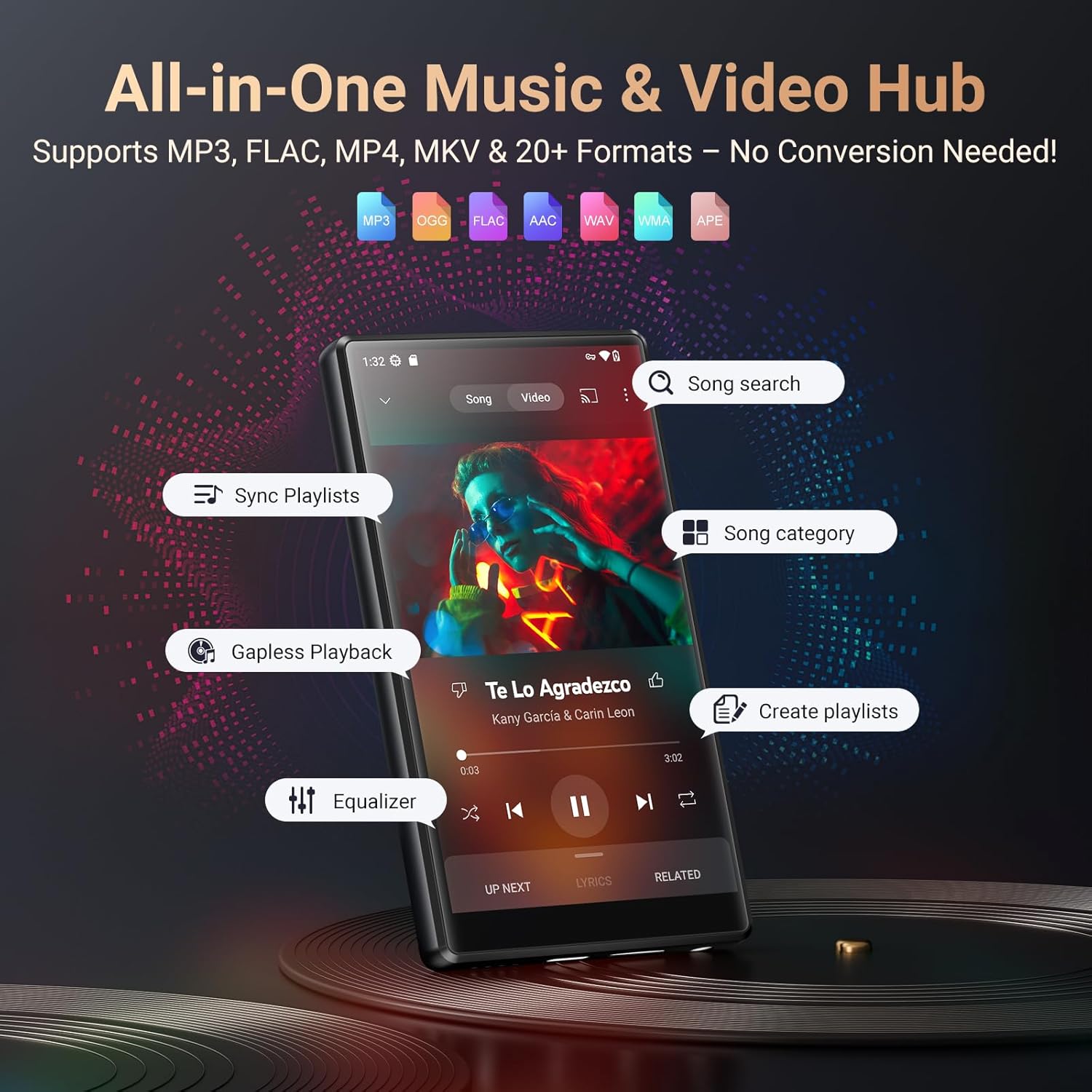
Figure 5.1: Music playback interface and supported formats.
5.3 Video Playback
The device supports video formats such as RM, RMVB, FLV, MP4, DAT, MKV, MPG, MOV, and TS directly without conversion. Enjoy videos in 1080p resolution on the 5-inch HD screen.

Figure 5.2: Video playback quality on the 5-inch HD screen.

Figure 5.3: Supported music and video formats for seamless playback.
5.4 File Transfer
Connect the device to a computer using the USB-C cable to transfer music, videos, and other files. The device will appear as a removable storage device.
5.5 FM Radio
To use the FM Radio, connect the wired earphones (acting as an antenna) to the device. Open the FM Radio app and scan for available stations.
5.6 Voice Recorder
Access the Voice Recorder app from the main menu to record audio. Recordings are saved internally and can be managed through the file manager.
5.7 App Management
The device comes pre-installed with popular apps like Spotify, Amazon Music, Audible, and more. You can download additional apps from the Google Play Store. To uninstall an app, press and hold its icon on the home screen or app drawer, then drag it to the 'Uninstall' option.

Figure 5.4: Pre-installed applications and access to the Play Store.
Figure 5.5: Uninstalling applications on the Fanvace P8.
5.8 Storage Management
The device has 128GB of internal storage and supports external storage expansion up to 512GB via a microSD card (not included). This allows for ample space for songs, videos, audiobooks, and pictures.

Figure 5.6: Large storage capacity of the Fanvace P8.
6. Maintenance
6.1 Cleaning
Use a soft, dry, lint-free cloth to clean the device. Do not use abrasive cleaners or solvents. Avoid getting moisture into openings.
6.2 Battery Care
The device is equipped with a 2500mAh lithium battery. To prolong battery life:
- Avoid extreme temperatures.
- Do not allow the battery to fully discharge frequently.
- Use the recommended 5V-1A or 5V-2A charger.
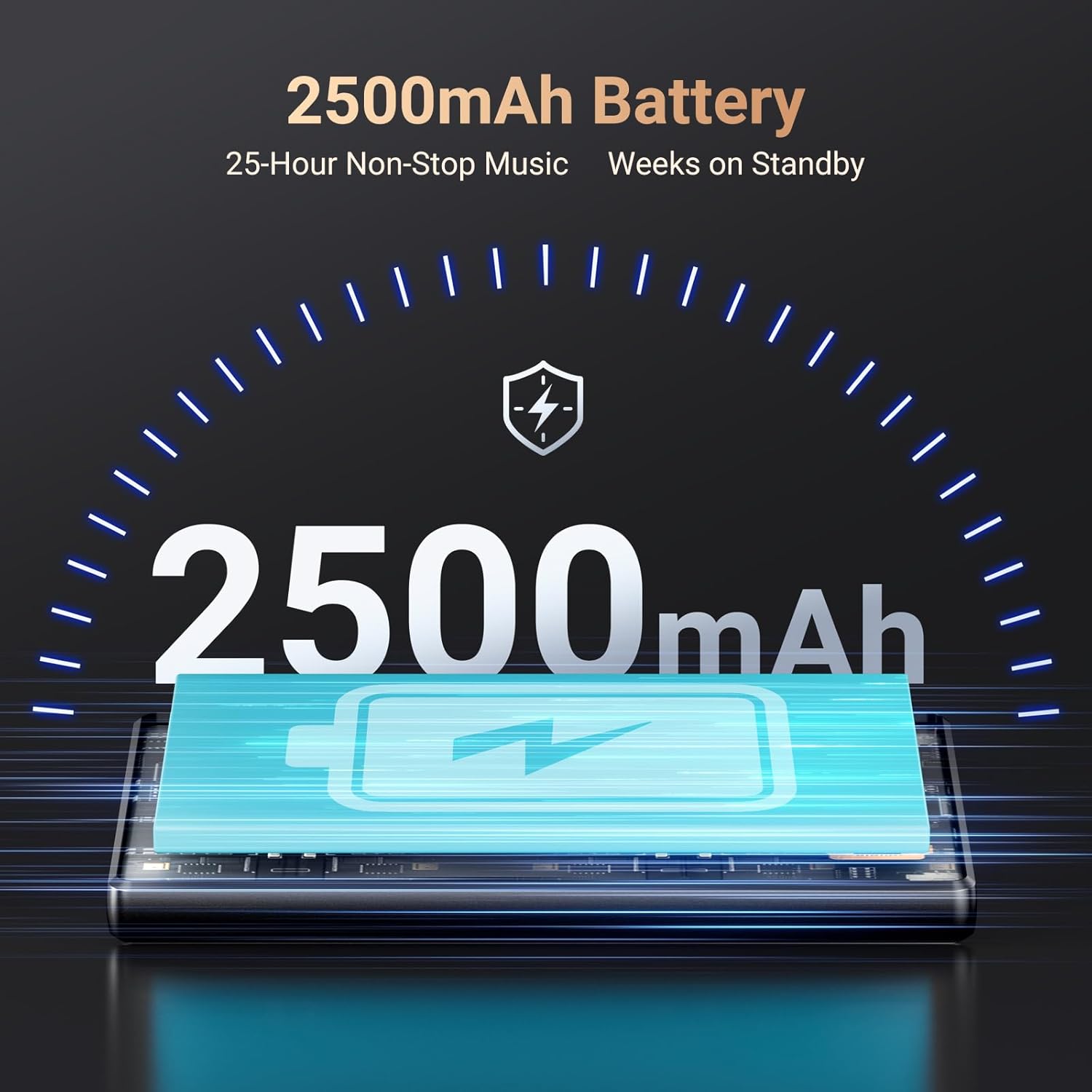
Figure 6.1: Battery capacity and typical usage times.

Figure 6.2: Detailed battery performance metrics.
6.3 Software Updates
The Android 13 OS may receive periodic software updates. Check for updates in Settings > System > System update to ensure optimal performance and security.
7. Troubleshooting
- Device not turning on: Ensure the battery is charged. Connect to a charger and wait a few minutes before attempting to power on again.
- Cannot connect to Wi-Fi/Bluetooth: Verify that Wi-Fi/Bluetooth is enabled in settings. Ensure the network password is correct or the Bluetooth device is in pairing mode and within range.
- Apps crashing or freezing: Try restarting the device. If the issue persists, clear the app's cache (Settings > Apps > [App Name] > Storage & cache > Clear cache) or uninstall and reinstall the app.
- Poor audio quality: Check earphone connection or Bluetooth connection. Ensure audio files are not corrupted. Adjust equalizer settings if available.
- Slow performance: Close unnecessary background applications. Clear cache and temporary files. Consider a factory reset if performance issues continue (backup data first).
8. Specifications
| Model Number | P8 |
| Operating System | Android 13 |
| Processor | MTK 8-core |
| Screen Size | 5 Inches |
| Internal Storage | 128 GB ROM |
| RAM | 4 GB |
| Expandable Storage | Up to 512GB (Micro SD) |
| Connectivity | Bluetooth 5.0, Wi-Fi, USB-C |
| Battery Capacity | 2500mAh Lithium Ion |
| Audio Formats | MP3, WAV, FLAC, APE, OGG, M4A, AAC, WMA |
| Video Formats | RM, RMVB, FLV, MP4, DAT, MKV, MPG, MOV, TS |
| Special Features | Built-In Speaker, FM Radio, Touch Screen, Video Playback, Voice Recorder |
| Item Weight | 13.7 ounces |
| Manufacturer | Fanvace |
9. Important Information
9.1 Video Demonstration
Watch this video for a visual overview of the Fanvace P8 MP3 Player's features and design.
Video 9.1: Overview of the Fanvace 5-inch 128GB MP3 Player with Bluetooth and WiFi.
10. Warranty and Support
For warranty information, please refer to the documentation included with your purchase or contact Fanvace customer support. The manufacturer is Fanvace.
For further assistance or technical support, please visit the official Fanvace website or contact their customer service department.


