1. Introduction
This manual provides instructions for the proper installation, use, and maintenance of the Generic G80-3800 3801 Low Keycap MX-Board2.0 Mechanical Keyboard Protective Film. This product is designed to protect your compatible mechanical keyboard from dust, spills, and general wear.
Please read this manual thoroughly before using the product to ensure optimal performance and longevity.
2. Product Overview
The protective film is a transparent, flexible cover specifically designed to fit the G80-3800 and G80-3801 MX-Board2.0 mechanical keyboards with low keycaps. It acts as a barrier against external elements while allowing full visibility and functionality of the keyboard.
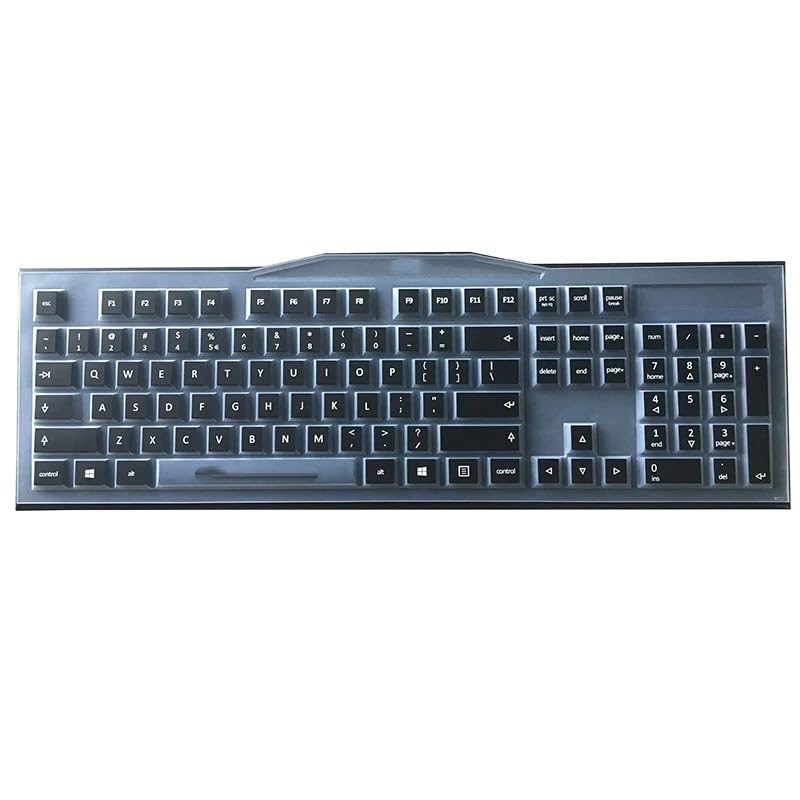
Figure 2.1: Generic G80-3800 3801 Keyboard Protective Film. This image shows the transparent protective film laid flat, highlighting its flexible material and precise cut for keyboard keys.
3. Setup and Installation
- Clean the Keyboard: Ensure your G80-3800 or G80-3801 MX-Board2.0 mechanical keyboard is clean and free of dust or debris before applying the protective film.
- Unpack the Film: Carefully remove the protective film from its packaging. Avoid creasing or folding the film excessively.
- Align the Film: Gently place the protective film over your keyboard, aligning the cutouts with the individual keys. Start from one corner and work your way across, ensuring each key is properly covered.
- Smooth Out: Once aligned, gently press down on the film to ensure it adheres smoothly to the keycaps and keyboard surface. Remove any air bubbles by gently pushing them towards the edges.
- Verify Fit: Confirm that all keys are accessible and that the film does not interfere with typing or keyboard functionality.
The film is designed for a precise fit. Do not force it if it does not align correctly; re-adjust its position.
4. Operating Instructions
Once installed, the protective film requires no special operation. It is designed to remain on the keyboard during normal use, providing continuous protection.
- The film allows for normal typing and key presses without significant alteration to the tactile feel.
- It protects against dust accumulation, minor liquid spills, and general wear on the keycap legends.
- For optimal protection, ensure the film is always properly seated on the keyboard.
5. Maintenance and Care
Regular cleaning will help maintain the clarity and effectiveness of your protective film.
- Daily Cleaning: Use a soft, dry cloth to wipe away dust and fingerprints from the surface of the film.
- Deep Cleaning: For more stubborn dirt or spills, gently remove the film from the keyboard. Wash it with mild soap and lukewarm water. Rinse thoroughly and allow it to air dry completely before re-applying it to the keyboard.
- Avoid Harsh Chemicals: Do not use abrasive cleaners, alcohol-based solutions, or harsh chemicals, as these can damage the film material.
- Storage: If removing the film for an extended period, store it flat or gently rolled to prevent creases.
6. Troubleshooting
| Problem | Possible Cause | Solution |
|---|---|---|
| Film does not fit correctly. | Incorrect alignment or incompatible keyboard model. | Re-align the film carefully. Ensure your keyboard is a G80-3800 or G80-3801 MX-Board2.0 with low keycaps. |
| Bubbles or creases appear under the film. | Improper application. | Gently lift the film and re-apply, smoothing from one end to the other to push out air. |
| Film becomes cloudy or discolored. | Exposure to harsh chemicals or prolonged use without cleaning. | Clean the film as per maintenance instructions. If discoloration persists, consider replacement. |
7. Specifications
- Model Compatibility: G80-3800, G80-3801 MX-Board2.0 Mechanical Keyboards (Low Keycap versions)
- Material: Flexible, transparent polymer
- Function: Dustproof, spill-resistant, wear protection
- Manufacturer: generic
- ASIN: B0FP99GK2G
- Date First Available: August 30, 2025
8. Warranty and Support
For warranty information and customer support, please refer to the seller or the original purchase documentation. As this is a generic product, specific warranty terms may vary depending on the retailer and region of purchase.
If you encounter issues not covered in this manual, please contact your point of purchase for assistance.


