
Introduction
This manual provides detailed instructions for the operation and maintenance of your PINDOWS L644N1 Military Digital Analog Watch. Please read this manual thoroughly to ensure proper use and to maximize the lifespan of your watch. Keep this manual for future reference.

Figure 1: PINDOWS L644N1 Watch Front View

Figure 2: PINDOWS L644N1 Watch on Wrist
Product Overview
The PINDOWS L644N1 is a multifunctional digital analog watch designed for durability and precision. It features a high-quality Japanese quartz analog movement combined with digital functions, including dual time, LED backlight, alarm, stopwatch, and calendar.
Watch Components

Figure 3: Watch Components and Button Functions
- Light Button: Activates the LED backlight.
- Mode Button: Cycles through digital display modes (Time, Alarm, Stopwatch, Dual Time).
- Set Time Crown: Used for setting analog time.
- Start Button: Used to start/stop stopwatch, adjust settings.
- Reset Button: Used to reset stopwatch, adjust settings.
- Analog Display: Traditional hour, minute, and second hands.
- Digital Display: Shows time, date, day, and other digital functions.
Setup Instructions
1. Setting Analog Time
- Pull out the Set Time Crown (right side of the watch) to position 1.
- Rotate the crown to adjust the hour and minute hands to the desired time.
- Push the crown back into its original position to start the analog timekeeping.
2. Setting Digital Time and Date
The digital display allows for precise time and date settings, including a 24-hour system and calendar.
- Press the Mode Button repeatedly until the digital display shows the current time mode (usually flashing seconds).
- Press the Reset Button to select the item to be adjusted (seconds, hour, minute, year, month, day). The selected item will flash.
- Use the Start Button to increase the value of the flashing item. Hold the button to advance rapidly.
- Once all settings are correct, press the Mode Button to exit the setting mode.
Operating Instructions
1. LED Backlight
To illuminate the digital display in low-light conditions:
- Press the Light Button (top left). The backlight will activate for a few seconds.

Figure 4: LED Backlight in use
2. Alarm Function
To set and activate the alarm:
- Press the Mode Button until "AL" (Alarm) appears on the digital display.
- Press the Reset Button to select the hour or minute to be adjusted.
- Use the Start Button to set the desired alarm time.
- Press the Mode Button to confirm and exit.
- To turn the alarm ON/OFF, while in Alarm mode, press the Start Button. An alarm icon will appear/disappear.
3. Stopwatch Function
To use the stopwatch for timing events:
- Press the Mode Button until "ST" (Stopwatch) appears on the digital display.
- Press the Start Button to begin timing.
- Press the Start Button again to pause timing.
- Press the Reset Button to clear the stopwatch to zero.
- To resume timing after pausing, press the Start Button.
4. Dual Time Function
The dual time function allows you to keep track of a second time zone.
- Press the Mode Button until "DT" (Dual Time) appears on the digital display.
- Press the Reset Button to select the hour or minute to be adjusted.
- Use the Start Button to set the desired second time zone.
- Press the Mode Button to confirm and exit.
Water Resistance Guidelines
Your PINDOWS L644N1 watch is rated for 50 meters (5ATM) water resistance. This means it is suitable for everyday use, including splashes, rain, and handwashing. It is not suitable for swimming, diving, or showering with hot water, as steam and temperature changes can compromise the seals.
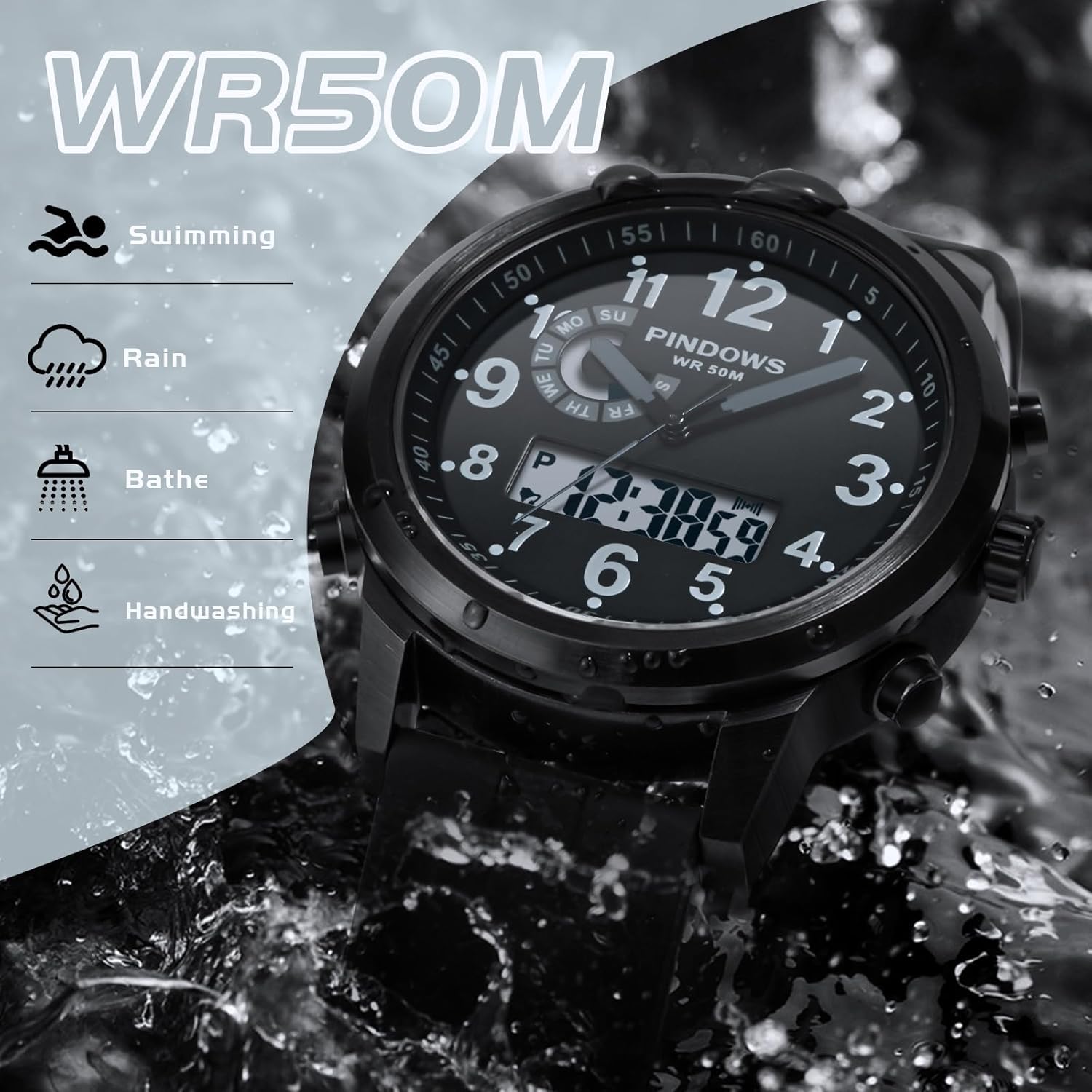
Figure 5: Water Resistance Chart
- Do not operate buttons or the crown while the watch is wet or submerged.
- Avoid exposing the watch to extreme temperature changes.
- If the watch is exposed to saltwater, rinse it with fresh water and dry thoroughly.
Care and Maintenance
- Cleaning: Wipe the watch case and band regularly with a soft, dry cloth. For silicone bands, a mild soap solution can be used, then rinse and dry completely.
- Avoid Chemicals: Do not expose the watch to solvents, detergents, perfumes, or cosmetics, as these can damage the case, band, or seals.
- Temperature: Avoid exposing the watch to extreme temperatures (above 60°C / 140°F or below -10°C / 14°F) or sudden temperature changes.
- Magnetic Fields: Keep the watch away from strong magnetic fields to prevent interference with the movement.
- Battery Replacement: When the digital display dims or the analog hands stop, the battery may need replacement. It is recommended to have the battery replaced by a qualified watch technician to ensure water resistance is maintained.
Troubleshooting
| Problem | Possible Cause | Solution |
|---|---|---|
| Analog hands not moving. | Battery depleted or crown pulled out. | Push the crown in. If still not working, replace the battery. |
| Digital display is blank or dim. | Battery depleted. | Replace the battery. |
| Time is inaccurate. | Incorrect setting or exposure to strong magnetic fields. | Reset the time. Keep the watch away from magnets. |
| Water inside the watch. | Crown or buttons operated underwater, or seals compromised. | Immediately take the watch to a qualified technician for inspection and repair. Do not attempt to dry it yourself. |
Specifications

Figure 6: Watch Dimensions
- Model Name: PDS-L644
- Display Type: Analog-Digital
- Movement: Japanese Quartz
- Case Material: Stainless Steel
- Crystal: Mineral Glass
- Band Material: Silicone
- Clasp Type: Buckle
- Water Resistance: 50 Meters (5ATM)
- Case Diameter: 45 Millimeters
- Case Thickness: 15 Millimeters
- Band Width: 22 Millimeters
- Band Length: 220 Millimeters
- Weight: 97 grams (3.4 ounces)
- Functions: Dual Time, LED Backlight, Alarm, Stopwatch, Calendar (Day/Date), 24-hour system.
- Power Source: Battery Powered
Warranty and Support
This PINDOWS watch comes with a manufacturer's warranty. For specific warranty details, please refer to the documentation included with your purchase or contact PINDOWS customer support. If you encounter any issues not covered in the troubleshooting section, please reach out to the retailer or manufacturer for assistance.


