1. Product Overview
This manual provides detailed instructions for the Anpviz 4K 8MP PTZ POE IP Camera, Model PTZIP3182WD-SU-5X. This advanced security camera features 4K Ultra HD resolution, 5X optical zoom, Pan-Tilt-Zoom (PTZ) capabilities, two-way audio, and intelligent human/vehicle detection. Designed for both indoor and outdoor use, it offers robust surveillance with 100ft IR night vision and flexible connectivity options.
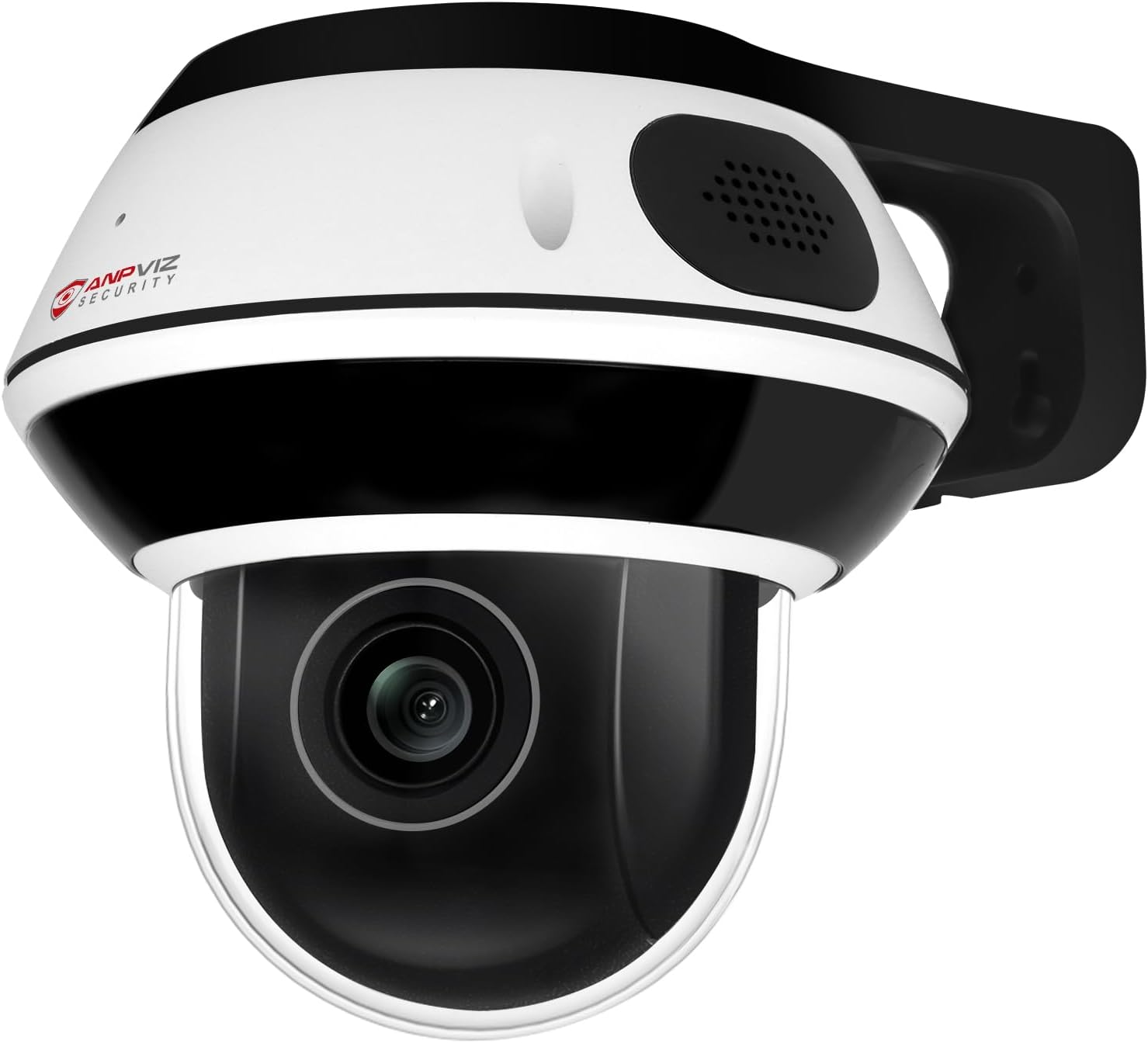
Figure 1: Anpviz 4K 8MP PTZ POE IP Camera
2. What's in the Box
Verify that all components are present in your package:
- Anpviz 4K PTZ IP Dome Camera
- Mounting Plate and Mounting Bracket
- Mounting Screw Bag
- Instruction Manual (this document)
- Warning Sign Sticker
- Warranty Card

Figure 2: Package Contents
3. Setup and Installation
3.1 Mounting the Camera
The camera can be mounted on a wall or ceiling. Ensure the mounting surface is strong enough to support the camera's weight.
- Mark the drill holes using the mounting plate as a template.
- Drill holes and insert expansion screws if necessary.
- Secure the quick mounting plate with screws.
- Align the camera with the mounting plate and rotate clockwise to secure it.
- Tighten the camera to the mounting plate using the provided hex wrench.

Figure 3: Mounting Options (Wall and Ceiling)
3.2 Power and Network Connection
The camera supports Power over Ethernet (PoE) or a separate DC 12V power supply.
- PoE Connection: Connect the camera directly to a PoE switch or a PoE NVR using an Ethernet cable. This provides both power and data.
- DC 12V Power: If not using PoE, connect a DC 12V power adapter (not included) to the camera's power input and an Ethernet cable to your router for network access.
- Anpviz U-Series NVR: For plug-and-play functionality, connect the camera to an Anpviz U-Series NVR.

Figure 4: Connectivity Options
4. Operating Instructions
4.1 4K Ultra HD Video Quality
The camera features a 1/2.8" Sony IMX415 CMOS Sensor, delivering 3840x2160 (8MP) resolution video at up to 20 frames per second. This sensor provides exceptional noise reduction, accurate color reproduction, and ultra-low night sensitivity for clear images.

Figure 5: IMX415 Sensor Quality
4.2 5X Optical Zoom and PTZ Functionality
Equipped with a 2.7-13.5mm motorized lens, the camera offers 5X optical zoom without compromising image clarity. The Pan-Tilt-Zoom (PTZ) function allows for a 0-350° horizontal pan and 0-90° vertical tilt, providing extensive coverage of your surveillance area.

Figure 6: 5X Optical Zoom and PTZ Range
4.3 Two-Way Audio
The integrated microphone and speaker enable real-time two-way communication. This feature allows you to speak with visitors or deter intruders directly through the camera. Note: Two-way audio functionality is optimized when used with Anpviz U-Series NVRs.

Figure 7: Two-Way Audio Communication
4.4 Human/Vehicle/Motion Detection
The camera incorporates advanced human and vehicle detection technology. When motion is detected, the camera can send instant email alerts or push notifications to your device, enhancing security by focusing on relevant events.

Figure 8: Smart Detection Alerts
4.5 IR Night Vision
Equipped with 8 infrared LED lights, the camera provides clear night vision up to 100 feet (30 meters), ensuring continuous surveillance even in complete darkness.

Figure 9: Daytime and Night Vision
4.6 Remote Access and Storage
Access live footage and recorded videos remotely using the VideoLink mobile app (available for Android and iOS) or the LMS/VideoLink PC client. The camera supports a micro SD card up to 512GB for local video storage, ensuring recordings are saved even if network connectivity is interrupted.

Figure 10: Multi-platform Remote Access

Figure 11: Micro SD Card Slot
5. Maintenance
5.1 Cleaning
Regularly clean the camera lens and housing to ensure optimal performance. Use a soft, dry cloth. For stubborn dirt, a slightly damp cloth can be used, followed by drying. Avoid abrasive cleaners or solvents.
5.2 Firmware Updates
Periodically check the Anpviz website or your VideoLink app for available firmware updates. Keeping your camera's firmware updated ensures access to the latest features, security patches, and performance improvements.
6. Troubleshooting
- No Video Feed:
- Check power connection (PoE or DC 12V adapter).
- Verify network cable connection to router/switch/NVR.
- Ensure the camera is properly added and online in the VideoLink app/client. - Poor Image Quality:
- Clean the camera lens.
- Ensure sufficient lighting for optimal daytime performance.
- Verify IR night vision is active in low-light conditions. - Detection Not Working:
- Check detection settings in the VideoLink app/client (e.g., sensitivity, detection zones).
- Ensure the camera's view is not obstructed. - Cannot Access Remotely:
- Confirm your mobile device has internet access.
- Ensure the camera is connected to the internet and online in the app.
- Check router settings for any firewall restrictions.
7. Specifications
| Feature | Specification |
|---|---|
| Model Name | PTZIP3182WD-SU-5X |
| Effective Still Resolution | 8 MP (3840x2160) |
| Photo Sensor Technology | SO-NY IMX415 CMOS |
| Optical Zoom | 5X |
| Lens | 2.7-13.5mm Auto Focus |
| Pan Range | 0-350° |
| Tilt Range | 0-90° |
| Night Vision Range | 100 Feet (30 meters) |
| Audio | Two-Way Audio (Built-in Mic & Speaker) |
| Storage | Micro SD Card Slot (up to 512GB) |
| Detection | Human/Vehicle/Motion Detection |
| Connectivity | PoE (Power over Ethernet), Ethernet |
| Connectivity Protocol | ONVIF |
| Control Method | App (VideoLink), PC Client (LMS/VideoLink) |
| Power Source | PoE or DC 12V (adapter not included) |
| Weather Resistance | IP66 Waterproof |
| Impact Resistance | IK10 Explosion-Proof (glass) |
| Material | Metal |
| Product Dimensions | 5 x 5 x 4 inches |
| Item Weight | 2.07 pounds |
8. Warranty and Support
Anpviz provides a 1-year warranty for this product. Lifetime technical support is also available to assist with any questions or issues you may encounter.
For technical assistance, please contact:
- Email: support@anpvizsecurity.com
- Support Hours: Monday-Friday, 9:00 AM - 6:00 PM (Time Zone not specified, assume local business hours)


