
1. Introduction
Thank you for choosing the LEFANT M2S Robot Vacuum and Mop Cleaner. This advanced cleaning device is designed to provide efficient and thorough cleaning for your home with minimal effort. Featuring dToF laser navigation, powerful 10000Pa suction, and intelligent obstacle avoidance, the M2S ensures a comprehensive cleaning experience. Please read this manual carefully before use to ensure proper operation and maintenance.

Image: Overview of LEFANT M2S features.
2. Package Contents
Ensure all items are present and in good condition upon unpacking. If any items are missing or damaged, please contact customer support.

Image: Contents of the LEFANT M2S package.
- LEFANT M2S Robot Vacuum Cleaner
- Water Tank
- Charging Base
- Power Adapter
- Cleaning Brush
- Mop Holder
- Side Brushes (x2)
- Washable Mop Pad
- User Manual
- Disposable Mop Pads (x5)
- HEPA Filter
3. Setup
3.1 Charging Base Placement
Place the charging base against a wall in an open area, ensuring there are no obstacles within 1 meter (3 feet) to the front and 0.5 meters (1.5 feet) to the sides. Connect the power adapter to the charging base and plug it into a wall outlet. Ensure the charging base is always powered on.
3.2 Initial Charging
Place the robot on the charging base. The indicator light will show charging status. For first-time use, fully charge the robot for at least 6 hours.
3.3 App Connection
To unlock the full potential of your LEFANT M2S, download and connect to the Lefant App.

Image: Steps for connecting the robot to the Lefant App.
- Download the Lefant App from the App Store or Google Play.
- Connect your phone to a 2.4GHz Wi-Fi network (5GHz is not supported).
- Open the Lefant App and tap "Add Device".
- Select the M2S model and enter your home Wi-Fi password. Confirm the password is correct, then tap "Next".
- Press and hold the robot's power button for 3 seconds to turn it on. Then, press and hold the power button for 6 seconds until you hear two beeps, then release.
- Wait for the app to scan for the device. Select the device to connect and wait for the connection to complete.
3.4 Smart Assistant Integration (Alexa/Google Assistant)
Integrate your LEFANT M2S with Amazon Alexa or Google Assistant for voice control.
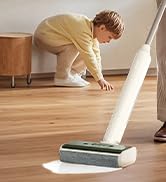
Image: Steps for connecting the robot to Amazon Alexa.
- Ensure your Alexa device is connected to the internet and associated with your Amazon account.
- Open the Lefant App and select "Me".
- Find "Google Assistant/Alexa", choose "Alexa", and tap "One-click Bind".
- Tap "Link to Amazon account".
- Click "Link", then "Back".
- Alexa is now associated. You can open the "Amazon Alexa" app to view connected devices under "Devices".
For Google Assistant, follow similar steps within the Lefant App to link your Google account.
4. Operating Instructions
4.1 Starting and Stopping Cleaning
- Start Cleaning: Press the power button on the robot or tap "Start Cleaning" in the Lefant App.
- Pause/Resume: Press the power button once during cleaning to pause. Press again to resume.
- Return to Charging Base: Press and hold the power button for 3 seconds, or select "Go back to charge" in the app.
4.2 Cleaning Modes
The LEFANT M2S offers both vacuuming and mopping functionalities, which can be used separately or combined.

Image: LEFANT M2S 2-in-1 vacuum and mop functionality.
- Vacuum Mode: The robot uses its powerful 10000Pa suction to remove dust, pet hair, and debris. It automatically increases suction on carpets for deeper cleaning.
- Mop Mode: Attach the water tank and mop pad. The electronic water control allows for 3 levels of water flow (low, medium, high) to suit different floor types.
- Combined Mode: The robot vacuums and mops simultaneously. In this mode, it will automatically detect carpets and avoid mopping them to keep them dry.

Image: Automatic carpet detection feature.
4.3 Smart Navigation and Mapping
The M2S utilizes dToF laser navigation and 9 PSD sensors for precise mapping and obstacle avoidance.

Image: dToF and PSD obstacle avoidance technology.
- dToF Laser Navigation: Creates high-precision 3D maps of your home for efficient and systematic cleaning paths.
- PSD Obstacle Avoidance: 9 built-in PSD sensors detect obstacles, furniture, and stairs in real-time, preventing collisions and falls.
- FreeMove 3.0 Technology: Ensures the robot navigates smoothly around furniture and avoids getting stuck.
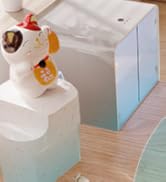
Image: FreeMove 3.0 technology for enhanced navigation.
4.4 App Control and Customization
The Lefant App provides extensive control and customization options for your cleaning experience.
Image: Lefant App control interface.
- Multi-Map Management: Save up to 3 different maps, ideal for multi-story homes.
- Zone Cleaning: Select specific areas for cleaning or define "No-Go Zones" to restrict access.
- Scheduling: Program cleaning times and sequences for different rooms.
- Suction and Water Flow Adjustment: Customize suction power and mop water flow levels.
- Manual Control: Use the app for manual navigation of the robot.
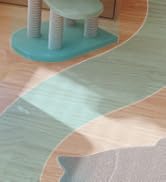
Image: Customizable map and zone settings.

Image: Setting forbidden zones.
4.5 Automatic Recharge and Resume
The robot automatically returns to its charging base when the battery is low or cleaning is complete. If cleaning is not finished, it will resume from where it left off after charging to 80%.
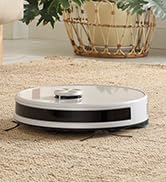
Image: Automatic recharge and cleaning resume.
5. Maintenance
Regular maintenance ensures optimal performance and extends the lifespan of your LEFANT M2S. Always turn off the robot and disconnect it from the charging base before performing any maintenance.
5.1 Dustbin and Filters
- Empty Dustbin: After each use, remove the dustbin and empty its contents.
- Clean Filters: Tap the HEPA filter to remove dust. Rinse the primary filter and dustbin with water. Allow them to air dry completely before reinstallation. Do not wash the HEPA filter.
5.2 Water Tank and Mop Pad
- Empty Water Tank: After each mopping session, empty any remaining water from the tank.
- Clean Mop Pad: Remove the mop pad and rinse it thoroughly with water. It can be machine washed. Allow it to air dry completely.
5.3 Side Brushes
- Clean Side Brushes: Regularly check the side brushes for tangled hair or debris. Use the provided cleaning tool to cut and remove any tangles.
- Replace Side Brushes: Replace side brushes every 3-6 months, or when visibly worn, to maintain effective cleaning.
5.4 Sensors and Charging Contacts
- Clean Sensors: Use a clean, dry cloth to gently wipe the dToF laser sensor, PSD obstacle avoidance sensors, and cliff sensors.
- Clean Charging Contacts: Wipe the charging contacts on both the robot and the charging base with a dry cloth to ensure a good connection.
6. Troubleshooting
If you encounter issues with your LEFANT M2S, please refer to the following common problems and solutions. If the problem persists, contact customer support.
| Problem | Possible Cause | Solution |
|---|---|---|
| Robot does not turn on. | Low battery; power button not pressed correctly. | Place the robot on the charging base to charge. Press and hold the power button for 3 seconds. |
| Robot cannot connect to Wi-Fi. | Incorrect Wi-Fi password; 5GHz network used; robot too far from router. | Ensure correct 2.4GHz Wi-Fi password. Move robot closer to router. Restart robot and router. |
| Robot gets stuck frequently. | Too many obstacles; tangled brushes. | Clear the cleaning area of small objects, cables, and loose rugs. Clean side brushes. |
| Poor cleaning performance. | Full dustbin; dirty filters; worn brushes. | Empty dustbin. Clean/replace filters. Clean/replace side brushes. |
| Robot does not mop effectively. | Empty water tank; dry mop pad; clogged water nozzle. | Fill water tank. Moisten mop pad. Clean water nozzle. |
7. Specifications
| Feature | Detail |
|---|---|
| Brand | LEFANT |
| Model Name | M2S |
| Product Dimensions | 32 x 32 x 9.5 cm |
| Item Weight | 4 kg |
| Suction Power | Up to 10000Pa (4 levels) |
| Battery Capacity | 5200mAh |
| Max Runtime | Up to 240 minutes |
| Water Tank Capacity | 300 Milliliters |
| Dustbin Capacity | 150 Milliliters |
| Voltage | 19 Volts |
| Material | Plastic |
| Noise Level | 60 Decibels |
| Navigation Type | dToF Laser Navigation |
| Obstacle Avoidance | PSD Sensors, FreeMove 3.0 Technology |
| Compatible Devices | Smartphone (Lefant App), Amazon Alexa, Google Assistant |
| Special Features | Anti-collision, Zone exclusion, Wet & Dry cleaning, Obstacle climbing, Advanced development technology |
8. Warranty and Support
The LEFANT M2S Robot Vacuum and Mop Cleaner comes with a standard manufacturer's warranty. Please refer to the warranty card included in your package for specific terms and conditions. For technical support, troubleshooting assistance, or warranty claims, please contact LEFANT customer service through the official website or the contact information provided in your product documentation.
You can also visit the LEFANT Store on Amazon for more information and support resources.


