1. Introduction
Thank you for choosing the Soleilwear Cordless Electric Scissors and Mini Electric Screwdriver. This manual provides essential information for the safe and efficient operation, maintenance, and troubleshooting of your new tools. Please read this manual thoroughly before first use and retain it for future reference.

Image 1.1: The Soleilwear Cordless Electric Scissors and Mini Electric Screwdriver, as a complete set.
2. Safety Instructions
Always follow basic safety precautions when using electric tools to reduce the risk of fire, electric shock, and personal injury.
- Read all instructions: Familiarize yourself with the controls and proper use of the tools.
- Keep work area clean: Cluttered areas invite accidents.
- Avoid dangerous environments: Do not use power tools in damp or wet locations, or expose them to rain.
- Keep children away: All visitors should be kept at a safe distance from the work area.
- Dress properly: Do not wear loose clothing or jewelry. Contain long hair.
- Use safety equipment: Always wear safety glasses. Use a face or dust mask if operation is dusty.
- Stay alert: Watch what you are doing and use common sense. Do not operate tools when tired.
- Store idle tools: When not in use, tools should be stored in a dry, high, or locked-up place, out of reach of children.
- Maintain tools with care: Keep cutting tools sharp and clean for better and safer performance.
- Disconnect tools: Disconnect the battery pack before making any adjustments, changing accessories, or storing the tool.
- Blade Safety (Electric Scissors): The metal blade guard minimizes injury risk. Keep fingers clear of the blade during operation.
3. Package Contents
Verify that all items are present in your package:
- 1 x Soleilwear Cordless Electric Scissors (Model TY008)
- 2 x Cutting Blades (pre-installed or spare)
- 1 x Soleilwear Mini Electric Screwdriver (Model Y1)
- 1 x Set of Precision Screwdriver Bits
- 1 x USB-C Charging Cable
- 1 x User Manual (this document)
4. Product Overview
4.1 Cordless Electric Scissors (Model TY008)
- Self-Sharpening Blade: Designed for smooth and precise cuts.
- Powerful Motor: Upgraded 4V motor reaching up to 320 RPM for efficient cutting.
- High-Capacity Battery: 2000mAh battery provides up to 50 minutes of continuous use.
- Safety Lock: Advanced safety mechanism with a metal blade guard (opening under 10mm).
- Integrated LED Light: Enhances visibility in low-light conditions.
- Low Noise Operation: Operates at approximately 50 decibels.
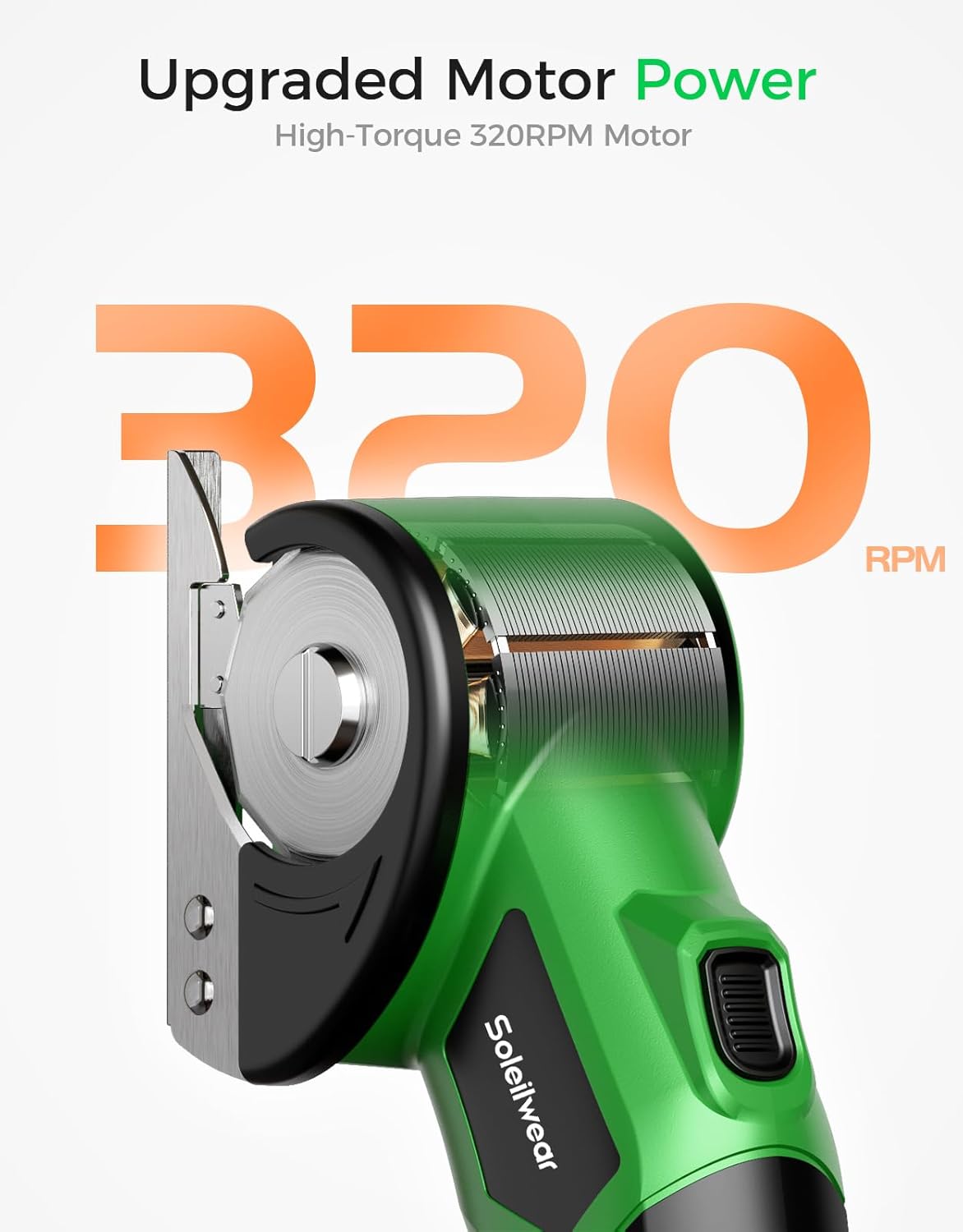
Image 4.1: Detail of the electric scissors' upgraded motor, highlighting its 320 RPM capability.

Image 4.2: Visual representation of the electric scissors' 2000mAh battery capacity and 50 minutes of continuous operation.
4.2 Mini Electric Screwdriver (Model Y1)
- Adjustable Torque: 5 electronic torque levels (0.15-0.75 N.m) and 7 N.m manual torque.
- High-Capacity Battery: 500mAh rechargeable battery, capable of over 600 screws per charge.
- Efficient Motor: 200 RPM motor for quick and effortless screwdriving.
- USB-C Charging: Convenient and fast recharging.
- Ergonomic Design: Features a square body to prevent rolling, circular LED light, and LCD display for battery and torque indication.

Image 4.3: Detailed view of the mini electric screwdriver's ergonomic design and key components.

Image 4.4: Illustration of the mini electric screwdriver's internal components and performance metrics.
5. Setup
5.1 Cordless Electric Scissors
- Initial Charge: Before first use, fully charge the electric scissors using the provided USB-C cable and a compatible power adapter (not included). The battery indicator will show charging status.
- Blade Installation/Check: Ensure the cutting blades are securely installed. Refer to the diagram for proper alignment if replacement is needed.
5.2 Mini Electric Screwdriver
- Initial Charge: Fully charge the screwdriver using the provided USB-C cable. The LCD display will indicate charging progress.
- Insert Screwdriver Bit: Select the appropriate bit from the set. Insert the bit firmly into the magnetic chuck at the tip of the screwdriver.
6. Operation
6.1 Cordless Electric Scissors
- Power On: Press the power button.
- Engage Safety Lock: Tap the safety lock button after pressing the power button to activate the cutting mechanism. Continuous pressure on the safety lock is not required during operation.
- Cutting: Guide the scissors along the material to be cut. The self-sharpening blades are designed for smooth, precise cuts. The maximum cutting thickness for cardboard is 1/4 inch.
- LED Light: The built-in LED light will illuminate the cutting area for improved visibility.
- Power Off: Release the power button to stop the blades.

Image 6.1: Demonstrating the electric scissors cutting a cardboard box, highlighting its cutting capacity.

Image 6.2: Examples of various materials the electric scissors can cut, including cardboard, PVC, leather, and carpeting.
6.2 Mini Electric Screwdriver
- Power On/Off: Press and hold the power button to turn the screwdriver on or off.
- Select Torque Level: Use the mode switch (usually indicated by arrows or a dedicated button) to cycle through the 5 electronic torque levels (0.15-0.75 N.m). The selected torque level will be displayed on the LCD.
- Forward/Reverse: Use the "in" (forward) and "out" (reverse) buttons to drive or remove screws.
- Manual Mode: For tougher screws or final tightening, the screwdriver supports up to 7 N.m of manual torque. Simply continue turning the screwdriver by hand after the motor stops.
- LED Light: The circular LED light at the tip will illuminate the work area.

Image 6.3: Explanation of the mini electric screwdriver's 5 electronic torque levels and manual torque capability.

Image 6.4: Demonstrations of the mini electric screwdriver in use at different torque settings for precision tasks.
7. Maintenance
7.1 Cordless Electric Scissors
- Cleaning: After each use, wipe the blades and housing with a clean, dry cloth. Remove any accumulated debris.
- Blade Care: The blades are self-sharpening. If cutting performance degrades significantly, inspect for damage or consider blade replacement.
- Storage: Store the scissors in a dry place, away from direct sunlight and extreme temperatures.
7.2 Mini Electric Screwdriver
- Cleaning: Wipe the screwdriver body and bits with a clean, dry cloth. Ensure no dust or debris enters the bit chuck.
- Bit Storage: Keep screwdriver bits organized in their case to prevent loss and damage.
- Battery Care: To prolong battery life, avoid fully discharging the battery frequently. Recharge when the battery indicator is low.
- Storage: Store the screwdriver in a dry place, away from direct sunlight and extreme temperatures.
8. Troubleshooting
| Problem | Possible Cause | Solution |
|---|---|---|
| Electric Scissors not cutting or cutting poorly. | Battery low; Blades dull or damaged; Material too thick. | Charge battery; Inspect/replace blades; Do not exceed 1/4" thickness for cardboard. |
| Electric Scissors not turning on. | Battery depleted; Power button not pressed correctly; Safety lock not engaged. | Charge battery; Ensure power button is pressed firmly; Tap safety lock after power button. |
| Mini Electric Screwdriver not turning. | Battery depleted; Incorrect torque setting; Bit not properly inserted. | Charge battery; Adjust torque level; Re-insert bit firmly. |
| Screwdriver bit slips. | Incorrect bit size; Bit worn; Torque too low. | Use correct bit for screw head; Replace worn bit; Increase torque level or use manual mode. |
| Charging issues. | Faulty cable or adapter; Charging port obstructed. | Try a different USB-C cable and adapter; Clean charging port gently. |
9. Specifications
| Feature | Cordless Electric Scissors (TY008) | Mini Electric Screwdriver (Y1) |
|---|---|---|
| Motor Voltage | 4V | N/A |
| No-Load Speed | Up to 320 RPM | 200 RPM |
| Battery Capacity | 2000mAh | 500mAh |
| Continuous Use Time | Up to 50 minutes | Over 600 screws per charge |
| Max Cutting Thickness (Cardboard) | 1/4 inch (approx. 0.23 inch) | N/A |
| Electronic Torque Levels | N/A | 5 levels (0.15-0.75 N.m) |
| Manual Torque | N/A | Up to 7 N.m |
| Charging Port | USB-C | USB-C |
| ASIN | B0FP57WDK8 | |
| Date First Available | June 16, 2025 | |
10. Warranty and Support
Soleilwear products are manufactured to high-quality standards. For warranty information, technical support, or service inquiries, please refer to the contact information provided with your purchase or visit the official Soleilwear website. Please have your product model and purchase date available when contacting support.
For further assistance, you may also visit the Soleilwear Store on Amazon.


