1. Introduction
Thank you for purchasing the Merax Full Corner Bed. This manual provides essential information for the safe assembly, operation, and maintenance of your new bed. Please read all instructions carefully before beginning assembly and retain this manual for future reference.
Safety Information
- Always follow assembly instructions step-by-step.
- Ensure all hardware is securely tightened before use. Periodically check and re-tighten as necessary.
- Do not exceed the maximum weight capacity of 600 lbs for the bed.
- Keep small parts away from children during assembly to prevent choking hazards.
- Use only the provided charging station for electronic devices. Do not overload the outlets.
- Avoid placing hot items directly on the desk or shelves without protective padding.
2. Product Overview
The Merax Full Corner Bed is designed for comfort and functionality, featuring an upholstered headboard, integrated desk, storage shelves, drawers, LED lighting, and a charging station.
Components and Features
- Upholstered Headboard and Backrest: Padded for comfort.
- Integrated Desk: Provides a convenient workspace or display area.
- Storage Shelves: Located above the headboard and within the desk unit for books, decor, and essentials.
- Under-bed Drawers: Two spacious drawers for additional storage.
- LED Light Strip: Integrated lighting for ambiance or task illumination.
- Charging Station: Includes 2 standard plug outlets and 2 USB ports.
- Sturdy Platform Frame: Designed for use without a box spring.

Image 2.1: Overall dimensions of the Merax Full Corner Bed. The bed measures 94.5 inches in length, 64.2 inches in width, and 43.3 inches in height. The mattress area is 75 inches by 54 inches. The desk height is 27 inches, and the desk depth is 13.8 inches.

Image 2.2: The Merax Full Corner Bed shown in a bedroom environment, highlighting the integrated LED lighting, storage shelves, and functional desk area. The drawers are partially open, demonstrating storage capability.
3. Assembly Instructions
Assembly of the Merax Full Corner Bed requires two adults and approximately 2-3 hours. Ensure all parts are present before beginning. A detailed step-by-step manual with pre-drilled holes is included in your package.
Required Tools (Not Included)
- Phillips head screwdriver
- Hammer (optional, for dowels)
General Assembly Steps
- Unpack all components and verify against the parts list provided in your package.
- Begin by assembling the main bed frame structure, connecting the side rails and end panels.
- Attach the upholstered headboard and backrest sections to the frame.
- Assemble and integrate the desk unit and storage shelves.
- Install the bed slats onto the frame, ensuring even spacing and secure attachment.
- Assemble the two under-bed drawers and slide them into position.
- Connect the LED light strip and charging station according to the electrical diagrams in your package.
- Once fully assembled, check all connections and hardware for tightness.

Image 3.1: A partial view of the bed frame during assembly, showing the structure of the headboard, desk, and slat supports. This image illustrates the components before final assembly.

Image 3.2: The bed frame with wooden slats installed, ready for a mattress. Two under-bed drawers are shown pulled out, demonstrating their placement and function.
4. Operating Instructions
LED Light Operation
The integrated LED light strip is controlled by a switch, typically located on the side of the headboard or within the shelf unit. Refer to your specific assembly manual for the exact switch location.
- To Turn On/Off: Press the designated switch.
- Brightness/Color Adjustment: If your model includes these features, follow the instructions provided with the LED light kit for adjustment.

Image 4.1: A detailed view of the bed's headboard and desk area, with the LED lights illuminated, showcasing the integrated shelving and the overall design.
Charging Station Usage
The charging station is located within the storage shelf, providing convenient access to power for your electronic devices.
- Power Connection: Ensure the bed's power cord is securely plugged into a standard wall outlet.
- Using Outlets: Plug your devices into the 2 standard AC outlets.
- Using USB Ports: Connect your USB charging cables to the 2 USB ports.
- Caution: Do not exceed the maximum power rating of the charging station. For indoor use only.
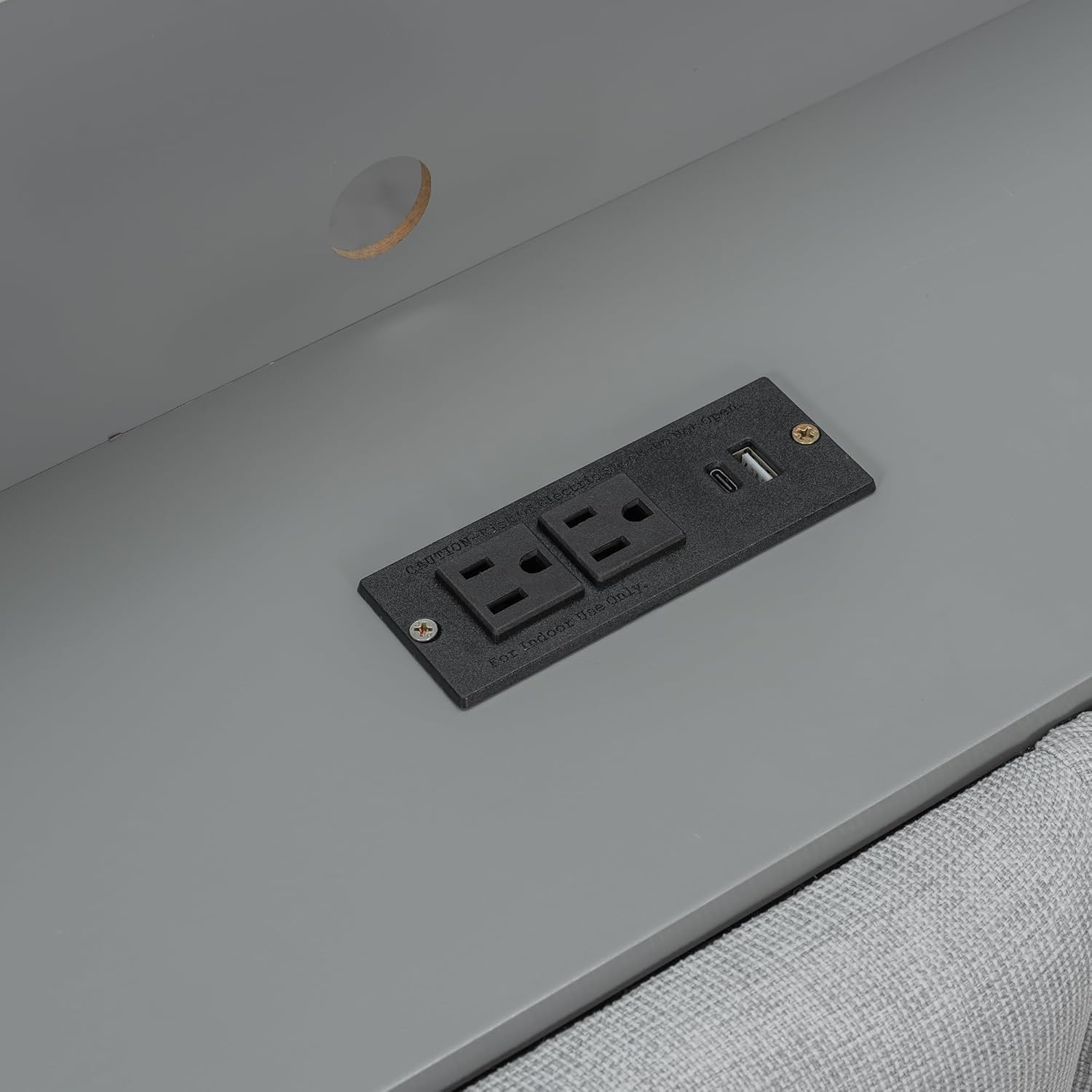
Image 4.2: A close-up view of the integrated charging station, featuring two standard power outlets and two USB ports, clearly labeled for indoor use only.
Storage Drawers
The two under-bed drawers provide additional storage. They operate on smooth glides for easy access.
- Opening/Closing: Gently pull or push the drawer handles.
- Weight Limit: Avoid overloading drawers to ensure smooth operation and prevent damage.
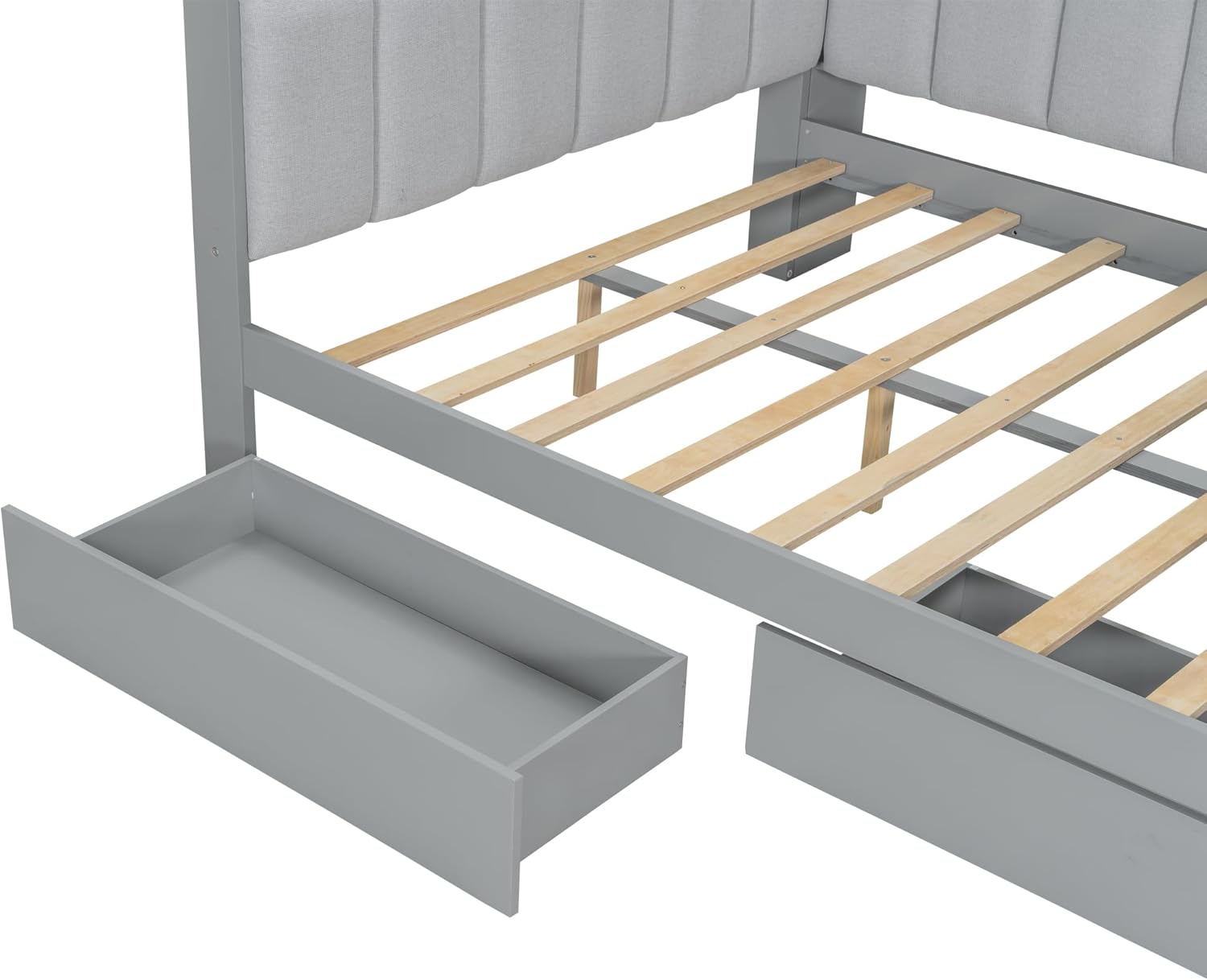
Image 4.3: A close-up view of one of the under-bed storage drawers, partially open, demonstrating its capacity and ease of access.
5. Maintenance
Proper care and maintenance will extend the life and appearance of your Merax Full Corner Bed.
Cleaning Instructions
- Wood/MDF Surfaces: Wipe with a soft, damp cloth. Avoid harsh chemicals or abrasive cleaners. Dry immediately with a clean cloth.
- Upholstered Fabric: Spot clean with a mild fabric cleaner or a damp cloth. Test on an inconspicuous area first. Do not saturate the fabric.
- LED Lights/Charging Station: Ensure power is disconnected before cleaning. Wipe with a dry, soft cloth. Do not use liquid cleaners near electrical components.
General Care
- Periodically check all bolts and screws and re-tighten as needed to maintain structural integrity.
- Avoid direct sunlight exposure for prolonged periods to prevent fading of wood and fabric.
- Protect surfaces from scratches by using coasters or protective mats for items placed on the desk or shelves.
6. Troubleshooting
This section addresses common issues you might encounter with your Merax Full Corner Bed.
| Problem | Possible Cause | Solution |
|---|---|---|
| Bed feels wobbly or unstable. | Loose hardware. | Check and tighten all bolts and screws. Ensure all connections are secure. |
| LED lights not working. | Power cord disconnected; faulty switch; LED strip issue. | Ensure the bed's power cord is plugged in. Check the LED switch. If issues persist, contact customer support. |
| Charging station not providing power. | Bed's power cord disconnected; circuit breaker tripped; faulty charging unit. | Verify the bed is plugged into a live outlet. Check your home's circuit breaker. Test with another device. If still not working, contact support. |
| Drawers stick or do not slide smoothly. | Overloaded drawer; debris in glides; misaligned glides. | Reduce drawer contents. Clean glides of any obstructions. Check drawer glide alignment and re-adjust if necessary. |
7. Specifications
Detailed technical specifications for the Merax Full Corner Bed.
| Feature | Detail |
|---|---|
| Product Dimensions | 94.5"L x 64.2"W x 43.3"H |
| Bed Dimension | 75"L x 54"W (Full Size) |
| Total Height | 43.3" |
| Recommended Mattress Thickness | 6-8 inches |
| Weight Capacity | 600 lbs |
| Product Weight | 220 lbs |
| Material | Pine Wood, MDF, Linen Fabric |
| Color | Grey |
| Assembly Required | Yes |
| Charging Station | 2 AC Outlets, 2 USB Ports |
| UPC | 196986889347 |
| ASIN | B0FP57FR89 |
8. Warranty and Support
Warranty Information
Merax products are manufactured with quality and care. For specific warranty details regarding your Full Corner Bed, please refer to the warranty card included in your product packaging or visit the official Merax website. The warranty typically covers manufacturing defects under normal use.
Customer Support
If you have any questions, require assistance with assembly, or need to report missing/damaged parts, please contact Merax customer support:
- Online: Visit the Merax official website for support resources and contact forms.
- Email: Refer to your product documentation for the customer service email address.
- Phone: Refer to your product documentation for the customer service phone number.
Please have your model number (B0FP57FR89) and purchase date ready when contacting support.


