
1. Introduction
Thank you for choosing the FutureGlide Ft-1200i Folding Treadmill with Incline. This manual provides essential information for the safe and effective use of your new fitness equipment. Please read it thoroughly before initial setup and operation, and retain it for future reference.
The FutureGlide Ft-1200i is designed to provide a versatile cardio workout experience in the comfort of your home. Its space-saving folding design makes it ideal for smaller living spaces, while the adjustable incline and multiple workout programs cater to various fitness levels and goals.
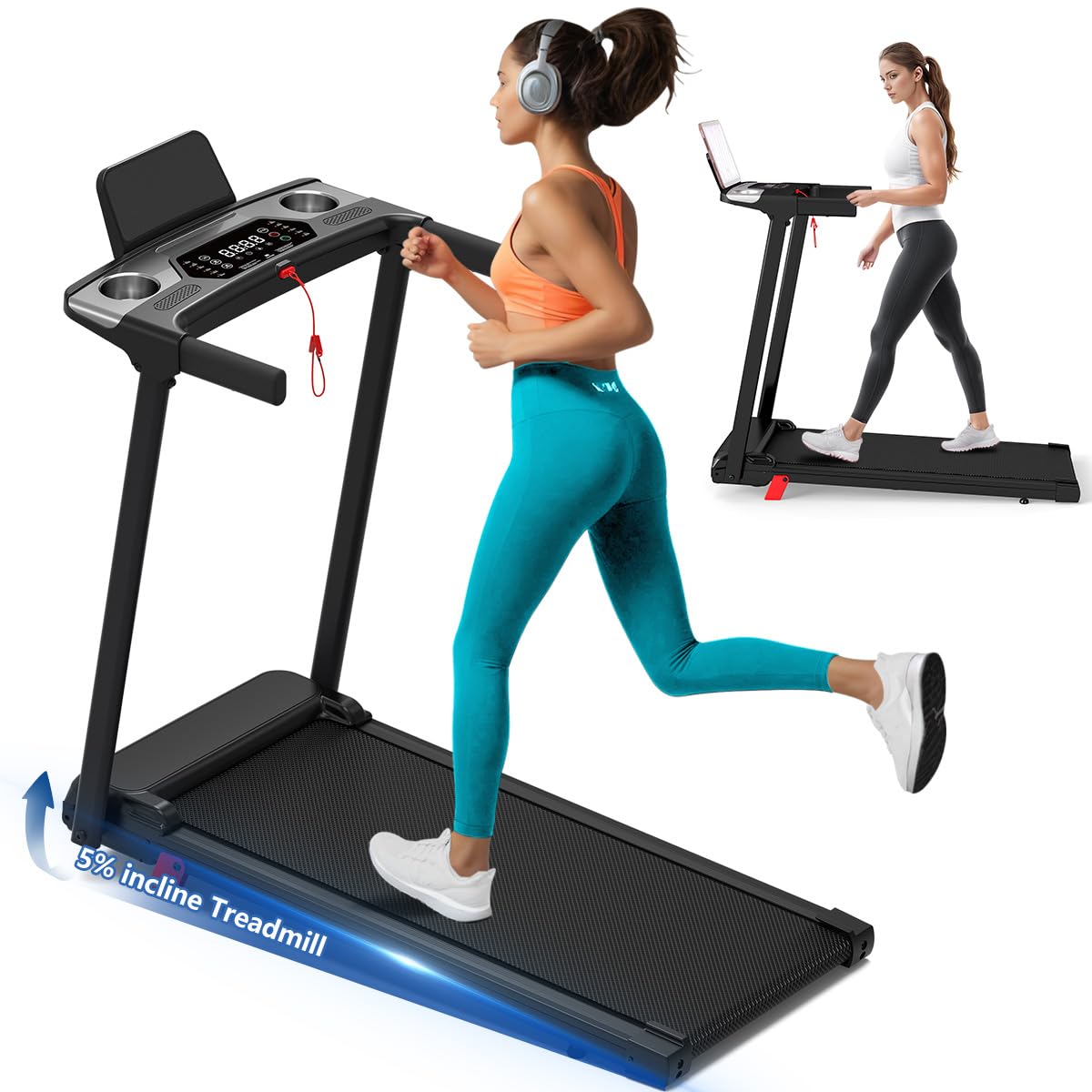
Figure 1.1: FutureGlide Ft-1200i Folding Treadmill with Incline. This image shows the treadmill in its unfolded, operational state, highlighting its compact design and digital display.
2. Safety Information
Your safety is paramount. Please observe the following precautions to prevent injury and ensure proper operation of the treadmill.
- Read the Entire Manual: Before operating the treadmill, read and understand all instructions and warnings in this manual.
- Supervision: Keep children and pets away from the treadmill at all times. This equipment is not intended for use by individuals with reduced physical, sensory, or mental capabilities unless supervised or instructed by a responsible person.
- Stable Surface: Place the treadmill on a solid, level surface with at least 2 feet (0.6 meters) of clear space on each side and 6 feet (1.8 meters) behind it.
- Emergency Stop: Always attach the safety key clip to your clothing before starting a workout. In case of an emergency, pulling the safety key will immediately stop the treadmill.
- Weight Limit: Do not exceed the maximum user weight of 300 pounds (136 kg).
- Proper Footwear: Always wear appropriate athletic footwear when using the treadmill.
- Medical Advice: Consult your physician before starting any exercise program. Stop exercising immediately if you feel faint, dizzy, or experience pain.
- Power Cord: Ensure the power cord is not pinched or damaged. Do not operate the treadmill if the power cord or plug is damaged.
- Maintenance: Perform regular maintenance as described in this manual to ensure safe operation.
3. Package Contents
Carefully unpack your FutureGlide Ft-1200i treadmill and verify that all components are present. If any parts are missing or damaged, please contact customer support immediately.
- FutureGlide Ft-1200i Treadmill Main Unit (pre-assembled)
- Safety Key
- Power Cord
- User Manual (this document)
4. Setup
The FutureGlide Ft-1200i treadmill comes largely pre-assembled. Follow these steps to prepare your treadmill for use.
- Unpacking: Remove the treadmill from its packaging. Retain packaging materials for future storage or transport if needed.
- Placement: Place the treadmill on a firm, level surface. Ensure there is adequate clear space around the unit as specified in the Safety Information section.
- Unfolding the Treadmill:
- Gently lift the running deck from its folded position.
- Lower the running deck slowly until it rests flat on the floor. Ensure the locking mechanism is disengaged before lowering and engaged once fully lowered.
- Power Connection: Plug the power cord into the treadmill's power inlet, then into a grounded electrical outlet.
- Safety Key: Place the safety key into its designated slot on the console. The treadmill will not operate without the safety key in place.
5. Operating Instructions
Familiarize yourself with the control panel and basic operations before beginning your workout.
5.1 Control Panel Overview
The digital display (LED) tracks essential workout metrics including speed, time, distance, calories burned, and heart rate. Specific buttons allow for speed adjustment, incline control, program selection, and start/stop functions.
5.2 Starting a Workout
- Ensure the safety key is properly inserted into the console and the clip is attached to your clothing.
- Step onto the side rails of the treadmill.
- Press the START button. The treadmill will typically begin with a short countdown and then start at a low speed (e.g., 0.6 MPH).
- Carefully step onto the running belt once it begins to move.
5.3 Adjusting Speed and Incline
- Speed: Use the SPEED + and SPEED - buttons to adjust the running speed. The treadmill offers a speed range from 0.6 MPH to 7.6 MPH.
- Incline: Use the INCLINE + and INCLINE - buttons to adjust the incline level. The maximum incline percentage is 12.0%. Adjusting the incline simulates uphill terrain and increases workout intensity.
5.4 Using Preset Programs
The treadmill features 12 preset fitness programs designed to offer varied workouts. Consult the program chart (if provided on the console or in a separate guide) to select a program that suits your fitness goals. Use the PROGRAM button to cycle through available programs.
5.5 Connectivity (Bluetooth, Wi-Fi)
Your treadmill supports Bluetooth and Wi-Fi connectivity. Refer to the console's specific instructions or a separate connectivity guide for pairing with compatible fitness apps or devices to track your progress and enhance your workout experience.
5.6 Stopping a Workout
- Press the STOP button to gradually bring the treadmill to a halt.
- For an emergency stop, pull the safety key from the console. The treadmill will stop immediately.
6. Maintenance
Regular maintenance ensures the longevity and safe operation of your treadmill.
- Cleaning: After each use, wipe down the console and other surfaces with a soft, damp cloth. Do not use abrasive cleaners or solvents.
- Dust Removal: Periodically vacuum under the treadmill to prevent dust and debris from accumulating in the motor area.
- Belt Lubrication: The running belt may require lubrication over time. Refer to specific instructions provided with your treadmill for the recommended lubrication schedule and procedure. Use only approved treadmill lubricant.
- Belt Tension and Alignment: Check the running belt tension and alignment regularly. If the belt feels loose or drifts to one side, consult the troubleshooting section or contact customer support for adjustment instructions.
- Storage: When not in use, the treadmill can be folded for compact storage. Ensure the running deck is securely locked in the upright position. Store in a dry, clean area away from direct sunlight and extreme temperatures.
7. Troubleshooting
If you encounter issues with your treadmill, refer to the following common problems and solutions. If the problem persists, contact customer support.
| Problem | Possible Cause | Solution |
|---|---|---|
| Treadmill does not start | 1. Power cord not plugged in 2. Safety key not inserted 3. Power switch off | 1. Ensure power cord is securely plugged into outlet and treadmill 2. Insert safety key fully into the console slot 3. Turn on the main power switch (if applicable) |
| Running belt slips or hesitates | 1. Belt too loose 2. Belt requires lubrication | 1. Adjust belt tension (refer to specific instructions or contact support) 2. Lubricate the running belt as per maintenance guidelines |
| Unusual noise during operation | 1. Loose components 2. Belt friction 3. Motor issue | 1. Check and tighten all visible bolts and screws 2. Lubricate the running belt 3. Contact customer support if noise persists |
| Display not working | 1. Loose connection 2. Power issue | 1. Check all cable connections to the console 2. Ensure treadmill is receiving power |
8. Specifications
Below are the technical specifications for the FutureGlide Ft-1200i Folding Treadmill with Incline:
| Feature | Specification |
|---|---|
| Brand | FutureGlide |
| Model Number | Ft-1200i |
| Product Dimensions (D x W x H) | 38" x 22.8" x 44" (96.5 cm x 57.9 cm x 111.8 cm) |
| Folded Size | 48" x 22" x 5.5" (121.9 cm x 55.9 cm x 14 cm) |
| Item Weight | 45 Pounds (20.4 kg) |
| Maximum Weight Recommendation | 300 Pounds (136 kg) |
| Minimum Speed | 0.6 Miles per Hour (1.0 km/h) |
| Maximum Speed | 7.6 Miles per Hour (12.2 km/h) |
| Maximum Incline Percentage | 12.0% |
| Number of Programs | 12 |
| Display Type | LED |
| Connectivity Technology | Bluetooth, Wi-Fi |
| Deck Length | 50 Inches (127 cm) |
| Deck Width | 20 Inches (50.8 cm) |
| Material | Alloy Steel (Frame), Acrylonitrile Butadiene Styrene (ABS) |
| Assembly Required | No |
9. Warranty & Support
9.1 Product Warranty
The FutureGlide Ft-1200i Folding Treadmill with Incline is covered by a 1-year limited warranty from the date of purchase. This warranty covers manufacturing defects in materials and workmanship under normal use. It does not cover damage caused by misuse, accident, unauthorized modification, or failure to follow the instructions in this manual.
Please retain your proof of purchase for warranty claims.
9.2 Customer Support
For technical assistance, warranty inquiries, or to order replacement parts, please contact FutureGlide customer service. You can typically find contact information on the FutureGlide official website or through your retailer.
When contacting support, please have your model number (Ft-1200i) and purchase date readily available.