
1. Introduction
The Vekkia MST116 Professional 116 LED Rechargeable Music Stand Light is designed to provide optimal illumination for musicians, readers, and crafters. Featuring advanced SMD LED technology, this foldable clip-on lamp offers eye-protective lighting with customizable brightness and color temperature settings. Its versatile design allows for secure attachment to various surfaces or independent standing, making it ideal for diverse applications.
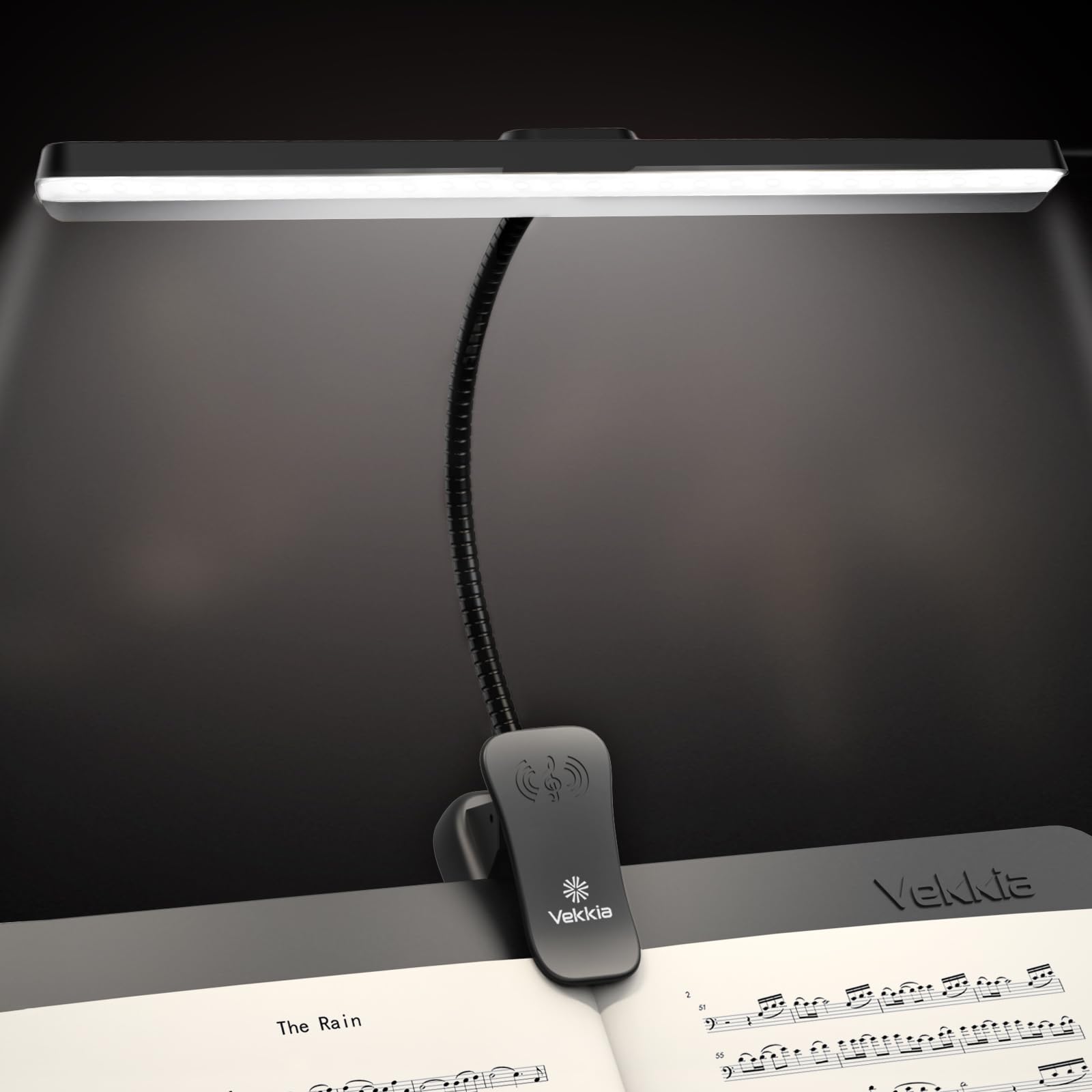
Figure 1: Vekkia MST116 Professional 116 LED Rechargeable Music Stand Light.
2. What's in the Box
Upon unboxing your Vekkia MST116 Music Stand Light, please ensure all the following items are present:
- Music Stand Light (1 unit)
- Type-C USB Cable (1 unit)
- Instruction Manual (1 unit)
- Free Carry Bag (1 unit)
Video 1: Unboxing the Vekkia Music Stand Light, showing included accessories like the travel bag and charging cable.
3. Product Features
- Advanced SMD LED Technology: Provides uniform, glare-free light with 116 high-quality LED beads, ensuring comfortable viewing and reduced eye fatigue. The color rendering index (Ra) is adjusted for eye protection.
- Customizable Lighting: Offers 5 brightness levels and 3 color temperature options (warm, white, daylight) for a total of 15 lighting modes.
- Professional Broadbeam with Anti-Glare Shield: The lamp's design ensures a wide illumination area that covers an 88-key digital piano, with a discrete back fin to direct light onto sheet music and away from the audience.
- Lightweight & Versatile Clip-on Design: Weighing only 9oz, the lamp features a clamp that opens up to 2.36 inches, suitable for music stands, pianos, or desks. Patented anti-slip rubber strips protect surfaces from scratches. It can also stand independently.
- Long-Lasting Rechargeable Battery: Equipped with a 4000mAh battery, providing up to 100 hours of continuous use at the lowest brightness setting. Easily charged via USB-C (cable included).

Figure 2: Illustration of 116 LEDs for uniform light and eye protection.

Figure 3: Visual representation of the 3 color temperatures and 5 brightness levels.

Figure 4: Comparison of illumination range, highlighting coverage for an 88-key digital piano.

Figure 5: Details of the firm clamping mechanism and flexible gooseneck.

Figure 6: Information on the rechargeable battery, working hours, and charging.
4. Setup
4.1 Attaching the Light
- Identify the desired surface for attachment (e.g., music stand, piano, desk).
- Open the clip by pressing the top lever. The clip can open up to 2.36 inches.
- Position the clip securely onto the edge of the surface. The anti-slip rubber strips will help prevent scratches and ensure stability.
- Alternatively, the light can stand independently on a flat surface.

Figure 7: The flexible gooseneck allows for precise positioning of the light.
4.2 Adjusting the Gooseneck
The flexible gooseneck allows for 360-degree adjustment. Bend and twist the gooseneck to position the light head directly over your music or work area for optimal illumination.

Figure 8: The extendable lighting head provides wider coverage.
5. Operating Instructions
5.1 Power On/Off
Press the Power Button (center button on the light head) to turn the light ON or OFF.
5.2 Adjusting Brightness
The light offers 5 brightness levels. Short click the Brightness Level Button (right button on the light head) to cycle through the 5 levels. Long press for stepless dimming adjustment.
5.3 Adjusting Color Temperature
The light offers 3 color temperature options (Warm, White, Daylight). Short click the Color Temperature Button (left button on the light head) to cycle through the options.

Figure 9: Close-up of the control buttons on the light head.
5.4 Charging the Battery
Connect the included Type-C USB cable to the charging port on the clip base and to a USB power source (AC adapter not included). The four blue LED indicators on the clip base will show the charging status. When all four LEDs are solid, the battery is fully charged.

Figure 10: The power indicator LEDs on the clip base.
Video 2: Demonstration of the music stand light's brightness and color temperature settings in a night-time environment.
Video 3: Overview of the 5 brightness settings and 3 color temperatures, highlighting the USB-C charging capability.
6. Maintenance
6.1 Cleaning
To clean the light, gently wipe it with a soft, dry cloth. Avoid using abrasive cleaners or solvents, as these may damage the finish or electronic components.
6.2 Battery Care
To prolong battery life, avoid leaving the light plugged in for extended periods once fully charged. Recharge the battery when the power indicators show a low charge.
6.3 Storage
When not in use, fold the light and store it in the provided carry bag to protect it from dust and damage. Store in a cool, dry place away from direct sunlight and extreme temperatures.

Figure 11: Instructions on how to fold the light for storage in the carry bag.
7. Troubleshooting
- Light not turning on: Ensure the battery is charged. Press the power button firmly. If the battery is depleted, connect the USB-C cable to a power source.
- Light not charging: Verify that the USB-C cable is securely connected to both the light and the power source. Try a different USB-C cable or power adapter if available. Check the power indicator LEDs for charging status.
- Inconsistent brightness or color: Ensure the light head is clean and free from obstructions. If issues persist, contact customer support.
8. Specifications
| Feature | Detail |
|---|---|
| Model Name | MST116 |
| Number of Light Sources | 116 LEDs |
| Wattage | 6 Watts |
| Power Source | Battery Powered |
| Battery Life | Up to 100 Hours (low brightness) |
| Charging Port | USB Type-C |
| Brightness Levels | 5 |
| Color Temperatures | 3 (Cool White, Warm White, Daylight) |
| Product Dimensions | 3.15"D x 11.82"W x 10.23"H |
| Item Weight | 1 pound |
| Material | Plastic |
| Indoor/Outdoor Usage | Indoor |
9. Warranty and Support
9.1 Warranty
The Vekkia MST116 Music Stand Light comes with a 12-month coverage period from the date of purchase. This warranty covers manufacturing defects and malfunctions under normal use.
9.2 Return Policy
A 30-day refund policy is available from the date of purchase. Please refer to the retailer's specific return instructions for details.
9.3 Customer Support
For any questions, technical assistance, or warranty claims, please contact Vekkia customer support. We aim to reply within 24 hours.
- Online Support: Visit the Vekkia Store on Amazon for product information and support resources.