
1. Introduction and Overview
This manual provides essential information for the safe and efficient operation of your Candy Pro-Wash 400 BC4S68M6D8J-S integrated washing machine. Please read all instructions carefully before installation and use, and retain this manual for future reference.
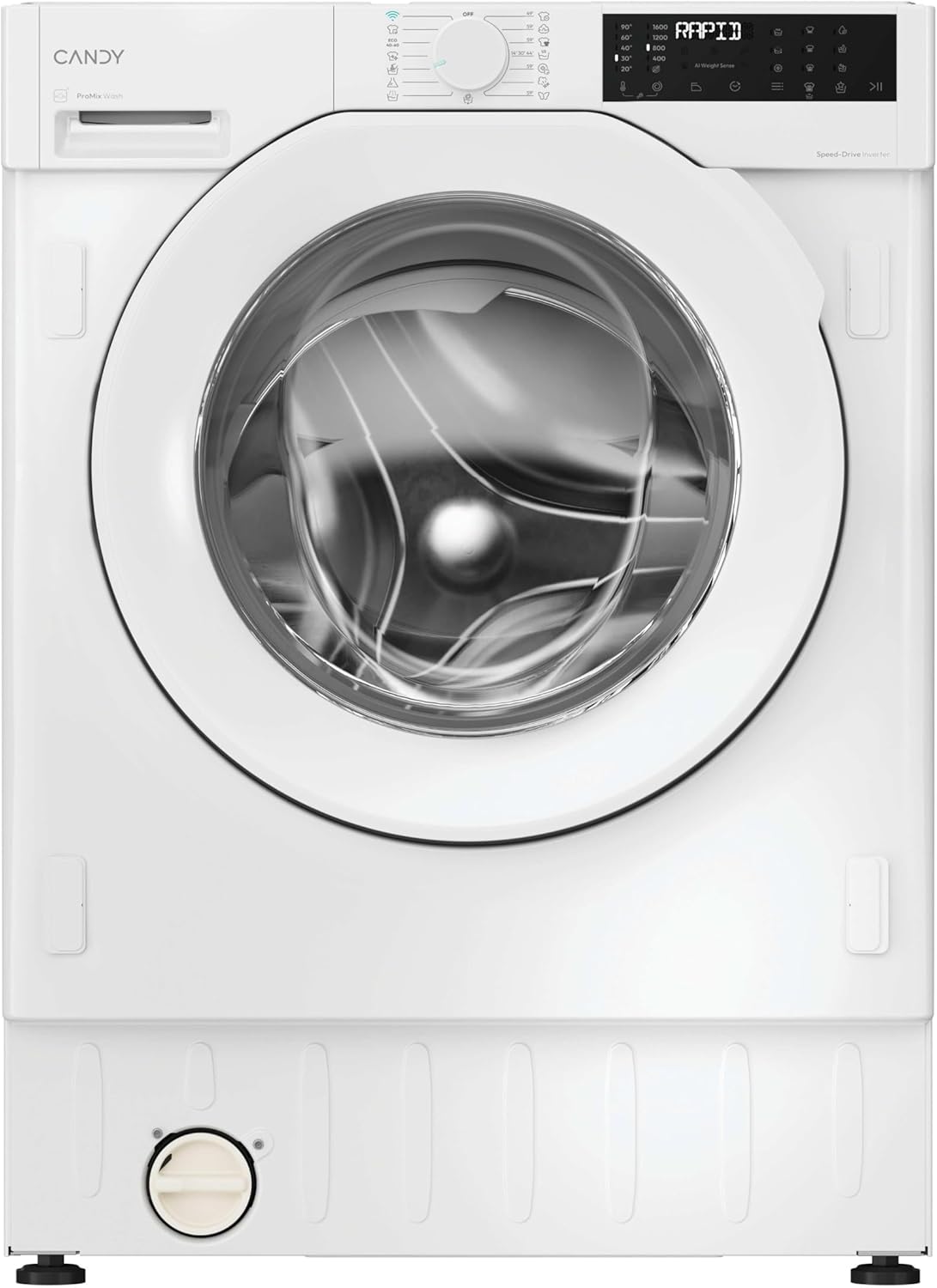
Figure 1: Front view of the Candy Pro-Wash 400 integrated washing machine.
Key Features:
- Superior Performance with Steam: Features a steam function for enhanced hygiene and reduced wrinkles.
- Guaranteed Energy Saving: Achieves Class A-20% energy efficiency with an Inverter motor for durability.
- Fast and Effective Washing: Offers 16 programs, including quick cycles and specialized options like Smart Wash and Easy Ironing+.
- Smart Technology and Connectivity: Remote control via the hOn app and a touch display for personalized settings.
- Integrated Design: Dimensions of 82 x 60 x 54 cm (height x width x depth) for seamless integration into your kitchen or laundry space.
2. Setup and Installation
Proper installation is crucial for the safe and optimal performance of your washing machine. It is recommended that installation be performed by a qualified technician.
Unpacking:
- Carefully remove all packaging materials.
- Inspect the appliance for any transport damage. Report any damage to your retailer immediately.
- Remove all transit bolts from the rear of the machine. Keep them for future transport if needed.
Positioning:
- Place the washing machine on a firm, level floor.
- Adjust the feet to ensure the machine is perfectly level and stable.
- Ensure adequate ventilation around the appliance.
Water and Electrical Connections:
- Connect the water inlet hose to a cold water tap.
- Position the drain hose correctly into a standpipe or sink.
- Plug the appliance into a grounded electrical outlet. Ensure the voltage and frequency match the specifications on the rating plate.

Figure 2: The washing machine seamlessly integrated into a kitchen cabinet.

Figure 3: The washing machine with its cabinet door open, revealing the appliance.
3. Operating Instructions
Your Candy Pro-Wash 400 is designed for ease of use with a digital display and intuitive controls.
Control Panel Overview:

Figure 4: Detailed view of the control panel with program dial and digital display.
Starting a Wash Cycle:
- Load Laundry: Open the door and load your laundry into the drum. Do not overload the machine.
- Add Detergent: Dispense the appropriate amount of detergent and fabric softener into the dispenser drawer.
- Select Program: Turn the program dial to select one of the 16 available wash cycles (e.g., Cotton, Synthetics, Wool, Quick 15', Steam Wash).
- Adjust Settings: Use the touch display to adjust temperature, spin speed, delayed start (up to 24 hours), or other special functions.
- Start Cycle: Press the Start/Pause button to begin the wash cycle.
Wi-Fi Connectivity (hOn App):
Connect your washing machine to the hOn app for remote control, additional programs, and smart features. Follow the instructions in the app to pair your device.
Steam Function:
The steam function helps to sanitize clothes and reduce wrinkles, making ironing easier. Select a program with the steam option or use a dedicated steam cycle if available.
Video 1: Official video showcasing the Candy ProWash washing machine features, including durability and quiet operation.
4. Maintenance
Regular maintenance ensures the longevity and optimal performance of your washing machine.
Cleaning the Detergent Dispenser:
- Remove the dispenser drawer and rinse it under running water.
- Clean any residue from the compartments.
- Reinsert the drawer.
Cleaning the Drum:
- Run a maintenance wash cycle (e.g., at 60°C or 90°C) with a descaling agent or washing machine cleaner once a month.
- Leave the door slightly ajar after each wash to allow the drum to dry and prevent odors.
Cleaning the Filter:
- Locate the drain pump filter, usually at the bottom front of the machine.
- Place a shallow container underneath to catch any residual water.
- Carefully unscrew and remove the filter. Clean any lint or debris.
- Screw the filter back in securely.

Figure 5: The washing machine door open, revealing the interior drum for loading and cleaning.
5. Troubleshooting
Before contacting customer service, please refer to the following common issues and solutions:
| Problem | Possible Cause | Solution |
|---|---|---|
| Machine does not start | No power supply; Door not closed properly; Program not selected. | Check power plug and fuse; Ensure door is firmly closed; Select a wash program. |
| Water not filling | Water tap closed; Inlet hose kinked or blocked; Water pressure too low. | Open water tap; Straighten hose or clean filter; Check household water pressure. |
| Water not draining | Drain hose kinked or blocked; Drain pump filter blocked. | Straighten hose or clear blockage; Clean the drain pump filter. |
| Excessive vibration/noise | Machine not level; Transit bolts not removed; Uneven load. | Adjust leveling feet; Remove transit bolts; Redistribute laundry in the drum. |
| Poor washing results | Incorrect detergent dosage; Overloading; Wrong program selection. | Use correct detergent amount; Reduce load size; Select appropriate program for fabric type. |
6. Specifications
| Feature | Detail |
|---|---|
| Manufacturer | Candy |
| Model Number | BC4S68M6D8J-S |
| Product Dimensions (HxWxD) | 82 x 60 x 54 cm |
| Product Weight | 64 kg |
| Capacity | 8 Kilograms |
| Max Spin Speed | 1600 RPM |
| Energy Class | A-20% |
| Special Functions | Active Motion System, Steam Function, Mix Power System |
| Access Type | Front Load |
| Color | White |
| Control Type | Touch |
| Operating Mode | Fully Automatic |
7. What's in the Box
- 1 x Candy Pro-Wash 400 Integrated Washing Machine
8. Warranty and Support
For warranty information, technical support, or service requests, please refer to the warranty card included with your appliance or visit the official Candy website. Keep your purchase receipt as proof of purchase for warranty claims.


