
Introduction
This manual provides instructions for the safe and efficient operation, maintenance, and troubleshooting of your BLUEAIR DreamWell Room Humidifier, Model 113360. This humidifier is designed to provide balanced, mist-free humidification for improved air quality and comfort, especially in bedrooms and home environments.
Product Features
- InvisibleMist Technology: Delivers balanced, mist-free humidification without white dust or sticky residue.
- Aroma Stone: Integrated stone for diffusing essential oils, enhancing relaxation.
- Quiet Operation: Designed for minimal noise, ideal for sleep environments.
- Long Runtime: Up to 48 hours of continuous operation on a single fill.
- Easy Refill: Supports both top-fill and bucket-fill methods.
- Low Maintenance: Dishwasher-safe tank and machine-washable wick filter (lasts up to 12 months).
- Smart Control: Compatible with the Blueair app for remote control, scheduling, and monitoring.
- Mood Lighting: Customizable night light modes (Warm, Normal, Bright).

Image: Visual representation of the BLUEAIR DreamWell Humidifier's main features.
Setup
- Unboxing: Carefully remove all packaging materials and the humidifier from the box. Ensure all components, including the pre-installed filter and user manual, are present.
- Placement: Place the humidifier on a flat, stable surface in the desired room. Ensure it is not placed directly against a wall or on absorbent surfaces.
- Initial Water Fill:
- Top-Fill: Gently pour tap water directly into the top opening of the humidifier.
- Bucket-Fill: Unlock the top enclosure by turning the sliding buttons counterclockwise, lift the top, and fill the water tank directly.
The humidifier is designed to be tap water safe, thanks to its internal filter system.
- Power Connection: Plug the power adapter into the humidifier and then into a suitable wall outlet.
- Aroma Stone Setup: Locate the aroma stone compartment at the back of the unit. Pull out the aroma stone, add 3-6 drops of your preferred essential oil, and reinsert it.
- App Connection (Optional): Download the Blueair app from your smartphone's app store. Follow the in-app instructions to connect your DreamWell Humidifier for smart control features.
Video: A detailed product overview of the DreamWell Humidifier, demonstrating its features and initial setup.
Operating Instructions
- Power On/Off: Press the power button (⏻) on the top panel to turn the humidifier on or off.
- Fan Speed Adjustment: Tap the fan icon (🍃) to cycle through available fan speeds (Night, 1, 2, 3). Night mode minimizes noise for undisturbed sleep.
- Auto Humidity: Tap the humidity icon (💧) to enable or disable Auto Humidity mode. In this mode, the humidifier automatically adjusts its operation to maintain your set humidity target (recommended 30-50%).
- Mood Lighting: Tap the light bulb icon (💡) to choose among Warm, Normal, or Bright mood lighting settings.
- Display Lock: Tap the lock icon (🔒) to lock or unlock the control panel, preventing accidental changes.
- Using the Blueair App:
- Set specific humidity targets.
- Create day or night schedules for automated operation.
- Monitor real-time indoor humidity levels.
- Receive water refill reminders.
- Access additional device settings.

Image: The Blueair app demonstrating smart control features for the humidifier.
Video: Short demonstration of the DreamWell Humidifier's features, including mood lighting and quiet operation.
Maintenance
Regular maintenance ensures optimal performance and longevity of your humidifier.
- Water Tank Cleaning: The water tank is dishwasher-safe. For manual cleaning, rinse with warm water and mild soap. Ensure it is thoroughly dry before reassembly.
- Wick Filter Cleaning & Replacement: The wick filter is machine-washable and designed to last up to 12 months.
- To Clean: Remove the filter as described in the replacement steps below and machine wash it according to the instructions on the filter packaging.
- To Replace:
- Turn off and unplug the humidifier.
- Turn the sliding buttons counterclockwise to unlock the top enclosure, then lift it off.
- Release the snaps on the filter cover, remove it, then pull the wick filter tags to remove the old filter.
- Place the new wick filter on the frame, align the filter cover snaps, and secure it.
- Reattach the top enclosure and lock the sliding buttons clockwise.
- After replacing, turn the device on. Press the Fan Speed button for about 15 seconds until LEDs light up, then release, or reset in the Blueair app.
- UV Water Circulation & Wick Dry Mode: These built-in features help keep your humidifier fresh, odor-free, and mold-free. Ensure these modes are enabled for best results.
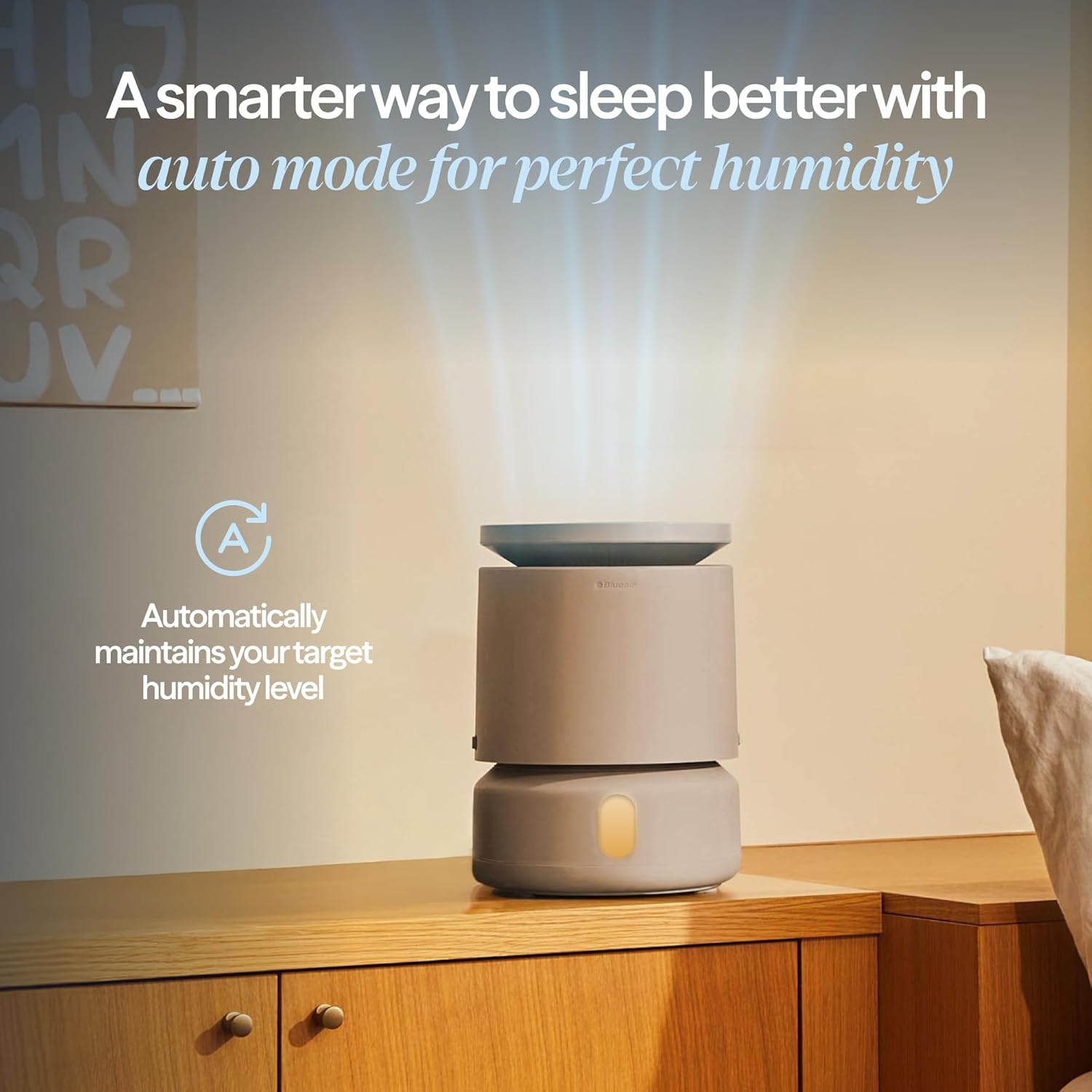
Image: The machine-washable wick filter, designed for easy cleaning and long life.
Troubleshooting
| Problem | Possible Cause | Solution |
|---|---|---|
| Humidifier not turning on. | Not plugged in; power outage; device lock engaged. | Check power connection; ensure power is available; unlock the display. |
| Low humidity output or not reaching target. | Low water level; dirty wick filter; room size exceeds capacity; incorrect humidity setting. | Refill water tank; clean or replace wick filter; ensure room size is within 596 sq ft; adjust target humidity. |
| Unusual noise during operation. | Unit not level; foreign object in fan; water gurgling (normal for some humidifiers, but DreamWell is designed to minimize this). | Ensure unit is on a flat surface; check for obstructions; if persistent, contact support. |
| App connection issues. | Incorrect Wi-Fi password; device too far from router; app not updated. | Verify Wi-Fi credentials; move device closer to router; update Blueair app. |
| Display light too bright for sleep. | Mood lighting set to Normal or Bright. | Adjust mood lighting to Warm or Off via the control panel or app. |
Specifications
- Brand: BLUEAIR
- Model Name: 113360
- Product Dimensions: 9.6"D x 9.6"W x 13"H
- Item Weight: 8.48 pounds (3.86 Kilograms)
- Color: Beige
- Material Type: Plastic
- Special Feature: Dishwasher Safe (tank)
- Included Components: Humidifier, pre-installed filter, user manual
- UPC: 689122031187

Image: Dimensions of the DreamWell Humidifier.
Warranty and Support
For warranty information, please refer to the warranty card included with your product or visit the official BLUEAIR website. For technical support, troubleshooting assistance, or to purchase replacement parts, please contact BLUEAIR customer service through their official channels.
Online Support: www.blueair.com/us/support


