
Important Safety Instructions
Please read all instructions carefully before using the appliance and retain them for future reference. Failure to follow these instructions may result in electric shock, fire, or serious injury.
- Electrical Safety: Ensure the voltage indicated on the appliance corresponds to your local mains voltage before connecting. Do not immerse the appliance, cord, or plug in water or other liquids. Do not operate with a damaged cord or plug.
- Hot Surfaces: The appliance surfaces become hot during use. Always use oven mitts when handling hot components. Do not touch hot surfaces directly.
- Ventilation: Ensure adequate air circulation around the appliance during operation. Do not block any ventilation openings. Place the air fryer on a stable, heat-resistant surface, away from walls and other appliances.
- Children and Vulnerable Persons: This appliance can be used by children aged 8 years and above and persons with reduced physical, sensory or mental capabilities or lack of experience and knowledge if they have been given supervision or instruction concerning use of the appliance in a safe way and understand the hazards involved. Children shall not play with the appliance. Cleaning and user maintenance shall not be made by children unless they are older than 8 and supervised.
- Cleaning: Always unplug the appliance and allow it to cool completely before cleaning. Refer to the "Maintenance" section for detailed cleaning instructions.
- Intended Use: This appliance is for household use only. Do not use it outdoors or for commercial purposes.
Product Overview
The CREATE AIR FRYER DUAL STACK is designed for healthy, oil-free cooking using hot air circulation. It features two independent cooking baskets, allowing you to prepare different foods simultaneously.

Figure 1: Front view of the CREATE AIR FRYER DUAL STACK 11.2L in black, positioned on a kitchen counter with various dishes.
Key Components:
- Control Panel: Digital touch screen for setting temperature, time, and selecting programs.
- Dual Baskets (5.6L each): Two independent cooking compartments for versatile meal preparation.
- Crisper Plates: Removable plates for optimal air circulation and easy cleaning.
- Handles: Integrated handles for safe removal of cooking baskets.
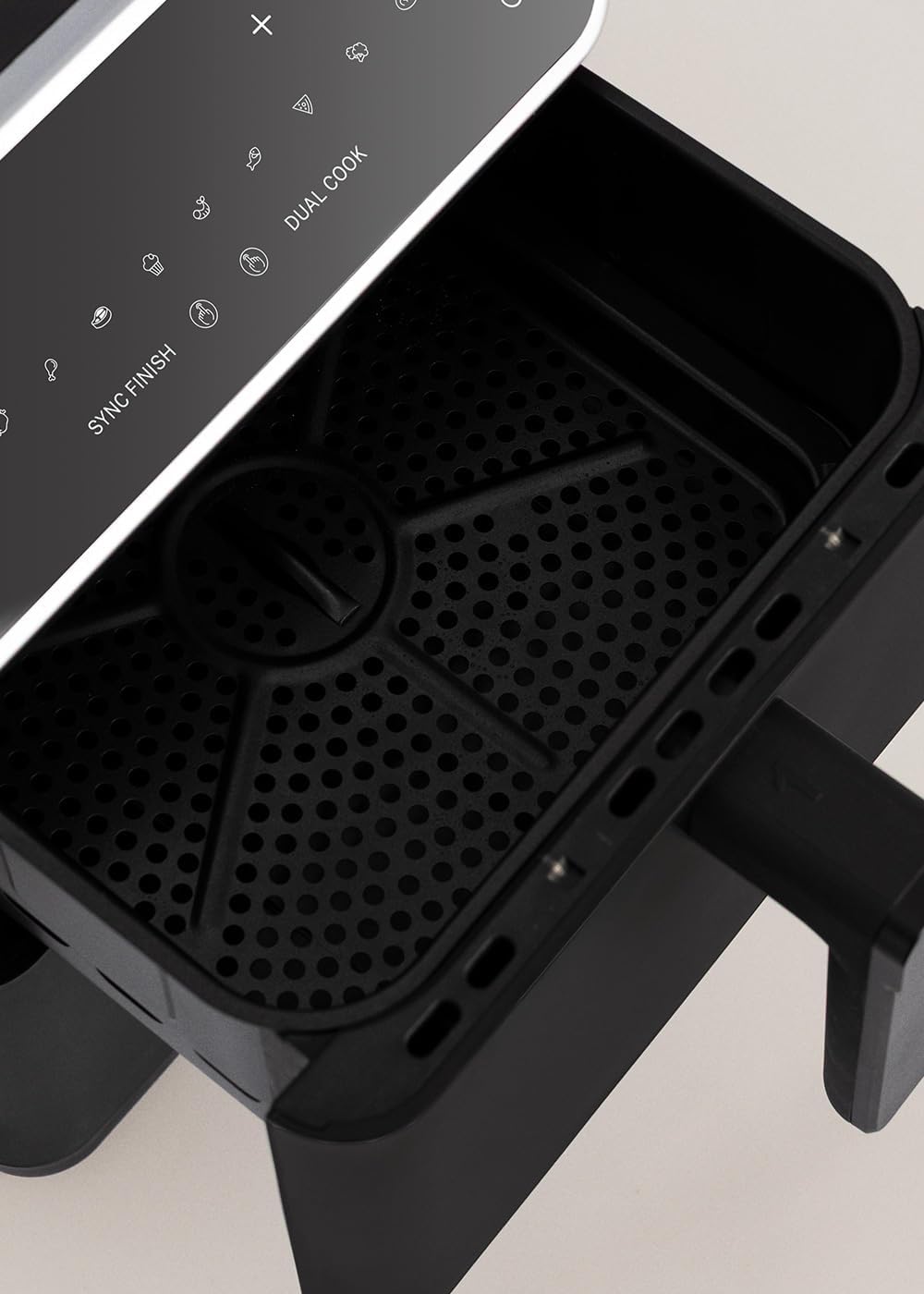
Figure 2: Detailed view of the digital touch control panel, showing various cooking icons and settings.

Figure 3: View inside an empty cooking basket, highlighting the removable crisper plate.
Setup and First Use
Unpacking:
- Remove all packaging materials, stickers, and labels from the appliance.
- Check that all components are present and undamaged.
Cleaning Before First Use:
- Wipe the exterior of the appliance with a damp cloth.
- Wash the cooking baskets and crisper plates with hot water, dish soap, and a non-abrasive sponge. Rinse thoroughly and dry completely. These parts are dishwasher safe.
- Do not immerse the main unit in water.
Placement:
- Place the air fryer on a stable, level, and heat-resistant surface.
- Ensure there is at least 10 cm (4 inches) of free space around the back and sides of the appliance for proper ventilation.
- Do not place the appliance near flammable materials or heat sources.
Initial Operation:
It is recommended to run the air fryer empty for about 10-15 minutes at 200°C before first use to eliminate any manufacturing odors. A slight smell or smoke may occur, which is normal.
Operating Instructions
Powering On:
Plug the power cord into a grounded electrical outlet. The control panel will illuminate, and the appliance will be in standby mode.
Using the Control Panel:

Figure 4: User interacting with the touch control panel to select settings.
- Power Button: Press to turn the appliance on or off.
- Temperature Adjustment (+/-): Adjust cooking temperature (50°C to 200°C).
- Time Adjustment (+/-): Adjust cooking time (1 to 60 minutes).
- Basket Selection (1/2): Select which basket to control independently.
- Pre-set Programs: Icons for 10 automatic programs (e.g., fries, steak, fish, shrimp, chicken, cake, chicken thighs, bread, pizza, reheat).
- SYNC FINISH: Synchronizes the cooking end time for both baskets.
- DUAL COOK: Applies the same cooking settings to both baskets.
Basic Cooking Steps:
- Place food in one or both cooking baskets. Ensure the crisper plates are inserted. Do not overfill.
- Insert the baskets firmly into the appliance.
- Press the Power button.
- For Single Basket Cooking: Select basket 1 or 2, then adjust temperature and time using the +/- buttons. Press the Start/Pause button to begin.
- Using Pre-set Programs: Select basket 1 or 2, then choose one of the 10 program icons. The appliance will automatically set the recommended temperature and time. You can adjust these settings manually if needed. Press Start/Pause.
- Dual Cook Function: Press the DUAL COOK button. Set the desired temperature and time for one basket; these settings will automatically apply to the other basket. Press Start/Pause.
- SYNC FINISH Function: This function allows two different foods to finish cooking at the same time.
- Set temperature and time for Basket 1.
- Select Basket 2 and set its temperature and time.
- Press SYNC FINISH. The air fryer will automatically adjust the start times so both baskets finish simultaneously. Press Start/Pause.
- During cooking, you may shake the baskets for even cooking, especially for items like fries.
- When cooking is complete, the appliance will beep. Carefully pull out the baskets using the handles.
- Remove food using non-metallic utensils to avoid scratching the non-stick coating.
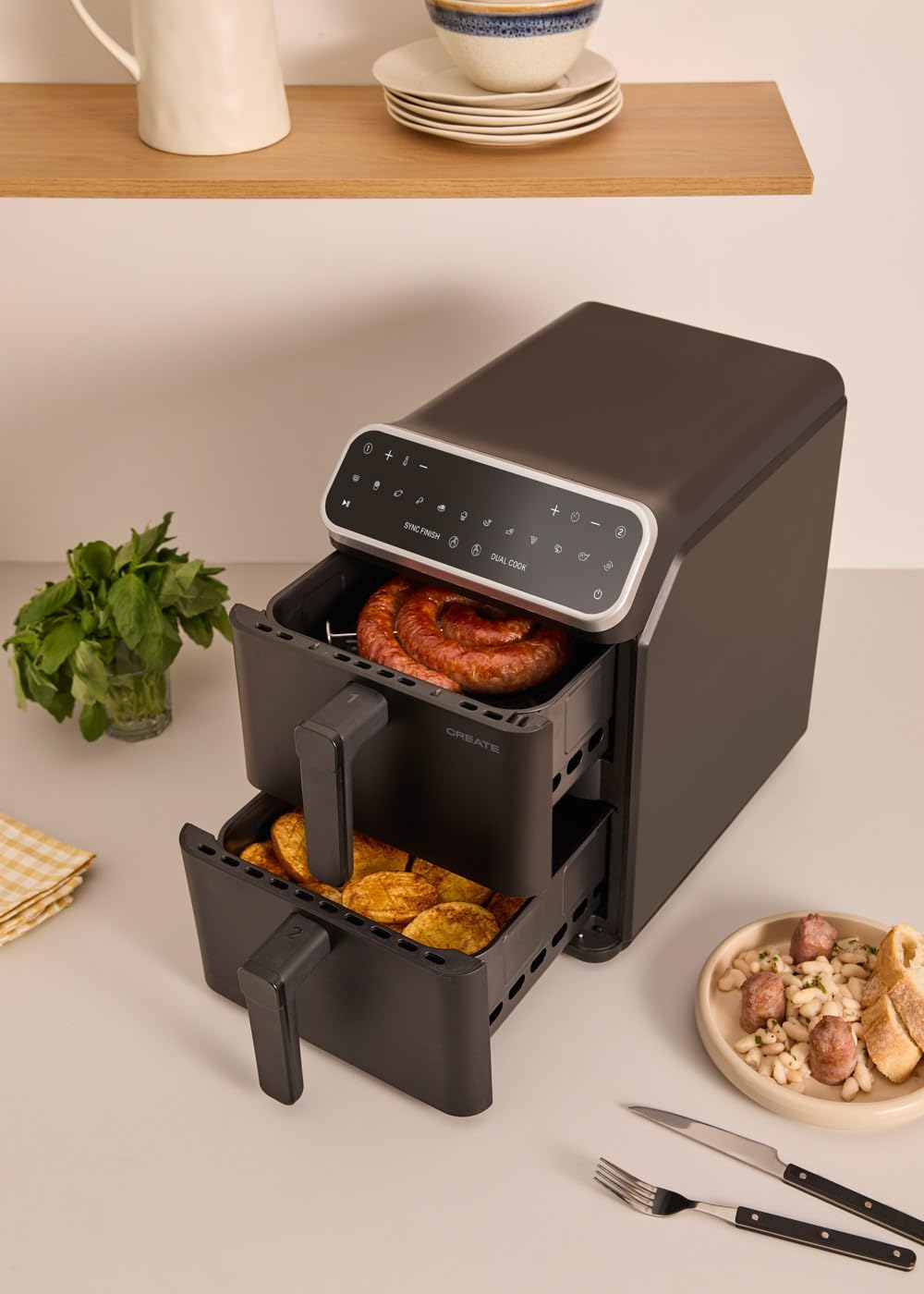
Figure 5: The air fryer in use, demonstrating simultaneous cooking in both baskets.

Figure 6: A single basket filled with food, ready for or during the cooking process.
Maintenance and Cleaning
Regular cleaning ensures optimal performance and extends the lifespan of your air fryer.
- Before Cleaning: Always unplug the appliance from the power outlet and allow it to cool down completely before cleaning.
- Cooking Baskets and Crisper Plates:
- These parts are dishwasher safe.
- Alternatively, wash them in hot water with dish soap and a non-abrasive sponge.
- For stubborn food residues, soak the baskets in hot water with dish soap for about 10 minutes before cleaning.
- Ensure they are completely dry before reassembling or storing.
- Interior of the Appliance:
- Wipe the interior with a damp cloth. Do not use abrasive cleaners or scouring pads.
- If necessary, use a small brush to clean the heating element, ensuring the appliance is unplugged and cool.
- Exterior of the Appliance:
- Wipe the exterior with a soft, damp cloth.
- Do not use harsh chemicals or abrasive materials.
- Storage: Ensure the appliance is clean and dry before storing. Store it in a cool, dry place.
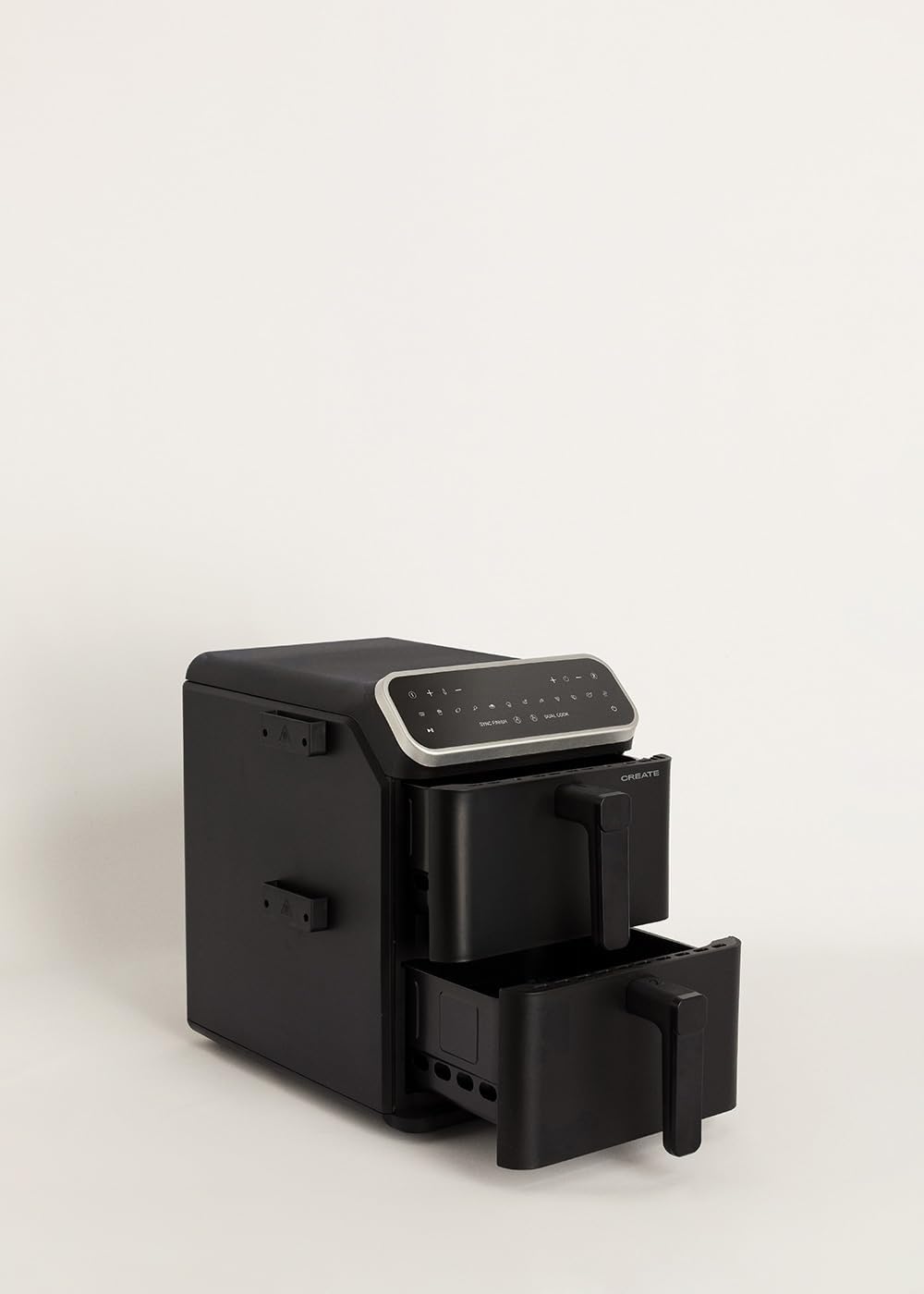
Figure 7: The air fryer with baskets and crisper plates removed, illustrating components for cleaning.
Troubleshooting
If you encounter any issues with your CREATE AIR FRYER DUAL STACK, please refer to the following common problems and solutions:
| Problem | Possible Cause | Solution |
|---|---|---|
| Appliance does not turn on. | Not plugged in; power outlet malfunction; appliance fault. | Ensure the power cord is securely plugged into a working outlet. Check the circuit breaker. |
| Food is not cooked evenly or is undercooked. | Baskets overloaded; incorrect temperature/time; food not shaken. | Do not overload baskets. Adjust temperature and time as needed. Shake baskets halfway through cooking for even results. |
| White smoke coming from the appliance. | Grease residue from previous use; fatty food being cooked. | Clean the baskets and crisper plates thoroughly. For fatty foods, ensure excess oil is drained. This is usually harmless. |
| Appliance emits an unusual smell during first use. | Manufacturing residues burning off. | This is normal for first use. Run the air fryer empty for 10-15 minutes at 200°C in a well-ventilated area. |
| Baskets do not slide in smoothly. | Obstruction; baskets not aligned correctly. | Ensure no food or debris is blocking the runners. Align baskets properly before pushing them in. |
If the problem persists after trying these solutions, please contact CREATE customer support for assistance.
Specifications
- Model Name: AIR FRYER DUAL STACK
- Model Number: 210517_580487
- Brand: CREATE
- Capacity: 11.2 Liters (2 x 5.6L independent baskets)
- Power: 2600-3000 Watts
- Voltage: 240 Volts
- Temperature Range: 50°C - 200°C
- Control Method: Touch Panel
- Dimensions (D x W x H): 39.8 cm x 27.7 cm x 43 cm
- Material: Plastic (exterior), Metal (interior)
- Special Features: Dual Zone Functions, 10 Pre-installed Programs, SYNC FINISH, DUAL COOK
- Dishwasher Safe Parts: Baskets and Crisper Plates
Warranty and Support
This product comes with a standard manufacturer's warranty. For specific warranty terms and conditions, please refer to the documentation provided with your purchase or visit the official CREATE website.
For technical support, troubleshooting assistance, or to inquire about replacement parts, please contact CREATE customer service. Contact information can typically be found on the manufacturer's website or in your purchase documentation.
Online Resources: You may also find additional support and FAQs on the CREATE Brand Store on Amazon.
