1. Introduction
This manual provides essential information for the proper setup, operation, and maintenance of your OUKITEL C5 smartphone. Please read this manual thoroughly before using your device to ensure optimal performance and longevity.
2. What's in the Box
Upon opening your OUKITEL C5 package, verify that all the following items are included:
- 1x OUKITEL C5 Cell Phone
- 1x 10W Charger
- 1x Data Cable (Type-C)
- 1x Phone Case
- 1x User Manual
- 1x SIM Ejector Pin

Image: Contents of the OUKITEL C5 retail box, showing the smartphone, 10W charger, Type-C data cable, phone case, user manual, and SIM ejector pin.
Video: An unboxing video demonstrating the contents of the OUKITEL C5 package and the initial presentation of the device.
3. Setup
3.1. SIM Card and Storage Installation
- Locate the SIM Tray: Use the provided SIM ejector pin to open the SIM card tray, typically located on the side of the device.
- Insert SIM/TF Card: Carefully place your Nano-SIM card(s) and/or a TF (microSD) card (up to 1TB) into the designated slots on the tray. Ensure proper orientation as indicated on the tray.
- Close the Tray: Gently push the tray back into the device until it is flush with the side.
3.2. Initial Charging and Power On
- Charge the Device: Connect the provided 10W charger and Type-C data cable to your OUKITEL C5 and a power outlet. Allow the device to charge for at least 30 minutes before first use.
- Power On: Press and hold the Power button (usually on the right side) until the OUKITEL logo appears on the screen.
- Follow On-Screen Prompts: Complete the initial setup process, including language selection, Wi-Fi connection, Google account setup, and security settings.
4. Operating Your OUKITEL C5
4.1. Basic Navigation (Android 14)
Your OUKITEL C5 runs on Android 14, offering an intuitive user experience. Navigate using gestures or the traditional three-button navigation bar (Back, Home, Recents) which can be configured in Settings.

Image: The OUKITEL C5 smartphone showcasing the Android 14 operating system interface with various applications.

Image: A visual representation of the OUKITEL C5 operating on Android 14, emphasizing its efficiency and security enhancements.
4.2. Display Features
The OUKITEL C5 features a 6.52-inch HD Waterdrop display with a resolution of 540*1200 and a 60Hz refresh rate. The 450-nit brightness ensures clear visibility in various lighting conditions.
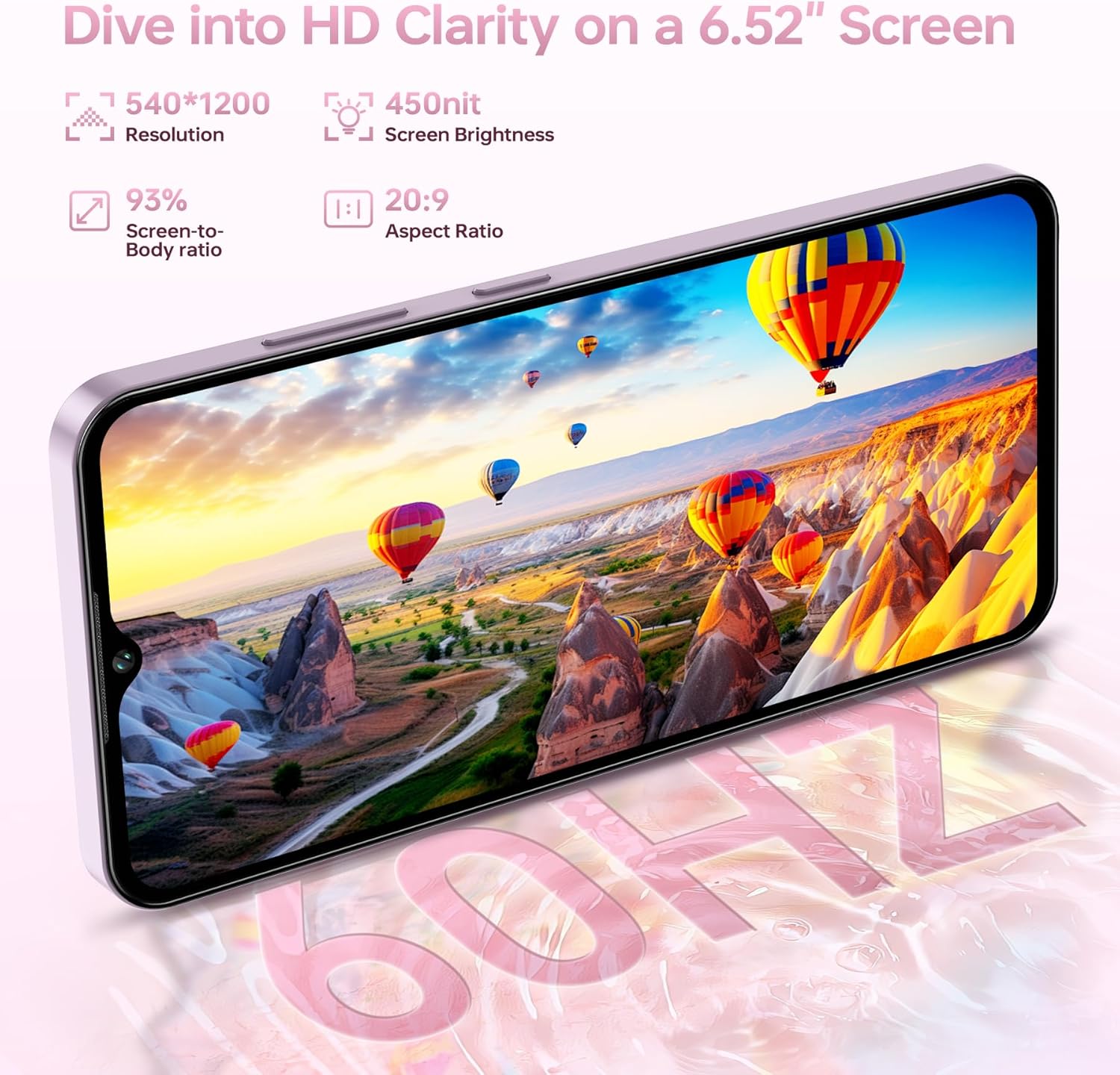
Image: The OUKITEL C5 screen highlighting its 6.52-inch HD display, 540*1200 resolution, 450-nit brightness, 93% screen-to-body ratio, and 20:9 aspect ratio.

Image: The OUKITEL C5's 6.52-inch display, emphasizing its immersive HD brilliance with details on resolution, brightness, aspect ratio, and screen-to-body ratio.
4.3. Camera Functionality
The device is equipped with a 13MP main camera and a 5MP front camera. Features like HDR, night mode, and panorama are available to enhance your photography.
- Rear Camera: 13MP for capturing detailed photos and videos.
- Front Camera: 5MP for selfies and video calls, with intelligent beauty enhancement.

Image: The OUKITEL C5 highlighting its 13MP main camera and 5MP front camera, demonstrating their ability to capture clear images.

Image: The OUKITEL C5's 13MP camera features, including HDR, Portrait mode, and Beauty mode, illustrated with example photos.

Image: The OUKITEL C5's 5MP front camera, shown with examples of selfies and group photos, indicating its suitability for video calls and self-portraits.
4.4. Battery and Charging
The OUKITEL C5 is powered by a 5000mAh battery, providing extended usage times. It supports 10W fast charging and OTG reverse charging.
- Battery Life: Up to 35 hours of call time, 35 hours of music, or 10 hours of video playback.
- OTG Reverse Charging: Use your phone as a power bank to charge other small devices.

Image: The OUKITEL C5 highlighting its 5000mAh battery, with estimated usage times for standby, talk, music, and video playback.

Image: The OUKITEL C5's 5000mAh large capacity battery, illustrating 10W charging and OTG reverse charging capabilities.

Image: The OUKITEL C5 demonstrating its OTG reverse charging feature, capable of powering earphones, other phones, smartwatches, USB fans, tablets, and cameras.
4.5. Performance and Storage
The OUKITEL C5 features 16GB RAM (4GB physical + 12GB virtual) and 64GB internal storage, expandable up to 1TB via a TF card. This configuration supports smooth multitasking and ample storage for applications and media.

Image: The OUKITEL C5 illustrating its memory capabilities, labeled 'Endless Space for Your Universe', with 16GB RAM and 64GB ROM, suitable for numerous applications.

Image: The OUKITEL C5 emphasizing its 'Unlimited Memory, Unstoppable Performance' with 4GB physical RAM, 12GB virtual RAM, 64GB ROM, and 1TB TF card expansion, shown with various popular apps.
4.6. Connectivity and Security
The OUKITEL C5 supports 4G Dual SIM, GPS, GLONASS, Beidou, Galileo, Bluetooth 5.0, Wi-Fi 2.4/5G, and features Face ID for secure unlocking. A 3.5mm audio jack is also included.
- 4G Dual SIM: Manage two phone numbers simultaneously.
- GPS: Integrated GPS, GLONASS, Beidou, and Galileo for accurate navigation.
- Face ID: Convenient and secure facial recognition unlocking.
- Bluetooth 5.0: For wireless accessory connections.
- Wi-Fi: Supports 2.4GHz and 5GHz networks.
- 3.5mm Audio Jack: For wired headphones.

Image: The OUKITEL C5 highlighting its 3.5mm headphone jack, multi-system GPS (GPS+GLONASS+Beidou+Galileo), and Face ID security feature.

Image: The OUKITEL C5 showcasing its connectivity options: 2.4/5G Wi-Fi, Bluetooth 5.0, and 4G Dual SIM capability with an illustration of the SIM tray.

Image: The OUKITEL C5 demonstrating its precise navigation capabilities through its Quad-System GPS, GLONASS, Beidou, and Galileo support.
Video: A feature overview of the OUKITEL C5, highlighting its 16GB RAM, 64GB ROM, 13MP camera, 5000mAh battery, and slim design.
5. Specifications
Detailed technical specifications for the OUKITEL C5 smartphone:
| Feature | Specification |
|---|---|
| Model Name | OUKITEL C5 |
| Operating System | Android 14 |
| RAM Memory Installed Size | 16 GB (4GB physical + 12GB virtual) |
| Memory Storage Capacity | 64 GB (Expandable up to 1 TB via TF card) |
| Screen Size | 6.52 Inches |
| Resolution | 540 x 1200 HD |
| Refresh Rate | 60 Hz |
| Battery Power Rating | 5000 mAh |
| Phone Talk Time | 35 Hours |
| Main Camera | 13 MP |
| Front Camera | 5 MP |
| Cellular Technology | 4G (Dual SIM) |
| Wireless Carrier Support | T-Mobile (Does not support AT&T and Verizon) |
| Connectivity Technology | Bluetooth 5.0, Wi-Fi 2.4/5G |
| GPS | Built-In GPS (GPS/GLONASS/Beidou/Galileo) |
| Audio Jack | 3.5 mm |
| Special Features | Built-In GPS, Dual SIM, Expandable Memory, Fast Charging Support, Supports USB OTG, Face ID |
| Item Weight | 14.4 ounces |
| Dimensions | 7.51 x 4.05 x 1.96 inches (Package) |
| Thickness | 9.3 mm |

Image: The OUKITEL C5 illustrating its physical attributes, including a 6.52-inch HD screen, 198g weight, 9.3mm thickness, 16GB RAM expansion, 64GB ROM, and 5000mAh battery.

Image: The OUKITEL C5 emphasizing its sleek, slender, and stylish design, noting its 198g ultra-light weight and 9.3mm ultra-thin profile.
6. Maintenance
To ensure the longevity and optimal performance of your OUKITEL C5, follow these maintenance guidelines:
- Cleaning: Use a soft, lint-free cloth to clean the screen and body of the phone. Avoid abrasive materials or harsh chemicals.
- Software Updates: Regularly check for and install system updates to benefit from the latest security patches and feature enhancements. Go to Settings > System > System update.
- Battery Care: Avoid extreme temperatures. Do not fully discharge the battery frequently. Use the provided charger for optimal charging.
- Storage Management: Periodically clear unnecessary files and apps to maintain sufficient storage space and system speed.
- Physical Protection: Use the provided phone case to protect against drops and scratches.
7. Troubleshooting
If you encounter issues with your OUKITEL C5, refer to the following common troubleshooting steps:
- Device Not Responding: Press and hold the Power button for about 10-15 seconds to force a restart.
- Battery Drains Quickly: Check for background apps consuming power. Reduce screen brightness. Disable unused features like Wi-Fi, Bluetooth, or GPS when not needed.
- Network Connectivity Issues: Ensure your SIM card is properly inserted. Restart the device. Check network settings (Settings > Network & internet > Mobile network). Verify carrier compatibility (OUKITEL C5 supports T-Mobile, not AT&T or Verizon).
- Apps Crashing/Freezing: Clear the cache of the problematic app (Settings > Apps > [App Name] > Storage & cache > Clear cache). If the issue persists, try reinstalling the app.
- Slow Performance: Free up storage space by deleting old files or uninstalling unused apps. Restart the device regularly.
- Face ID Not Working: Ensure your face is well-lit and unobstructed. Re-register your face ID in Settings > Security > Face unlock.
- Factory Reset (Last Resort): If problems persist, you may need to perform a factory reset. Warning: This will erase all data on your phone. Back up important data before proceeding. Go to Settings > System > Reset options > Erase all data (factory reset).
8. Warranty and Support
Your OUKITEL C5 smartphone comes with a standard manufacturer's warranty. Please refer to the warranty card included in your product package for specific terms and conditions, including warranty period and coverage details.
For technical support, service inquiries, or further assistance, please visit the official OUKITEL website or contact their customer service department. Contact information can typically be found on the OUKITEL website or in the documentation provided with your device.
For additional resources, you may visit the OUKITEL Store on Amazon.