1. Introduction
This manual provides essential information for the proper use and maintenance of your Fire-Boltt Axiom Smart Watch. Please read this manual thoroughly before using the device to ensure optimal performance and longevity.
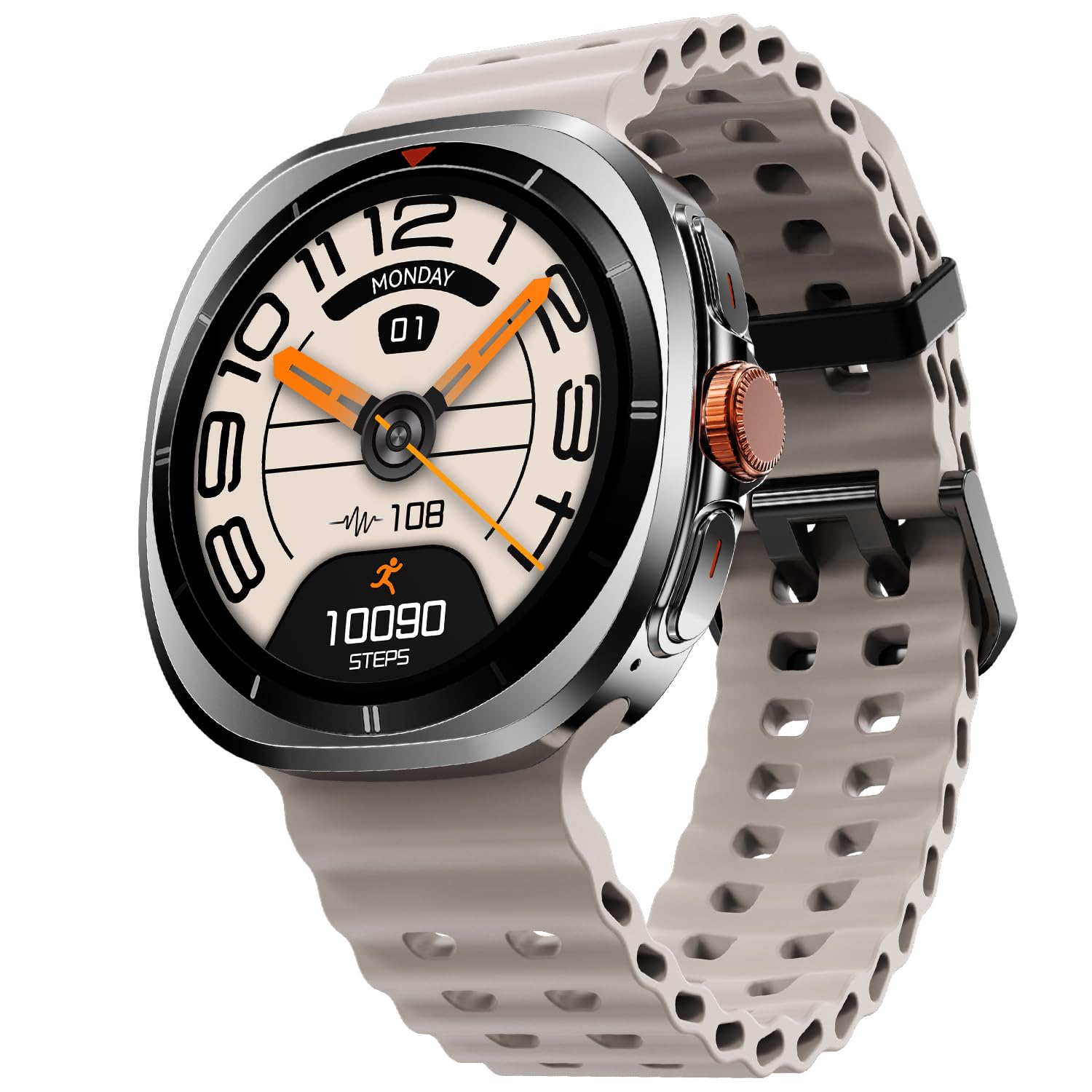
Image: Fire-Boltt Axiom Smart Watch with a beige strap, displaying the time and step count.
2. What's in the Box
Verify that all items are present in the packaging:
- Fire-Boltt Axiom Smart Watch
- Wireless Charging Cable
- User Manual (this document)
3. Setup
3.1 Charging the Device
Before initial use, fully charge your Fire-Boltt Axiom Smart Watch. The device supports wireless charging.
- Connect the wireless charging cable to a compatible USB power adapter (not included).
- Place the back of the watch onto the charging pad. Ensure the watch is correctly aligned for charging to begin.
- The watch display will indicate charging status.
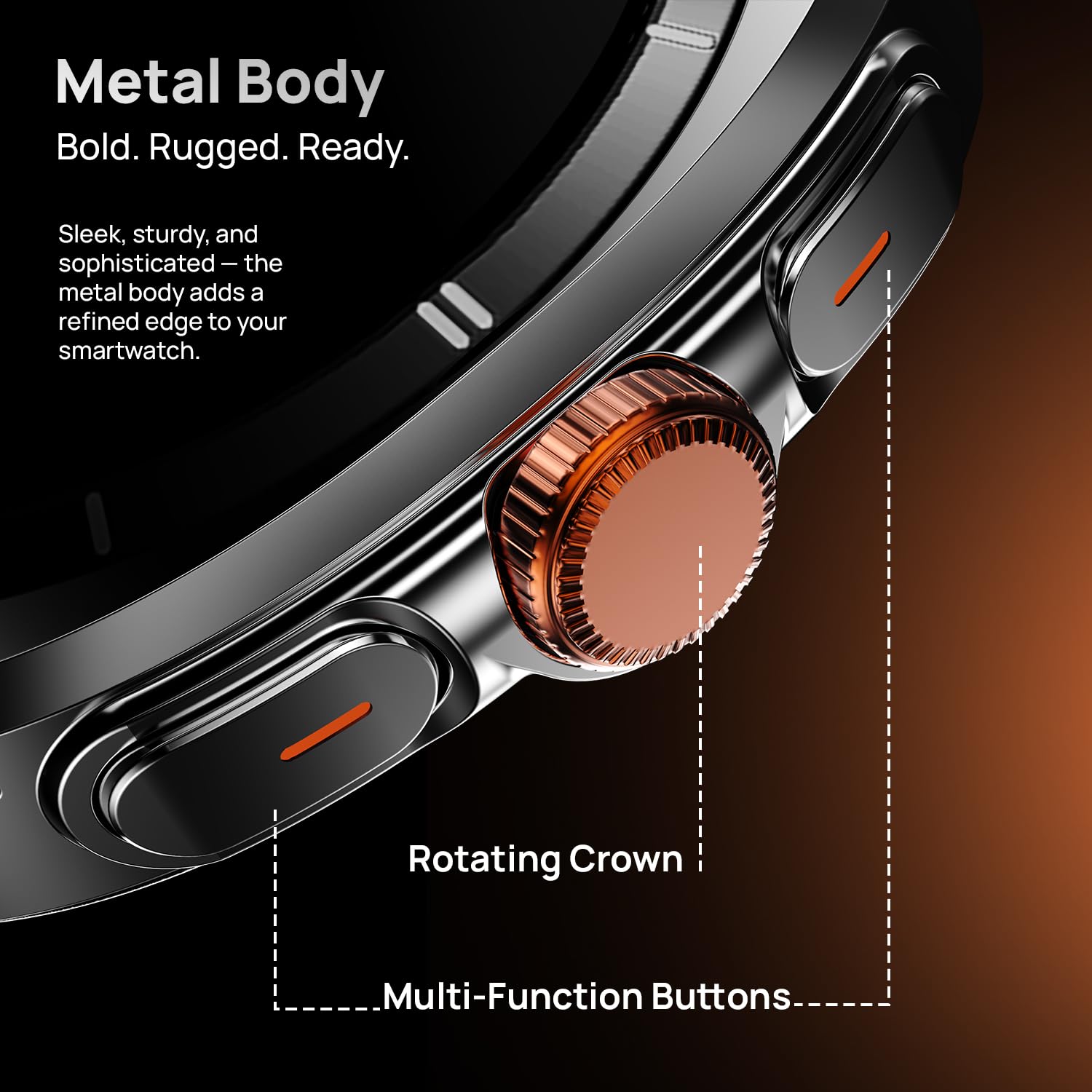
Image: Fire-Boltt Axiom Smart Watch being charged wirelessly.
3.2 Powering On/Off
- To Power On: Press and hold the main physical button on the side of the watch until the Fire-Boltt logo appears.
- To Power Off: Press and hold the main physical button, then select the 'Power Off' option on the screen.
3.3 App Installation and Pairing
To unlock the full functionality of your smart watch, download the companion application on your smartphone.
- Scan the QR code in the watch's settings or search for the official Fire-Boltt companion app in your smartphone's app store.
- Install the application and create an account if prompted.
- Enable Bluetooth on your smartphone.
- Open the app, navigate to 'Add Device' or 'Pair Device', and select 'Fire-Boltt Axiom' from the list of available devices.
- Confirm the pairing request on both your watch and smartphone.
4. Operating Your Smart Watch
4.1 Display Features
The Fire-Boltt Axiom features a 1.43-inch AMOLED display with a resolution of 466x466 pixels and up to 1000 nits peak brightness. It includes an Always-On Display mode, allowing key information to remain visible.

Image: Close-up view of the Fire-Boltt Axiom Smart Watch's vibrant AMOLED display.
4.2 Navigation
The watch offers multiple ways to navigate its interface:
- Touchscreen: Swipe and tap to interact with menus and applications.
- Rotating Crown: Rotate the crown to scroll through lists and adjust settings.
- Physical Buttons: Two physical buttons provide quick access to workouts, shortcuts, and settings.

Image: Side view of the Fire-Boltt Axiom Smart Watch, highlighting the rotating crown and multi-function buttons.
4.3 Bluetooth Calling
The watch supports Bluetooth calling with a built-in microphone and speaker.
- Make and receive calls directly from your wrist.
- Access call history, sync contacts, and use a quick access dial pad.
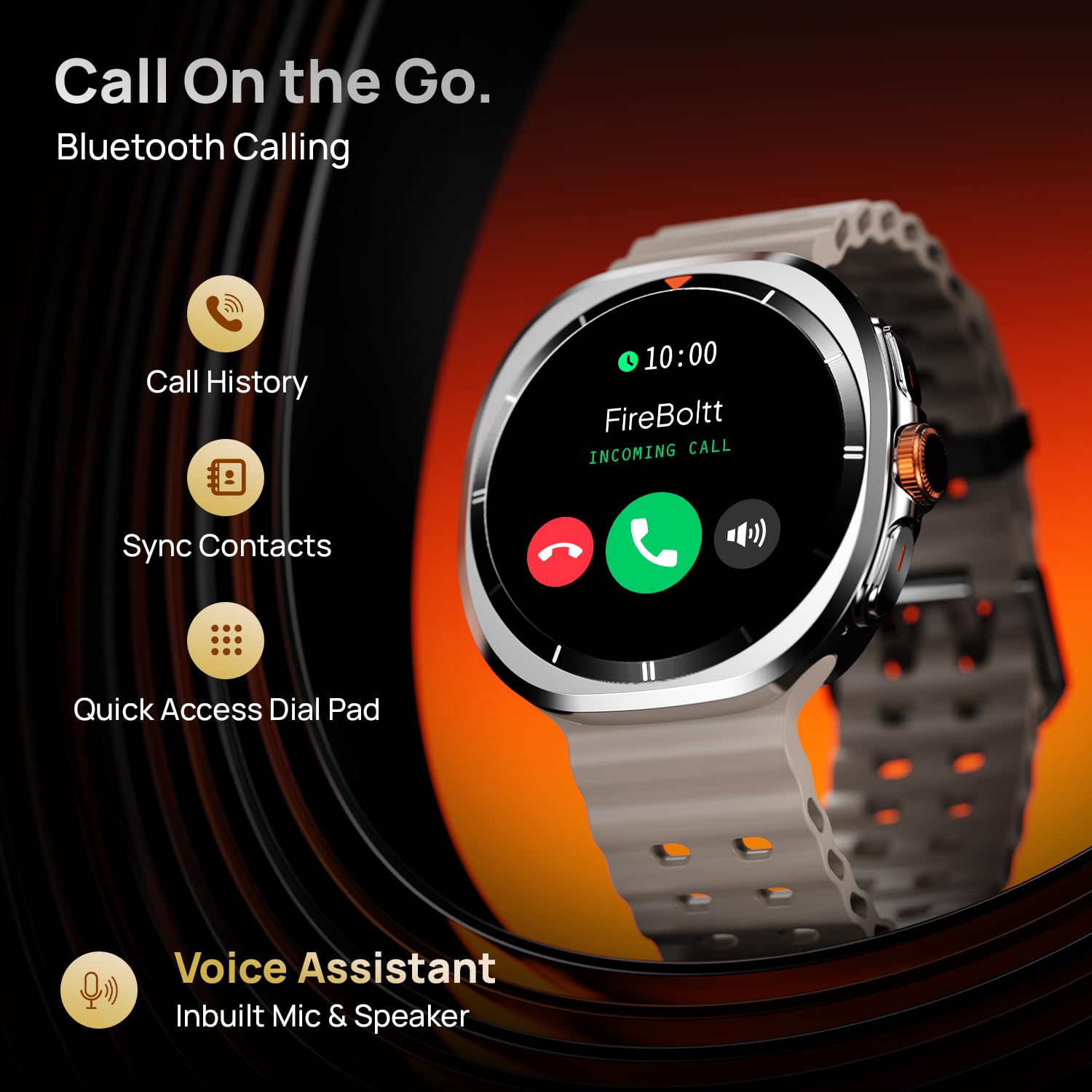
Image: Fire-Boltt Axiom Smart Watch showing an incoming call notification.
4.4 Health & Fitness Tracking
Monitor various aspects of your health and fitness:
- Heart Rate Tracking: Continuous 24/7 heart rate monitoring.
- SpO2 Monitoring: Real-time blood oxygen saturation measurement.
- Sleep Tracking: Detailed insights into sleep patterns.
- Step Tracking: Counts daily steps and estimates calories burned.
- Sports Modes: Over 100 sports modes to track various workouts.
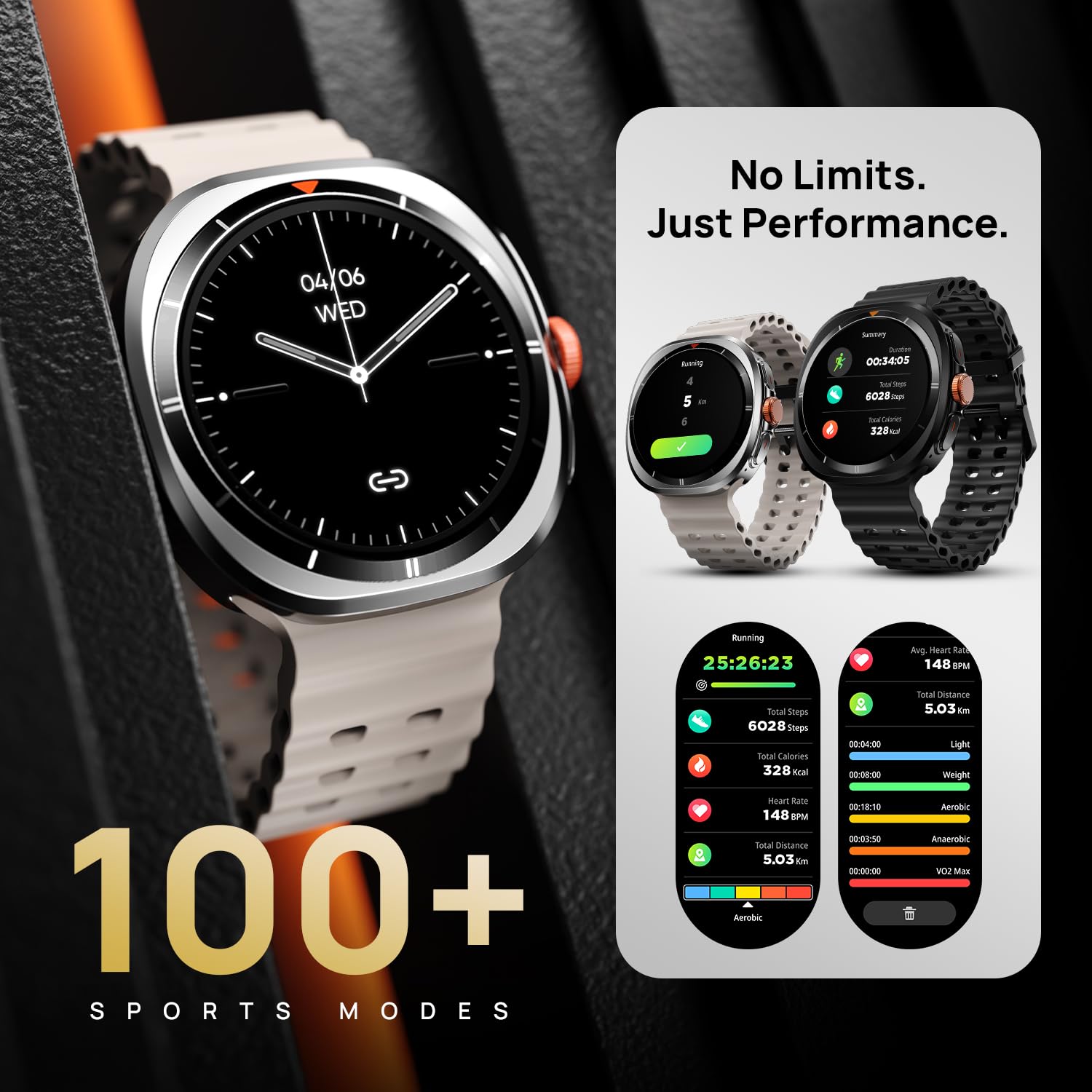
Image: Fire-Boltt Axiom Smart Watch displaying running activity data, including duration, steps, calories, and heart rate.

Image: Fire-Boltt Axiom Smart Watch displaying SpO2 (blood oxygen) and heart rate measurements.
4.5 Other Smart Features
- Voice Assistant: Integrated voice assistant for commands.
- Smart Notifications: Receive alerts for calls, messages, and app notifications.
- Multiple Watch Faces: Customize the watch face from a variety of options.
- IP68 Water Resistance: The watch is rated IP68 for water and dust resistance.

Image: Fire-Boltt Axiom Smart Watch showcasing features like IP68 water resistance, voice assistant, smart notifications, multiple watch faces, and 300mAh battery.
5. Maintenance
5.1 Cleaning Your Smart Watch
Regular cleaning helps maintain the watch's appearance and functionality.
- Wipe the watch screen and body with a soft, lint-free cloth.
- For stubborn dirt, slightly dampen the cloth with water. Avoid using harsh chemicals or abrasive materials.
- Clean the charging contacts periodically to ensure efficient charging.
5.2 Battery Care
- Avoid fully discharging the battery frequently.
- Charge the watch using only the provided wireless charging cable.
- Store the watch in a cool, dry place if not used for extended periods.
6. Troubleshooting
If you encounter issues with your Fire-Boltt Axiom Smart Watch, refer to the following common solutions:
| Issue | Possible Solution |
|---|---|
| Watch not turning on | Ensure the watch is fully charged. Press and hold the power button for at least 10 seconds. |
| Cannot pair with phone | Ensure Bluetooth is enabled on your phone and watch. Restart both devices. Check if the watch is already paired with another device. |
| Charging issues | Verify the charging cable is properly connected to a power source and the watch. Clean the charging contacts. Try a different USB power adapter. |
| Inaccurate health data | Ensure the watch is worn snugly on your wrist. Clean the sensors on the back of the watch. |
| Bluetooth calling not working | Confirm the watch is properly connected via Bluetooth for calls. Check phone's Bluetooth settings for call audio permissions. |
7. Specifications
Key technical specifications for the Fire-Boltt Axiom Smart Watch:
| Feature | Detail |
|---|---|
| Brand | Fire-Boltt |
| Model Name | Axiom |
| Model Number | BSW259 |
| Display Size | 1.43 Inches (36.3mm) |
| Display Type | AMOLED |
| Resolution | 466x466 Pixels |
| Peak Brightness | 1000 Nits |
| Connectivity | Bluetooth |
| Charging | Wireless Charging |
| Water Resistance | IP68 |
| Item Weight | 46 g |
| Battery Cell Composition | Lithium Ion |
8. Warranty and Support
Your Fire-Boltt Axiom Smart Watch is covered by a manufacturer's warranty. Please refer to the warranty card included in your product packaging for specific terms and conditions.
For further assistance, technical support, or warranty claims, please contact Fire-Boltt customer service or visit the official Fire-Boltt store:
- Online Store: Fire-Boltt Store on Amazon
- Manufacturer: Boltt Games Pvt Ltd


