
1. Introduction
The OUKITEL P5000 Pro Portable Power Station is a high-capacity, high-output solar generator designed to provide reliable power for various applications, from home backup during outages to outdoor camping and off-grid living. Featuring a robust LiFePO4 battery and multiple charging options, it ensures your essential devices remain powered.
What's in the Box
- 1 x P5000 Pro Power Station
- 1 x 500W Solar Panel (if purchased as a bundle)
- 1 x AC Charging Cable
- 1 x Solar Charging Cable
- 1 x Car Charger
- 1 x User Manual
Note: Due to the product's weight, the power station and solar panels may be delivered in separate packages.
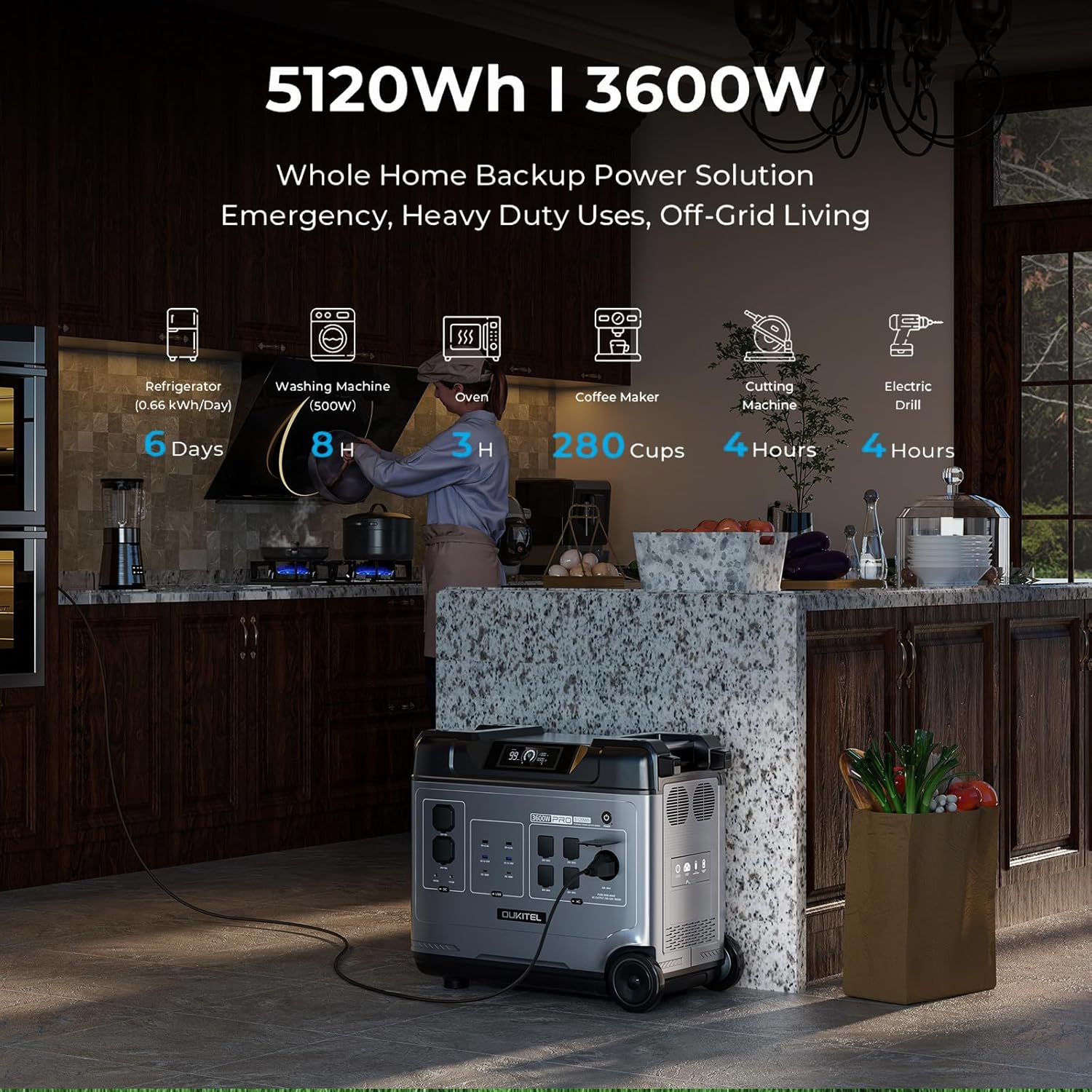
Image: OUKITEL P5000 Pro Portable Power Station with its various ports and accessories.
2. Safety Instructions
Read all safety warnings and instructions carefully before using this product. Failure to follow these instructions may result in electric shock, fire, or serious injury.
- Do not disassemble, repair, or modify the unit.
- Keep the unit away from fire, heat sources, and direct sunlight.
- Do not use or store the unit in a bathroom or in an area exposed to water or moisture.
- Use only original or certified cables and accessories.
- Ensure proper ventilation during use to prevent overheating.
- Keep out of reach of children and pets.
- Dispose of the product according to local regulations.
3. Setup and Initial Charging
Initial AC Charging
Before first use, fully charge the P5000 Pro using the provided AC charging cable. The unit supports 1800W fast charging, allowing a full charge in approximately 2.5 hours.
- Connect the AC charging cable to the AC input port on the power station.
- Plug the other end of the cable into a standard wall outlet.
- The display will show the charging status and estimated time to full charge.
Video: Demonstrates connecting the AC charging cable to the OUKITEL P5000 Pro for fast charging.
Solar Panel Charging
The P5000 Pro features a built-in MPPT controller for optimized solar charging. It supports up to 1000W solar input, allowing a full charge in approximately 5 hours when combined with AC hybrid charging.
- Unfold the solar panels and place them in direct sunlight.
- Connect the solar charging cable to the solar input port on the power station.
- Connect the other end of the solar charging cable to the solar panels.
- The display will indicate solar input wattage and charging status.
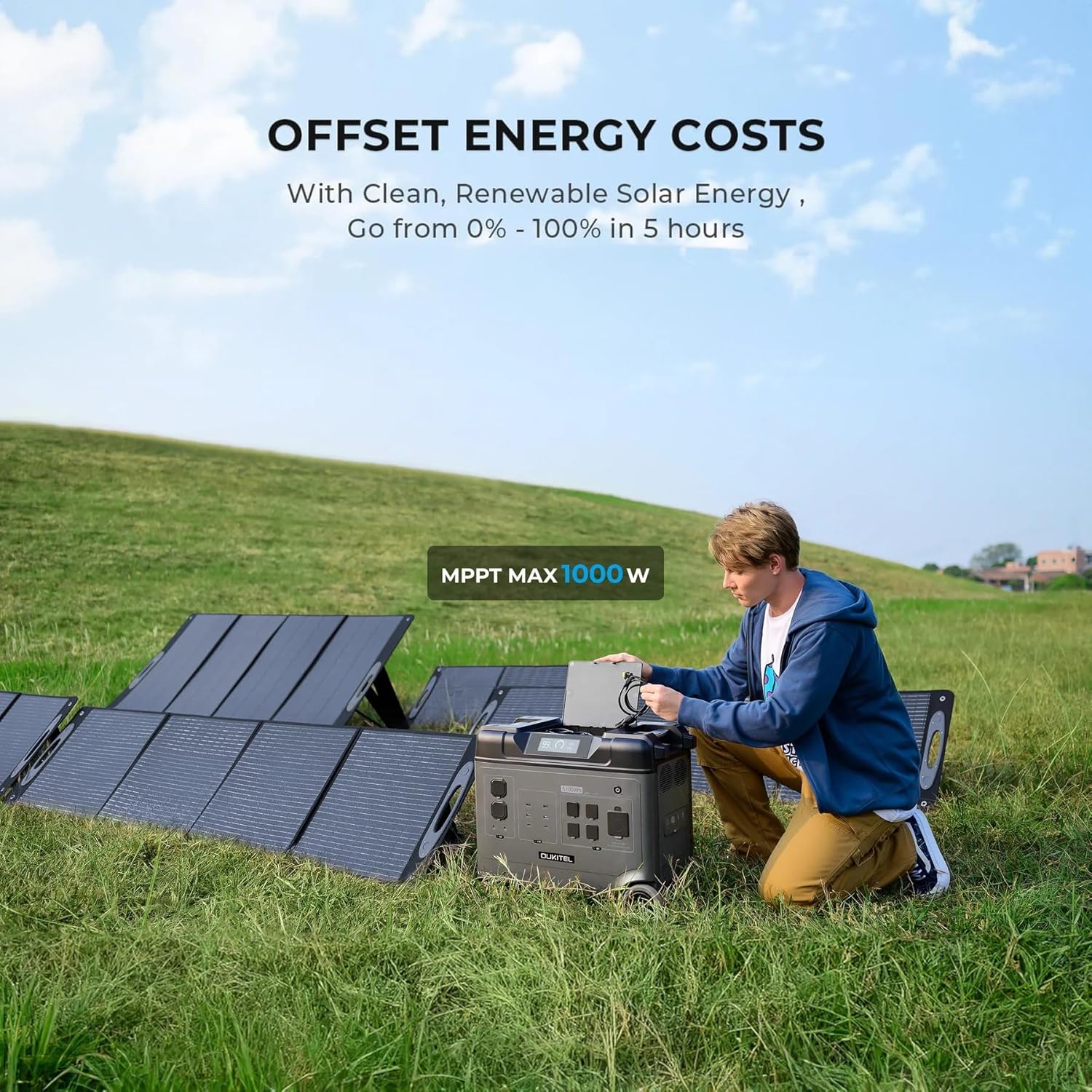
Image: OUKITEL P5000 Pro connected to solar panels for charging in an outdoor setting.
4. Operation
Powering Devices
The P5000 Pro offers 15 versatile outlets to power a wide range of devices simultaneously.
- AC Outlets (5x): For high-wattage appliances like refrigerators, space heaters, power tools, microwaves, and electric kettles.
- USB-A Ports (4x): For charging smartphones, tablets, and other USB-powered devices.
- USB-C Ports (2x): For fast charging compatible devices.
- DC Ports (2x): For DC-powered devices.
- Cigarette Lighter Port (1x): For car accessories.
- Airline Port (1x): For specific high-power DC applications.

Image: The OUKITEL P5000 Pro with various cables connected, illustrating its ability to charge multiple devices simultaneously.
Smart App Control
Monitor and control your P5000 Pro remotely via the mobile app. Connect using Bluetooth or Wi-Fi to check battery levels, manage input/output, and schedule charging.
- Download the OUKITEL app from your device's app store.
- Ensure the P5000 Pro is powered on.
- Open the app and follow the instructions to connect via Bluetooth or Wi-Fi.
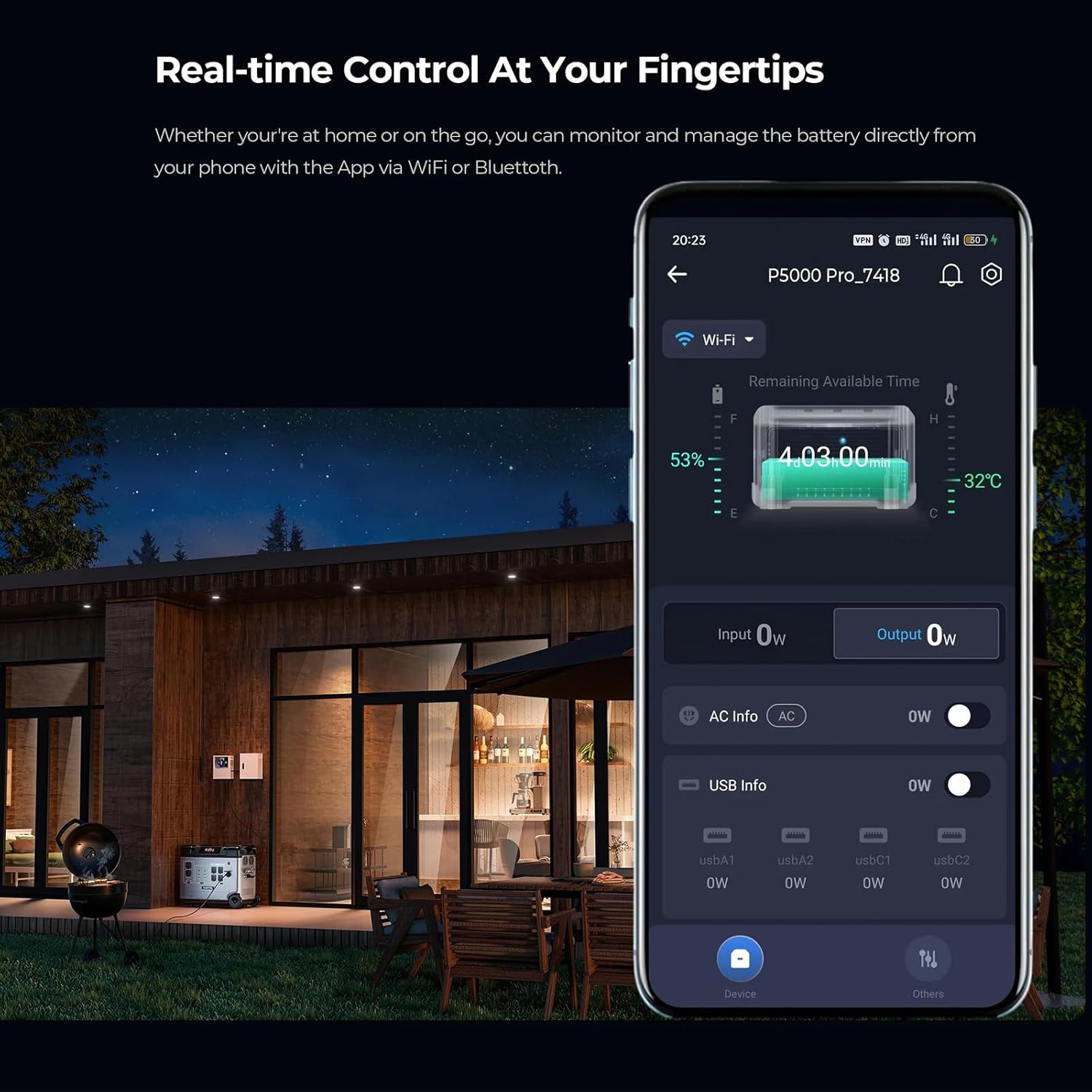
Image: A smartphone displaying the OUKITEL P5000 Pro app, showing real-time control and monitoring features.
Uninterruptible Power Supply (UPS) Function
The EPS function provides seamless power transition (<0.01s) during power outages, protecting sensitive electronics like computers, Wi-Fi routers, and medical equipment.
- Connect the P5000 Pro to a wall outlet using the AC charging cable.
- Connect your devices to the AC output ports of the P5000 Pro.
- In case of a power outage, the P5000 Pro will automatically switch to battery power, ensuring continuous operation for connected devices.
Video: Illustrates the seamless UPS function of the OUKITEL P5000 Pro during a power outage, keeping devices running.
Electric Vehicle (EV) Charging
The P5000 Pro can provide emergency power to electric vehicles, offering approximately 24 miles of range for a Tesla.
- Ensure the P5000 Pro is adequately charged.
- Connect the appropriate EV charging cable (not included) to the P5000 Pro's AC output and your EV's charging port.
- Monitor the charging status on both the power station and your vehicle's display.
Video: Shows the OUKITEL P5000 Pro being used to charge an electric vehicle, highlighting its versatility.
5. Maintenance
Battery Care
The P5000 Pro uses a LiFePO4 battery, known for its longevity (6000+ cycles, 10-year lifespan). Proper care ensures maximum performance and lifespan.
- Regular Charging: For optimal battery health, fully charge the unit at least once every 3-6 months, even if not in use.
- Storage: Store the power station in a cool, dry place, away from direct sunlight and extreme temperatures. Maintain a charge level between 50% and 80% for long-term storage.
- Cleaning: Use a dry, soft cloth to clean the exterior of the unit. Do not use harsh chemicals or abrasive materials.
6. Troubleshooting
If you encounter issues with your OUKITEL P5000 Pro, refer to the following common problems and solutions:
| Problem | Possible Cause | Solution |
|---|---|---|
| Unit not turning on | Low battery; Power button not pressed correctly | Charge the unit; Press and hold the power button for 3 seconds. |
| AC output not working | AC output not enabled; Overload protection triggered | Press the AC output button; Reduce connected load, then restart AC output. |
| Solar charging not working | Insufficient sunlight; Incorrect connection; Damaged solar panel/cable | Ensure direct sunlight; Check cable connections; Test with another solar panel/cable if possible. |
| App connection issues | Bluetooth/Wi-Fi off; App not updated; Interference | Ensure Bluetooth/Wi-Fi is on; Update app to latest version; Move closer to the unit. |
If the problem persists, please contact customer support.
7. Specifications
| Feature | Detail |
|---|---|
| Brand | Keenergy (OUKITEL) |
| Model Name | P5000 Pro |
| Capacity | 5120Wh |
| AC Output (Rated) | 3600W (Pure Sine Wave) |
| AC Output (Peak) | 6000W |
| Battery Type | LiFePO4 |
| Lifespan | 6000+ Cycles (to 80% capacity) |
| AC Input (Fast Charge) | 1800W |
| Solar Input (Max) | 1000W (MPPT) |
| UPS Function | Seamless transition (<0.01s) |
| Control | Smart App (Bluetooth/Wi-Fi) |
| Dimensions (L x W x H) | 22"L x 12"W x 19"H |
| Item Weight | 48 Pounds |
| Total Power Outlets | 15 (5x AC, 4x USB-A, 2x USB-C, 2x DC, 1x Cigarette Lighter, 1x Airline Port) |
8. Warranty and Support
The OUKITEL P5000 Pro Portable Power Station comes with a 5-year manufacturer's warranty, ensuring peace of mind regarding product quality and performance.
For technical assistance, troubleshooting, or warranty claims, please contact OUKITEL customer service through the official website or your retailer.
Please have your purchase receipt and product model number (P5000 Pro) ready when contacting support.