
Introduction
Thank you for choosing the CubiCubi 63x28 Electric Standing Desk. This manual provides essential information for the safe and efficient assembly, operation, and maintenance of your new desk. This desk is designed to offer a versatile workspace, allowing you to switch between sitting and standing positions with ease, promoting a healthier work environment.
Key features include a wide 28-inch deep desktop, a high-strength aerospace-grade cold-rolled steel frame supporting up to 176 lbs, enhanced stability with longer vertical supports, an advanced low-noise motor, and an intelligent lifting system with memory presets and anti-collision functionality.
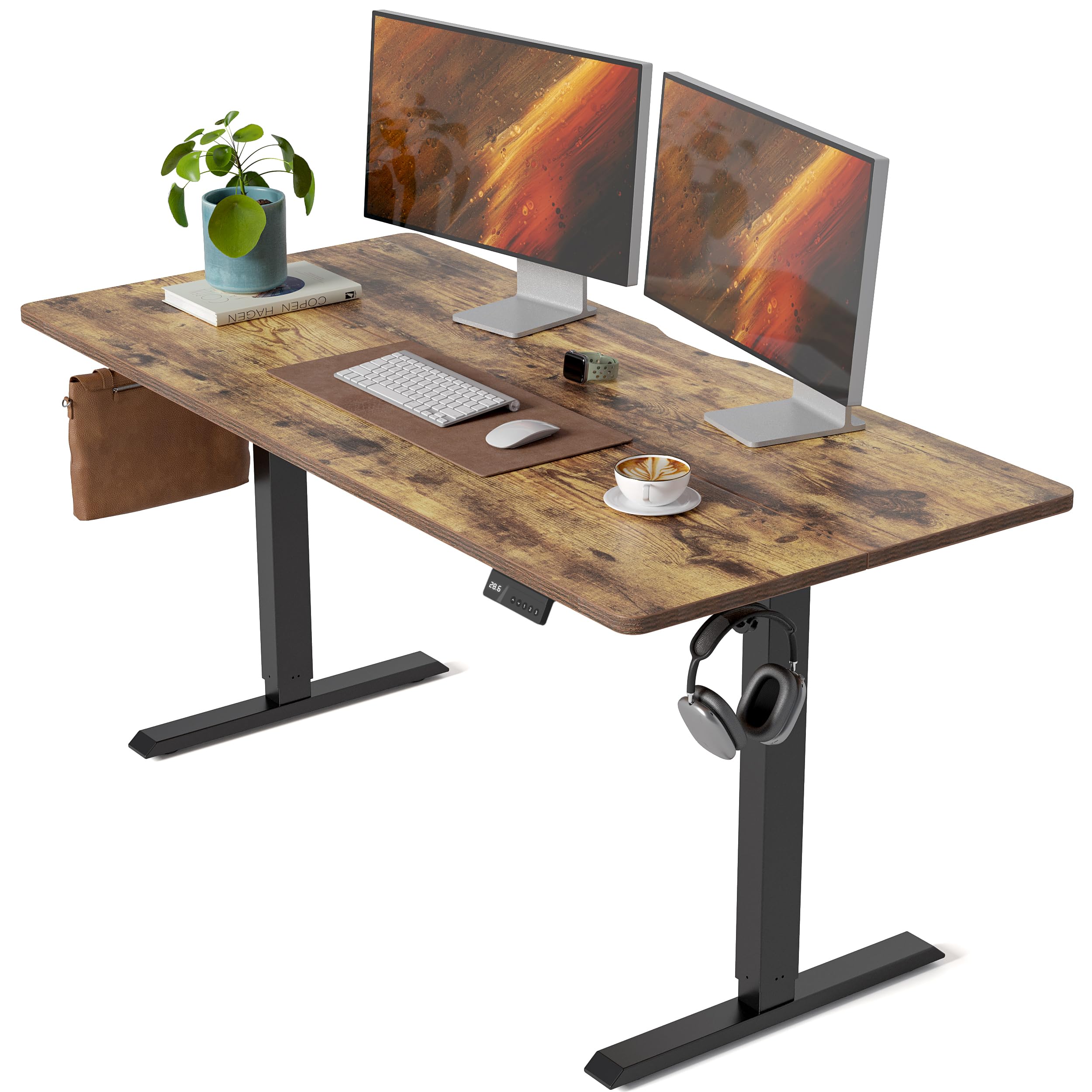
Image: The CubiCubi 63x28 Electric Standing Desk in Rustic Brown, showcasing its spacious desktop and modern design.
Safety Information
- Always ensure the desk is properly anchored to the floor to prevent tipping.
- Follow the instructions for proper assembly and use.
- Take regular breaks when using the desk to prevent discomfort.
- Do not exceed the weight limit of 176 lb (80 kg).
- Keep children and pets away from the desk during operation.
- Ensure no obstacles are in the path of the desk when adjusting its height.
Package Contents
Before beginning assembly, verify that all components are present and undamaged. Refer to the packaging list for a complete inventory. The desk typically includes the following main parts:
- Desktop (Spliced Board)
- Steel Frames (Legs and Crossbeam)
- Leg Bases
- Control Panel and Motor
- Hardware (screws, bolts, tools)
- Headphone Hook
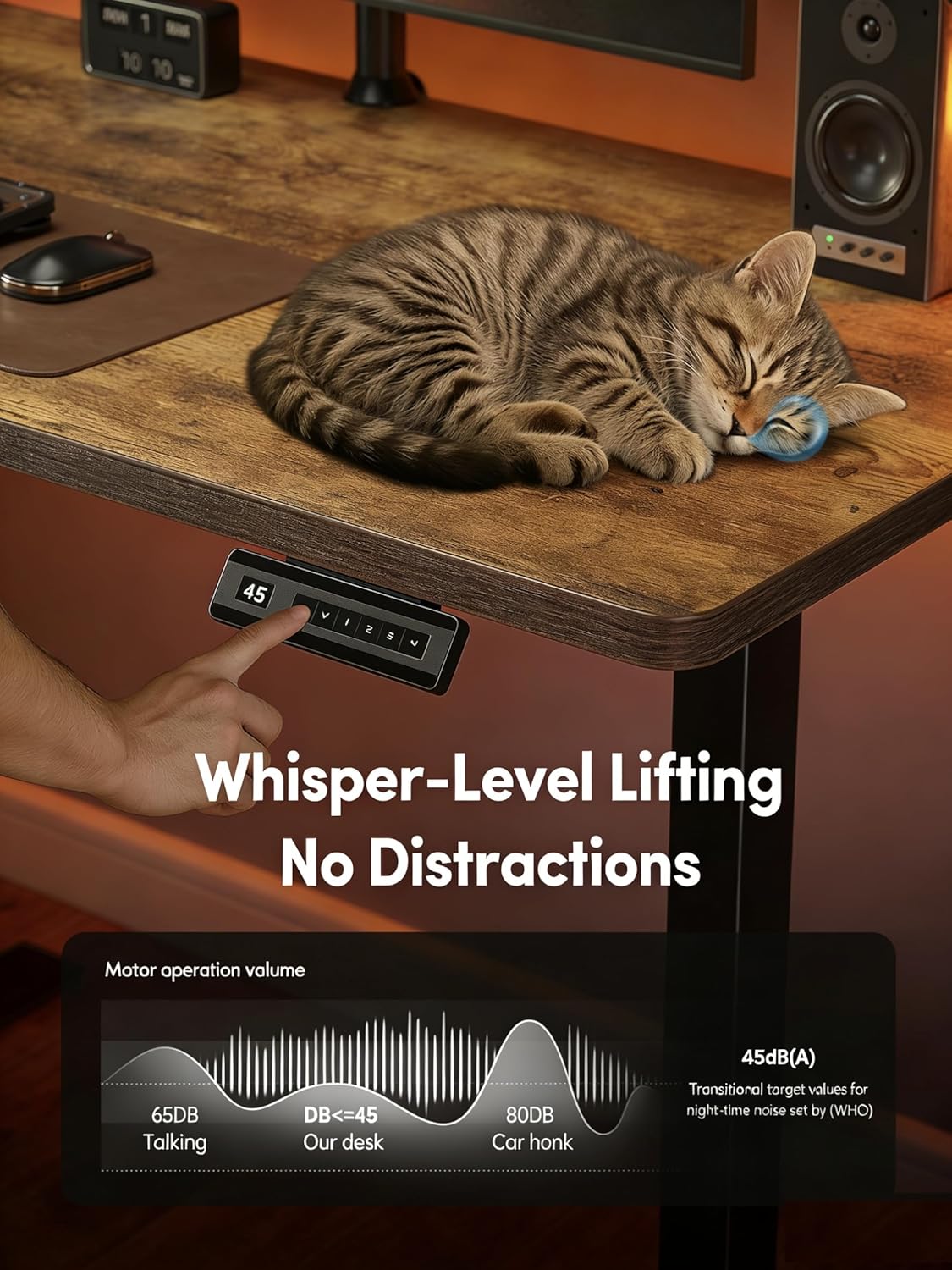
Image: Exploded view of the desk components, illustrating the desktop, steel frames, and leg bases.
Setup and Assembly Instructions
Assembly of the CubiCubi Electric Standing Desk is designed to be straightforward, with most users completing it within 30 minutes. While detailed instructions are typically provided in the product packaging, here is a general overview of the assembly process:
- Attach the Crossbeam: Securely attach the main crossbeam to the vertical legs using the provided hardware. Ensure all connections are tight.
- Install Leg Bases: Install the feet (leg bases) onto the bottom of the vertical legs. These provide stability for the desk.
- Attach Side Wings: If included, attach any side wings or support brackets to the frame for additional stability.
- Secure the Desktop: Carefully place the desktop onto the assembled frame. Align the pre-drilled holes and secure the desktop to the frame using the appropriate screws. Double-check alignment before fully tightening.
- Connect Electronics: Connect the motor and control panel cables according to the diagram in your specific instruction manual.
- Final Checks: Ensure all screws are tightened, and the desk is stable. Plug in the power cord.

Image: A visual representation of the quick installation process, highlighting the main assembly steps.
Operating Instructions
The CubiCubi Electric Standing Desk features an intelligent lifting system for effortless height adjustment and enhanced user experience.
Height Adjustment
- Up/Down Buttons: Use the up and down arrow buttons on the control panel to manually adjust the desk height. The desk can be adjusted from 28.3 inches (71.9 cm) to 46.5 inches (118.1 cm).
- Smooth Operation: The advanced motor system ensures silky-smooth and stable movement, operating at less than 45 dB to minimize distractions.

Image: The desk adjusting height smoothly, demonstrating stability with items remaining undisturbed on the surface.
Memory Presets
The desk includes 4 memory presets to save your preferred sitting and standing heights.
- Adjust the desk to your desired height using the up/down buttons.
- Press the 'M' button, then press one of the numbered preset buttons (1, 2, 3, or 4) to save the current height.
- To recall a saved height, simply press the corresponding numbered preset button.
Child Lock
Activate the child lock feature to prevent accidental adjustments. Refer to your specific manual for the exact button sequence to engage and disengage the child lock.
Anti-Collision System
The desk is equipped with an anti-collision system. If the desk encounters an obstacle during height adjustment, it will automatically retract slightly to prevent damage or injury.

Image: A cat sleeping on the desk, illustrating the quiet operation of the motor (less than 45 dB).
Maintenance
Regular maintenance ensures the longevity and optimal performance of your CubiCubi Electric Standing Desk.
- Cleaning: Wipe the desktop and frame with a soft, damp cloth. Avoid harsh chemicals or abrasive cleaners that could damage the finish.
- Cable Management: Periodically check and organize cables to prevent tangles and ensure smooth desk operation.
- Inspection: Regularly inspect all screws and connections to ensure they remain tight. Tighten any loose hardware as needed.
- Weight Capacity: Do not exceed the maximum weight capacity of 176 lbs (80 kg) to prevent damage to the motor and frame.
Troubleshooting
If you encounter issues with your CubiCubi Electric Standing Desk, refer to the following common troubleshooting steps:
- Desk Not Moving:
- Check if the power cord is securely plugged into both the desk and a working power outlet.
- Ensure the child lock is not activated.
- Reset the desk by unplugging it for 30 seconds, then plugging it back in.
- Uneven Movement:
- Ensure the desk is placed on a level surface.
- Verify that all assembly screws are tightened evenly.
- Error Codes: If the control panel displays an error code, consult your specific product manual for the meaning of the code and recommended solutions.
- Noise During Operation: While the motor is designed to be quiet, slight operational noise is normal. If you notice unusual or excessive noise, ensure no cables or objects are obstructing the lifting mechanism.
If these steps do not resolve the issue, please contact CubiCubi customer support for further assistance.
Specifications
Detailed technical specifications for the CubiCubi CUBI-DJ28 Electric Standing Desk:
| Feature | Detail |
|---|---|
| Model Number | CUBI-DJ28 |
| Product Dimensions (D x W x H) | 28"D x 63"W x 28.3"H (71.1cm D x 160cm W x 71.9cm H) |
| Height Adjustment Range | 28.3" to 46.5" (71.9 cm to 118.1 cm) |
| Desktop Material | Engineered Wood |
| Frame Material | Aerospace-grade Cold-Rolled Steel, Alloy Steel |
| Maximum Weight Capacity | 176 lbs (80 kg) |
| Motor Noise Level | < 45 dB |
| Preset Heights | 4 Memory Presets |
| Special Features | Adjustable, Headphone Hook, Anti-Collision System, Child Lock |
| Assembly Required | Yes |
| Item Weight | 56 Pounds (25.4 kg) |

Image: Detailed product dimensions and height range diagram.
Warranty and Support
CubiCubi stands behind the quality of its products. For warranty information, please refer to the documentation included with your purchase or visit the official CubiCubi website. If you require technical support, have questions about assembly, operation, or encounter any issues not covered in this manual, please contact CubiCubi customer service. Contact details can typically be found on the product packaging or the manufacturer's website.