
Introduction
This manual provides detailed instructions for the installation, operation, and maintenance of your Foxpark 7.2-inch Wireless Solar Backup Camera. Designed for a variety of vehicles including cars, RVs, and trailers, this system offers a clear and stable view to assist with parking, maneuvering, and driving with a trailer. The wireless camera operates reliably in various lighting conditions, from daylight to dusk, and simplifies navigation in tight spaces or on challenging roads. Please read this manual thoroughly before using the product to ensure proper function and safety.
Package Contents
Verify that all components listed below are included in your package. If any items are missing or damaged, please contact customer support.
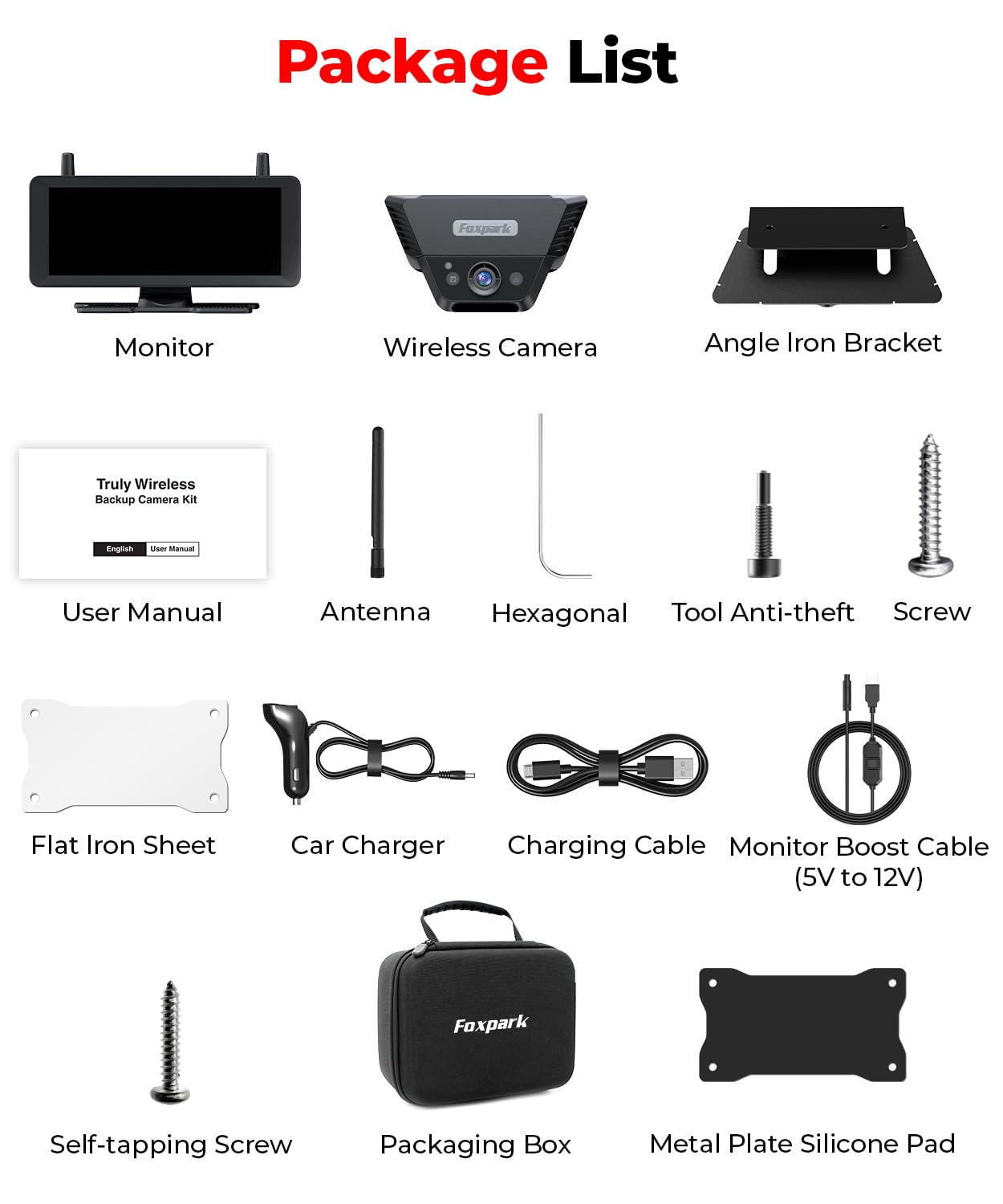
Figure 1: Complete Package Contents
- 7.2-inch Monitor
- Wireless Solar Backup Camera
- Angle Iron Bracket
- User Manual
- Antenna (for camera and monitor)
- Hexagonal Tool
- Anti-theft Tool
- Screws and Self-tapping Screws
- Flat Iron Sheet
- Car Charger
- Charging Cable
- Monitor Boost Cable (5V to 12V)
- Packaging Box
- Metal Plate Silicone Pad
Setup and Installation
The Foxpark Wireless Solar Backup Camera is designed for quick and easy installation. Follow these steps for optimal setup.
Camera Installation
The camera offers flexible mounting options:
- Magnetic Attachment: For metal surfaces, the camera's strong magnetic base allows for secure, temporary, or permanent attachment without drilling.
- Non-Metal Surface Mounting: For non-metallic surfaces (e.g., fiberglass RVs), use the provided white metal plate or angled metal bracket. Attach the plate/bracket to the vehicle using screws, then the camera can magnetically attach to it. Ensure the camera is positioned to provide a clear view of the rear of your vehicle.

Figure 2: Camera Mounting Options
Monitor Placement and Power
Place the 7.2-inch monitor on your dashboard using the provided adhesive tape. Ensure it does not obstruct your view of the road. The monitor can be powered via two methods:
- Cigarette Lighter Power: Connect the monitor to your vehicle's 12V cigarette lighter socket using the car charger.
- USB Power: Alternatively, the monitor can be powered via a USB connection.

Figure 3: Monitor Placement and Power Options
Operating Instructions
Basic Operation
Once the camera and monitor are installed and powered, the system will automatically connect. The monitor will display the rear view when the vehicle is in reverse or when manually activated. The 7.2-inch screen provides a wide, clear view (16:9 aspect ratio) without blocking your forward visibility.
Day and Night Vision
The camera provides clear 1080P HD clarity during the day and automatically switches to infrared night vision in low-light conditions, ensuring visibility at all times.
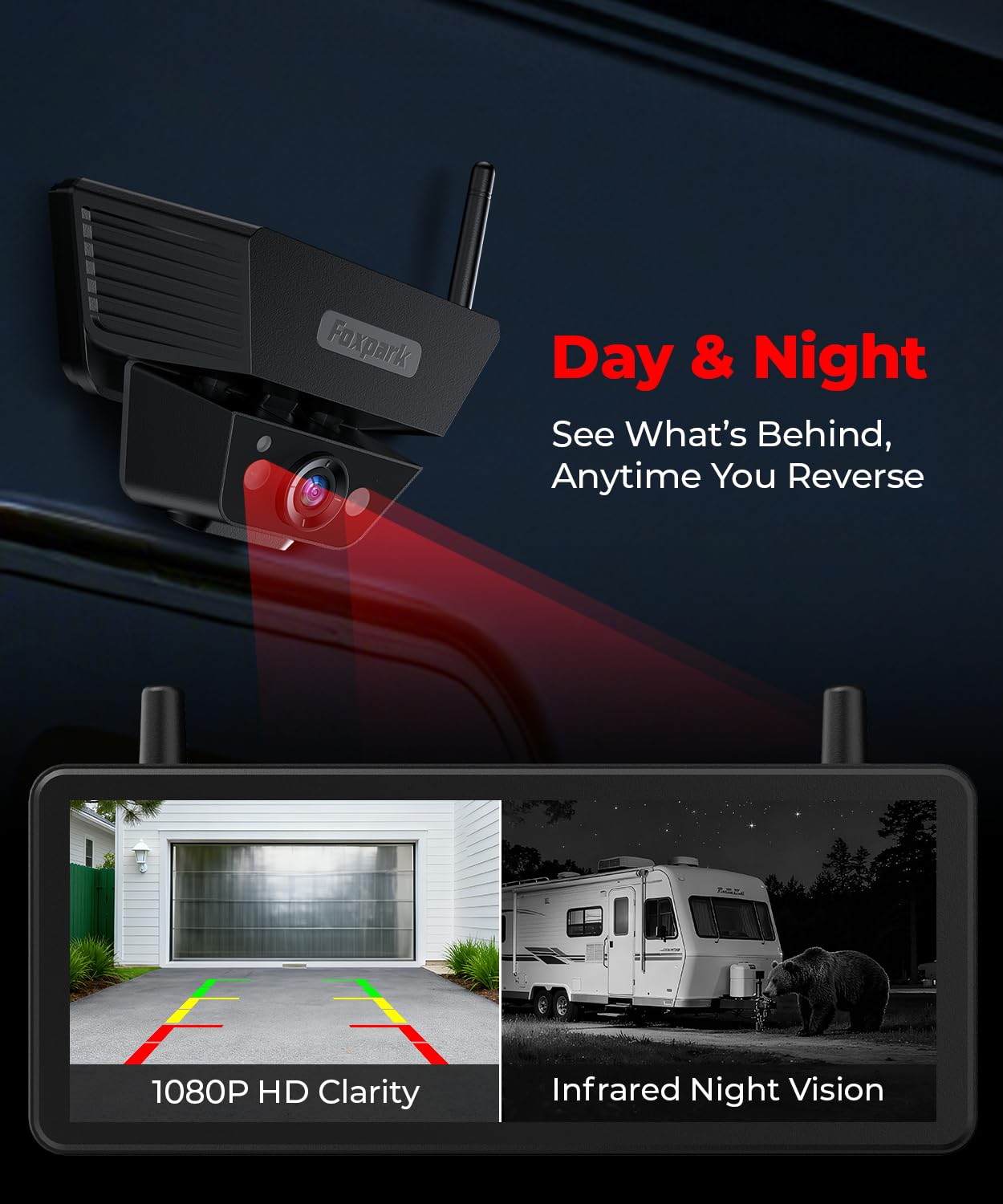
Figure 4: Day and Night Vision Capabilities
DVR Recording
The system supports DVR recording. Insert a 32GB SD card (included) into the designated slot on the monitor. The camera will automatically record footage with auto loop recording, overwriting the oldest files when the card is full.

Figure 5: DVR Recording Feature
Signal Stability
Equipped with dual antennas, the system provides an enhanced and stable wireless signal, capable of maintaining connection up to 500 feet. This ensures a smooth video feed and clear 1080P image, even with larger vehicles or trailers.
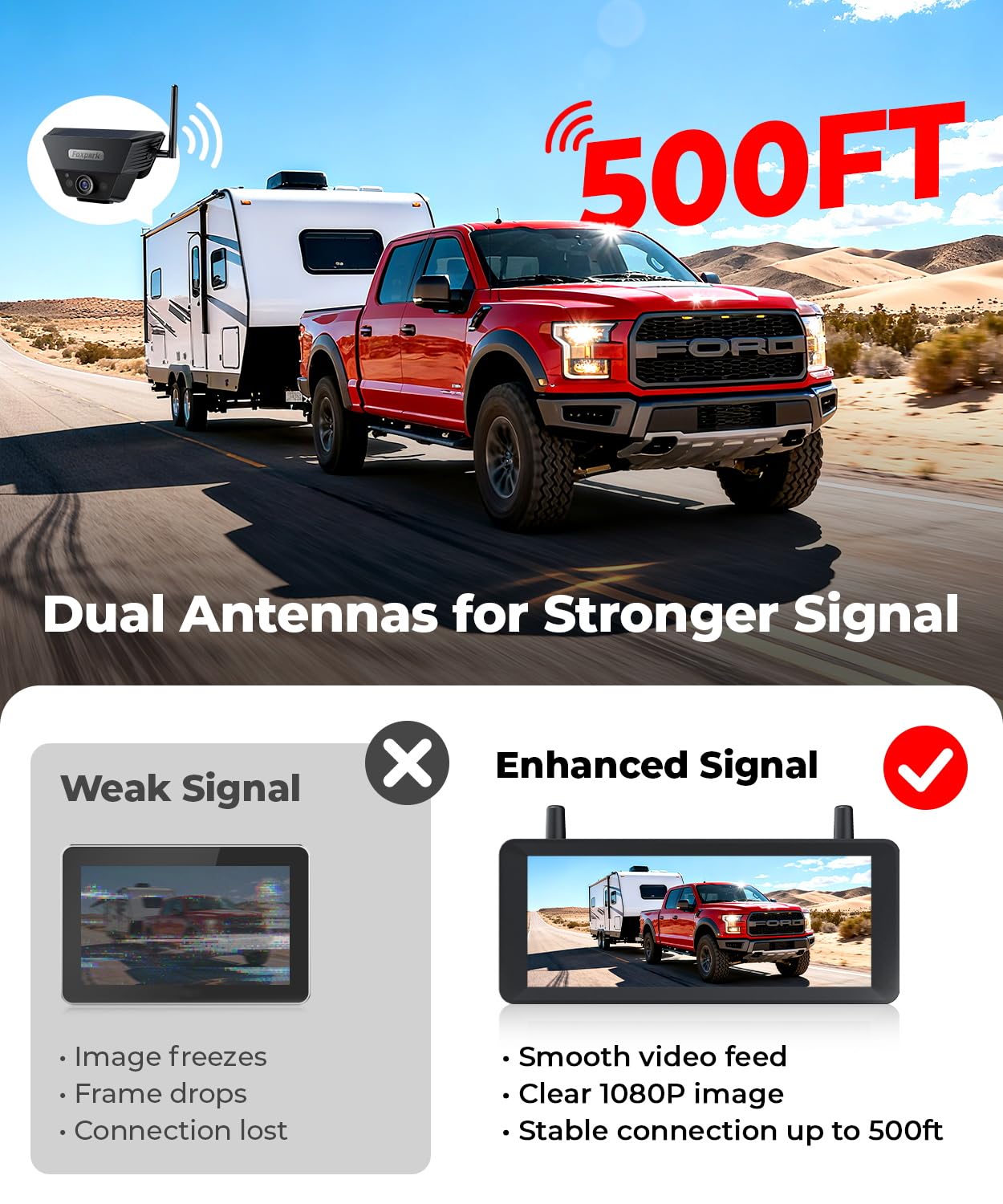
Figure 6: Enhanced Signal with Dual Antennas
Maintenance
To ensure the longevity and optimal performance of your Foxpark Wireless Solar Backup Camera, follow these maintenance guidelines:
- Cleaning: Regularly clean the camera lens and monitor screen with a soft, damp cloth. Avoid abrasive cleaners that could scratch surfaces.
- Battery Care: The camera features solar charging for continuous operation. For extended periods of storage in dark environments, or during prolonged cloudy weather, manually charge the camera using the provided charging cable. The monitor displays the current battery level.
- Durability: The camera boasts an IP69K waterproof rating, designed to withstand rain, snow, and heat. While robust, avoid submerging the camera in water.
- Storage: When not in use for extended periods, store the camera and monitor in the provided portable storage bag in a cool, dry place.
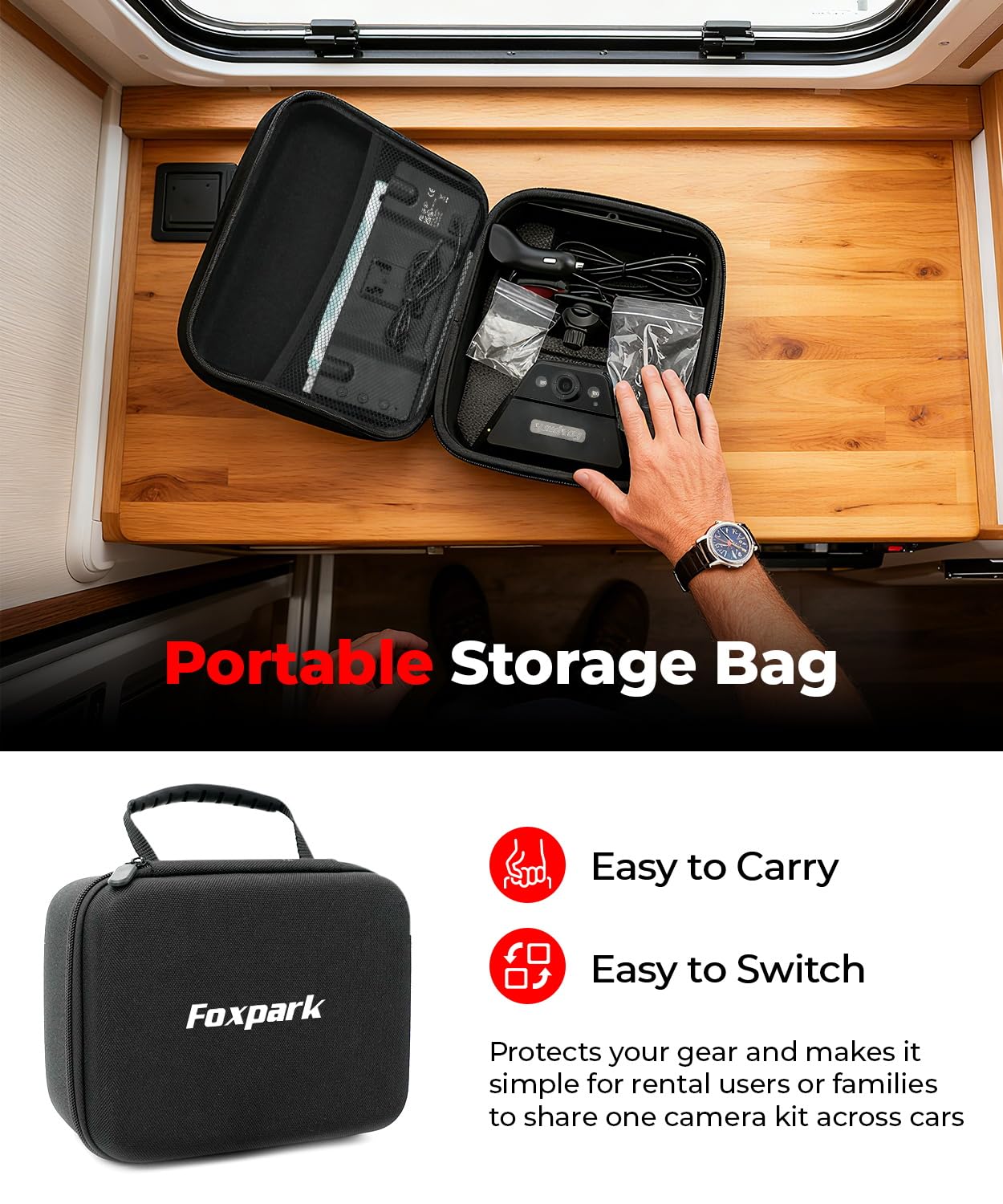
Figure 7: Portable Storage Bag for Protection and Convenience
Troubleshooting
If you encounter issues with your Foxpark Wireless Solar Backup Camera, refer to the following common problems and solutions:
| Problem | Possible Cause | Solution |
|---|---|---|
| No signal or intermittent signal | Obstruction between camera and monitor, excessive distance, low camera battery. | Ensure clear line of sight. Check camera battery level and charge if low. Reposition antennas for better reception. Reduce distance if exceeding 500ft. |
| Unclear or distorted image | Dirty camera lens, poor signal, monitor settings. | Clean the camera lens. Check signal strength (refer to Figure 6). Adjust monitor display settings if available. |
| Monitor not powering on | Power cable disconnected, faulty power source, monitor issue. | Ensure power cables are securely connected to the cigarette lighter or USB port. Test the power source with another device. Try a different power cable if available. |
| DVR recording not working | SD card full, SD card not inserted correctly, faulty SD card. | Check if the SD card is properly inserted. Format the SD card (if data is backed up) or replace it. Ensure auto loop recording is enabled. |
If these solutions do not resolve the issue, please contact Foxpark customer support for further assistance.
Specifications
Below are the technical specifications for the Foxpark 7.2-inch Wireless Solar Backup Camera.
| Feature | Specification |
|---|---|
| Brand | Foxpark |
| Model (ASIN) | B0FP2BXCFT |
| Screen Size | 7.2 Inches |
| Product Dimensions (L x W x H) | 23.2 x 20.7 x 11 centimeters |
| Item Weight | 1.31 Kilograms |
| Installation Type | Surface Mount |
| Optical Sensor Technology | CMOS |
| Lens Type | Wide Angle Lens |
| Actual View Angle / Field of View | 120 Degrees |
| Connector Type | Wireless Transmitter (RF) |
| Effective Capture Resolution | 1080 Pixels |
| Screen Capture Resolution | 1080p |
| Battery | 1 Lithium-ion battery required |
Warranty and Support
Foxpark is committed to providing quality products and excellent customer service. Your product comes with a 12-month customer service period after purchase.
If you have any questions regarding the installation, operation, or maintenance of your Foxpark Wireless Solar Backup Camera, please do not hesitate to contact our customer support team. We are available to assist you in ensuring a safe and problem-free experience with your system.
For support, please refer to the contact information provided on the Foxpark official website or your purchase documentation.