
Introduction
This manual provides instructions for the assembly, operation, maintenance, and troubleshooting of your FEZIBO Electric Standing Desk. Please read this manual thoroughly before use to ensure proper function and safety.
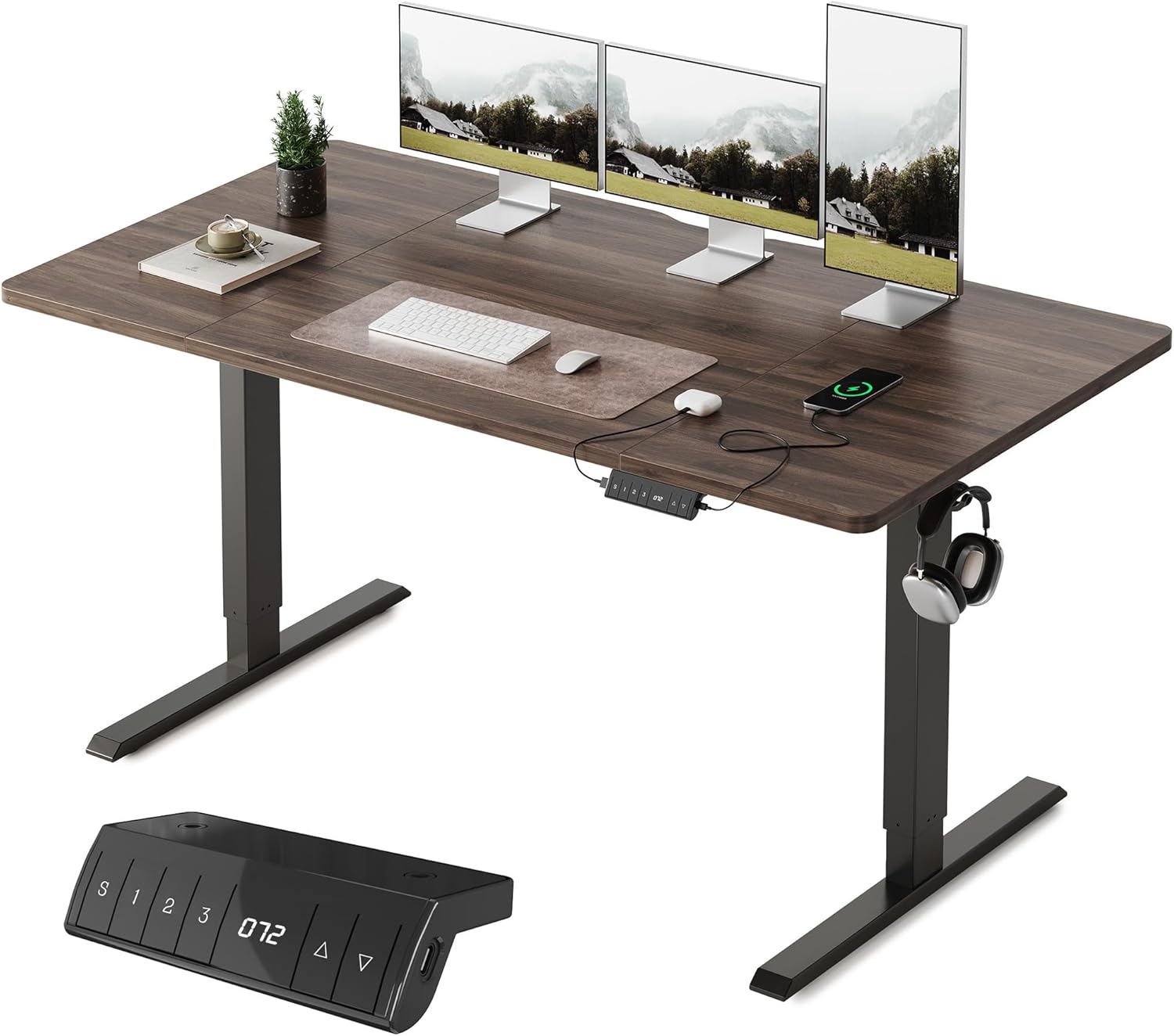
Image: The FEZIBO Electric Standing Desk in a modern office setup, featuring a spacious walnut desktop, multiple monitors, and a control panel with USB ports. Headphones are hanging from a hook on the desk frame.

Image: Two individuals demonstrating the versatility of the FEZIBO Electric Standing Desk, with one person sitting and another standing, highlighting the desk's adjustable height range from 72cm to 118cm.

Image: An overhead comparison showing the deeper workspace provided by FEZIBO desks (60cm, 70cm, 80cm options) compared to a standard 60cm desk from another brand, emphasizing the ample space for monitors and accessories.
Safety Information
- Ensure all components are securely fastened before use.
- Keep children and pets away from the desk during height adjustments due to the collision detection feature.
- Do not overload the desk. Refer to the specifications for maximum weight capacity.
- Avoid placing liquids directly on the control panel or near electrical components.
- Disconnect power before cleaning or performing maintenance.
Setup and Assembly
The FEZIBO Electric Standing Desk is designed for straightforward assembly. It is recommended to have two people for assembly due to the weight of the components.
Package Contents:
- Desktop sections (4 pieces for 160x80cm model)
- Desk legs (2 pieces)
- Crossbar/Frame
- Control Panel with USB-A and USB-C ports
- Power Adapter and Cable
- Assembly Hardware (screws, tools)
- Instruction Manual (this document)
Assembly Steps:
- Unpack all components and verify against the package contents list.
- Attach the desk legs to the crossbar/frame using the provided hardware. Ensure all screws are tightened securely.
- Carefully place the desktop sections onto the assembled frame. Align the sections precisely to minimize gaps and unevenness. Secure the desktop to the frame using the designated screws.
- Mount the control panel to the underside of the desktop in the desired location.
- Connect the motor cables and control panel cable to the main control box, then connect the power adapter.
- Route cables neatly using cable ties or management clips (if provided).

Image: An exploded diagram illustrating the main components of the FEZIBO Electric Standing Desk, including the desktop sections, frame, and legs, indicating the assembly process.

Image: A close-up view of the underside of the desk, showing two integrated hooks for hanging headphones or other accessories, contributing to a tidy workspace.
Operating Instructions
Control Panel Overview:
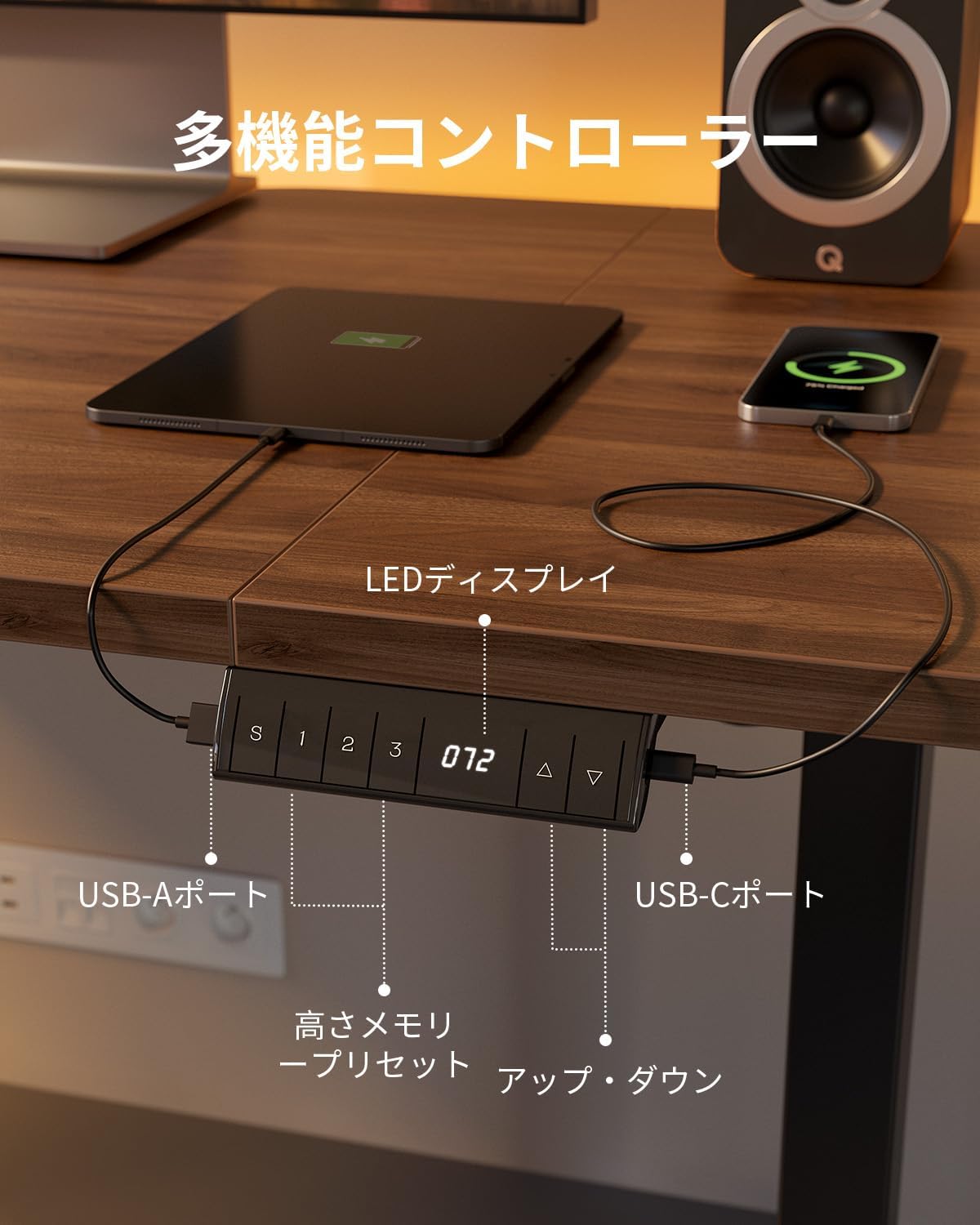
Image: A detailed view of the desk's control panel, featuring an LED display showing the current height, up/down arrows, memory preset buttons (S, 1, 2, 3), and integrated USB-A and USB-C charging ports.
Height Adjustment:
- Use the Up (▲) and Down (▼) arrows on the control panel to manually adjust the desk height. The current height will be displayed on the LED screen.
- The desk operates quietly (below 45dB) for minimal disturbance.
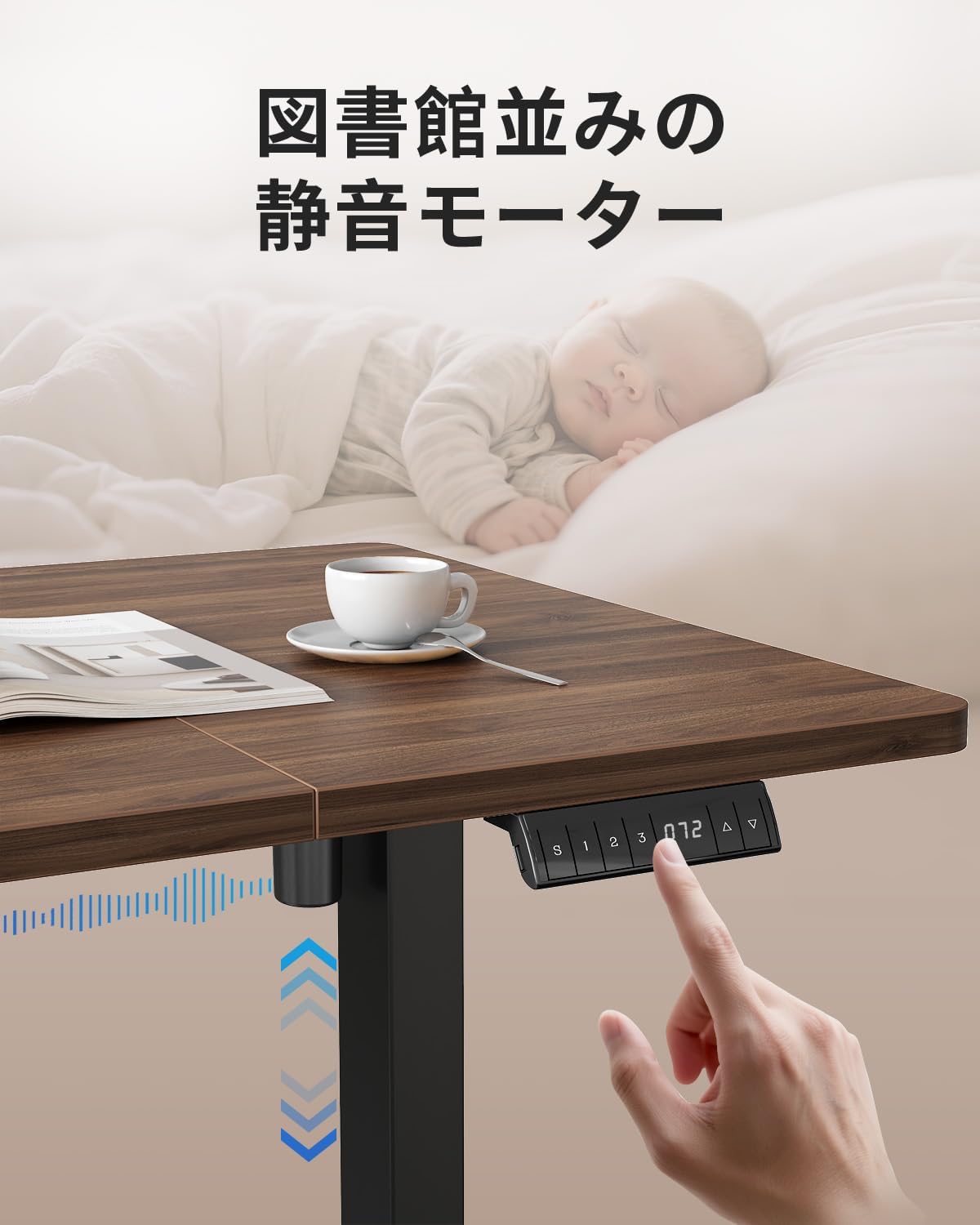
Image: A hand pressing the control panel of the FEZIBO desk, with a sleeping baby in the background, illustrating the quiet operation of the motor (below 45dB).
Memory Presets:
- The desk features three memory presets (1, 2, 3) to store your preferred sitting and standing heights.
- To save a height: Adjust the desk to the desired height, then press the 'S' button followed by one of the memory buttons (1, 2, or 3). The LED display will confirm the save.
- To recall a height: Simply press the corresponding memory button (1, 2, or 3). The desk will automatically move to the saved height.
USB Charging Ports:
- The control panel includes one USB-A port and one USB-C port for convenient charging of smartphones, tablets, and other compatible devices.
- These ports support rapid charging, helping to keep your workspace tidy by reducing the need for additional wall chargers.
Collision Detection System:
- The desk is equipped with a collision detection system. If the desk encounters an obstacle during height adjustment, it will automatically stop and reverse slightly to prevent damage.
- This feature enhances safety, especially in environments with children or pets.

Image: An illustration demonstrating the collision prevention system, where the desk detects an obstacle (a chair arm) during upward movement and automatically reverses to avoid impact.
Maintenance
- Cleaning: Wipe the desktop and frame with a soft, damp cloth. Avoid abrasive cleaners or harsh chemicals that could damage the melamine finish.
- Inspection: Periodically check all screws and connections to ensure they remain tight. Retighten if necessary.
- Cable Management: Ensure cables are not pinched or tangled, which could affect desk operation or cause damage.
- Environmental Protection: The desktop's melamine processing protects against daily scratches, stains, and heat, ensuring long-term durability and appearance.
Troubleshooting
| Problem | Possible Cause | Solution |
|---|---|---|
| Desk does not move. | Power cable disconnected, motor cable loose, overload. | Check power connection. Ensure all motor cables are securely plugged in. Reduce weight on the desk. |
| Desk moves unevenly or makes unusual noise. | Loose connections, uneven weight distribution, obstruction. | Check all assembly screws. Redistribute weight evenly. Inspect for any obstructions. |
| Height memory function not working. | Incorrect saving procedure. | Ensure you press 'S' then the desired memory button (1, 2, or 3) to save. |
| Collision detection triggers frequently. | Sensitive setting, actual obstruction. | Check for any objects near the desk's path. Consult support if issue persists. |
If you encounter issues not listed here or if solutions do not resolve the problem, please contact FEZIBO customer support.
Specifications
- Model: 160*80cm (Walnut finish)
- Desktop Dimensions: 160cm (Width) x 80cm (Depth)
- Height Adjustment Range: 72cm - 118cm (excluding desktop and adjusters)
- Weight Capacity: 70 kg
- Noise Level: Below 45dB during operation
- USB Ports: 1x USB-A, 1x USB-C (for charging)
- Memory Presets: 3 programmable height settings
- Safety Features: Collision detection system
- Frame Material: Reinforced Steel
- Desktop Material: Melamine-processed surface
- Package Size: 85.3 x 45.2 x 19.3 cm
- Package Weight: 26.7 kg
Certifications:

Image: Various environmental and safety certification logos, including CE, FC, ISED, PSE, UKCA, UL, EPA, and CARB, indicating the product's compliance with international standards.

Image: A diagram illustrating the key dimensions of the FEZIBO Electric Standing Desk, including desktop width (160cm), depth (80cm), and height adjustment range (72-118cm).

Image: The FEZIBO Electric Standing Desk supporting various office equipment, including a large monitor, laptop, printer, and speakers, demonstrating its high load capacity and stability.

Image: A close-up view of the reinforced steel frame and extended side wings of the FEZIBO Electric Standing Desk, highlighting its robust construction for enhanced stability.
Warranty and Support
For warranty information or technical support, please contact FEZIBO customer service through the retailer where you purchased the product or visit the official FEZIBO website.
Please have your model number (160*80cm) and purchase date available when contacting support.


