
1. Introduction
This manual provides essential information for the safe operation, maintenance, and troubleshooting of your isinwheel GT1 Electric Scooter. Please read this manual thoroughly before first use to ensure proper handling and to maximize the lifespan of your device. The isinwheel GT1 is designed for urban commuting and recreational riding, featuring an 800W motor, dual shock absorption, and a comprehensive lighting system.
Safety Warnings
- The scooter is UL 2272 Certified for electrical safety.
- Always wear a helmet and appropriate safety gear when riding.
- Familiarize yourself with local regulations regarding electric scooter use.
- Do not ride in heavy rain or through standing water.
- Ensure all components are securely fastened before each ride.
- The maximum load capacity is 330 lbs. Do not exceed this limit.
2. Package Contents
Upon opening the package, verify that all the following items are included:
- isinwheel GT1 Electric Scooter
- Charger
- Tool Set
- Scooter Bag
- User Manual (this document)

Image: Contents of the isinwheel GT1 Electric Scooter package, including the scooter, charger, tool set, and scooter bag.
3. Setup
3.1 Assembly
The isinwheel GT1 Electric Scooter features a 3-step folding design for portability. For initial setup, unfold the scooter and ensure the handlebar stem is securely locked into its upright position. Attach the handlebars if they are not pre-installed, ensuring all screws are tightened according to the instructions provided in the tool set.

Image: A person demonstrating the 3-step folding design, carrying the compact isinwheel GT1 scooter.
3.2 Initial Charging
Before your first ride, fully charge the scooter's battery. Connect the charger to the scooter's charging port and then to a power outlet. The charging indicator on the charger will typically change color (e.g., red to green) when charging is complete. A full charge takes approximately 5 hours. Important: Always disconnect the charger after charging is complete. Do not leave it plugged in to avoid potential damage to the battery or charger.

Image: Visual representation of the 48V 10Ah high-capacity battery, highlighting its UL 2272 certification, BMS intelligent safety, and overcharge protection features.
4. Operating the Scooter
4.1 Power On/Off and Display
To power on the scooter, press and hold the power button on the display panel. The display will illuminate, showing current speed, battery level, and riding mode. To power off, press and hold the power button again.

Image: The scooter's digital display showing various metrics, alongside a smartphone running the isinwheel APP for control and monitoring.
4.2 Riding Modes and Speed Control
The GT1 offers four adjustable speed settings to suit different riding conditions and preferences:
- Pedestrian Mode: Up to 9 MPH
- ECO Mode: Up to 15 MPH
- Race Mode: Up to 21 MPH
- Sport Mode: Up to 28 MPH
You can switch between these modes using the controls on the handlebar or via the isinwheel APP.

Image: A visual guide to the scooter's speed modes, showing the maximum speed for each setting.
4.3 Braking System
The scooter is equipped with a dual braking system, combining disc brakes with an electronic cut-off brake. Apply both brakes simultaneously for maximum stopping power. Always maintain a safe distance from other vehicles and pedestrians.
4.4 Lighting System and Turn Signals
The GT1 features a comprehensive lighting system for enhanced visibility and safety, including headlights, turn signals, taillights, ambient lights, and spotlights. Activate the lights and turn signals as needed, especially when riding in low-light conditions or making turns.

Image: The scooter's lighting system in action, showcasing the headlight, taillight, and turn signals for improved rider visibility.
4.5 isinwheel APP Connectivity
Enhance your riding experience by connecting your scooter to the isinwheel APP. The app allows you to:
- Lock/Unlock the scooter
- Monitor battery life
- Adjust speed settings
- Customize riding modes
- View riding data
- Activate cruise control
Download the isinwheel APP from your device's app store and follow the in-app instructions for pairing.
5. Maintenance
5.1 Cleaning
Regularly clean your scooter with a damp cloth. Avoid using high-pressure water jets or harsh chemicals, as these can damage electronic components or paintwork. Ensure the scooter is powered off before cleaning.
5.2 Tire Care
The GT1 is equipped with 10-inch off-road pneumatic tires. Regularly check tire pressure and inflate to the recommended PSI (refer to the tire sidewall for specific pressure recommendations) to ensure optimal performance, range, and safety. Inspect tires for any signs of wear, punctures, or damage before each ride.
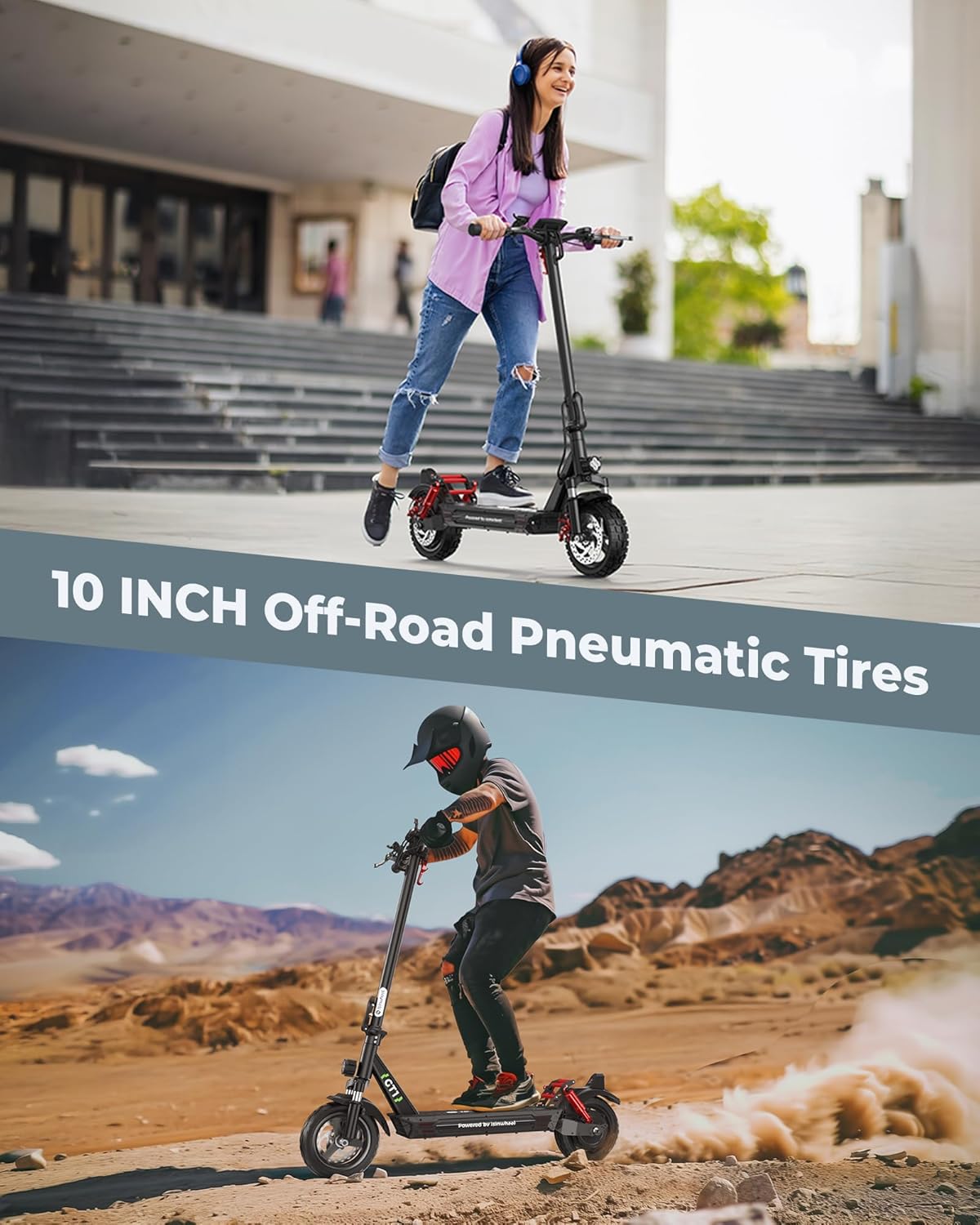
Image: The 10-inch off-road pneumatic tires providing enhanced grip and stability on various surfaces, from city streets to rugged terrain.
5.3 Battery Maintenance
To prolong battery life, store the scooter in a cool, dry place. Avoid extreme temperatures. If storing for an extended period, ensure the battery is charged to approximately 50-70% and recharge it every 1-2 months to prevent deep discharge.
5.4 Shock Absorbers
The scooter features front and rear dual shock absorbers. Periodically inspect them for any visible damage or leaks. Keep them clean from dirt and debris to ensure smooth operation.

Image: Detailed view of the scooter's front and rear dual shock absorbers, designed for a comfortable ride on varied terrain.
6. Troubleshooting
This section addresses common issues you might encounter with your isinwheel GT1 Electric Scooter. For problems not listed here, please contact customer support.
| Problem | Possible Cause | Solution |
|---|---|---|
| Scooter does not power on | Low battery; Loose connections; Power button malfunction | Charge the battery fully; Check all cable connections; Contact support if issue persists. |
| Reduced range or speed | Under-inflated tires; Overload; Battery degradation; Riding uphill frequently | Check and inflate tires to recommended pressure; Ensure rider weight is within limits; Battery replacement may be needed over time. |
| Brakes feel weak | Brake pads worn; Brake cable loose; Disc brake misalignment | Inspect brake pads and replace if worn; Adjust brake cable tension; Consult a professional for brake alignment. |
| App connectivity issues | Bluetooth off; App not updated; Scooter not in pairing mode | Ensure Bluetooth is enabled on your phone; Update the isinwheel APP; Follow app instructions to put scooter in pairing mode. |
7. Specifications
Detailed technical specifications for the isinwheel GT1 Electric Scooter:
| Feature | Detail |
|---|---|
| Model Name | GT1 |
| Motor Power | 800W Brushless Motor |
| Top Speed | 28 MPH |
| Maximum Range | 28 Miles (actual range may vary based on terrain, rider weight, and speed) |
| Battery Capacity | 480Wh (48V 10Ah) |
| Charging Time | Approximately 5 Hours |
| Weight Limit | 330 Pounds |
| Tire Type | 10-inch Off-Road Pneumatic Tires |
| Suspension | Front & Rear Dual Shock Absorbers |
| Braking System | Dual Braking (Disc brakes + Electronic cut-off brake) |
| Lighting System | Headlights, Turn Signals, Taillights, Ambient Lights, Spotlights |
| Frame Material | Aluminum |
| Product Dimensions (LxWxH) | 45" x 25" x 45" |
| Item Weight | 47 Pounds |
| Certifications | UL 2272 Certified |
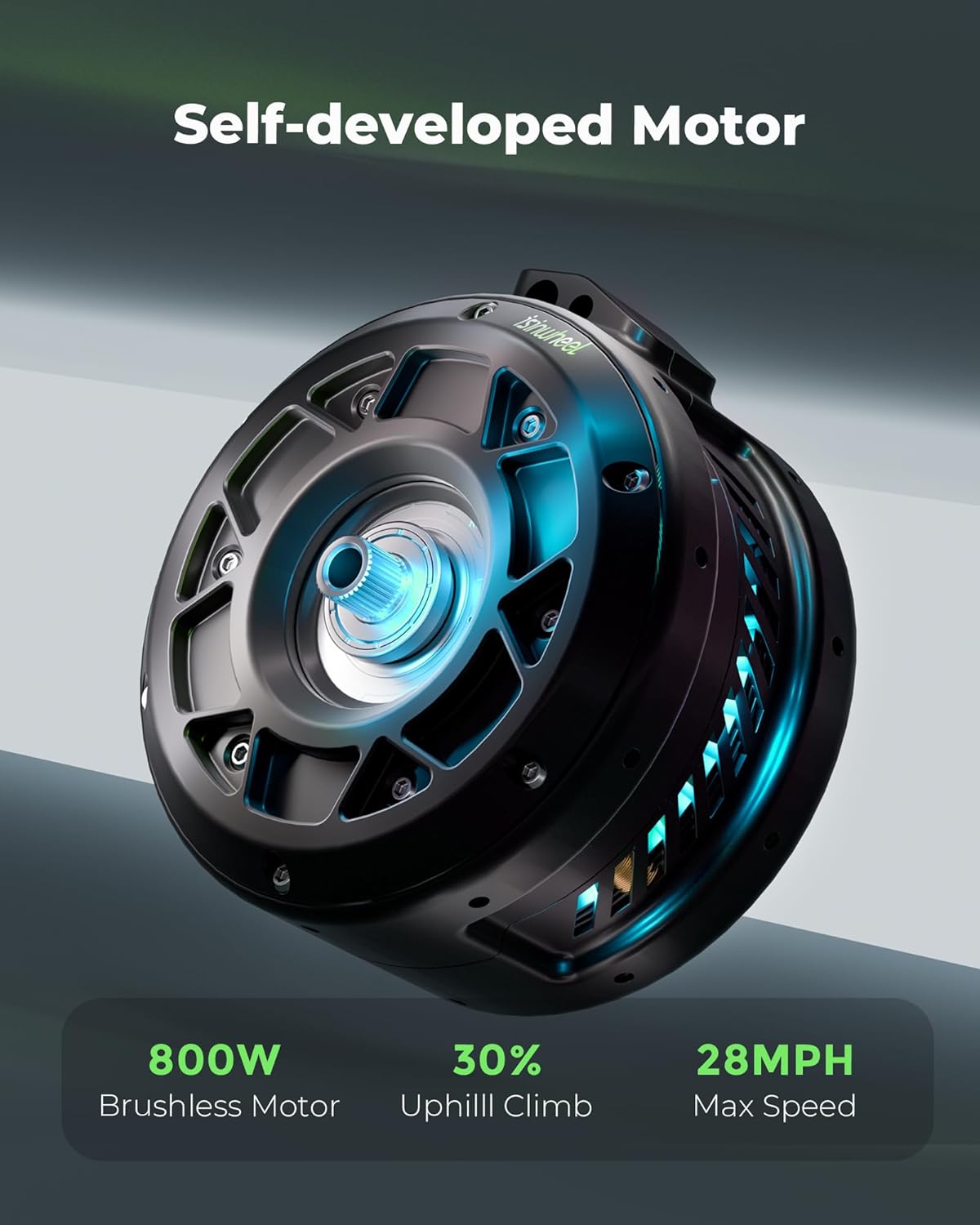
Image: The powerful 800W brushless motor, designed for efficient performance and uphill climbing capability.

Image: An illustration depicting the scooter's impressive 28-mile maximum range, powered by its long-life battery.
8. Warranty & Support
8.1 Warranty Information
isinwheel provides support for its electric scooters, with varying durations for different parts. The motor and battery typically come with a 365-day or 180-day support period, respectively. This warranty is non-transferable and applies only to the product's initial sale.
isinwheel offers a 7-day no-reason return policy, provided the product is in its original condition without human damage or stains. If shipping damage occurs upon delivery, please contact customer support immediately with photo or video proof.
8.2 Customer Support
For any questions, technical assistance, or warranty claims, please contact isinwheel customer support:
- Email: support@isinwheel.com
isinwheel is committed to providing quality items and service.