1. Introduction
The CarlinKit Mini Ultra3 is a 2-in-1 wireless adapter designed to convert existing wired CarPlay and Android Auto systems in compatible vehicles (2018 and newer) into wireless functionality. This device allows seamless integration of your iPhone (iOS 10+) or Android (11+) smartphone with your car's infotainment system, providing access to navigation, music, and communication features without the need for physical cable connections.
Its ultra-compact design ensures discreet placement in any car. Simply plug the adapter into your car’s USB-A or Type-C port for instant wireless connectivity, retaining all original car functions such as steering wheel controls and voice commands.

The CarlinKit Mini Ultra3 adapter, a compact device designed to enable wireless CarPlay and Android Auto. It is shown alongside a USB-C adapter for versatile connectivity and two smartphones displaying their respective CarPlay and Android Auto interfaces.
2. What's in the Box
- CarlinKit Mini Ultra3 Wireless Adapter
- USB-C OTG Adapter
- Instruction Manual
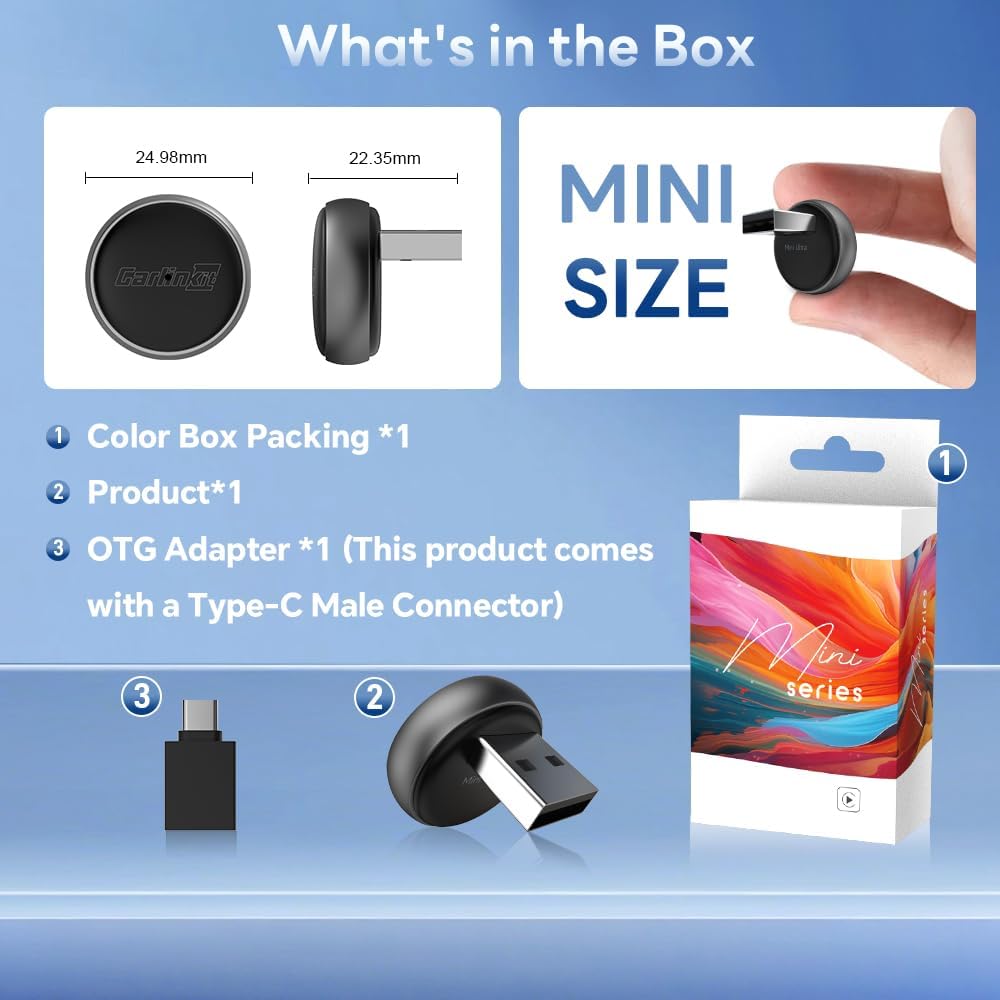
A detailed view of the CarlinKit Mini Ultra3 product packaging and its contents: the compact adapter, a USB-C OTG adapter, and the color box packaging. Dimensions of the adapter are also provided.
3. Setup Guide
Follow these steps to set up your CarlinKit Mini Ultra3 adapter and enable wireless CarPlay or Android Auto.
3.1. Initial Connection
- Plug In the Adapter: Insert the CarlinKit Mini Ultra3 adapter into your car's USB-A or Type-C port. Use the provided USB-C OTG adapter if your car has a Type-C port.
- Enable Bluetooth and Wi-Fi: On your smartphone, ensure both Bluetooth and Wi-Fi are turned on.
- Pair with the Device: Go to your phone's Bluetooth settings and search for the device's Bluetooth signal (e.g., "Vehiconn_XXXX"). Tap to pair.
- Confirm Connection: Follow any prompts on your phone and car's screen to allow access and confirm the connection to CarPlay or Android Auto.

This image provides a clear, three-step guide for connecting the CarlinKit Mini Ultra3. It illustrates plugging the adapter into the car's USB port, enabling Bluetooth and WiFi on the smartphone to pair with the device, and then accessing either CarPlay or Android Auto on the car's display.
3.2. Setup Demonstration Video
Detailed video tutorial on connecting the CarlinKit Ultra3 wireless adapter to a car's system.
Video demonstrating the setup process and key functionalities of the CarlinKit Mini Ultra3 wireless adapter.
4. Operating Instructions
Once connected, the CarlinKit Mini Ultra3 enables full wireless access to Apple CarPlay or Android Auto on your car's display. The device supports automatic reconnection within 8-10 seconds after initial pairing.
4.1. Wireless CarPlay and Android Auto Features
- Navigation: Use your preferred navigation apps (e.g., Google Maps, Apple Maps) directly on your car's screen.
- Music & Media: Stream music, podcasts, and audiobooks from apps like Spotify, Apple Music, and iHeartRadio.
- Calls & Messaging: Make and receive calls, and send/receive messages hands-free using voice commands or the car's controls.
- Voice Control: Utilize Siri or Google Assistant for hands-free operation, enhancing safety and convenience.
- Original Car Controls: Maintain full functionality of your car's steering wheel buttons, rotary knobs, and touch screen.

A car's infotainment screen is shown with a variety of popular applications, including navigation, music streaming, and communication tools, all accessible wirelessly through the CarlinKit Mini Ultra3 adapter, enhancing the in-car experience.
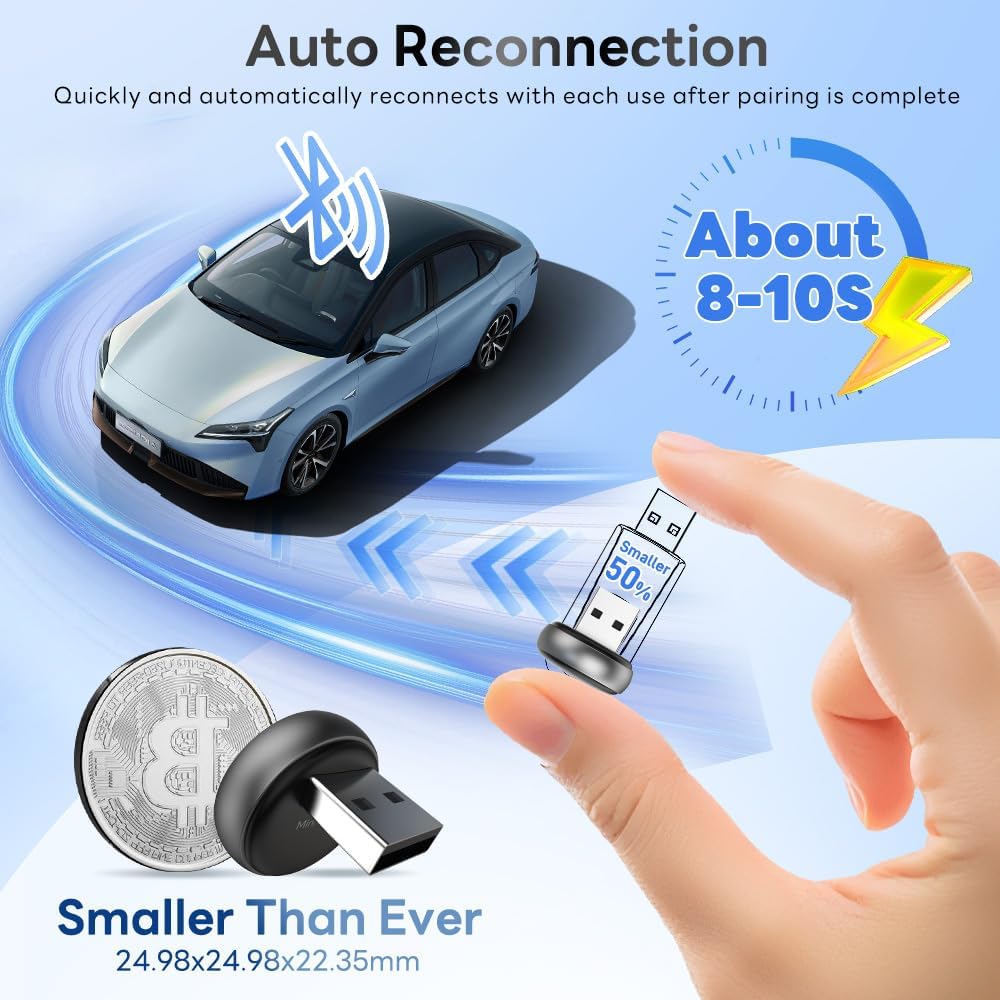
This image illustrates the rapid auto-reconnection feature of the CarlinKit Mini Ultra3, showing it connects within 8-10 seconds. The adapter's small size is emphasized by comparing it to a coin, highlighting its discreet design.
4.2. Functionality Demonstration Videos
Short video preview demonstrating the wireless Android Auto functionality enabled by the adapter.
Video highlighting the dual functionality of the CarlinKit 2-in-1 adapter for both wireless CarPlay and Android Auto.
Video overview of the CarlinKit Mini Ultra3 wireless adapter, showcasing its CarPlay and Android Auto features.
5. Online Upgrade (Firmware Update)
The CarlinKit Mini Ultra3 supports Over-The-Air (OTA) firmware upgrades to ensure optimal performance and access to future features. The update process involves connecting your phone to the device's Wi-Fi and accessing a web interface.
5.1. Upgrade Steps
- Insert the Adapter: Ensure the CarlinKit Mini Ultra3 adapter is plugged into your car's USB port.
- Connect to Device Wi-Fi: On your mobile phone, turn on Wi-Fi and search for the device's signal, which typically starts with "VehiConn_xxxx". The default password is "12345678".
- Access Web Interface: Open a web browser on your phone and enter the URL: 192.168.50.100 to access the device's backend control page.
- Download Update: On the control page, expand the list of available updates and select a newer version. You may need to temporarily disconnect from the device's Wi-Fi and use your phone's mobile data to download the update file.
- Install Update: Once the download reaches approximately 50%, reconnect to the device's Wi-Fi to allow the installation to complete. Do not interrupt the power supply during the upgrade process.

Visual guide detailing the steps for performing an Over-The-Air (OTA) firmware upgrade for the CarlinKit Mini Ultra3 adapter.
6. Compatibility
The CarlinKit Mini Ultra3 is designed for wide compatibility with vehicles and smartphones.
- Vehicle Compatibility: Requires OEM wired CarPlay/Android Auto car models (2018+). Supports approximately 98% of car models with these factory-installed wired systems.
- Smartphone Compatibility:
- iPhone: iOS 10 and above (iPhone 6 and newer).
- Android: Android 11.0 and above.
- Note: BMW and Tesla models are generally not supported.

An infographic demonstrating the broad compatibility of the CarlinKit Mini Ultra3, stating it works with 98% of car models (2018 and newer) that feature OEM wired CarPlay or Android Auto. It also lists compatibility with iPhone (iOS 10+) and Android (11+) devices, showcasing various car brands.
7. Specifications
| Feature | Detail |
|---|---|
| Product Dimensions | 0.98 x 0.98 x 0.88 inches |
| Item Weight | 0.32 ounces (9.07 g) |
| Model Number | CarlinKit Mini Ultra3 Wireless Adapter |
| Connectivity Technology | Wi-Fi (2.4GHz/5GHz) |
| Connector Type | USB Type A, USB Type-C |
| Special Feature | Wireless Android Auto, Wireless Apple CarPlay |
| Compatible Devices | iPhone 6 (iOS 10+) and above, Android 11.0 and above |
| Audio Output Mode | Stereo |
| Surround Sound Channel Configuration | 5.1 |
| Color | Dark gray+Black |
8. Troubleshooting
If you encounter issues with your CarlinKit Mini Ultra3 adapter, consider the following troubleshooting steps:
- Connection Issues: If the device does not connect automatically, try unplugging the adapter and plugging it back into the car's USB port. Ensure Bluetooth and Wi-Fi are active on your phone and that you have correctly paired with the device's Bluetooth signal.
- Audio/Video Sync Issues: If audio becomes unsynced from video (e.g., during media playback), temporarily switch back to a wired connection if possible, or restart the adapter and your phone's connection.
- Multiple Phones Paired: When switching between multiple paired phones, the adapter may attempt to reconnect to the last used device. Ensure the desired phone's Bluetooth is prioritized or manually select it from your car's infotainment system.
- Firmware Update Stuck at 50%: If an online firmware update appears to be stuck at 50%, this often indicates the download is complete and the device is awaiting reconnection to its Wi-Fi for installation. Temporarily disconnect from the device's Wi-Fi, use mobile data to complete the download, then reconnect to the device's Wi-Fi to finalize the installation.
- General Performance: The device features upgraded 5.8GHz WiFi to reduce interference. If you experience lag or dropouts, ensure your phone is not actively connected to other Wi-Fi networks that might interfere.
9. Warranty and Support
The CarlinKit Mini Ultra3 includes a 24-month warranty. For any questions regarding the equipment, setup, or adaptation issues, please contact the CarlinKit after-sales service team for assistance. 24/7 customer service is available.


