
1. Introduction
This manual provides essential instructions for the installation, operation, and maintenance of your EZVIZ CB8 Lite 4G & Wi-Fi Outdoor Security Camera. Please read this manual thoroughly before using the product to ensure correct usage and optimal performance. Keep this manual for future reference.
The EZVIZ CB8 Lite is a versatile outdoor security camera offering dual 4G LTE and Wi-Fi 6 connectivity, powered by a built-in battery and a 5W solar panel for continuous operation. It features 2K+ resolution, 360-degree pan-tilt functionality, AI-powered person and vehicle detection, color night vision, and two-way audio communication.
2. Product Overview
The EZVIZ CB8 Lite camera is designed for comprehensive outdoor surveillance. Its key features include:
- Dual Connectivity: Supports both 4G LTE and Wi-Fi 6 for reliable network connection. Automatically switches to 4G if Wi-Fi is unstable.
- Sustainable Power: Equipped with a 5200 mAh rechargeable battery and a 5W solar panel for continuous, eco-friendly power.
- 2K+ Resolution: Delivers clear and detailed video footage at 4-megapixel resolution.
- 360-degree Coverage: Pan and tilt functionality provides a wide field of view, eliminating blind spots. Supports up to 12 preset monitoring points.
- AI-Powered Detection: Intelligent detection of persons and vehicles reduces false alarms and enables automatic tracking.
- Color Night Vision: Integrated spotlights enable full-color video recording even in low-light conditions, with a night vision range of up to 15 meters.
- Two-Way Audio: Allows for real-time communication with visitors or deterrence of intruders.
- Active Deterrence: Features a sound alarm and flashing lights to warn off potential intruders.
- AOV 2.0 Continuous Recording: Captures continuous footage and generates time-lapse videos, ensuring no critical moments are missed.
- Weatherproof Design: IP65-rated for outdoor use, resistant to various weather conditions (operating temperature range: -20°C to 50°C).
- Flexible Storage: Supports local storage via microSD card (up to 512GB, not included) and cloud storage via EZVIZ CloudPlay (subscription required for some features).
- Smart Home Integration: Compatible with Amazon Alexa and Google Assistant.

Image: Overview of the EZVIZ CB8 Lite camera system with solar panel, highlighting key features.
3. Package Contents
Verify that all items are present in your package:
- EZVIZ CB8 Lite 4G Camera
- 5W Solar Panel
- Drill Template
- Adjustable Mounting Bracket
- Screw Kit (x2)
- Power Cable
- Regulatory Documentation (x3)
- Quick Start Guide (x2)

Image: The EZVIZ CB8 Lite camera and solar panel.
4. Setup
4.1 Initial Charging
Before installation, fully charge the camera's internal battery using the provided power cable. This ensures sufficient power for initial setup and operation.
4.2 SIM Card and MicroSD Card Installation
- Locate the SIM card slot and microSD card slot on the camera.
- Insert a Nano SIM card (for 4G connectivity) and a microSD card (up to 512GB for local storage) into their respective slots. Ensure they are inserted correctly until they click into place.
4.3 App Installation and Account Creation
- Download the EZVIZ app from the App Store (iOS) or Google Play Store (Android).
- Open the app and create an EZVIZ account if you don't already have one.
- Follow the in-app instructions to add your CB8 Lite camera by scanning the QR code on the device or its packaging.
4.4 Mounting the Camera and Solar Panel
Choose a location with good 4G signal strength and consistent sunlight exposure for the solar panel. The camera is IP65 weatherproof, suitable for outdoor environments.
- Use the drill template to mark the screw positions on your desired mounting surface.
- Drill holes and insert the wall plugs if necessary.
- Attach the adjustable mounting bracket to the surface using the provided screws.
- Secure the camera to the mounting bracket.
- Mount the solar panel in a location that receives at least two hours of direct sunlight daily.
- Connect the solar panel cable to the camera's charging port.
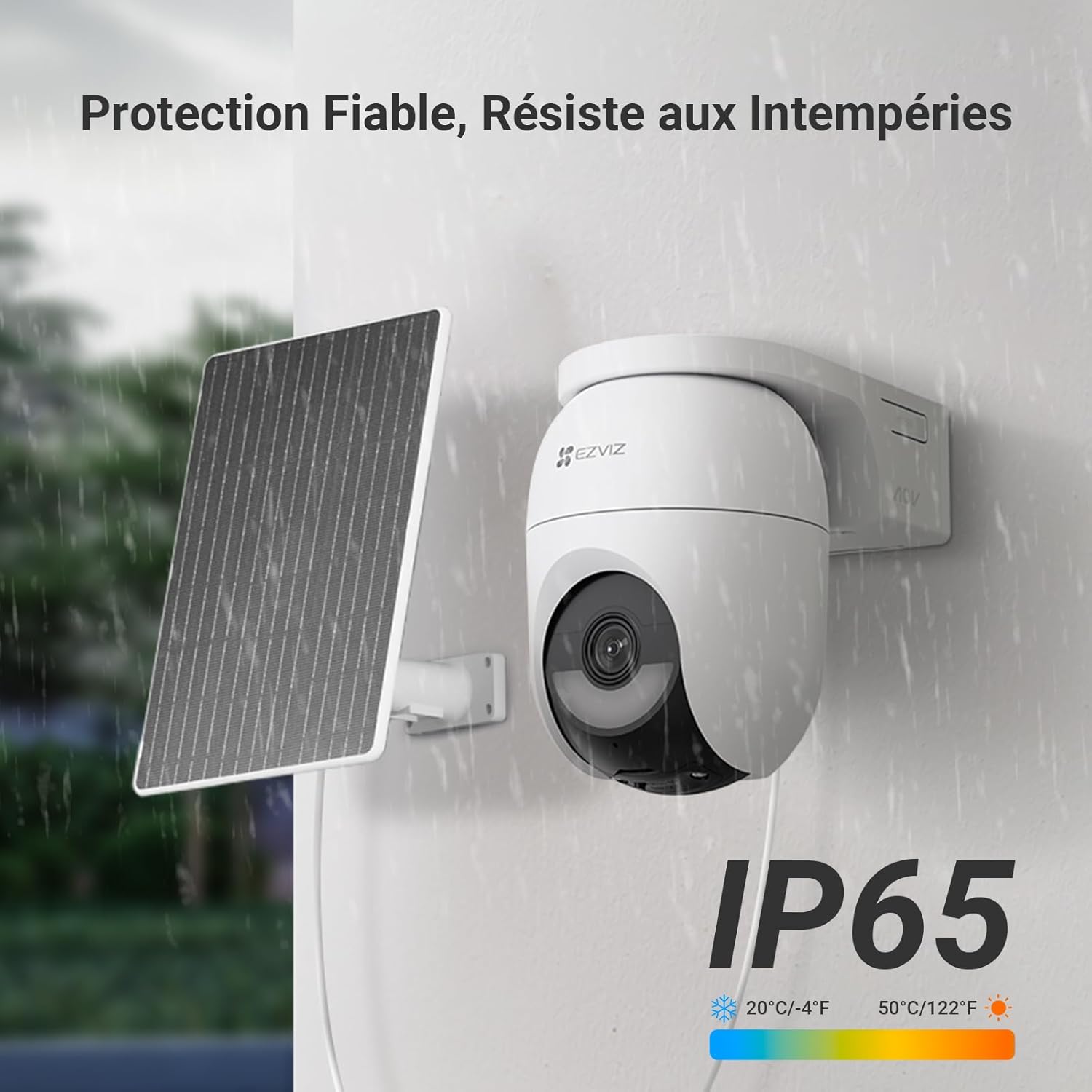
Image: The EZVIZ CB8 Lite camera and solar panel installed outdoors, demonstrating weatherproof design.
5. Operation
5.1 Dual Network Connectivity
The camera automatically prioritizes Wi-Fi 6 connection. If Wi-Fi becomes unavailable or unstable, it will seamlessly switch to 4G LTE to maintain continuous surveillance. Ensure your Nano SIM card has an active data plan.

Image: The camera illustrating its dual 4G and Wi-Fi connectivity.
5.2 Live View and Playback
Access live video streams and recorded footage through the EZVIZ app. Use the app to pan and tilt the camera for a 360-degree view of your surroundings. The AOV 2.0 feature provides continuous recording and time-lapse summaries.
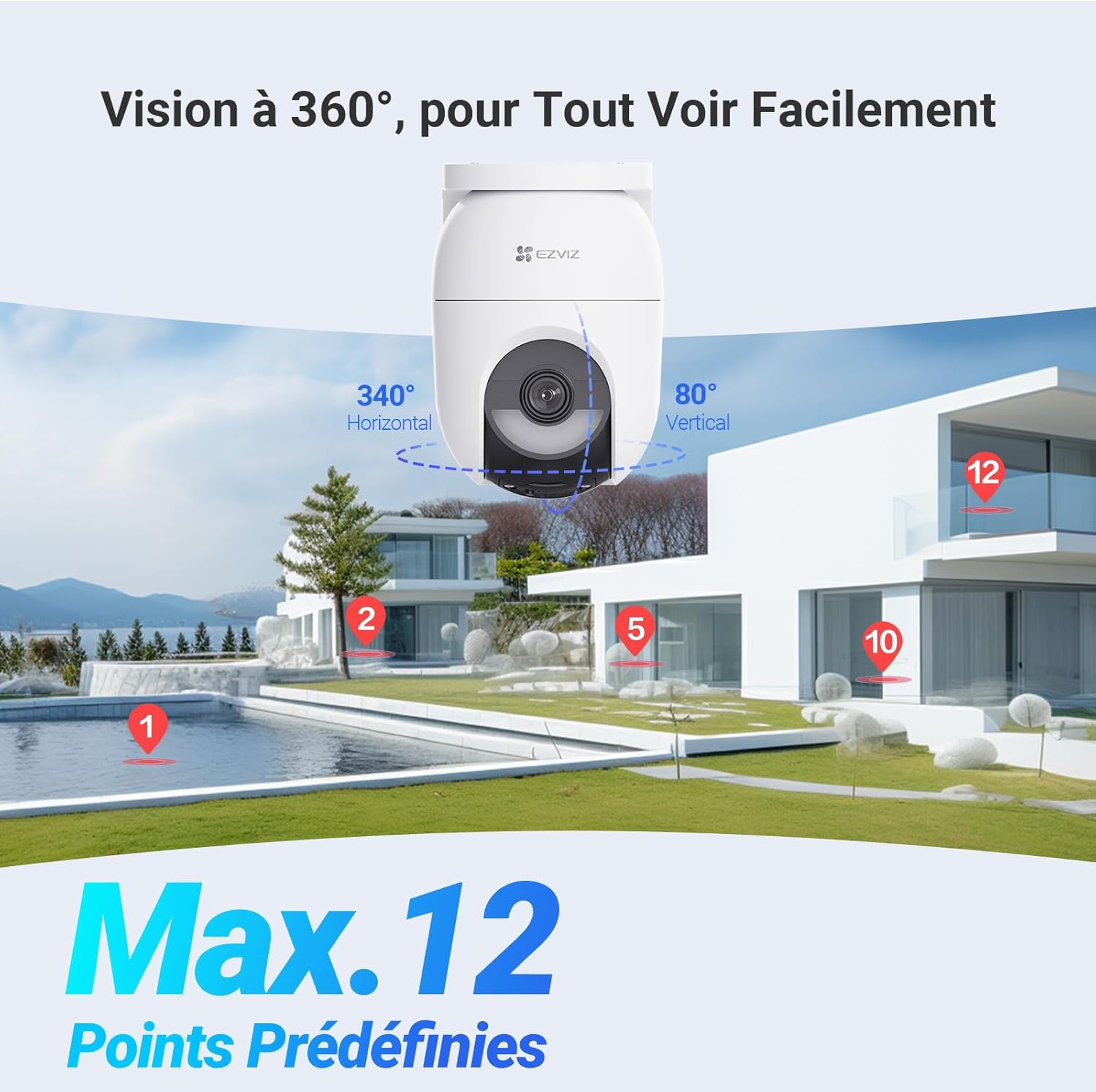
Image: The camera's 360-degree view capability with multiple preset points.
5.3 AI Detection and Auto-Tracking
The camera's AI algorithms differentiate between persons and vehicles, sending precise alerts to your smartphone. When a person is detected, the camera can automatically track their movement within its field of view.

Image: Smartphone screen showing an alert for AI-detected person and vehicle.
5.4 Two-Way Audio and Active Deterrence
Use the two-way audio feature in the EZVIZ app to speak with individuals near the camera. In case of suspicious activity, activate the sound alarm and flashing spotlights to deter intruders.
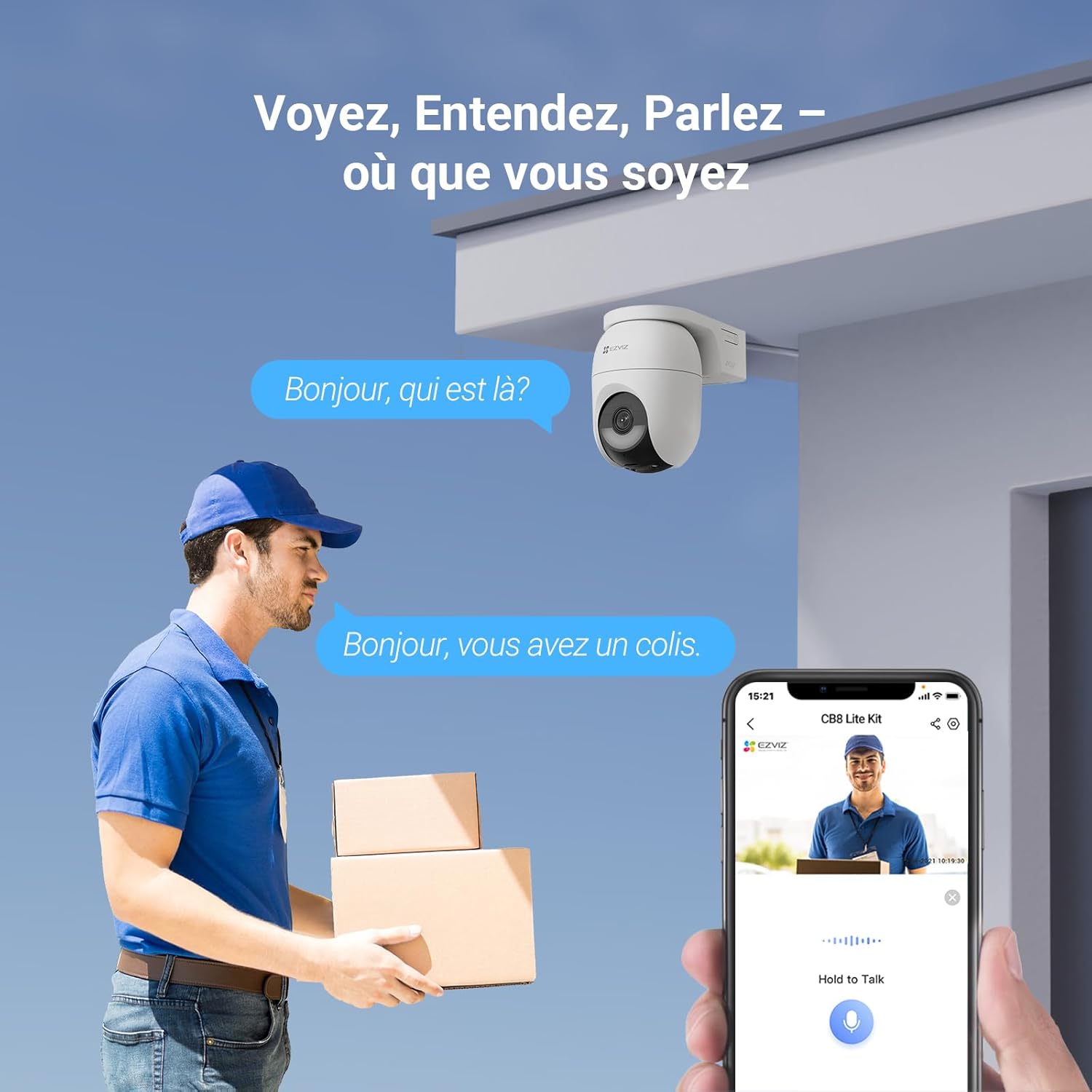
Image: A person interacting with a delivery driver via the camera's two-way audio feature.
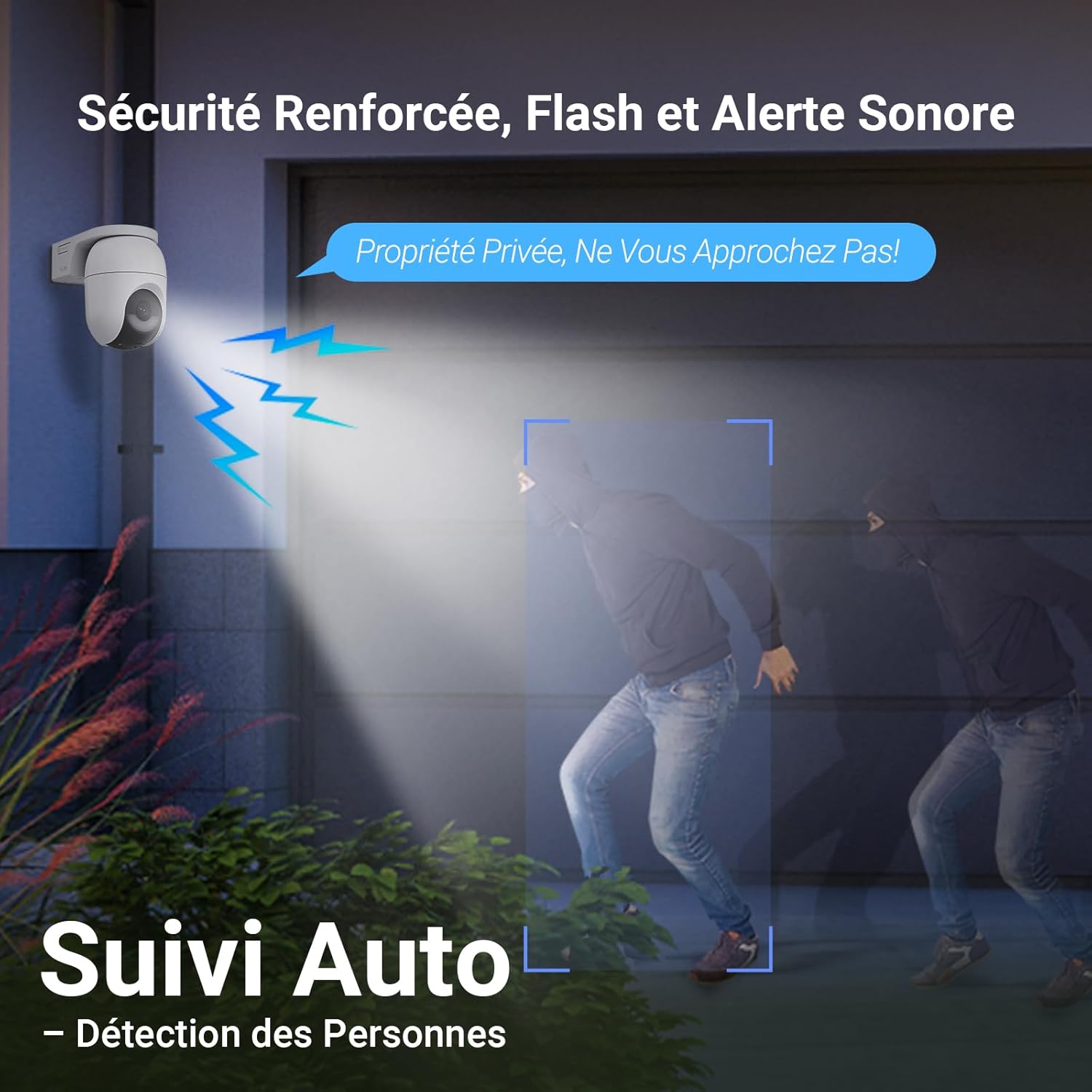
Image: The camera activating its flash and sound alarm to deter an intruder.
5.5 Night Vision Modes
The camera offers both standard infrared night vision and full-color night vision, enhanced by its built-in spotlights. You can configure the night vision mode through the EZVIZ app.

Image: The camera providing 2K+ resolution and color night vision capabilities.
6. Maintenance
6.1 Cleaning the Camera and Solar Panel
Regularly clean the camera lens and solar panel surface with a soft, damp cloth to ensure clear image quality and efficient solar charging. Avoid using abrasive cleaners or solvents.
6.2 Firmware Updates
Keep your camera's firmware updated to benefit from the latest features and security enhancements. Check for updates via the EZVIZ app and follow the instructions for installation.
6.3 Battery Management
The solar panel is designed to keep the battery charged. If the camera is installed in an area with limited sunlight, monitor the battery level via the app and recharge manually if necessary using the power cable.
7. Troubleshooting
- Camera not connecting to network:
Ensure the camera is within range of your Wi-Fi router or that the 4G SIM card has an active data plan and good signal. Restart the camera and your router. Verify network settings in the EZVIZ app. - Poor video quality:
Check your internet connection speed. Clean the camera lens. Ensure there are no obstructions blocking the view. - Battery not charging:
Ensure the solar panel is clean and receiving direct sunlight for at least two hours daily. Check the connection between the solar panel and the camera. - False alarms:
Adjust the detection sensitivity and detection zones in the EZVIZ app. Ensure AI detection for persons/vehicles is enabled. - Two-way audio issues:
Check the microphone and speaker settings in the EZVIZ app. Ensure your smartphone's volume is up.
8. Specifications
| Feature | Specification |
|---|---|
| Model Name | CB8 Lite 4G KIT |
| Model Number | CS-CB8C/SP-R100(4MP,W4GA) |
| Resolution | 4 Megapixels (2K+) |
| Connectivity | 4G LTE & Wi-Fi 6 (2.4GHz) |
| Power Source | Solar Powered & Battery (5200 mAh) |
| Solar Panel Power | 5W |
| Night Vision Range | 15 Meters (Color Night Vision) |
| Weather Resistance | IP65 (Waterproof) |
| Storage | MicroSD Card (up to 512GB), EZVIZ CloudPlay |
| Two-Way Audio | Yes |
| AI Features | Person Detection, Vehicle Detection, Auto-Tracking |
| PTZ Functionality | 360° Pan-Tilt, 12 Preset Points |
| Operating Temperature | -20°C to 50°C (-4°F to 122°F) |
| Dimensions | 20.3 x 14.8 x 0.2 cm (approximate) |
| Weight | 803 Grams |
9. Warranty and Support
For warranty information, please refer to the documentation included in your product package or visit the official EZVIZ website. For technical support, frequently asked questions, and additional resources, please visit the EZVIZ support page or contact customer service directly.
Online Support: www.ezviz.com
Contact: Refer to your regional EZVIZ support contact information.
10. Official Product Videos
EZVIZ 4G & Wi-Fi Battery Camera Series Overview
Video: An overview of the EZVIZ 4G & Wi-Fi battery camera series, demonstrating features like dual connectivity, AOV mode, and color night vision. This video highlights the camera's ability to switch between 4G and Wi-Fi, provide continuous recording, and offer enhanced night surveillance.


